1. Įvadas
This manual provides comprehensive instructions for the NUBWO HG04L Gaming Headset. It covers product features, setup, operation, maintenance, and troubleshooting to ensure optimal performance and user experience. The HG04L headset is designed for multi-platform compatibility, offering clear audio and communication for gaming and other applications.
2. Pakuotės turinys
Patikrinkite, ar pakuotėje yra visi reikalingi daiktai:
- 1 x NUBWO HG04L Gaming Headset

Image: The NUBWO HG04L Gaming Headset, showing its white design and 3.5mm audio jack.
3. Produktas baigtasview
The NUBWO HG04L Gaming Headset features a lightweight design, clear unidirectional microphone, and soft memory earmuffs for extended comfort. It connects via a 3.5mm jack, making it compatible with various gaming consoles and devices.
Pagrindinės funkcijos:
- Hi-Fi stereo garsas: Professionally tuned audio for precise in-game sound, rich music, and immersive movie experiences.
- Clear Unidirectional Microphone: Cardioid microphone design filters ambient noise, focusing on your voice within a 120° pickup angle for clear communication.
- Ergonomic Controls: Mute button and volume wheel are conveniently located on the earcup for easy, intuitive adjustments during use.
- Patogus dizainas: Over-ear earcups with memory foam padding and breathable leather ensure comfort during long gaming sessions.
- Anti-Tangling Braided Cable: Durable 1.5m braided cable resists tangling and wear.
- Foldable & Rotatable Design: Earcups rotate for a personalized fit and noise isolation, and the headset folds for compact storage and portability.

Image: Diagram illustrating the adjustable headband and 90-degree swivel earcups of the NUBWO HG04L headset, highlighting its ergonomic and foldable design.
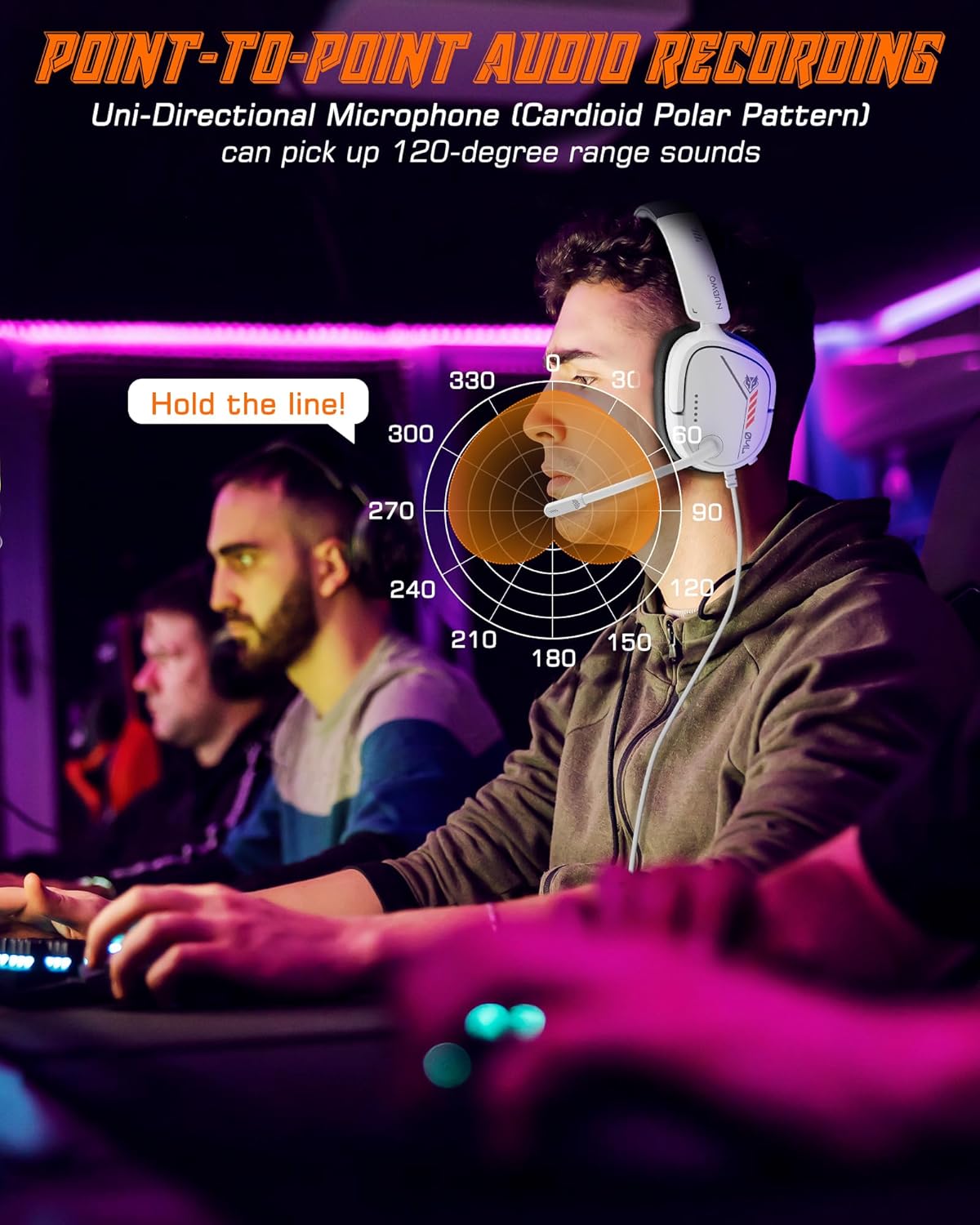
Image: A visual representation of the unidirectional microphone's 120-degree sound pickup pattern, demonstrating its ability to isolate the user's voice.
4. Sąrankos instrukcijos
The NUBWO HG04L headset connects via a standard 3.5mm audio jack. No additional drivers or software are required for basic functionality.
Connecting to Gaming Consoles (PS5/PS4, Xbox Series X|S/Xbox One, Nintendo Switch):
- Locate the 3.5mm audio jack on your console's controller (for PS5/PS4, Xbox) or directly on the console/handheld device (for Switch).
- Insert the 3.5mm plug of the NUBWO HG04L headset firmly into the audio jack.
- Adjust audio settings on your console if necessary to ensure the headset is selected as the input/output device.

Image: A user connecting the NUBWO HG04L headset to a PlayStation 5 controller, demonstrating console compatibility.
Prijungimas prie kompiuterio / nešiojamojo kompiuterio:
- If your PC/laptop has a combined 3.5mm audio jack (headphone/microphone combo), insert the headset's 3.5mm plug directly.
- If your PC/laptop has separate audio (headphone) and microphone jacks, you may need a 3.5mm splitter cable (not included) to connect both functions.
- Verify audio input/output settings in your operating system to ensure the headset is recognized and selected.

Image: A user wearing the NUBWO HG04L headset while using a laptop, illustrating PC compatibility.
5. Naudojimo instrukcijos
Garsumo valdymas:
The volume wheel is located on the left earcup. Rotate the wheel upwards to increase volume and downwards to decrease volume.
Mikrofono nutildymas / įjungimas:
A mute button is located on the left earcup, near the microphone. Press the button to mute the microphone. Press it again to unmute.
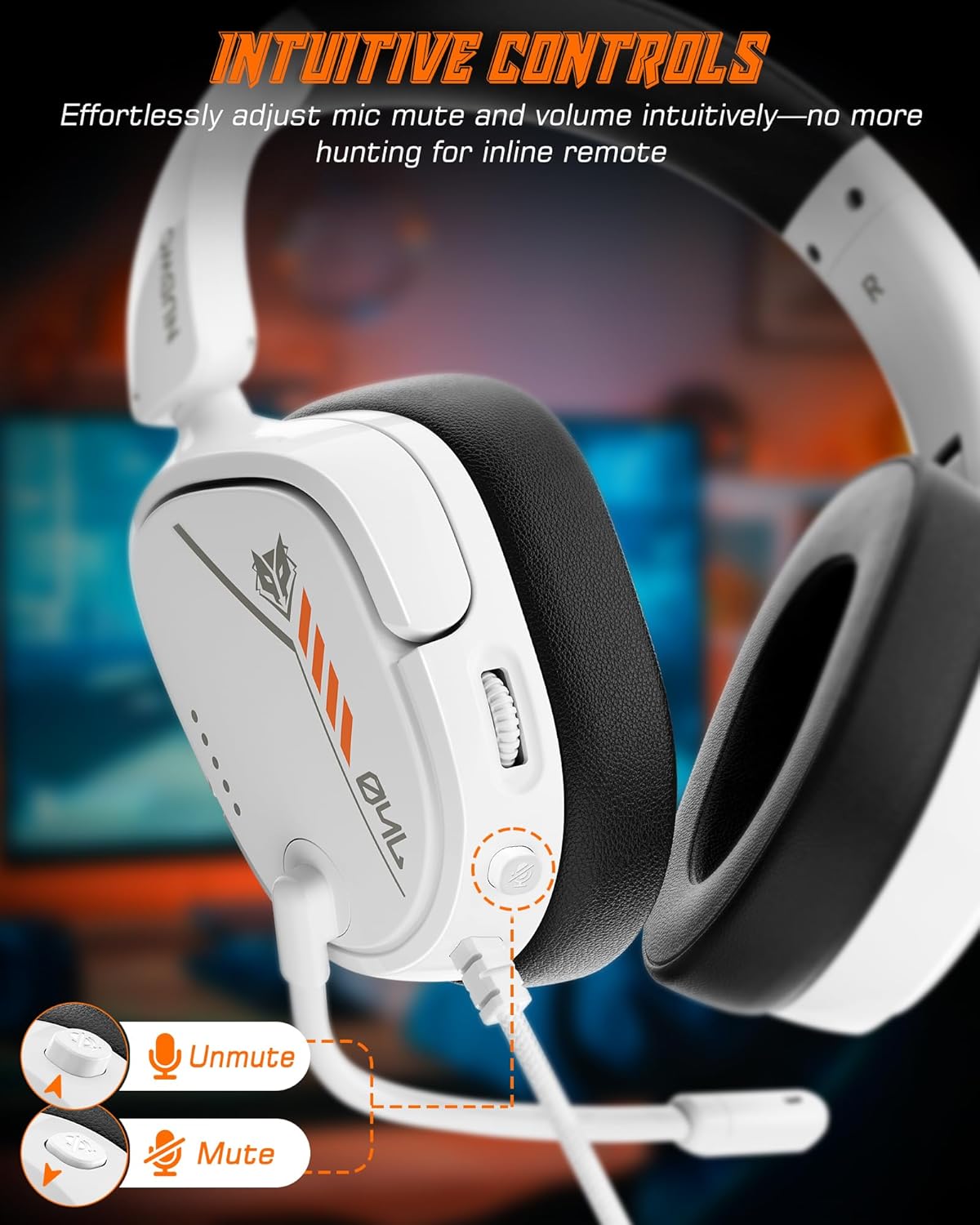
Image: Close-up of the NUBWO HG04L headset's left earcup, highlighting the easily accessible mute button and volume control wheel.
Mikrofono padėtis:
The flexible microphone can be adjusted to your preferred position for optimal voice pickup. Ensure the microphone is positioned close to your mouth for the clearest communication.
Tinkamumo reguliavimas:
The headband is adjustable to fit various head sizes. The earcups can also rotate 90 degrees to conform to your head shape, providing a comfortable and secure fit. This rotation also allows for single-ear listening if desired.

Image: A woman wearing the NUBWO HG04L headset, illustrating how the rotating earcups provide a personalized and comfortable fit.
6. Priežiūra
Proper care extends the life of your NUBWO HG04L Gaming Headset.
- Valymas: Ausų kaušelius ir galvos juostą nuvalykite minkšta, sausa šluoste. Įsisenėjusius nešvarumus lengvai nuvalykite.amp Galima naudoti šluostę, tačiau įsitikinkite, kad į garsiakalbio groteles ar mikrofoną nepatektų drėgmės.
- Saugykla: When not in use, store the headset in a clean, dry place. The foldable design allows for compact storage, protecting it from dust and damage.
- Kabelio priežiūra: Avoid sharp bends or excessive pulling on the braided cable to prevent internal damage.
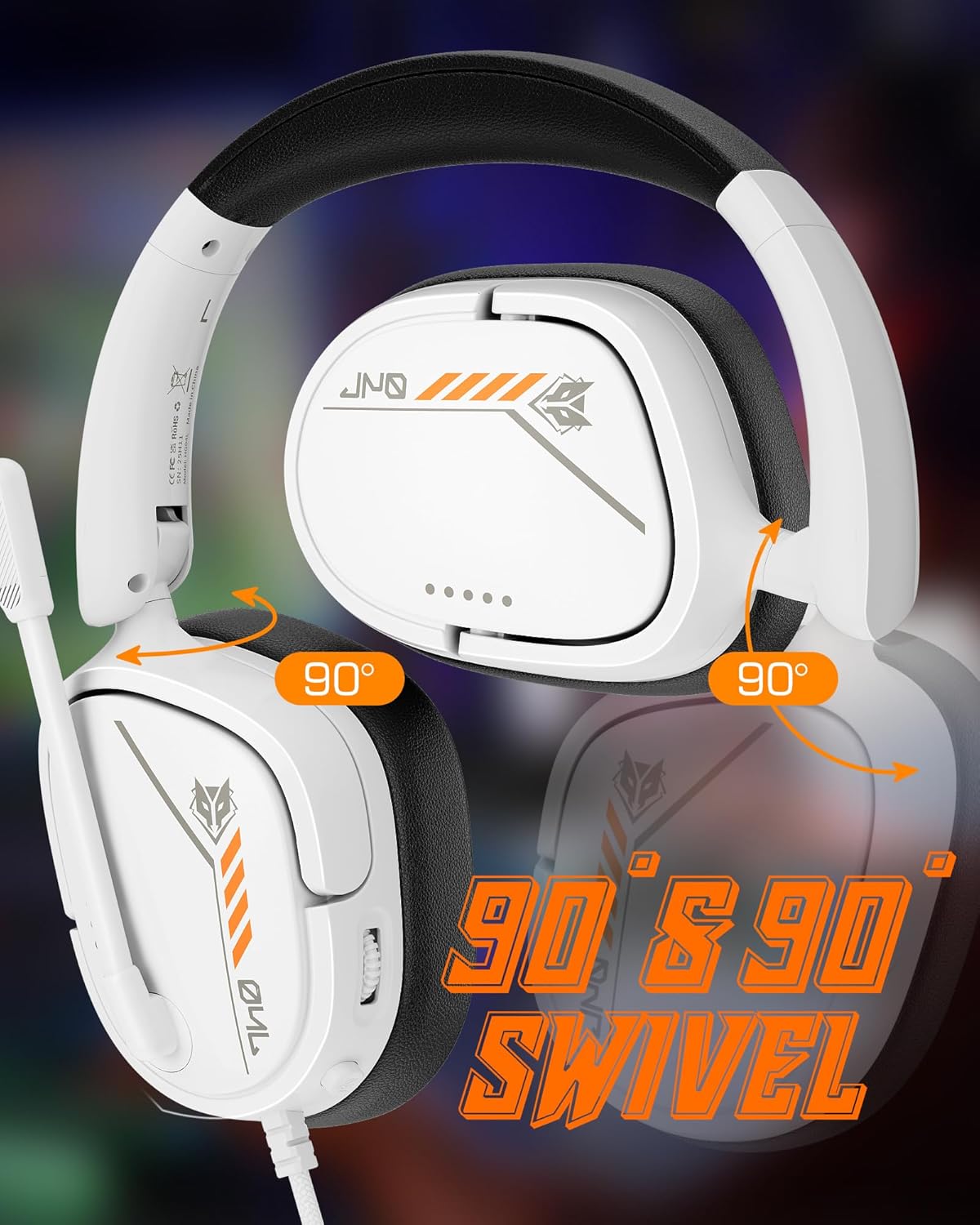
Image: The NUBWO HG04L headset in its folded configuration, demonstrating its portability and ease of storage.
7. Problemų sprendimas
If you encounter issues with your NUBWO HG04L Gaming Headset, refer to the following common solutions:
- Nėra garso:
- Įsitikinkite, kad 3.5 mm lizdas yra visiškai įkištas į įrenginį.
- Check the volume wheel on the headset and increase it.
- Verify the audio output settings on your device (console, PC, etc.) to ensure the headset is selected.
- Išbandykite ausines su kitu įrenginiu, kad atmestumėte su įrenginiu susijusią problemą.
- Mikrofonas neveikia:
- Įsitikinkite, kad ausinių mikrofono nutildymo mygtukas nėra įjungtas.
- Check the microphone input settings on your device to ensure the headset microphone is selected and its volume is not muted or too low.
- Ensure the microphone is positioned correctly and not obstructed.
- If using a PC with separate audio jacks, confirm you are using a 3.5mm splitter if required.
- Garso iškraipymas / prasta kokybė:
- Ensure the 3.5mm connection is secure and free from debris.
- Reduce the volume on your device or headset if the sound is crackling or distorted.
- Išbandykite su kitu įrenginiu, kad nustatytumėte, ar problema susijusi su ausinėmis, ar su šaltinio įrenginiu.
8. Specifikacijos
| Funkcija | Detalė |
|---|---|
| Modelio pavadinimas | HG04L |
| Ryšio technologija | Laidinis (3.5 mm lizdas) |
| Garso tvarkyklės tipas | Dinaminis vairuotojas |
| Garso tvarkyklės dydis | 40 milimetrų |
| Dažnio atsakas | 20 KHz (Upper limit, typical range 20Hz-20kHz) |
| Jautrumas | 96 dB |
| Varža | 32 omų |
| Mikrofono tipas | Vienakryptis (kardioidas) |
| Ausų išdėstymas | Virš ausies |
| Formos faktorius | Virš ausies |
| Ypatingos savybės | Foldable, Surround Sound (simulated) |
| Prekės svoris | 11.7 uncijos (apie 331 g) |
| Gaminio matmenys | 2.36 x 6.1 x 7.17 colio |
| Medžiaga | Plastikiniai |
| Spalva | Baltas |
9. Garantija ir palaikymas
NUBWO products are designed for reliability and performance. For warranty information and customer support, please refer to the official NUBWO websvetainėje arba susisiekite su pardavėju. Išsaugokite pirkimo kvitą kaip pirkimo įrodymą garantijos pretenzijoms.
Norėdami gauti daugiau pagalbos, apsilankykite NUBWO Store on Amazon.


