1. Įvadas
Thank you for choosing the PUTRIMS S28 Mini Projector. This manual provides essential information for setting up, operating, and maintaining your projector to ensure optimal performance and longevity. Please read this manual thoroughly before using the product and retain it for future reference.
2. Produktas baigtasview
2.1 Pakuotės turinys
Įsitikinkite, kad pakuotėje yra visi daiktai:
- PUTRIMS S28 Projector (Note: No built-in battery, requires power connection during use)
- Maitinimo laidas
- HDMI kabelis
- Nuotolinio valdymo pultas (reikalingos 2 AAA baterijos, nepridedamos)
- Greitos pradžios vadovas
- Objektyvo dangtelis
2.2 Pagrindinės savybės
- Auto Keystone korekcija: Automatic vertical keystone adjustment (±30°) and manual correction (±50°) for a perfectly rectangular image.
- Elektrinis fokusavimas: One-click focus adjustment for clear images.
- Reguliuojamas stovas: Integrated 145° rotatable stand for flexible projection angles, including ceiling projection.
- Dviejų juostų WiFi: Supports ultra-fast 5G and stable 2.4G WiFi for seamless streaming and screen mirroring (Miracast, Airplay).
- "Bluetooth 5.2": Built-in Bluetooth for connecting external audio devices like headphones or speakers.
- 1080P palaikymas: Supports 1080P Full HD input for high-quality visuals. Native resolution is 1280 x 720.
- 300 ANSI liumenų ryškumas: Provides bright and vibrant visuals.
- Fully Enclosed Optical System: Designed to prevent dust accumulation, reducing black or white spots and ensuring long-term clarity.
- Priartinimo funkcija: Adjust image size from 100% to 50% without moving the projector.
- Keli ryšiai: HDMI, USB, and 3.5mm audio output ports for compatibility with various devices (Phone, Laptop, PC, TV Stick, PS5, Switch).
- Kompaktiškas dizainas: Lightweight and portable for easy setup in any location.
2.3 Gaminio schema

2.3.1 pav.: priekis view of the PUTRIMS S28 Mini Projector, showcasing the lens and focus adjustment.
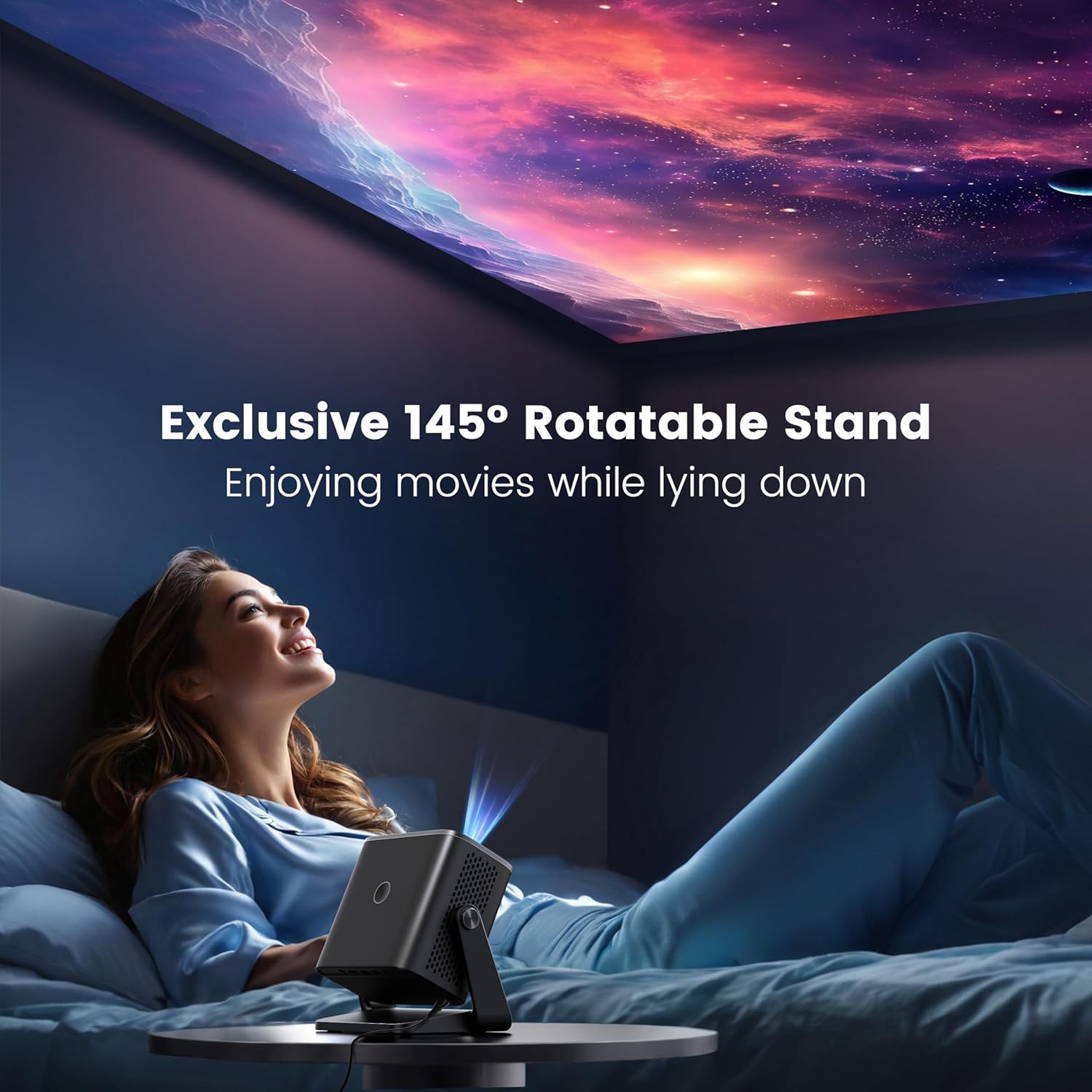
Figure 2.3.2: The projector positioned with its 145-degree rotatable stand, demonstrating its flexibility for various projection angles, including ceiling projection.
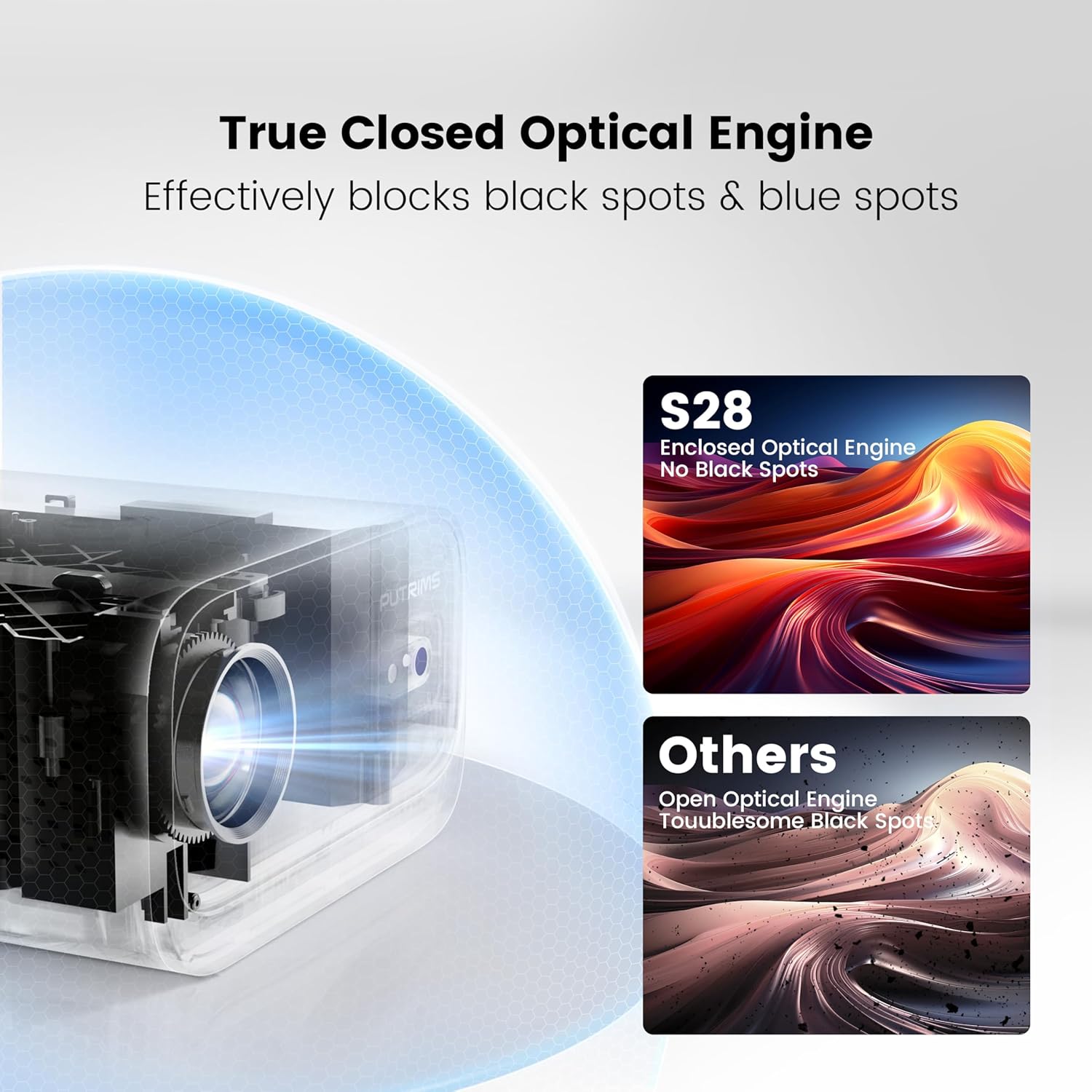
Figure 2.3.3: Diagram illustrating the True Closed Optical Engine, highlighting its design to effectively block black and blue spots, ensuring a clear and consistent image over time.
3. Sąrankos vadovas
Atlikite šiuos pradinės sąrankos veiksmus:
- Išpakuoti: Atsargiai išimkite visus komponentus iš pakuotės.
- Maitinimo jungtis: Connect the power cord to the projector and then to a power outlet. The projector is not battery-powered and must be plugged in during use.
- Vieta: Place the projector on a stable, flat surface. Utilize the 145° adjustable stand to achieve your desired projection angle. The optimal projection distance is typically 2-3 meters.
- Objektyvo dangtelis: Remove the lens cover before powering on the projector.
- Maitinimas: Norėdami įjungti įrenginį, paspauskite projektoriaus arba nuotolinio valdymo pulto maitinimo mygtuką.
- Fokuso reguliavimas: Use the electric focus function via the remote control to achieve a clear image. Press the 'F-' or 'F+' buttons on the remote to adjust.

Figure 3.6.1: Adjusting focus using the remote control for a sharp image.
- Keystone korekcija: The projector features automatic vertical keystone correction (±30°). If further adjustment is needed, manual keystone correction (±50°) is available in the settings menu.

Figure 3.7.1: Visual representation of automatic vertical keystone correction, ensuring a rectangular image even when the projector is tilted.
4. Naudojimo instrukcijos
4.1 Įrenginių prijungimas
The PUTRIMS S28 offers multiple connectivity options:
- HDMI: Connect your laptop, PC, TV Stick, PS5, Switch, or other HDMI-enabled devices using the provided HDMI cable. Select the HDMI input source from the projector's menu.
- USB: Įkiškite USB atmintinę, kad galėtumėte leisti mediją files tiesiogiai.
- 3.5 mm garso išvestis: Norėdami pagerinti garsą, prijunkite išorinius garsiakalbius arba ausines.
4.2 Wireless Connectivity (WiFi)
Norėdami prisijungti prie belaidžio tinklo:
- Projektoriuje eikite į meniu „Nustatymai“.
- Pasirinkite „Tinklas“ arba „Wi-Fi nustatymai“.
- Enable WiFi and select your desired 5G or 2.4G network from the list.
- Enter the network password using the on-screen keyboard and confirm.
- Once connected, you can use screen mirroring features like Miracast (for Android) or Airplay (for iOS) to project content from your smartphone or tablet.
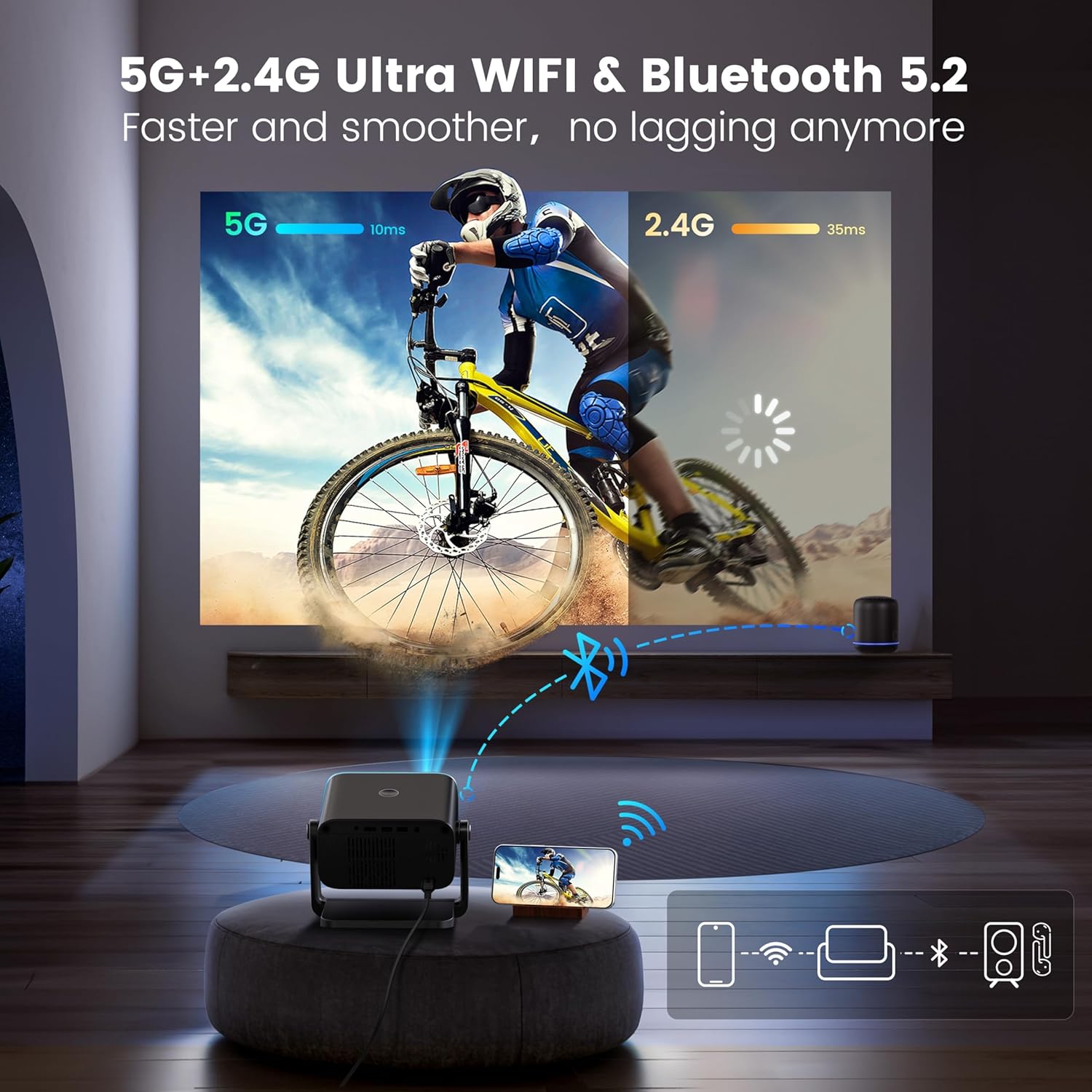
Figure 4.2.1: Demonstrating the dual-band 5G and 2.4G WiFi connectivity for fast and smooth streaming.
Note: Due to HDCP copyright restrictions, streaming services like Netflix and Disney+ require a TV stick (sold separately) for playback. Wired screen mirroring is also supported for seamless YouTube streaming.
4.3 Bluetooth poravimas
To connect Bluetooth audio devices:
- Eikite į meniu „Nustatymai“ ir pasirinkite „Bluetooth“.
- Projektoriuje įjunkite Bluetooth.
- Put your Bluetooth headphones, speakers, or AirPods into pairing mode.
- Select your device from the list of available devices on the projector screen to pair.
4.4 Adjusting Projection Settings
- Priartinimo funkcija: To adjust the image size without moving the projector, use the zoom function. This allows you to scale the image from 100% down to 50%. Access this setting in the projector's display or picture settings menu.
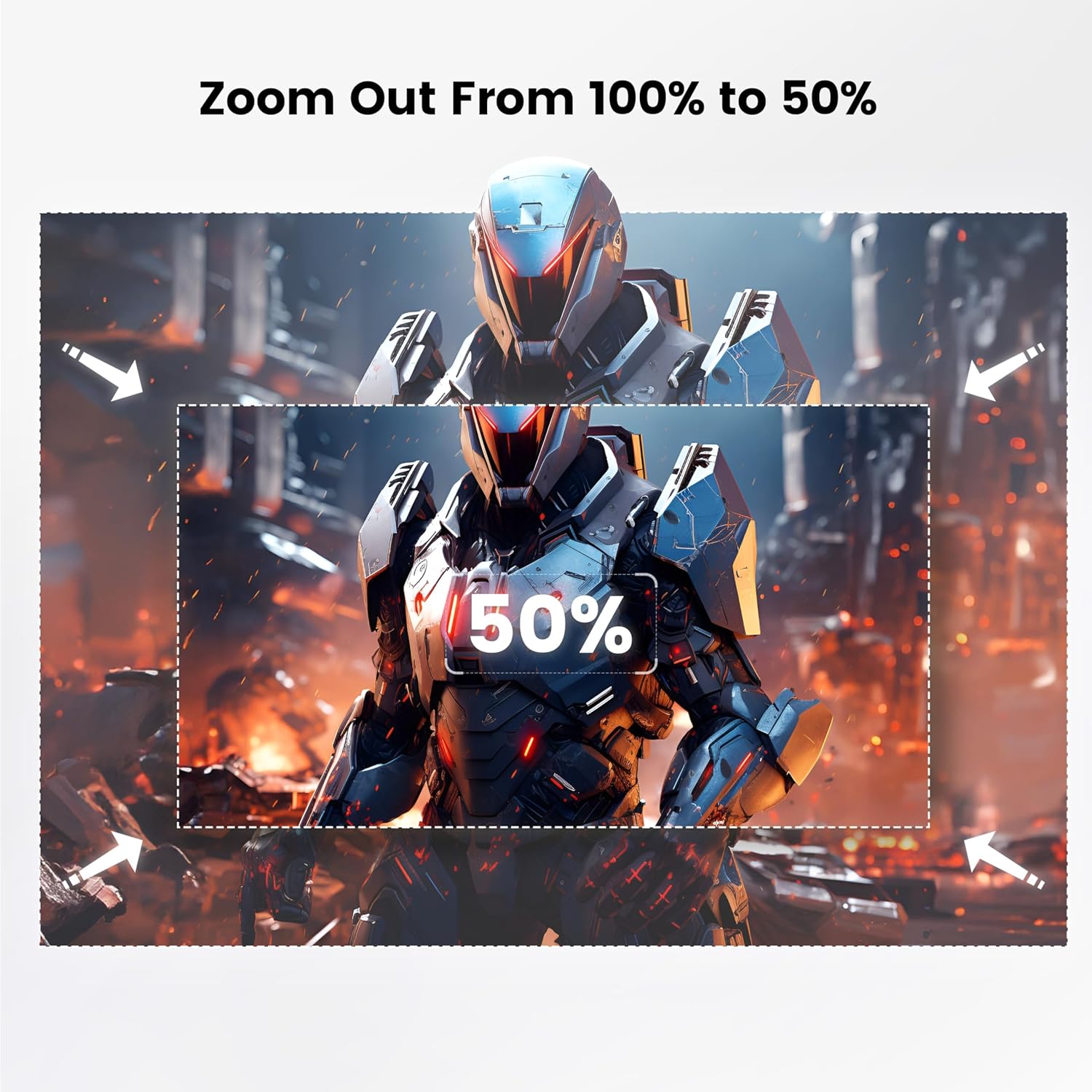
Figure 4.4.1: Visual guide for adjusting the projection size using the 100% to 50% zoom feature.
- Vaizdo režimas: Adjust brightness, contrast, color, and sharpness settings to optimize picture quality for different content or environments.
- Miego laikmatis: Set a sleep timer (60/120/180 minutes) for automatic shutdown.
5. Priežiūra
Tinkama priežiūra užtikrina jūsų projektoriaus ilgaamžiškumą ir našumą:
- Objektyvo valymas: Projektoriaus objektyvą švelniai nuvalykite minkštu, nepūkuotu audiniu, specialiai skirtu optiniams lęšiams. Nenaudokite abrazyvinių valiklių ar per didelės jėgos.
- Dulkių šalinimas: Regularly clean the projector's vents to prevent dust buildup, which can affect performance and lead to overheating. Use a soft brush or compressed air. The fully enclosed optical system helps minimize internal dust.
- Saugykla: When not in use, store the projector in a cool, dry place, away from direct sunlight and extreme temperatures. Use the provided lens cover to protect the lens.
- Tvarkymas: Always handle the projector with care. Avoid dropping or subjecting it to strong impacts.
6. Problemų sprendimas
Jei kyla problemų, dažniausiai pasitaikančias problemas ir sprendimus rasite toliau pateiktoje lentelėje:
| Problema | Galima priežastis | Sprendimas |
|---|---|---|
| No image / Power off | Power cord not connected; Projector not powered on. | Ensure power cord is securely connected. Press the power button. Confirm the projector is plugged into a working outlet. |
| Neryškus vaizdas | Incorrect focus; Projector too close/far from screen. | Adjust focus using the remote control. Ensure the projector is within the optimal projection distance (2-3 meters). |
| Image not rectangular | Incorrect keystone setting. | Allow auto keystone correction to adjust. If needed, manually adjust keystone in the settings menu. |
| Nėra garso | Volume too low; External audio device not connected/paired correctly. | Increase projector volume. Check audio cable connections or Bluetooth pairing status. |
| WiFi/Bluetooth connectivity issues | Neteisingas slaptažodis; įrenginys už diapazono ribų; trukdžiai. | Re-enter password. Ensure devices are within range. Restart projector and router/Bluetooth device. |
| Streaming apps (Netflix, Disney+) not working | HDCP copyright restrictions. | A TV stick (sold separately) is required for these services due to copyright protection. |
Norėdami gauti daugiau pagalbos, susisiekite su mūsų klientų aptarnavimo tarnyba.
7. Specifikacijos
| Funkcija | Detalė |
|---|---|
| Prekės ženklas | PUTRIMS |
| Modelis | S28 |
| Savoji ekrano skiriamoji geba | 1280 x 720 (Supports 1080P input) |
| Ryškumas | 300 ANSI liumenai |
| Kontrasto santykis | 18,000:1 |
| Metimo santykis | 1.36:1 |
| Keystone Korekcija | Auto Vertical (±30°), Manual (±50°) |
| Fokusas | Elektrinis fokusavimas |
| Adjustable Stand Angle | 145° |
| Mastelio funkcija | 100 % – 50 % |
| Ryšys | 5G+2.4G WiFi, Bluetooth 5.2, HDMI, USB, 3.5mm Audio Out |
| Prekės svoris | 1.76 svaro (apie 0.8 kg) |
| Matmenys (I x P x A) | 7.87 x 7.08 x 7.87 colio (apytiksliai 20 x 18 x 20 cm) |
| Maitinimo šaltinis | AC Power (No built-in battery) |
8. Garantija ir palaikymas
PUTRIMS is committed to providing excellent customer service.
- Garantija: The PUTRIMS S28 Mini Projector comes with a 2-year money-back guarantee and 3-year repair coverage.
- Techninė pagalba: Lifetime technical assistance is available for all customers.
- Klientų aptarnavimas: For any questions, troubleshooting, or technical support, please contact us 24/7 via email at: support@putrims.com.
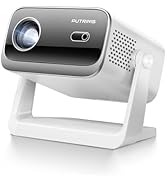
Figure 8.1: Contact information for customer support, including email and service guarantees.


