1. Įvadas
This manual provides essential information for the proper use and maintenance of your XIAOMI Redmi 15 5G smartphone. Please read this guide thoroughly before operating your device to ensure optimal performance and longevity. The Redmi 15 5G is designed for reliable daily use, featuring a large display, powerful battery, and advanced camera system.
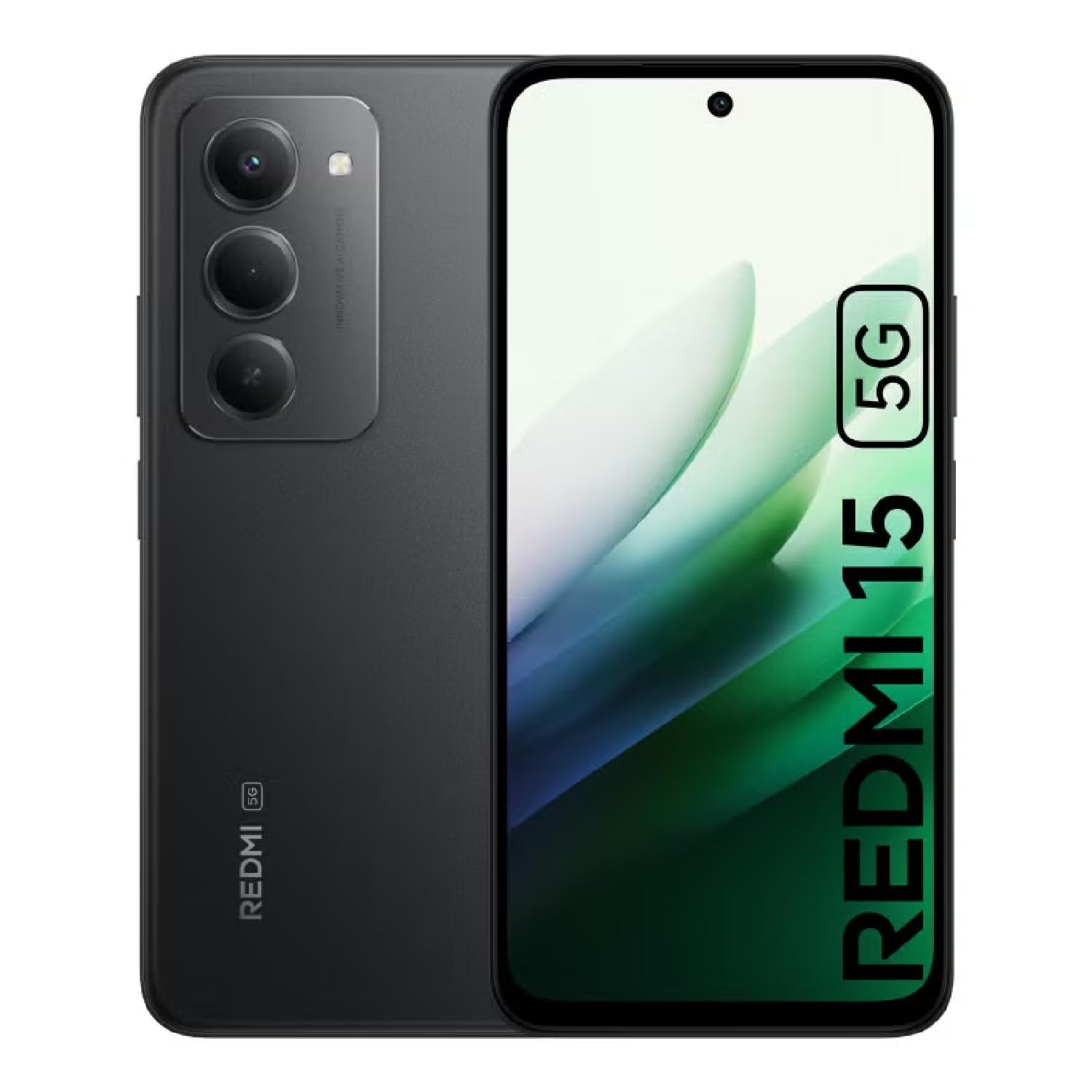
Image: The XIAOMI Redmi 15 5G smartphone, showcasing its design in multiple color options.
2. Kas yra dėžutėje
- XIAOMI Redmi 15 5G Smartphone
- USB kabelis
- Telefono dėklas
- SIM Ejector Tool (may be included with documentation)
- Greitas pradžios vadovas ir garantijos informacija
3. Sąranka
3.1. SIM kortelės ir „MicroSD“ kortelės įdėjimas
- Suraskite SIM kortelės dėklą savo įrenginio šone.
- Įkiškite SIM kortelės išstūmimo įrankį į mažą skylutę šalia dėklo ir švelniai paspauskite, kol dėklas iššoks.
- Place your Nano-SIM card(s) and/or microSD card into the tray, ensuring they are correctly oriented. The Redmi 15 5G supports a hybrid SIM slot (SIM1 + SIM2 or SIM1 + microSD).
- Atsargiai įstatykite dėklą atgal į telefoną.
3.2. Pradinis įjungimas ir konfigūracija
- Paspauskite ir palaikykite maitinimo mygtuką, kol pasirodys „XIAOMI“ logotipas.
- Vykdykite ekrane pateikiamus nurodymus, kad pasirinktumėte kalbą, regioną ir prisijungtumėte prie „Wi-Fi“ tinklo.
- Sign in with your Google account or create a new one to access apps and services.
- Set up your preferred security methods, such as a PIN, pattern, password, fingerprint, or AI face unlock.
4. Naudojimo instrukcijos
4.1. Ekrano funkcijos
The Redmi 15 5G features an immersive 6.9-inch FHD+ DotDisplay with a resolution of 2340 × 1080 pixels (374 PPI). Enjoy smooth visuals with a refresh rate of up to 144Hz and a touch sampling rate of up to 288Hz. The display offers a typical brightness of 700 nits (850 nits HBM) and a contrast ratio of 1400:1. It includes an all-day eye-care display with DC dimming and TÜV Rheinland certifications for low blue light, circadian friendly, and flicker-free viewing. The Wet Touch Technology 2.0 ensures accurate touch response even with wet fingers.
4.2. Kamerų sistema
Capture high-quality photos and videos with the 50MP AI dual camera system. The main camera features a 5P lens with an f/1.8 aperture. Video recording supports 1080p (1920x1080) HD at 30 fps and 720p (1280x720) HD at 30 fps. The 8MP front camera (f/2 aperture) is ideal for selfies and video calls, offering features like filmCamera, HDR mode, soft-light ring, portrait mode, and time-lapse. Front camera video recording also supports 1080p and 720p HD at 30 fps.

Vaizdas: Išsamus view of the Redmi 15 5G's rear camera system.
4.3. Našumas ir baterija
Powered by the Snapdragon® 6s Gen 3 5G Mobile Platform, built on an efficient 6nm process, the device offers smooth and reliable performance. The octa-core CPU (Kryo, up to 2.3GHz) and Adreno GPU ensure efficient multitasking and gaming. The phone comes with 8GB of RAM, expandable up to 16GB with Memory extension (utilizing ROM storage). A massive 7000mAh (typical) battery provides extended usage, offering up to 24 hours of talk time.
4.4. Ryšys ir saugumas
The Redmi 15 5G supports 5G connectivity (SA and NSA bands), 4G LTE, and 3G/2G networks. It includes NFC for contactless payments and data transfer, Wi-Fi for internet access, and comprehensive GPS support (GPS, Glonass, Galileo, Beidou). Security features include a side-mounted fingerprint sensor and AI face unlock for convenient and secure access.
5. Priežiūra
- Valymas: Ekraną ir korpusą valykite minkštu, nepūkuotu audiniu. Venkite stiprių cheminių medžiagų.
- Programinės įrangos atnaujinimai: Reguliariai tikrinkite, ar yra sistemos naujinimų, ir juos įdiekite, kad užtikrintumėte optimalų našumą, saugumą ir prieigą prie naujų funkcijų.
- Akumuliatoriaus priežiūra: Norėdami pailginti akumuliatoriaus veikimo laiką, venkite ekstremalių temperatūrų ir neleiskite akumuliatoriui dažnai visiškai išsikrauti.
- Saugyklos valdymas: Periodiškai valykite nereikalingus fileir programėles, kad būtų palaikomas įrenginio greitis ir atlaisvinama vietos saugykloje.
6. Problemų sprendimas
- Įrenginys neįsijungia: Įsitikinkite, kad akumuliatorius įkrautas. Prijunkite įrenginį prie įkroviklio ir palaukite kelias minutes, prieš bandydami jį vėl įjungti.
- Apps Freezing or Lagging: Close background applications. Clear app cache or data if the issue persists with a specific app. Restarting the device can also resolve temporary performance issues.
- Prastas tinklo ryšys: Check if your SIM card is properly inserted. Ensure mobile data is enabled and you are within network coverage. For Wi-Fi issues, restart your router and phone.
- Greitai išsikrauna baterija: Reduce screen brightness, disable unnecessary features like GPS or Bluetooth when not in use, and close power-intensive background apps.
- Pirštų atspaudų jutiklis neveikia: Įsitikinkite, kad jūsų pirštas švarus ir sausas. Jei problema išlieka, iš naujo užregistruokite pirštų atspaudus.
7. Specifikacijos
| Funkcija | Specifikacija |
|---|---|
| Modelio pavadinimas | 25057RN09E |
| Ekrano dydis | 6.9 colių |
| Rezoliucija | 2340 x 1080 |
| Atnaujinimo dažnis | 144 Hz |
| Procesorius | „Snapdragon 6s“ 3-osios kartos mobilioji platforma (aštuonių branduolių, iki 2.3 GHz) |
| RAM | 8 GB (expandable up to 16GB with Memory extension) |
| Sandėliavimo talpa | 256 GB (galima išplėsti iki 2 TB su „microSD“ kortele) |
| Pagrindinė kamera | 50 MP dviguba kamera su dirbtiniu intelektu |
| Priekinė kamera | 8 MP |
| Baterijos talpa | 7000 mAh |
| Operacinė sistema | „Xiaomi HyperOS“, pagrįsta „Android 15“ |
| Ryšys | 5G, „Wi-Fi“, NFC, GPS |
| Saugumas | Šoninis pirštų atspaudų jutiklis, dirbtinio intelekto veido atrakinimas |
| Matmenys | 6.74 x 3.23 x 0.34 colio |
| Svoris | 7.9 uncijos (224 gramų) |
8. Garantija ir palaikymas
For warranty information, please refer to the warranty card included in your product packaging or visit the official XIAOMI website. If you encounter any issues not covered in this manual, please contact XIAOMI customer support for assistance. Keep your proof of purchase for warranty claims.


