1. Įvadas
Welcome to the instruction manual for your JBL Charge 6 Portable Bluetooth Speaker. This guide provides essential information for setting up, operating, and maintaining your device. The JBL Charge 6 is engineered for robust audio performance and portability, featuring IP68 waterproof and dustproof ratings, extended battery life, and Auracast multi-speaker connectivity.
2. Kas yra dėžutėje
Carefully unpack your JBL Charge 6. The package should contain the following items:
- „JBL Charge 6“ nešiojamas „Bluetooth“ garsiakalbis
- Dirželis
- Greitos pradžios vadovas
- Saugos lapas
Note: The JBL Charge 6 does NOT include a USB-C charging cable in the box. A compatible standard USB-C cable (sold separately) is required for charging.
This bundle also includes a Megen Hardshell Protection Case for your speaker.

Image: JBL Charge 6 speaker shown with its Megen hardshell protection case and also separately with its attached carrying strap.

Image: The detachable carrying strap for the JBL Charge 6 speaker.

Image: The Megen Hardshell Protection Case designed to store and protect the JBL Charge 6 speaker.
3. Produktas baigtasview
Familiarize yourself with the physical components and controls of your JBL Charge 6 speaker.
3.1. Garsiakalbių komponentai

Vaizdas: Šoninė view of the JBL Charge 6 speaker, highlighting its textured fabric exterior and integrated carrying handle.
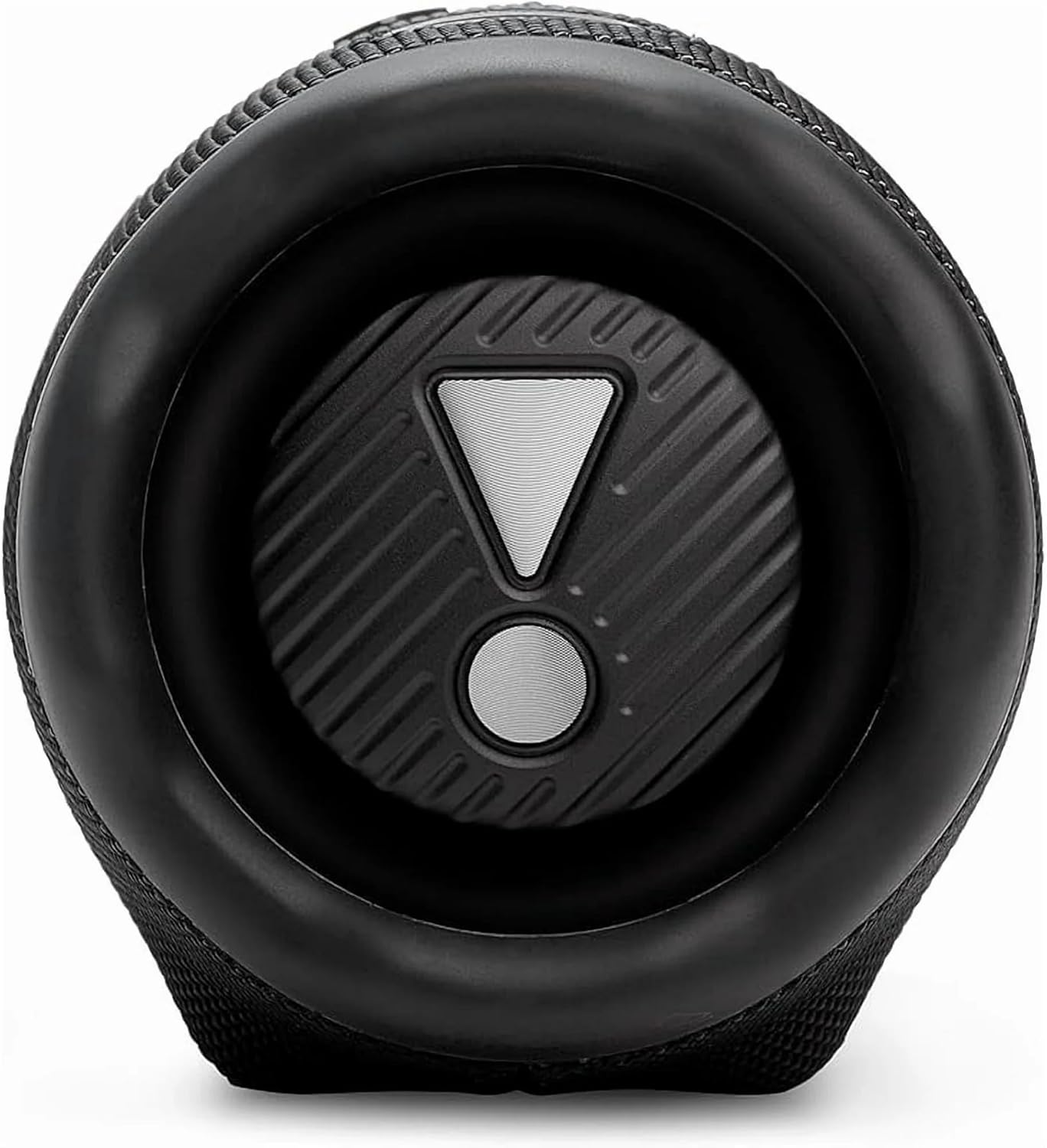
Paveikslėlis: Pabaiga view of the JBL Charge 6 speaker, showing the passive radiator with the JBL exclamation mark logo.
3.2. Valdymo skydelis

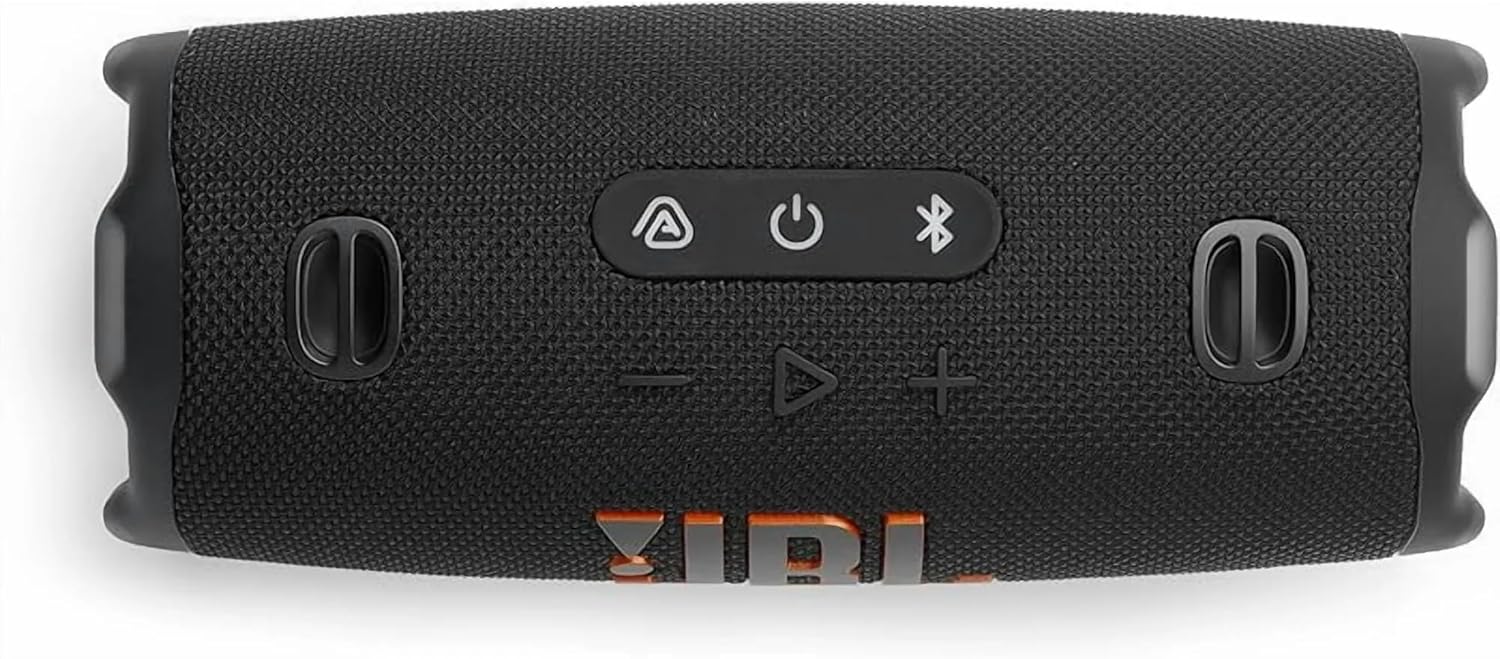
Vaizdas: Viršus view of the JBL Charge 6 speaker, displaying the control buttons: Auracast, Power, Bluetooth, Volume Down, Play/Pause, and Volume Up.
- Auracast Button: For connecting multiple Auracast-enabled JBL speakers.
- Maitinimo mygtukas: To turn the speaker on or off.
- Bluetooth mygtukas: To initiate Bluetooth pairing mode.
- Garsumo mažinimo mygtukas: To decrease the audio volume.
- Atkūrimo / pristabdymo mygtukas: To play or pause audio playback.
- Garsumo didinimo mygtukas: To increase the audio volume.
3.3. Uostai
Vaizdas: Galinis view of the JBL Charge 6 speaker, showing the USB-C charging port and the USB-A power bank port, typically located under a protective flap.
- USB-C įkrovimo prievadas: For charging the JBL Charge 6 speaker.
- USB-A Power Bank Port: For charging external devices from the speaker's battery.
4. Sąranka
4.1. Pradinis mokestis
Before first use, it is recommended to fully charge your JBL Charge 6 speaker. Connect a compatible USB-C cable to the speaker's USB-C charging port and then to a power adapter (not included). The battery indicator will show charging status.
4.2. Dirželio pritvirtinimas
The included strap can be attached to the designated loops on the speaker for easier portability.
5. Naudojimo instrukcijos
5.1. Maitinimo įjungimas/išjungimas
- Norėdami įjungti: paspauskite Maitinimo mygtukas vieną kartą.
- Norėdami išjungti: paspauskite ir palaikykite Maitinimo mygtukas until the speaker powers down.
5.2. „Bluetooth“ poravimas
- Turn on your JBL Charge 6 speaker.
- Paspauskite Bluetooth mygtukas. The Bluetooth indicator will flash, indicating pairing mode.
- On your mobile device, go to Bluetooth settings and select "JBL Charge 6" from the list of available devices.
- Prijungus, „Bluetooth“ indikatorius liks šviesti.
5.3. Auracast (Multi-Speaker Connection)
The JBL Charge 6 supports Auracast, allowing you to connect multiple Auracast-enabled JBL speakers for a wider sound stage or to cover a larger area with the same audio.
- Ensure all speakers you wish to connect are powered on and within range.
- On the primary speaker (the one connected to your device via Bluetooth), press the Auracast mygtukas.
- On any additional Auracast-enabled speakers, press their respective Auracast mygtukas.
- The speakers will automatically connect, and audio will play simultaneously across all connected units.
5.4. Įkraukite garsiakalbį
Connect a USB-C charging cable to the USB-C port on the speaker and to a power source. The battery indicator lights will show the charging progress. A full charge provides up to 28 hours of playtime.
5.5. Naudojimas kaip išorinės baterijos
The JBL Charge 6 can charge external devices. Open the protective flap on the rear of the speaker and connect your device's charging cable to the USB-A power bank port.
5.6. Volume and Playback Control
- Garso reguliavimas: Naudokite Garsumo padidinimas (+) ir Patildyti (-) mygtukai.
- Leisti / pristabdyti: Paspauskite Atkūrimo/pauzės mygtukas vieną kartą.
- Praleisti takelį: Du kartus paspauskite Atkūrimo/pauzės mygtukas norėdami pereiti prie kito takelio.
6. Savybės
6.1. IP68 atsparumas vandeniui ir dulkėms
The JBL Charge 6 is rated IP68, meaning it is fully protected against dust ingress and can withstand immersion in water up to 1.5 meters (approximately 5 feet) for up to 30 minutes. This makes it suitable for use in various outdoor environments, including near pools or at the beach.
6.2. AI Sound Boost
Equipped with JBL AI Sound Boost, the speaker utilizes an advanced audio processing algorithm to optimize sound output, delivering full, rich, and immersive audio performance.
6.3. Extended Playtime
Enjoy up to 28 hours of audio playback on a single charge, ensuring your music lasts through extended listening sessions.
7. Priežiūra
7.1. Valymas
Garsiakalbiui valyti naudokite minkštą,amp cloth. Avoid using harsh chemicals or abrasive materials, as these can damage the speaker's finish or components. Ensure all ports are dry before charging or connecting devices after exposure to water.
7.2. Sandėliavimas
Garsiakalbį laikykite vėsioje, sausoje vietoje, toliau nuo tiesioginių saulės spindulių ir ekstremalių temperatūrų. Jei laikysite ilgesnį laiką, įsitikinkite, kad akumuliatorius yra iš dalies įkrautas (apie 50 %), kad pailgintumėte jo tarnavimo laiką.
7.3. Akumuliatoriaus priežiūra
To maximize battery life, avoid fully discharging the speaker frequently. Charge the speaker regularly, even if not in use, to maintain battery health.
8. Problemų sprendimas
If you encounter issues with your JBL Charge 6, refer to the following common problems and solutions:
- Garsiakalbis neįsijungia:
Ensure the battery is charged. Connect the speaker to a power source using a USB-C cable and try again. - Nepavyksta susieti per „Bluetooth“:
Make sure the speaker is in pairing mode (Bluetooth indicator flashing). Ensure your device's Bluetooth is enabled and within range. Try restarting both the speaker and your device. - Nėra garso:
Check the volume levels on both the speaker and your connected device. Ensure the speaker is successfully paired and connected. - Įkrovimo problemos:
Verify that the USB-C cable and power adapter are working correctly. Ensure the charging port is clean and free of debris. - Auracast connection problems:
Ensure all speakers are Auracast-enabled and within close proximity. Follow the Auracast pairing steps carefully.
9. Specifikacijos
| Prekės ženklas | JBL |
| Modelio pavadinimas | Mokestis 6 |
| Garsiakalbio tipas | Viduje Lauke |
| Ypatingos savybės | Dustproof, Portable, Waterproof |
| Ryšio technologija | Bluetooth |
| Belaidžio ryšio technologija | Bluetooth |
| Suderinami įrenginiai | Išmanusis telefonas |
| Maitinimo šaltinis | Maitinamas baterijomis |
| Baterijos tipas | 1 nestandartinė baterija (į komplektą įeina) |
| Didžiausia garsiakalbio išėjimo galia | 45 vatų |
| Garso išvesties režimas | Stereo |
| Erdvinio garso kanalo konfigūracija | 2.0 |
| Atsparumo vandeniui lygis | Neperšlampamas (IP68) |
| Medžiaga | Fabric, Rubber |
| Gaminio matmenys | 4 "D x 3" P x 2" A |
| Prekės svoris | 3.72 svaro (1.69 kilogramo) |
| Kontrolės metodas | Palieskite |
| Montavimo tipas | Nešiojamasis garsiakalbis |
10. Garantija ir palaikymas
The JBL Charge 6 comes with a Limited Warranty. For detailed warranty information, product support, or to register your product, please visit the official JBL website or refer to the Safety Sheet included in your package.
For further assistance, you may also contact JBL customer service through their official channels.


