1. Įvadas
The PHOINIKAS Q5S Wireless Gaming Headset provides a versatile audio solution for gamers across multiple platforms. Featuring 2.4GHz wireless connectivity for low-latency performance and a 3.5mm wired mode, this headset is designed for immersive gaming experiences. It includes a detachable noise-canceling microphone and 7.1 stereo sound capabilities.

Image 1.1: PHOINIKAS Q5S Wireless Gaming Headset, showing the headset, USB dongle, and 3.5mm audio cable.
2. Kas yra dėžutėje
Išpakuodami patikrinkite, ar yra visi komponentai:
- PHOINIKAS Q5S belaidės žaidimų ausinės
- 2.4GHz USB Transmitter Dongle
- Nuimamas daugiakryptis mikrofonas
- USB įkrovimo laidas (C tipo)
- 3.5 mm garso laidas
- Vartotojo vadovas (šis dokumentas)
3. Produktas baigtasview
Susipažinkite su ausinių valdikliais ir sąsajomis:

3.1 vaizdas: Baigtaview of headset controls and ports.
- Power / Pairing Mode Button: Press and hold to power on/off. Short press to toggle 7.1 sound. Double press to turn lights on/off.
- Mikrofono įjungimo / išjungimo mygtukas: Toggles microphone mute/unmute.
- Volume Adjustment Wheel: Rotates to increase or decrease audio volume.
- 3.5mm Wired Interface: For connecting the 3.5mm audio cable.
- External Microphone Interface: Port for attaching the detachable microphone.
- C tipo įkrovimo prievadas: USB įkrovimo laido prijungimui.
4. Sąranka
4.1 Pradinis įkrovimas
Before first use, fully charge the headset. Connect the USB charging cable to the headset's Type-C port and a compatible USB power source. A full charge takes approximately 2.5-3 hours and provides up to 40 hours of use (battery life varies with lighting and volume settings).

Image 4.1: Headset charging via USB-C, highlighting battery life.
4.2 Wireless Connection (2.4GHz USB Dongle)
For wireless operation, ensure the 3.5mm audio cable and charging cable are disconnected, and the headset is fully charged.
- Insert the 2.4GHz USB transmitter dongle into an available USB port on your PC, PS4, PS5, or Switch dock.
- Įjunkite ausines paspausdami ir palaikydami maitinimo mygtuką.
- The headset will automatically pair with the USB dongle. An indicator light on the headset will confirm a successful connection.

Image 4.2: The 2.4GHz USB dongle, illustrating its low-latency connection.
4.3 Laidinis ryšys (3.5 mm garso kabelis)
For wired use, connect the 3.5mm audio cable to the headset's 3.5mm interface and to the audio jack of your device (e.g., Xbox controller, PC, mobile phone). In wired mode, certain functions like lights and mute may be inactive.
5. Naudojimo instrukcijos
5.1 Maitinimo įjungimas/išjungimas
- Norėdami įjungti: paspauskite ir palaikykite maitinimo mygtuką, kol užsidegs indikatoriaus lemputė.
- Norėdami išjungti: paspauskite ir palaikykite maitinimo mygtuką, kol užges indikatoriaus lemputė.
5.2 Mikrofono naudojimas
Attach the detachable microphone to the External Microphone Interface on the headset. The microphone features noise-canceling technology for clear communication.
- To mute/unmute: Press the Microphone On/Off button.
- Adjust the flexible microphone boom for optimal voice pickup.

5.1 pav.: Nuimamas mikrofonas aiškiam balso įrašymui.
5.3 7.1 Stereo Sound
The headset supports 7.1 stereo sound for an immersive audio experience.
- To activate/deactivate 7.1 sound: Short press the Power button.
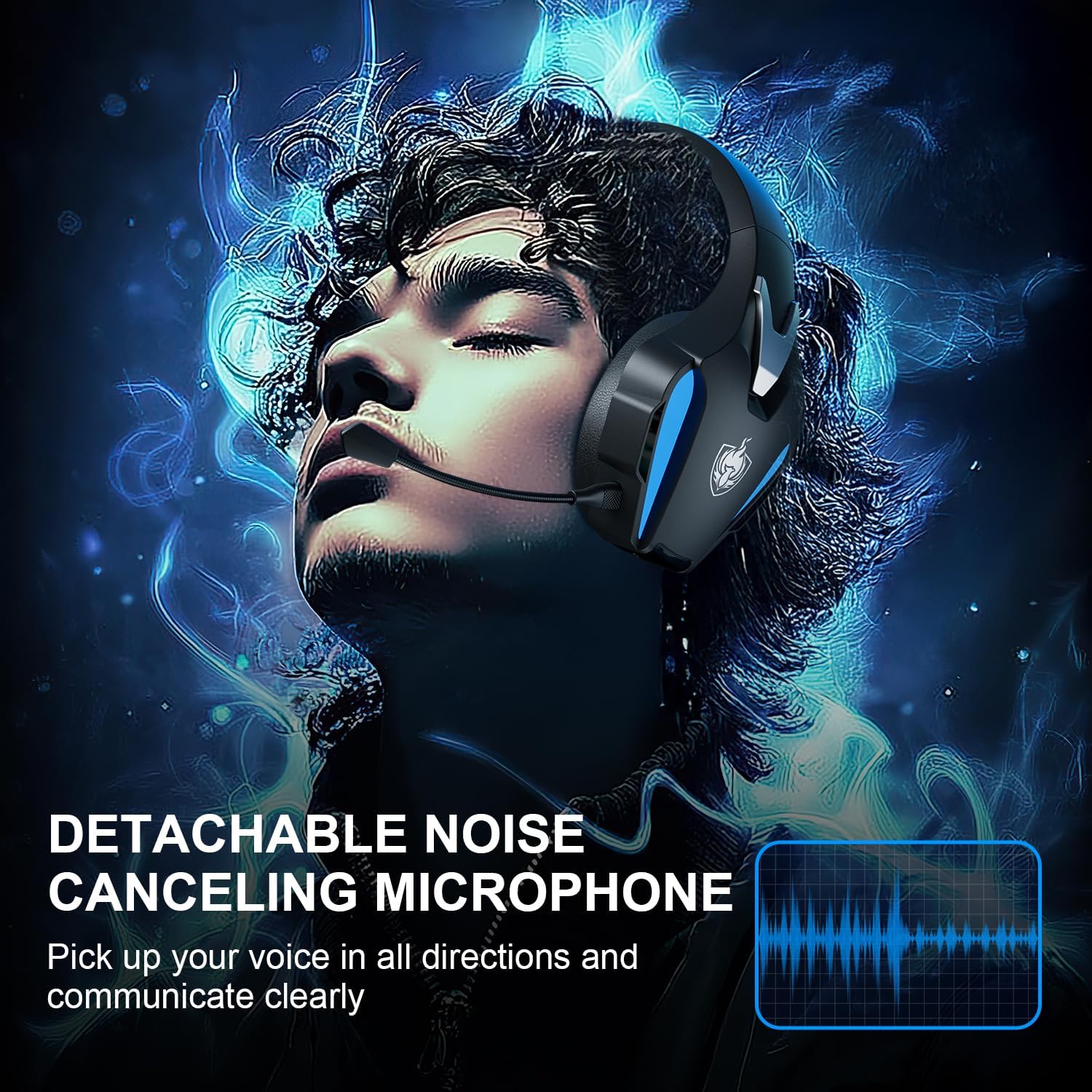
Image 5.2: Visual representation of 7.1 stereo sound capabilities.
5.4 Garsumo reguliavimas
Rotate the Volume Adjustment Wheel to control the audio output level.
6. Suderinamumas
The PHOINIKAS Q5S headset offers broad compatibility:

Image 6.1: Multi-platform compatibility overview.
6.1 2.4 GHz belaidis režimas
- Compatible with: PC, PS4, PS5, Laptops, Nintendo Switch (audio only).
- Pastaba: The microphone does not function when used wirelessly with Nintendo Switch.
- Not compatible with Xbox Series consoles in wireless mode.
6.2 3.5 mm laidinis režimas
- Compatible with: Devices featuring a 3.5mm audio interface, including Xbox controllers, PC, PS4/PS5 controllers, Nintendo Switch, laptops, tablets, and mobile phones.
- In wired mode, headset lights and mute functions may be inactive.
7. Priežiūra
7.1 Valymas
- Ausinių paviršius nuvalykite minkštu, sausu skudurėliu.
- For earcups, use a slightly damp šluoste su švelniu muilu, jei reikia, tada nedelsdami nusausinkite.
- Nenaudokite stiprių chemikalų ar abrazyvinių valiklių.

Image 7.1: Detail of the comfortable earcup design.
7.2 Saugykla
- Laikykite ausines vėsioje, sausoje vietoje, toliau nuo tiesioginių saulės spindulių ir ekstremalių temperatūrų.
- Venkite dėti sunkių daiktų ant ausinių.
7.3 Akumuliatoriaus priežiūra
- Norėdami pailginti baterijos veikimo laiką, venkite dažnai visiškai iškrauti ausines.
- Reguliariai kraukite ausines, net jei jų nenaudojate dažnai.
8. Problemų sprendimas
| Problema | Galima priežastis | Sprendimas |
|---|---|---|
| Ausinės neįsijungia. | Low battery; 3.5mm cable or charging cable connected in wireless mode. | Charge the headset fully. Ensure all cables are removed for wireless mode. |
| Belaidžiu režimu nėra garso. | USB transmitter not properly connected; headset not paired; volume too low. | Ensure USB transmitter is firmly inserted. Power cycle headset and transmitter. Check device audio settings. Increase headset volume. |
| Mikrofonas neveikia. | Microphone muted; not properly attached; compatibility issue (e.g., Switch wireless). | Press the Mic On/Off button to unmute. Ensure microphone is securely attached. Note that the microphone does not work with Nintendo Switch in wireless mode. Check device privacy settings for microphone access. |
| Garso kokybė prasta arba iškraipyta. | Weak wireless signal; incorrect audio settings; low battery. | Move closer to the USB transmitter. Check device audio output settings. Charge the headset. |
| Headset not compatible with Xbox. | The headset's 2.4GHz wireless mode is not designed for Xbox consoles. | Use the 3.5mm audio cable to connect to an Xbox controller for wired audio and microphone functionality. |
9. Specifikacijos
| Funkcija | Detalė |
|---|---|
| Modelio pavadinimas | Q5S |
| Ryšio technologija | 2.4GHz Wireless, 3.5mm Wired |
| Belaidžio ryšio delsa | Mažiau nei 25 ms |
| Garso tvarkyklės dydis | 40 mm |
| Garso ypatybės | 7.1 Stereo Sound, Surround Sound |
| Mikrofonas | Nuimamas, įvairiakryptis, triukšmą slopinantis |
| Triukšmo valdymas | Aktyvus triukšmo slopinimas, garso izoliacija |
| Baterijos talpa | 1200 mAh |
| Baterijos veikimo laikas | Iki 40 valandų (kinta priklausomai nuo naudojimo) |
| Įkrovimo laikas | Approx. 2.5-3 hours (via USB-C) |
| Ausinės Jack | 3.5 mm lizdas |
| Medžiaga | Plastikiniai |
| Prekės svoris | 12.3 uncijos |
10. Garantija ir palaikymas
PHOINIKAS products are designed for reliability and performance. For specific warranty information, please refer to the warranty card included with your product or visit the official PHOINIKAS website. If you encounter any issues or require technical assistance, please contact PHOINIKAS customer support through their official channels or the retailer from whom you purchased the product.
Dėl papildomos pagalbos galite apsilankyti PHOINIKAS Store on Amazon.


