1. Produktas baigtasview
The Noble FoKus Apollo headphones are designed to deliver high-fidelity audio with advanced features for an enhanced listening experience. They incorporate a unique hybrid driver system, active noise cancellation, and versatile connectivity options.
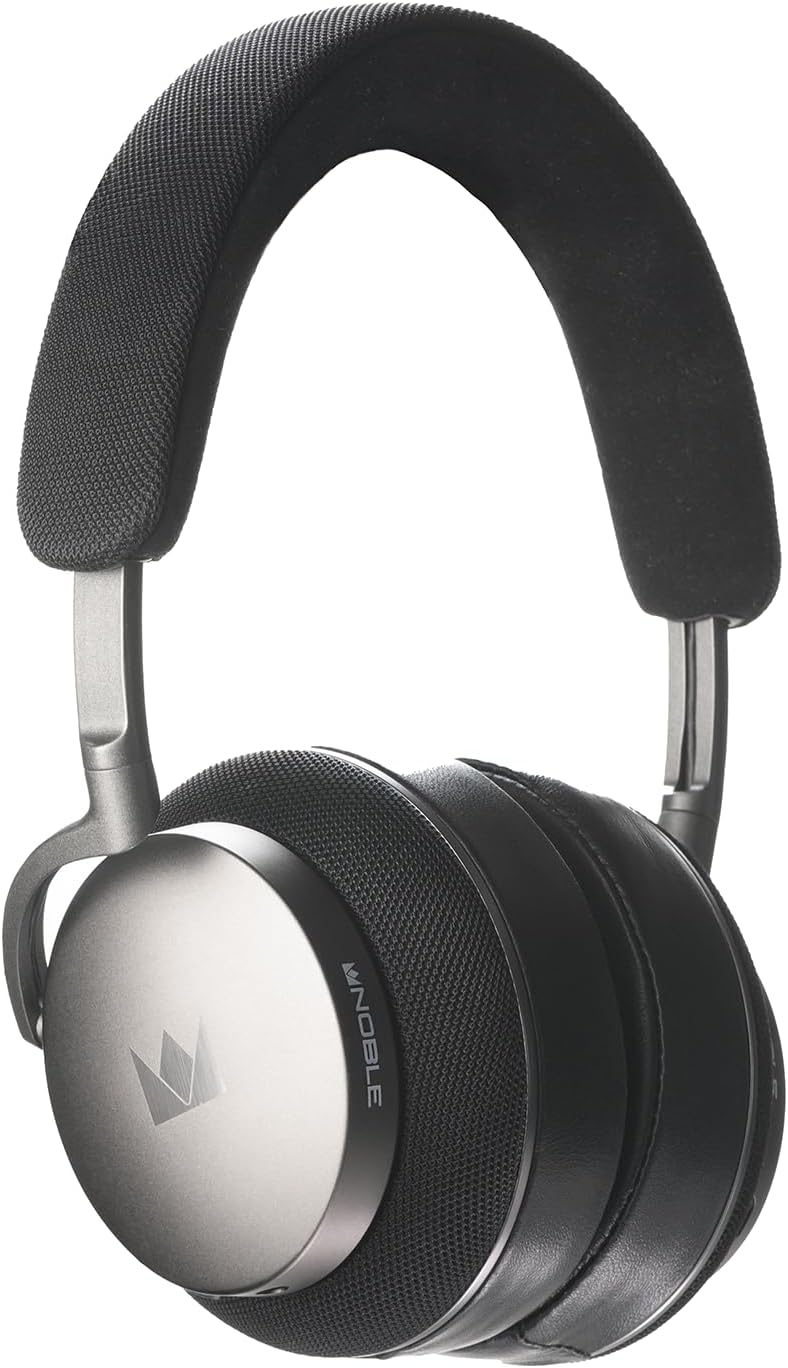
1.1 vaizdas: priekis view of the Noble Fokus Apollo Over-Ear Wireless Headphones.
2. Pakuotės turinys
Patikrinkite, ar pakuotėje yra visi reikalingi daiktai:
- Noble Fokus Apollo Over-Ear Wireless Headphones x 1
- EVA Carrying Case x 1
- 3.5mm Auxiliary Cable x 1
- 1 x 3.5 mm–4.4 mm adapteris
- USB-C įkrovimo laidas x 1
- Two-Prong Airline Adapter x 1
- 1/4" Adapter for Headphone Amplifiers x 1
- Detachable Boom Microphone x 1
3. Pagrindinės savybės
- Hibridinė vairuotojo sistema: Features a 40mm dynamic driver and a 14.5mm planar magnetic driver for balanced audio reproduction.
- Hibridinis aktyvus triukšmo slopinimas (ANC): Reduces ambient noise by up to -35dB.
- Didelės raiškos garso palaikymas: Compatible with LDAC, aptX HD, and AAC codecs.
- "Bluetooth 5.3": Provides stable wireless connectivity and multi-point support.
- Ilgas baterijos veikimo laikas: Up to 80 hours of playback without ANC, 60 hours with ANC.
- Detachable Boom Microphone: Enhances call clarity with an onboard mute switch.
- Laidinis ryšys: Supports 3.5mm auxiliary cable connection.
- Aukščiausios kokybės medžiagos: Constructed with an anodized aluminum frame, memory foam, protein leather earpads, and Alcantara headband.
- Noble FoKus App Compatibility: Allows for sound customization, including EQ and hearing test features.
4. Pradinė sąranka
4.1 Ausinių įkrovimas
Before first use, fully charge the headphones. Connect the supplied USB-C cable to the charging port on the headphones and the other end to a USB power source (e.g., computer, wall adapter).
- LED indikatorius parodys įkrovimo būseną.
- Pilnas įkrovimas paprastai trunka maždaug 2–3 valandas.
4.2 Įjungimas / išjungimas
- Norėdami įjungti: Paspauskite ir palaikykite maitinimo mygtuką 3 sekundes, kol užsidegs LED indikatorius.
- Norėdami išjungti: Paspauskite ir palaikykite maitinimo mygtuką 5 sekundes, kol LED indikatorius išsijungs.
5. Naudojimo instrukcijos
5.1 Bluetooth poravimas
- Įsitikinkite, kad ausinės yra išjungtos.
- Paspauskite ir palaikykite maitinimo mygtuką maždaug 5–7 sekundes, kol LED indikatorius mirksės mėlynai ir raudonai, rodydamas susiejimo režimą.
- Savo įrenginyje (išmaniajame telefone, planšetiniame kompiuteryje, kompiuteryje) įjunkite „Bluetooth“ ir ieškokite galimų įrenginių.
- Select "Noble FoKus Apollo" from the list.
- Prijungus, LED indikatorius lėtai mirksės mėlyna spalva.
The headphones support daugiataškis ryšys, allowing simultaneous connection to two devices. To connect a second device, repeat the pairing process while already connected to the first. The headphones will automatically switch between devices based on audio playback.
5.2 Aktyvus triukšmo slopinimas (ANC) ir skaidrumo režimas
The headphones feature a dedicated button to cycle through noise control modes:
- Press the ANC button once to activate Aktyvus triukšmo slopinimas.
- Press the ANC button again to switch to Skaidrumo režimas, which allows ambient sounds to pass through.
- Press the ANC button a third time to turn off noise control.
5.3 Laidinis ryšys
For wired listening, connect the supplied 3.5mm auxiliary cable to the headphone's audio jack and your audio source. The headphones can be used passively in wired mode even when powered off or out of battery.
- Use the 3.5mm to 4.4mm adapter for compatible audio sources.
- Use the 1/4" adapter for headphone ampgelbėtojai.

5.1 paveikslėlis: Šonas view of the headphones, highlighting the audio input ports.
5.4 Using the Detachable Boom Microphone
Attach the boom microphone to the designated port on the left earcup for enhanced voice clarity during calls or gaming. The boom mic includes a physical mute switch.
- Slide the switch on the boom mic to mute or unmute your voice.
- The headphones also feature an integrated 6-mic system for calls when the boom mic is not attached.

Image 5.2: Close-up of the earcup, showing the port for the detachable boom microphone.
5.5 „Noble FoKus“ programėlė
Download the Noble FoKus app from your device's app store to access additional features, including:
- Customizable Equalizer (EQ) settings.
- Personalized hearing test for optimized sound profiles.
- Firmware atnaujinimai.
6. Priežiūra ir priežiūra
- Valymas: Use a soft, dry cloth to clean the headphones. Avoid abrasive materials or harsh chemicals.
- Ausinės: The protein leather earpads are user-replaceable. Refer to Noble's official website or support for replacement instructions and parts.
- Saugykla: Store the headphones in the provided EVA carrying case when not in use to protect them from dust and damage.
- Temperatūra: Avoid exposing the headphones to extreme temperatures or direct sunlight for prolonged periods.
7. Trikčių šalinimo vadovas
| problema | Galima priežastis | Sprendimas |
|---|---|---|
| Nėra galios | Senka baterija | Įkraukite ausines naudodami USB-C laidą. |
| Nepavyksta susieti per „Bluetooth“ | Ausinės neįjungtos susiejimo režimu; įrenginio „Bluetooth“ išjungtas; trukdžiai | Įsitikinkite, kad ausinės yra susiejimo režime (mirksi mėlynai / raudonai). Išjunkite ir įjunkite įrenginio „Bluetooth“. Priartėkite prie įrenginio. |
| Nėra garso laidiniu režimu | Cable not fully inserted; incorrect adapter | Ensure the 3.5mm cable is fully inserted into both the headphones and the audio source. Verify correct adapter usage. |
| Poor call quality with boom mic | Mic muted; mic not fully inserted | Check the mute switch on the boom mic. Ensure the boom mic is securely attached to the headphone port. |
| ANC neefektyvus | ANC neaktyvuotas; netinkamas prigludimas | Paspauskite ANC mygtuką, kad įjungtumėte ANC. Sureguliuokite ausines, kad jos gerai priglustų prie ausų. |
8. Techninės specifikacijos
| Funkcija | Specifikacija |
|---|---|
| Modelio pavadinimas | FoKus Apollo |
| Vairuotojo tipas | Hybrid (1x 40mm Dynamic + 1x 14.5mm Planar Magnetic) |
| Triukšmo valdymas | Hibridinis aktyvus triukšmo slopinimas (iki -35 dB) |
| Bluetooth versija | 5.3 |
| Palaikomi kodekai | LDAC, aptX HD, AAC, aptX, SBC |
| Baterijos veikimo laikas (išjungus ANC) | Iki 80 valandų |
| Baterijos veikimo laikas (įjungus ANC) | Iki 60 valandų |
| Ryšys | Bluetooth, 3.5mm Jack, USB-C |
| Varža | 32 omai |
| Jautrumas | 102 dB |
| Dažnio atsakas | Iki 40 KHz |
| Medžiaga | Aluminum, Protein Leather, Alcantara |
| Svoris | 3.08 svaro (apie 1.4 kg) |
9. Oficialus produkto vaizdo įrašas
9.1 vaizdo įrašas: oficialus produkto vaizdo įrašasasing the Noble Fokus Apollo Over-Ear Wireless Headphones, highlighting key features and design elements.
10. Garantija ir palaikymas
Noble provides a limited warranty for the FoKus Apollo headphones against defects in materials and workmanship. For detailed warranty information, product registration, and technical support, please visit the official Noble Audio websvetainėje arba susisiekite su jų klientų aptarnavimo tarnyba.
The Noble FoKus app also serves as a resource for product information and support features.


