1. Įvadas
Thank you for choosing the KTC H32S5 31.5-inch QHD Curved Gaming Monitor. This manual provides essential information for setting up, operating, and maintaining your monitor to ensure optimal performance and longevity. Please read this manual thoroughly before using the product.
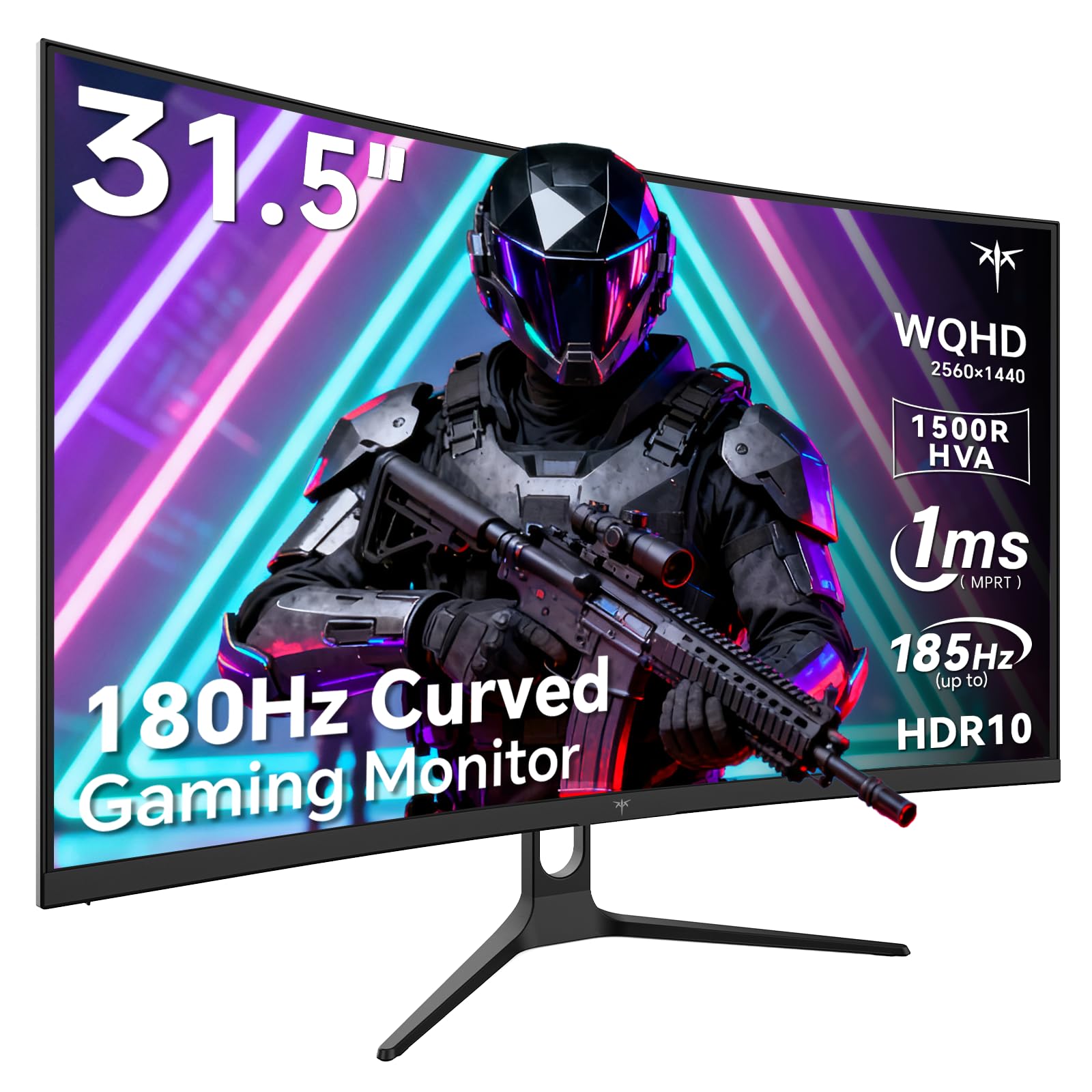
Image 1: KTC H32S5 31.5-inch QHD Curved Gaming Monitor.
2. Pakuotės turinys
Patikrinkite, ar pakuotėje yra visi reikalingi daiktai:
- 31.5" 2K Curved Monitor x1
- Monitor Stand x1
- Greito paleidimo vadovas (QSG) x1
- DP kabelis x1
- Maitinimo adapteris x1
3. Monitor Setup
3.1 Stovo tvirtinimas
Carefully attach the monitor stand to the back of the monitor following the instructions in the Quick Start Guide. Ensure all screws are tightened securely.
3.2 VESA sieninio laikiklio montavimas
The monitor supports VESA 100mm x 100mm mounting. If you prefer to wall-mount the monitor, remove the stand and attach a compatible VESA mount (not included) to the designated holes on the back of the monitor. Ensure the wall mount can support the monitor's weight (approximately 16.87 pounds).

2 vaizdas: galinis view of the monitor showing connectivity ports and VESA mount area.
3.3 Prisijungimas prie įrenginių
Prijunkite įrenginius naudodami turimus prievadus:
- DisplayPort 1.4 (x2): For connecting to PCs and other devices supporting up to 185Hz refresh rate.
- HDMI 2.0 (x2): For connecting to gaming consoles, laptops, and desktops supporting up to 144Hz refresh rate.
- USB 2.0 (x2): For connecting peripherals (upgrade only).
- Ausinių lizdas: Dėl garso išvesties.
- DC maitinimo įvestis: Prijunkite pridedamą maitinimo adapterį.
3.4 Pradinis įjungimas
After connecting all necessary cables, press the power button to turn on the monitor. The monitor will automatically detect the input signal. If no signal is detected, ensure your device is powered on and the correct input source is selected on the monitor.
4. Naudojimo instrukcijos
4.1 Ekrano meniu (OSD)
The OSD menu allows you to adjust various monitor settings. Refer to the Quick Start Guide for detailed instructions on navigating the OSD menu using the monitor's control buttons.
4.2 Ekrano nustatymai
- Rezoliucija: The monitor features WQHD (2560 x 1440) resolution for sharp and detailed images.
- Atnaujinimo dažnis: Enjoy a smooth visual experience with a 180Hz refresh rate, overclockable to 185Hz via DisplayPort.
- Atsakymo laikas: A 1ms MPRT response time minimizes motion blur, ideal for fast-paced gaming.
- Adaptyvusis sinchronizavimas: Adaptive FreeSync technology eliminates screen tearing and stuttering for fluid gameplay.
- Spalvų gama: Experience vivid and realistic colors with 99% sRGB color gamut coverage, 126% sRGB color volume, and a 5000:1 contrast ratio. HDR10 support provides enhanced contrast and a wider color palette.
- Akių priežiūra: Features like Low Blue Light and Flicker-Free technology help reduce eye strain during extended use.

Image 3: Visual representation of the monitor's high refresh rate for smoother gaming.

Image 4: Demonstration of Adaptive Sync technology eliminating screen tearing.

Image 5: Illustration of the 1500R curved display for an immersive viewpatirtį.
4.3 GamePlus Mode
Activate GamePlus mode for in-game enhancements such as a customizable crosshair, on-screen timer, and display modes optimized for FPS (First-Person Shooter) and RTS (Real-Time Strategy) games.

6 vaizdas: Baigtaview of GamePlus features including Crosshair, Timer, FPS, and RTS modes.
5. Priežiūra
To ensure the longevity and optimal performance of your KTC H32S5 monitor, follow these maintenance guidelines:
- Ekrano valymas: Švelniai nuvalykite ekraną minkštu, nepūkuotu skudurėliu. Jei dėmės sunkiai įveikiamos, švelniai nuvalykiteampNuvalykite šluostę vandeniu arba švelniu, neabrazyviniu ekrano valikliu. Venkite naudoti alkoholio, amoniako ar abrazyvinių valiklių.
- Išorės valymas: Monitorių valykite minkšta, sausa šluoste.asing.
- Tvarkymas: Avoid touching the screen directly with your fingers or sharp objects. Do not place heavy objects on the monitor.
- Vėdinimas: Ensure adequate ventilation around the monitor to prevent overheating. Do not block the ventilation openings.
- Išjungti: Prieš valydami monitorių arba jei jis ilgesnį laiką nebus naudojamas, visada jį išjunkite ir atjunkite nuo maitinimo lizdo.
6. Problemų sprendimas
Jei kyla problemų dėl monitoriaus, vadovaukitės toliau pateiktais įprastais trikčių šalinimo veiksmais.
- Nėra ekrano / juodas ekranas:
- Įsitikinkite, kad maitinimo laidas yra tvirtai prijungtas tiek prie monitoriaus, tiek prie maitinimo lizdo.
- Patikrinkite, ar vaizdo kabelis (DP arba HDMI) yra tvirtai prijungtas prie monitoriaus ir kompiuterio / įrenginio.
- Patikrinkite, ar monitoriuje per OSD meniu pasirinktas teisingas įvesties šaltinis.
- Perkraukite kompiuterį / įrenginį.
- Mirgantis arba iškreiptas vaizdas:
- Patikrinkite vaizdo kabelį, ar nėra pažeidimų ar atsilaisvinusių jungčių. Jei yra, išbandykite kitą kabelį.
- Kompiuterio ekrano nustatymuose reguliuokite atnaujinimo dažnį.
- Ensure Adaptive Sync is enabled in both the monitor's OSD and your graphics card settings.
- Spalvos problemos:
- Atkurkite monitoriaus spalvų nustatymus į gamyklinius nustatymus per OSD meniu.
- Koreguokite spalvų temperatūros arba gamos nustatymus OSD meniu.
- Nėra garso:
- Ensure headphones are properly connected to the headphone jack.
- Check audio settings on your connected device and the monitor's OSD.
Jei problema išlieka ir išbandžius šiuos veiksmus, susisiekite su klientų aptarnavimo tarnyba.
7. Gaminio specifikacijos
| Funkcija | Specifikacija |
|---|---|
| Prekės ženklas | KTC plėtinys |
| Modelio numeris | H32S5 |
| Ekrano dydis | 31.5 colių |
| Rezoliucija | 2560 x 1440 pikselių (QHD plačiaekranis 1440p) |
| Krašto santykis | 16:9 |
| Kreivumas | 1500R |
| Atnaujinimo dažnis | 180Hz (up to 185Hz via DP) |
| Reagavimo laikas | 1 ms MPRT |
| Skydelio tipas | ŠVA |
| Spalvų gama | 99% sRGB coverage, 126% sRGB volume |
| Kontrasto santykis | 5000:1 |
| Vaizdo ryškumas | 300 kandelų |
| HDR palaikymas | HDR10 |
| Ryšys | DisplayPort 1.4 x2, HDMI 2.0 x2, USB 2.0 x2 |
| Garsas | Ausinių lizdas |
| Reguliuojamumas | Tilt adjustment (-5° to 20°) |
| VESA kalnas | 100 mm x 100 mm |
| Gaminio matmenys | 5.8 x 27.9 x 20.4 colio |
| Prekės svoris | 16.87 svaro |
| ttage | 19 volto (DC) |
8. Informacija apie garantiją
This product is subject to a 30-day return/replacement policy. For detailed warranty terms and conditions, please refer to the documentation provided with your purchase or contact the seller directly.
9. Pagalba klientams
For any questions, technical assistance, or support regarding your KTC H32S5 monitor, please contact the seller, KTC-Official, through the Amazon messaging system. They are available to assist you with product inquiries and troubleshooting.
Taip pat galite apsilankyti KTC parduotuvė „Amazon“ platformoje daugiau informacijos ir produktų.
10. Oficialus produkto vaizdo įrašas
Watch this official product video from KTC-Official for a closer look at the KTC 32 Inch 2K 180Hz Curved Gaming Monitor.


