1. Įvadas
This manual provides essential information for the proper installation, operation, and maintenance of your CAMECHO Qualcomm 8-Core 4G+64G Car Stereo. Please read this manual thoroughly before using the product to ensure optimal performance and safety.
2. Suderinami automobilių modeliai
This Android head unit is designed for specific BMW models. Please verify your vehicle's compatibility before installation.
- 2000-2006 BMW X5 Radio E53
- 1996-2003 BMW 5 Series E39 M5 Radio
- 1994-2001 BMW E38 Radio
Pastaba: If your original radio has a 4.3" or 7" screen with a 12-pin plug, or if the navigation drive is located in the rear of your car, an extra 6m extension cable may be required (sold separately).

Image: Various BMW dashboards showing compatibility and installation examples.
3. Pakuotės turinys
Įsitikinkite, kad jūsų siuntinyje yra visi toliau išvardyti daiktai:
- 1 x „Android“ galvos įrenginys
- 1 x AHD galinio vaizdo kamera
- 1 x išorinis mikrofonas
- 1 x protokolo dėžutė (CANBUS)
- 1x GPS antena
- 1 x radijo antena
- 1x maitinimo laidas
- 2x USB laidai
- 1 x RCA Input / Output cable
- 1 x galinio kameros įvesties kabelis
- 1 x Accessories set
- 1 x diegimo įrankis
- 1 x Vartotojo vadovas

Vaizdas: Išsamus view of the head unit dimensions and all accessories included in the package.
4. Sąranka ir diegimas
4.1 CANBUS jungtis
The included CANBUS protocol box is essential for retaining factory functions like steering wheel controls. Ensure it is correctly connected.
- Connect the CANBUS box to the designated harness.
- Plug the 8-pin cable into the connector of the head unit. Failure to do so will prevent steering wheel control from functioning.
Pastaba: After connecting the CANBUS, you need to set the Protocol correctly. Go to "Settings" > "Factory Settings" (password: 8888) > "Protocol Settings", then choose "Luzheng - BMW - Compatible" with your car model.

Image: Wiring diagram for CANBUS connection and instructions for setting the protocol.
4.2 Troubleshooting: No Sound
Jei po įdiegimo negirdite garso, atlikite šiuos veiksmus:
- Prijunkite AMP cable from the RCA harness to the ACC cable of the Power harness.
- Atidarykite „Automobilis“ Amp„lifier“ programėlę iš viršutinės juostos išskleidžiamojo puslapio.
- Dėl valdžios ampprijunkite maitinimo laidą prie įrenginio ampJungiklis prie maitinimo laidų pluošto ACC laido.

Image: Visual guide for resolving sound issues, including wiring and software settings.
4.3 Atbulinės eigos kameros įrengimas
The AHD backup camera provides a clear image for reversing. Ensure correct wiring for proper function.
- Prijunkite automobilio atbulinės eigos žibinto maitinimo šaltinio teigiamą polių.
- Prijunkite automobilio atbulinės eigos žibinto maitinimo šaltinio neigiamą polių.
- Atbulinės eigos paleidiklį valdo stereo sistema ir jam nereikia atskiro prijungimo.
Patarimas: Atbulinės eigos įvestis turi būti įjungta net ir tada, kai galinio vaizdo kamera nenaudojama.
Pastaba: Set the camera resolution via Car Settings > Factory Settings (password: 8888) > Protocol parameter settings > Reversing settings > Reverse video resolution ("NTSC/PAL" or "AHD/25"), then restart your car.

Image: Wiring instructions for the AHD backup camera and necessary software adjustments.
5. Naudojimo instrukcijos
5.1 Belaidis „Apple CarPlay“ ir „Android Auto“
Connect your smartphone wirelessly to access navigation, music, calls, and more.
- „Apple CarPlay“: Enable Bluetooth on your iPhone and pair with the car radio. Turn on the "Zlink" app. If connection fails, connect your phone to the car radio's hotspot. Keep Bluetooth and hotspot connected.
- „Android Auto“: Ensure you have the "Android Auto" app installed on your phone. Enable Bluetooth on your Android phone and pair with the car radio. Turn on the "Zlink" app.

Image: Step-by-step guide for wireless CarPlay and Android Auto setup.
5.2 GPS navigacija
The unit features a built-in GPS module supporting both online and offline navigation. You can use various third-party apps from the Google Play Store.
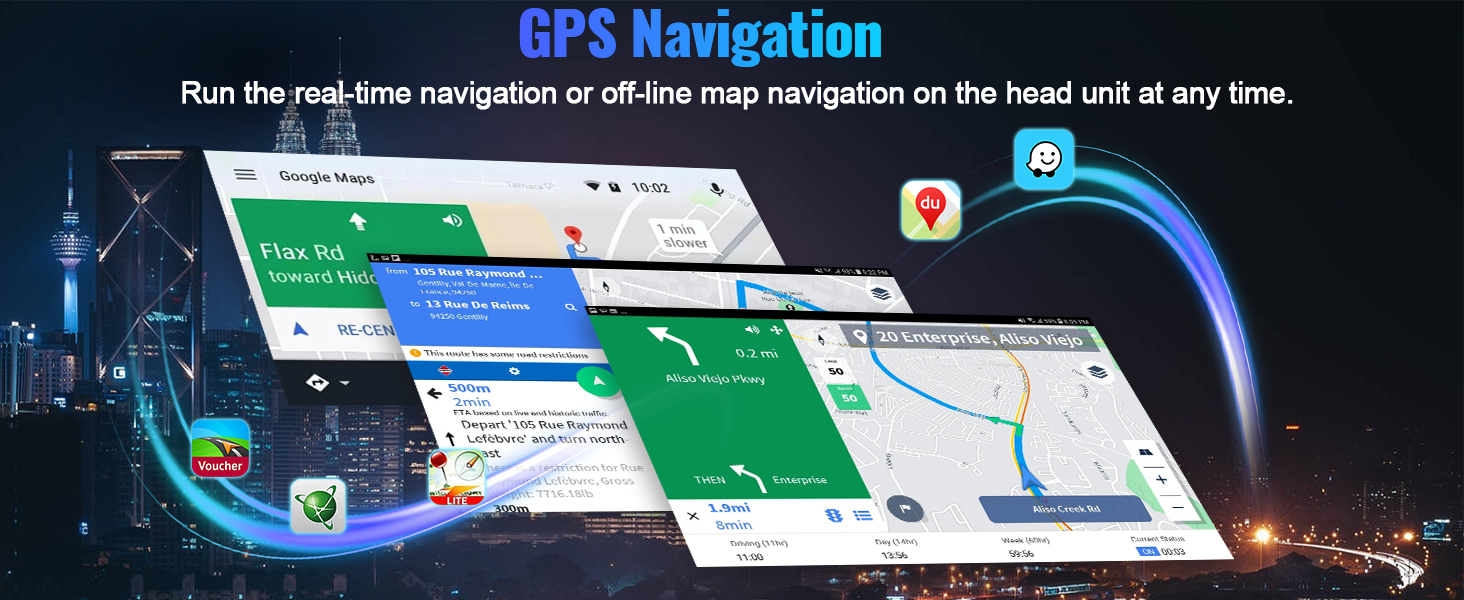
Image: Display of the GPS navigation system with map interface.
5.3 „Bluetooth 5.1“ ir FM RDS radijas
Enjoy hands-free calling and wireless audio streaming with Bluetooth 5.1. Tune into FM/RDS radio with 10-station presets.

Image: Car stereo display showing Bluetooth calling and FM radio functions.
5.4 DSP didelės raiškos garsas
The built-in DSP (Digital Signal Processor) with Hi-Res audio allows for dynamic sound quality and customizable listening experience.

Image: Screenshot of the DSP audio settings and equalizer on the car stereo.
5.5 WiFi ryšys
Connect to WiFi or your mobile hotspot to download apps, stream videos, and access online content.

Image: Car stereo display showing WiFi settings and various app icons.
5.6 Screen Mirroring / Picture-in-Picture (PIP)
Mirror your phone's screen to the car radio touchscreen. The unit supports Picture-in-Picture (PIP) functionality for multitasking (Note: Video output is not supported).

Image: A smartphone screen mirrored onto the car stereo display.
5.7 Vartotojo sąsajos pritaikymas
The unit offers a decent user interface with 3D car model display and multiple UI design options for personalization.

Image: Different user interface themes and a 3D car visualizer feature.
6. Specifikacijos
- CPU: Qualcomm 8-Core Snapdragon
- Operacinė sistema: Android 15
- RAM: 4 GB
- ROM: 64 GB
- Ekranas: 9 colio IPS jutiklinis ekranas
- Rezoliucija: 1280*720
- Bluetooth: 5.1 versija
- Garso išvestis: MOSFET 4*50W, Built-in DSP Hi-Res
- Ryšys: Wireless Apple CarPlay & Android Auto, GPS, FM/RDS Radio, WiFi
- Ypatingos savybės: AHD Backup Camera support, Steering Wheel Control retention, 1080P video playback, Dual USB ports, Phone Mirror Link, Picture-in-Picture function.
- Gaminio matmenys: 11.3 colio ilgio x 1.6 colių pločio x 5.3 colio aukščio
- Prekės svoris: 0.035 uncijos
7. Priežiūra
Norėdami užtikrinti automobilio garso sistemos ilgaamžiškumą ir optimalų veikimą, laikykitės šių priežiūros nurodymų:
- Ekrano valymas: Use a soft, lint-free cloth to gently wipe the screen. Avoid abrasive cleaners or harsh chemicals that may damage the display.
- Programinės įrangos atnaujinimai: Periodically check for software updates to ensure your unit has the latest features and bug fixes. Updates can usually be found on the manufacturer's websvetainėje arba per įrenginio nustatymus.
- Temperatūros valdymas: Venkite įrenginio laikymo ekstremaliose temperatūrose. Ilgalaikis tiesioginių saulės spindulių ar labai šaltų sąlygų poveikis gali turėti įtakos veikimui ir tarnavimo laikui.
- Ryšio patikrinimai: Occasionally check all wiring connections behind the unit to ensure they are secure and free from corrosion.
8. Problemų sprendimas
Jei kyla problemų, vadovaukitės toliau pateiktais įprastais trikčių šalinimo veiksmais.
- Nėra galios: Check all power connections and the vehicle's fuse box. Ensure the ACC and B+ wires are correctly connected.
- Nėra garso: Refer to section 4.2 for detailed troubleshooting steps regarding sound issues.
- „Bluetooth“ ryšio problemos: Ensure Bluetooth is enabled on both your phone and the car stereo. Try unpairing and re-pairing the devices. Clear Bluetooth cache on your phone if necessary.
- GPS signalo praradimas: Ensure the GPS antenna is properly installed and has a clear line of sight to the sky. Check for any obstructions.
- Vairo valdikliai neveikia: Verify the CANBUS connection and ensure the correct protocol is selected in the factory settings (refer to section 4.1).
- Ekrano užstrigimas / nereagavimas: Try restarting the unit. If the issue persists, a factory reset may be required (consult the user manual for specific steps).
9. Garantija ir palaikymas
This product comes with a 1-year warranty from the date of purchase. For technical support, warranty claims, or further assistance, please contact CAMECHO customer service.
Kontaktinė informacija: Please refer to your purchase documentation or the official CAMECHO websvetainę, kurioje rasite naujausią palaikymo kontaktinę informaciją.

Image: Customer support details, including an email address for assistance.


