1. Įvadas
This manual provides instructions for the operation and maintenance of your LIGE FV26-F Smartwatch. Please read this manual carefully before using the device to ensure proper function and to maximize its features. The smartwatch is designed for women, featuring a round display, silver stainless steel band with diamond accents, and a silicone strap option.
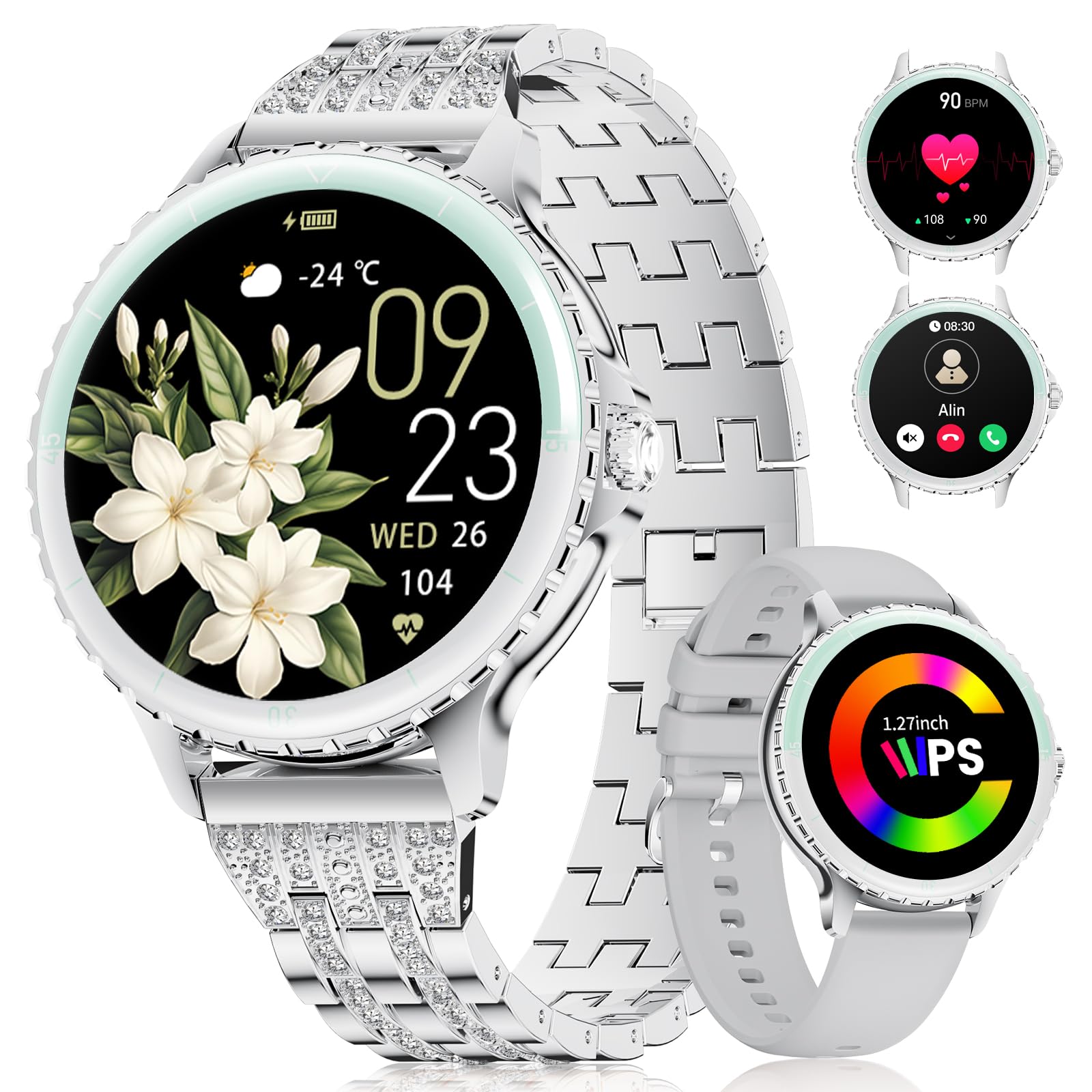
Image: LIGE FV26-F Smartwatch displaying its elegant design with both stainless steel and silicone strap options.
2. Sąranka
2.1 Išmaniojo laikrodžio įkrovimas
- Prijunkite įkrovimo laidą prie išmaniojo laikrodžio gale esančio įkrovimo prievado.
- Prijunkite laido USB galą prie standartinio USB maitinimo adapterio (nepridedamas) arba kompiuterio USB prievado.
- Ensure the charging pins are properly aligned with the smartwatch's contacts.
- A charging indicator will appear on the screen. Allow approximately 2-3 hours for a full charge.
2.2 Programėlės diegimas ir susiejimas
- Atsisiųskite „FitcloudPro“ application from your smartphone's app store (Google Play Store for Android, Apple App Store for iOS).
- Ensure your smartphone meets the compatibility requirements: Android 6.0 or higher, or iOS 9.0 or higher.
- Įjunkite „Bluetooth“ savo išmaniajame telefone.
- Atidarykite „FitcloudPro“ programėlę ir vykdykite ekrane pateikiamus nurodymus, kad sukurtumėte paskyrą arba prisijungtumėte.
- In the app, navigate to the device pairing section and search for your LIGE FV26-F smartwatch.
- Select your smartwatch from the list of available devices to initiate the pairing process. Confirm any pairing requests on both your phone and the smartwatch.
Once paired, the smartwatch will synchronize data with the app, and you can customize settings.
3. Naudojimo instrukcijos
3.1 Pagrindinė navigacija
- Jutiklinis ekranas: Braukite kairėn, dešinėn, aukštyn arba žemyn, kad naršytumėte meniu ir funkcijas. Palieskite, kad pasirinktumėte parinktį.
- Šoninis mygtukas: Typically used to return to the home screen or to power on/off the device (long press).
3.2 „Bluetooth“ skambučiai
- After successful Bluetooth pairing, you can make and receive calls directly from your wrist.
- The smartwatch supports contact uploading from your phone and displays call history.
- Utilize the integrated AI voice assistant for hands-free control of your phone's calling functions.
3.3 Pranešimai realiuoju laiku
- Receive alerts for incoming calls, messages, WhatsApp, and other application activities.
- The smartwatch will gently vibrate to notify you.
- Note for WhatsApp: To ensure WhatsApp notifications are received, set your WhatsApp notification settings on your phone to "Show comments - Always show." If your software is connected to a computer, the watch may not send messages.
3.4 Sveikatos stebėjimas
- Širdies ritmas: Continuous 24/7 heart rate measurement.
- SpO2: Blood oxygen saturation measurement (data for reference only).
- Moterų sveikata: Features include menstrual cycle prediction, pregnancy preparation mode, and pregnancy mode.
- Miego stebėjimas: Tracks and analyzes sleep patterns.
- Įspėjimas apie sėdimą darbą: Primena, kad reikia pajudėti po neaktyvumo laikotarpių.
- Kvėpavimo pratimai: Vadovaujami kvėpavimo pratimai atsipalaidavimui.
3.5 Sporto režimai
- The smartwatch supports over 100 sport modes.
- Ten built-in sports include yoga, cycling, running, and badminton.
- Use the "Sport Push" function in the FitcloudPro app to transfer additional sport modes to your watch.
- During workouts, the watch provides comprehensive data such as steps, training time, distance, calories burned, and heart rate (data for reference only).
3.6 Camera Remote and Music Control
- Fotoaparato nuotolinis valdymas: Nuotoliniu būdu valdykite savo išmaniojo telefono kamerą, kad galėtumėte fotografuoti.
- Muzikos valdymas: Leiskite, pristabdykite, praleiskite takelius ir reguliuokite prijungtame išmaniajame telefone grojamos muzikos garsumą.
3.7 pritaikomų laikrodžių ciferblatų
- Personalize your smartwatch by setting photos from your phone (e.g., family, pets) as watch faces through the FitcloudPro app.
4. Priežiūra
- Valymas: Wipe the smartwatch and straps regularly with a soft, dry cloth. Avoid harsh chemicals.
- Akumuliatoriaus priežiūra: The 300 mAh battery provides approximately 3 to 5 days of usage depending on feature use. Charge the device before the battery is completely depleted to prolong its lifespan.
- Saugykla: Laikykite išmanųjį laikrodį vėsioje, sausoje vietoje, kai nenaudojate.
5. Problemų sprendimas
- Ryšio problemos: If the smartwatch disconnects from your phone, ensure Bluetooth is enabled on both devices and that the FitcloudPro app is running in the background. Try restarting both the smartwatch and your phone.
- Negauti pranešimai: Verify that app notifications are enabled in your phone's settings and within the FitcloudPro app. For WhatsApp, ensure the specific setting "Show comments - Always show" is active.
- Netikslūs sveikatos duomenys: Ensure the smartwatch is worn snugly on your wrist, but not too tight. Environmental factors and movement can affect sensor readings. Health data is for reference only and not for medical diagnosis.
- Ekranas nereaguoja: Try restarting the smartwatch by long-pressing the side button. If the issue persists, ensure the device is charged.
6. Specifikacijos
| Funkcija | Specifikacija |
|---|---|
| Prekės ženklas | LIGE |
| Modelio numeris | FV26-F |
| Spalva | Sidabras |
| Operacinė sistema | iOS, Android |
| Ekrano dydis | 1.27 colių |
| Forma | Apvalus |
| Ryšio technologija | Bluetooth |
| Belaidžio ryšio standartas | Bluetooth |
| Ypatingos savybės | Phone Call, Voice Control, Email, Notification, Touchscreen |
| Suderinami įrenginiai | Išmanusis telefonas |
| Baterijos talpa | 300 mAh |
| Baterijos sudėtis | Ličio polimeras |
| Įkraunama baterija | Taip |
| Atminties talpa | 256 MB |
| GPS | GPS per išmanųjį telefoną |
7. Garantija ir palaikymas
Specific warranty information for the LIGE FV26-F Smartwatch is not provided in the product data. Please refer to the manufacturer's official webIšsamias garantijos sąlygas ir nuostatas rasite svetainėje arba pirkimo vietoje.
For technical support, software updates, or further assistance, please consult the „FitcloudPro“ application or visit the LIGE official support channels.


