1. Įvadas
This manual provides essential information for the proper setup, operation, and maintenance of your NIMO 15.6 inch Laptop Computer. Please read this manual thoroughly before using your device to ensure optimal performance and longevity. Keep this manual for future reference.
2. Produktas baigtasview
2.1. Nešiojamųjų kompiuterių komponentai
The NIMO 15.6 inch Laptop features a Full HD display, a backlit keyboard, and an integrated fingerprint reader for secure access. It is powered by an AMD Ryzen 5 3500U processor and runs on Windows 11.

2.1 pav.: priekis view of the NIMO 15.6 inch Laptop, showcasing jo ekrano ir klaviatūros išdėstymą.
2.2. Prievadai ir jungtys
Your NIMO laptop is equipped with various ports for comprehensive connectivity, allowing you to connect peripherals and external devices.

Figure 2.2: Expanded Connectivity Options. This image illustrates the location and type of ports available on the laptop, including Type-C (Charge Only), USB 3.0, HDMI, Type-C (Full Function), Charge LED, Micro SD Reader, USB 2.0, USB 3.0, Headphone Combo, and Kensington Lock.
- C tipo (tik įkrovimas): Dėl maitinimo įvesties.
- USB 3.0: Dėl didelės spartos duomenų perdavimo.
- HDMI: Skirta prijungti išorinius ekranus.
- C tipo (visos funkcijos): Supports Power Delivery (PD), DisplayPort (DP), and data transfer.
- Įkrovimo šviesos diodas: Nurodo įkrovimo būseną.
- Mikro SD skaitytuvas: Skirta „Micro SD“ kortelių skaitymui.
- USB 2.0: Standartiniams USB įrenginiams.
- USB 3.0: Dėl didelės spartos duomenų perdavimo.
- Headphone Combo: Garso išvesčiai ir mikrofono įvestims.
- Kensingtono užraktas: Dėl fizinio saugumo.
3. Sąranka
3.1. Pradinis įkrovimas
Before first use, connect the laptop to a power outlet using the provided 65W PD Type-C charger. The Charge LED indicator will illuminate. Allow the battery to charge fully.

Figure 3.1: Type-C 65W PD Charger. This image highlights the versatility of the 65W Power Delivery charger, capable of charging the laptop, tablets, and smartphones, reducing cable clutter.
3.2. Įjungimas
Open the laptop lid. Press the power button located on the keyboard deck. The laptop will boot up, and you will be guided through the Windows 11 initial setup process.
3.3. „Windows 11“ sąranka
Follow the on-screen instructions to configure your Windows 11 operating system. This includes selecting your region, language, connecting to a Wi-Fi network, and setting up your user account.
4. Naudojimo instrukcijos
4.1. Klaviatūra ir įvestis
The laptop features a backlit keyboard for comfortable typing in various lighting conditions, a responsive touchpad, and a numeric keypad for data entry.

Figure 4.1: Effortless Typing in Any Environment. This image demonstrates the backlit keyboard, touchpad, fingerprint reader, and numeric keypad, enhancing user experience and productivity.
- Apšviesta klaviatūra: Paspauskite Fn key and the appropriate function key (usually F3 or F4, indicated by a keyboard icon) to adjust the backlight brightness or turn it on/off.
- Jutiklinė dalis: Use the touchpad for navigation. Supports multi-touch gestures for scrolling, zooming, and other functions.
- Skaitmeninė klaviatūra: Provides dedicated number keys for efficient data entry.
4.2. Pirštų atspaudų atpažinimas
The integrated fingerprint reader allows for secure and quick login. Set up your fingerprint in Windows Settings under 'Sign-in options'.
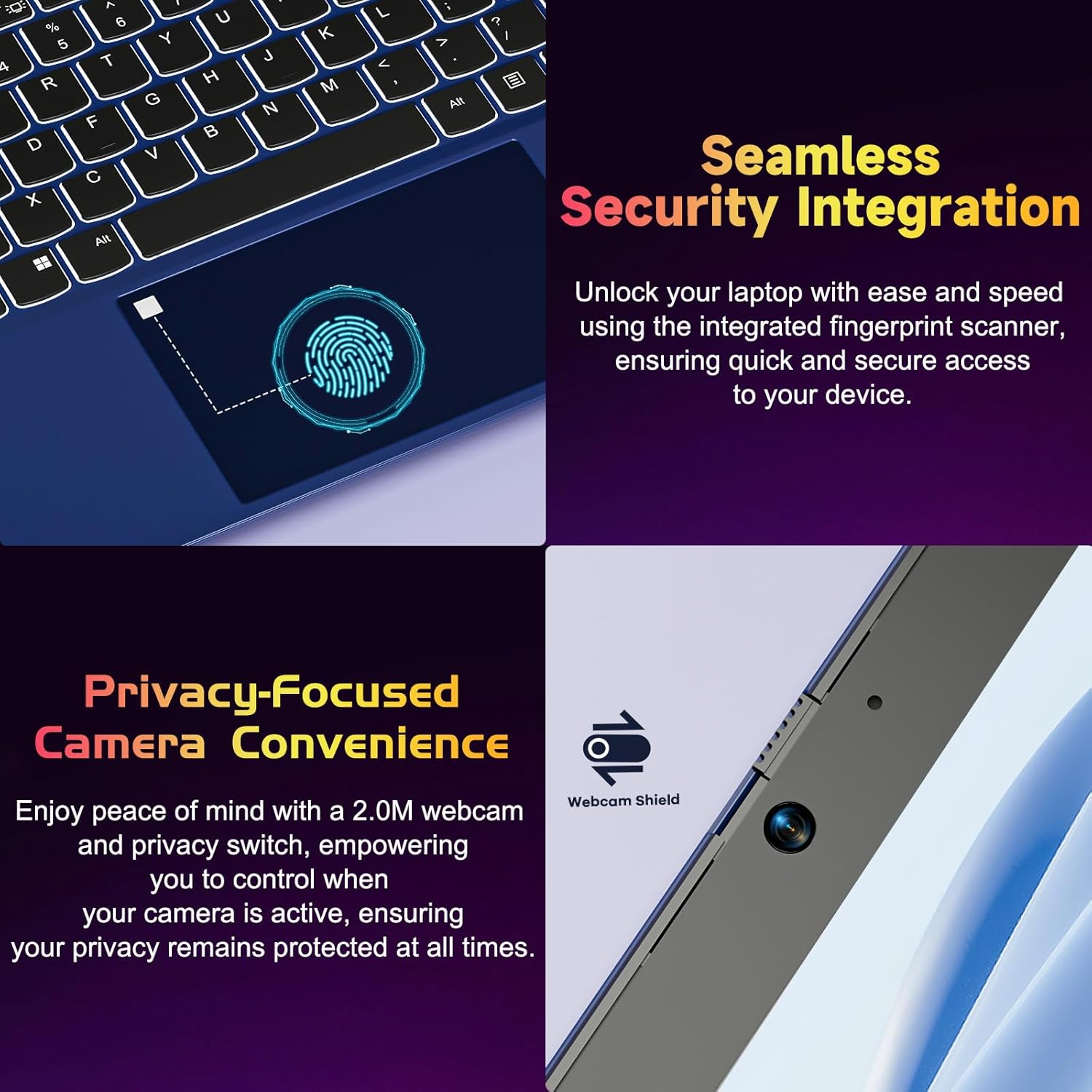
Figure 4.2: Seamless Security Integration and Privacy-Focused Camera. This image highlights the fingerprint scanner for quick and secure access, and the 2.0MP webcam with a physical privacy switch for enhanced user privacy.
4.3. Ekrano funkcijos
The 15.6 inch Full HD (1920 x 1080 Pixel) IPS display offers vivid visuals and a wide viewing angle. The 180° lay-flat hinge allows for flexible screen positioning, ideal for sharing content.

Figure 4.3: Vivid Full HD Display. This image emphasizes the laptop's 15.6-inch Full HD (1920x1080) IPS display, offering bright visuals and eye protection.

Figure 4.4: 180° Lay-Flat Hinge. This image illustrates the laptop's ability to lay flat, expanding usage scenarios and facilitating content sharing.
4.4. Webkameros privatumas
Nešiojamame kompiuteryje yra 2.0MP webcam with a physical privacy switch (Webcam Shield). Slide the switch to cover the camera lens when not in use to ensure your privacy.
5. Priežiūra
- Valymas: Ekraną ir išorę valykite minkšta, nepūkuota šluoste. Įsisenėjusias dėmes šiek tiek nuvalykite.ampNuvalykite šluostę vandeniu arba ekrano valikliu. Venkite stiprių cheminių medžiagų.
- Akumuliatoriaus priežiūra: Norėdami pailginti akumuliatoriaus veikimo laiką, venkite dažnai visiškai jį iškrauti. Jei ilgesnį laiką nenaudojate nešiojamojo kompiuterio, laikykite jį vėsioje, sausoje vietoje.
- Programinės įrangos atnaujinimai: Reguliariai atnaujinkite „Windows“ operacinę sistemą ir tvarkykles, kad užtikrintumėte optimalų našumą ir saugumą.
- Saugyklos išplėtimas: The laptop supports dual DDR4 SO-DIMM slots and M.2 NVMe SSD for memory and storage expansion. Consult a qualified technician for upgrades.
6. Problemų sprendimas
6.1. Maitinimo problemos
- Nešiojamasis kompiuteris neįsijungia: Ensure the laptop is charged. Connect the charger and wait a few minutes before attempting to power on again.
- Baterija nekraunama: Verify the charger is properly connected to both the laptop and the power outlet. Try a different outlet.
6.2. Ekrano problemos
- Ekranas tuščias: Check if the laptop is powered on. Try adjusting screen brightness using the function keys. If an external monitor is connected, ensure it is properly configured.
6.3. Našumo problemos
- Nešiojamasis kompiuteris lėtas: Close unnecessary applications. Check for background processes consuming high resources. Ensure sufficient free storage space. Consider performing a system scan for malware.
6.4. Ryšio problemos
- „Wi-Fi“ neprisijungia: Įsitikinkite, kad įjungtas „Wi-Fi“. Paleiskite maršrutizatorių ir nešiojamąjį kompiuterį iš naujo. Patikrinkite tinklo nustatymus sistemoje „Windows“.
7. Specifikacijos
| Funkcija | Detalė |
|---|---|
| Prekės ženklas | NIMO |
| Modelio pavadinimas | NIMO N152R |
| Ekrano dydis | 15.6 colių |
| Ekrano raiška | 1920 x 1080 pikselių (Full HD) |
| Procesorius | AMD Ryzen 5 3500U (3.7 GHz, 4 branduoliai, 8 gijų) |
| RAM | 8 GB DDR4 (atnaujinama) |
| Atminties greitis | 3200 MHz |
| Kietasis diskas | 256 GB SSD (Upgradable M.2 NVMe) |
| Grafikos koprocesorius | AMD Integrated graphics (Vega) |
| Operacinė sistema | Windows 11 |
| Belaidis tipas | 802.11abg |
| USB prievadai | 1x USB 2.0, 2x USB 3.0, 2x USB-C (1x Charge Only, 1x Full Function) |
| HDMI prievadas | Taip |
| Micro SD skaitytuvas | Taip |
| Vidutinis baterijos veikimo laikas | 5 valandų |
| Prekės svoris | 3.8 svaro (1.72 kg) |
| Gaminio matmenys | 14.07 x 8.98 x 0.76 colio |
| Spalva | Rožė |
| Galinis Webkumštelio raiška | 2 MP |
8. Garantija ir palaikymas
Your NIMO laptop comes with a 2-year warranty, covering manufacturing defects and hardware malfunctions under normal use. Additionally, a 90-day free return policy is provided.

Figure 8.1: After-Sales Support. This image outlines the 2-year warranty, 90-day return policy, and professional customer service available for NIMO products.
8.1. Susisiekimas su palaikymo tarnyba
For technical assistance, warranty claims, or product-related questions, please contact the NIMO U.S.-based support team. Contact information can typically be found on the official NIMO websvetainėje arba produkto pakuotėje.
9. Saugos informacija
To prevent injury or damage to your device, observe the following safety precautions:
- Nelaikykite nešiojamojo kompiuterio ekstremaliose temperatūrose, tiesioginiuose saulės spinduliuose ar didelėje drėgmėje.
- Venkite dėti sunkių daiktų ant nešiojamojo kompiuterio.
- Use only the provided charger or a compatible 65W PD Type-C charger.
- Nebandykite patys ardyti ar taisyti nešiojamojo kompiuterio. Kreipkitės į kvalifikuotus techninės priežiūros specialistus.
- Laikykite nešiojamąjį kompiuterį atokiau nuo skysčių, kad išvengtumėte elektros smūgio ar pažeidimų.
- Naudodami nešiojamąjį kompiuterį, užtikrinkite tinkamą vėdinimą, kad jis neperkaistų.


