1. Įvadas
Welcome to your new Baseus BC1 Open Ear Earbuds. This manual provides detailed instructions for setup, operation, and maintenance to ensure you get the best experience from your device. The Baseus BC1 earbuds feature a comfortable open-ear design, secure tri-curve clip, rich sound with powerful bass, clear calls with 4-mic AI noise reduction, IP55 water resistance, and precise button control.
2. Pakuotės turinys
Patikrinkite pakuotės turinį, kad įsitikintumėte, jog yra visi reikalingi daiktai:
- Baseus BC1 Open Ear Earbuds (Left & Right)
- Įkrovimo dėklas
- Vartotojo vadovas
- C tipo įkrovimo laidas

3. Produktas baigtasview
The Baseus BC1 Open Ear Earbuds are designed for comfort and high-quality audio, allowing you to stay aware of your surroundings. The compact charging case provides extended battery life and convenient storage.

4. Sąranka
4.1. Įkrovimas
Prieš pirmą kartą naudodami, visiškai įkraukite ausines ir įkrovimo dėklą.
- Prijunkite pridėtą C tipo įkrovimo laidą prie dėklo įkrovimo prievado ir maitinimo šaltinio.
- Pilnas dėklo įkrovimas trunka maždaug 1.5 valandas.
- The earbuds offer up to 7.5 hours of listening on a single charge, and up to 38 hours total with the fully charged case.

4.2. Maitinimo įjungimas/išjungimas
- Maitinimas: Atidarykite įkrovimo dėklą ir ausinės įsijungs automatiškai.
- Išjungti: Įdėkite ausines atgal į įkrovimo dėklą ir uždarykite dangtelį; jos išsijungs automatiškai.
4.3. „Bluetooth“ poravimas
- Atidarykite įkrovimo dėklą. Ausinės automatiškai įsijungs susiejimo režimą, tai nurodys mirksintis LED indikatorius.
- Savo įrenginyje (išmaniajame telefone, planšetiniame kompiuteryje ir kt.) eikite į „Bluetooth“ nustatymus ir įjunkite „Bluetooth“.
- Ieškokite "Baseus BC1" in the list of available devices and select it to connect.
- Once connected, you will hear a confirmation tone, and the LED indicator on the earbuds will turn off.
4.4. Ausinių dėvėjimas
Norėdami užtikrinti optimalų komfortą ir garso kokybę, atlikite šiuos veiksmus, kad užsidėtumėte ausines:
- Gently clip each earbud onto your ear, ensuring the main body rests comfortably behind your earlobe.
- Adjust the earbud to find the most comfortable and secure position. The tri-curve ergonomic clip is designed to adapt to various ear shapes.
- Ensure the sound outlet is aligned with your ear canal to experience the best sound quality.


5. Naudojimo instrukcijos
5.1. Mygtukų valdikliai
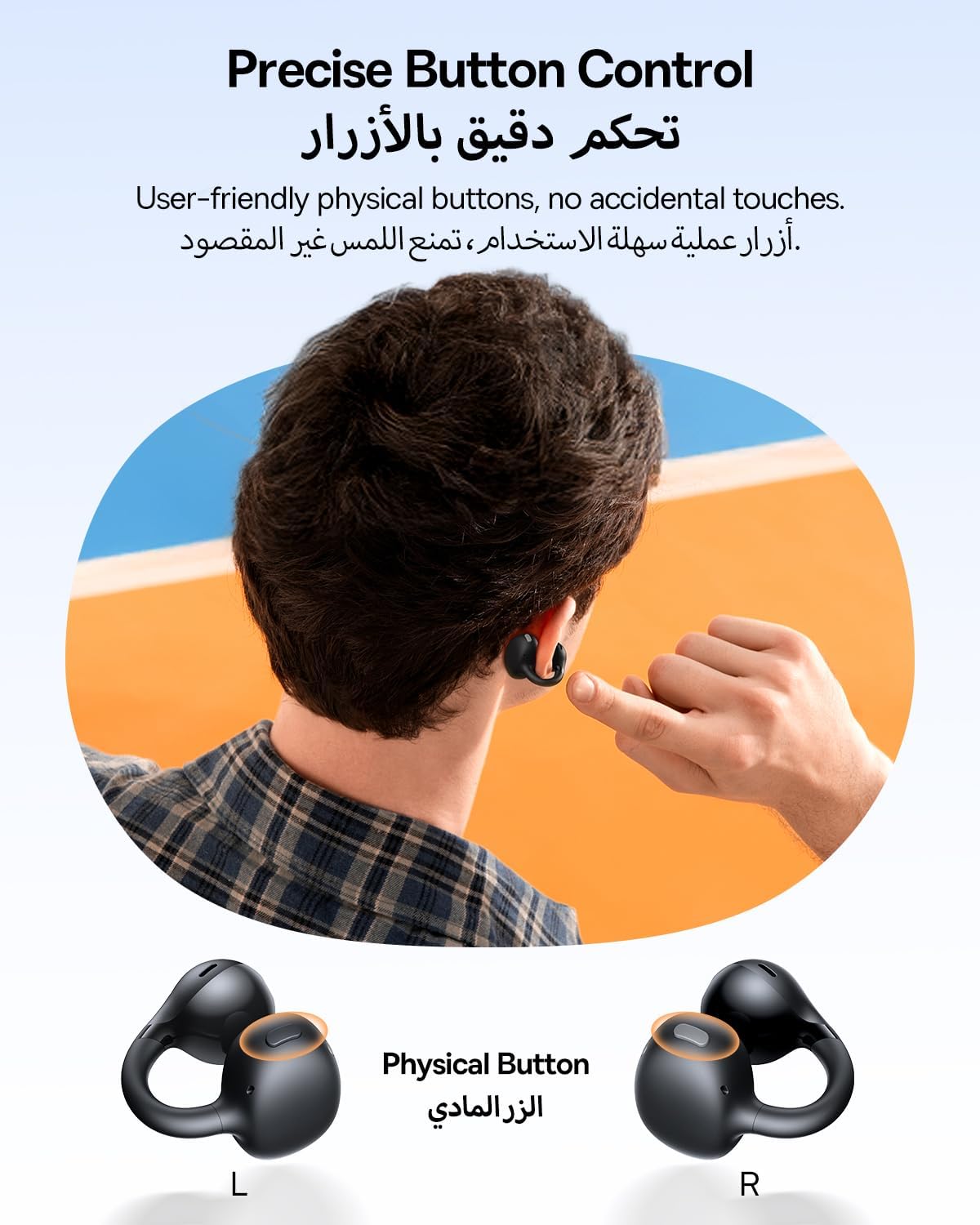
The Baseus BC1 earbuds feature physical buttons for precise control, minimizing accidental touches. The functions are as follows:
- Leisti / pristabdyti: Vieną kartą paspauskite mygtuką ant bet kurios ausinės.
- Pagarsink: Single press the button on the right earbud.
- Patildyti: Single press the button on the left earbud.
- Kitas takelis: Long press the button on the right earbud for 1.5 seconds.
- Ankstesnis takelis: Long press the button on the left earbud for 1.5 seconds.
- Atsiliepti / Baigti skambutį: Double press the button on either earbud.
- Atmesti skambutį: Long press the button on either earbud for 1.5 seconds during an incoming call.
- Padėjėjas balsu: Triple press the button on the right earbud.
- Cycle Modes (Game/Movie/Normal): Triple press the button on the left earbud.
5.2. App Customization
Download the official Baseus app from your device's app store to unlock advanced features and personalize your listening experience:
- Pritaikomas EQ: Adjust the equalizer settings to fine-tune the audio to your preference.
- Sound Profiles: Choose from various preset sound profiles for different music genres or listening scenarios.
- Touch Control Personalization: Reassign touch control functions to suit your needs.

5.3. Multi-Point Connection
The Baseus BC1 earbuds support simultaneous connection to two devices, allowing seamless switching between them:
- Pair the earbuds with your first device (e.g., smartphone).
- Atjunkite ausines nuo pirmojo įrenginio „Bluetooth“ nustatymų. Ausinės vėl įsijungs susiejimo režimu.
- Pair the earbuds with your second device (e.g., tablet or laptop).
- Manually reconnect the earbuds to the first device from its Bluetooth settings.
- The earbuds will now be connected to both devices simultaneously, allowing you to switch audio sources without re-pairing.

6. Priežiūra
6.1. Valymas
Norėdami užtikrinti optimalų ausinių veikimą ir ilgaamžiškumą:
- Regularly clean the earbuds and the charging contacts inside the case using a clean, dry cotton swab.
- Jei reikia, švelniai dampen the cotton swab with alcohol for disinfection.
- Avoid issues such as the earbuds being unable to charge or power on due to prolonged lack of cleaning.
6.2. Sandėliavimas
- Kai nenaudojate, visada laikykite ausines įkrovimo dėkle, kad apsaugotumėte jas nuo dulkių ir pažeidimų.
- If the earbuds will not be used for an extended period, charge the case at least once every three months to maintain battery health.
7. Problemų sprendimas
If you encounter any issues with your Baseus BC1 earbuds, please refer to the following common problems and solutions:
- Ausinės nesusijungia: Ensure Bluetooth is enabled on your device and the earbuds are in pairing mode. Try forgetting previous pairings on your device and re-pairing.
- Veikia tik viena ausinė: Place both earbuds back in the charging case, close the lid for 10 seconds, then open it again. If the issue persists, perform a factory reset.
- Prasta garso kokybė: Ensure the earbuds are worn correctly and the sound outlet is aligned with your ear canal. Check the EQ settings in the Baseus app.
- Ausinės neįkraunamos: Clean the charging contacts on both the earbuds and the case. Ensure the charging cable is properly connected to a working power source.
7.1. Gamyklinių parametrų atkūrimas
If the earbuds are not functioning correctly, a factory reset may resolve the issue:
- Remove the pairing information of the earbuds from your device's Bluetooth settings (e.g., "Forget This Device").
- Place both earbuds into the charging case, ensuring they are securely in place.
- Close the charging case for 3 seconds, then reopen it.
- With the charging case open, long press the button on the charging case for 10 seconds until the indicator light flashes white twice. This indicates that the reset is complete.
- After the factory reset, use the initial Bluetooth pairing method (Section 4.3) to reconnect and resume normal use.
8. Specifikacijos
| Funkcija | Detalė |
|---|---|
| Modelio pavadinimas | BC1 |
| Prekės modelio numeris | PM153 |
| Prekės ženklas | Baseus |
| Spalva | Juoda |
| Ausų išdėstymas | Atidarykite ausį |
| Ausinių formos faktorius | Atidarykite ausį |
| Ryšio technologija | Bevielis |
| Belaidžio ryšio technologija | Bluetooth |
| Varža | 16 omų |
| Triukšmo valdymas | Nėra |
| Ausinių lizdas | Nėra Džeko |
| Kontrolės metodas | Mygtukas |
| Atsparumo vandeniui lygis | Atsparus vandeniui (IP55) |
| Įkrovimo laikas | 1.5 valandos |
| Prekės svoris | 111 gramų |
| Pakuotės matmenys | 13.4 x 8.5 x 4.2 cm |
| Įtraukti komponentai | Vartotojo vadovas |
| Medžiaga | Plastikiniai |
| Suderinami įrenginiai | Phones, tablets, desktop computers, laptops, mobile phones, smart speakers, TVs, digital video game players |
9. Saugos informacija
- Avoid prolonged listening at high volume levels to prevent potential hearing damage.
- Nenaudokite ausinių situacijose, kai negalėjimas girdėti aplinkos garsų gali būti pavojingas (pvz., vairuojant, važiuojant dviračiu, einant eismo sąlygomis).
- Keep the earbuds and charging case away from extreme temperatures, direct sunlight, and moisture.
- Do not attempt to disassemble, repair, or modify the product. This may void the warranty and cause damage.
- Laikyti vaikams ir naminiams gyvūnams nepasiekiamoje vietoje, kad būtų išvengta atsitiktinio prarijimo ar netinkamo naudojimo.
- Produktą ir jo bateriją utilizuokite atsakingai, laikydamiesi vietinių taisyklių.
10. Garantija ir palaikymas
Dėl garantijos informacijos, techninės pagalbos ar bet kokių su produktu susijusių klausimų kreipkitės į oficialią „Baseus“ svetainę. websvetainėje arba susisiekite su vietiniu platintoju.
You can also visit the official Baseus Store for more information: Baseus Store


