1. Baigėsiview
The UPERFECT 15.6" Portable Monitor is designed to enhance productivity and entertainment on the go. Featuring a slim, lightweight profile and vibrant 125% sRGB Full HD display, it offers versatile connectivity and an adjustable stand for optimal viewing angles. This manual provides comprehensive instructions for setting up, operating, maintaining, and troubleshooting your monitor.

Figure 1: UPERFECT Portable Monitor 15.6"
2. Pakuotės turinys
Prašome patikrinti, ar pakuotėje yra visi reikalingi daiktai:
- 15.6" 1080P Monitor
- Mini HDMI į HDMI kabelis
- Type C to Type C Cable
- USB to Type C Cable
- PD30W Power Adapter
- Vartotojo vadovas
- 15.6" Monitor Case

2 pav.: Pakuotės turinys
3. Sąranka
3.1 Fizinė konfigūracija
The monitor features a built-in 0–180° adjustable/foldable stand for optimal viewing angles. It supports both horizontal and vertical placement. For alternative mounting, the monitor is VESA-standard compatible (75mm) allowing for wall-mount or arm-mount installations.

Figure 3: Adjustable Stand for Flexible Viewing

Figure 4: VESA Mount Compatibility and Display Modes
3.2 Jungtys
The UPERFECT Portable Monitor offers versatile connectivity options for various devices:
- USB-C (Full-featured): Connect a single USB-C cable from your compatible laptop, smartphone, or tablet to the monitor for both video signal and power.
- Mini HDMI: Use the Mini HDMI to HDMI cable to connect to devices like gaming consoles (PS4/PS5/Xbox/Steam Deck) or PCs. In this setup, power must be supplied separately via a USB-C cable connected to the PD30W Power Adapter or another power source.
Figure 5: Monitor Ports and Controls
Plug & Play: No drivers are required for most compatible devices. Simply connect the appropriate cables, and the monitor should automatically detect the signal.

Figure 6: Plug & Play Connectivity with Gaming Console
3.3 Vaizdo demonstracija
Video 1: UPERFECT Portable Monitor 15.6 Inch - This video demonstrates the unboxing and basic setup of the UPERFECT 15.6 inch portable monitor, showcasing its slim design and connectivity options.
4. Naudojimo instrukcijos
4.1 Power On/Off and OSD Menu
The monitor features control buttons on its side (refer to Figure 5). Use these buttons to power the monitor on or off and to navigate the On-Screen Display (OSD) menu for various settings.
4.2 Ekrano režimai
Depending on your connected device and operating system, you can configure the monitor to operate in different display modes:
- Išplėsti režimą: Expands your desktop across both screens, providing more workspace.
- Dubliavimo režimas: Mirrors the content of your primary screen onto the portable monitor.
- Vertikalus režimas: Allows the monitor to be used in a portrait orientation, ideal for reading documents or coding.
4.3 Ekrano reguliavimas
Access the OSD menu using the side buttons to adjust settings such as:
- Ryškumas ir kontrastas: Optimaliai pritaikykite vaizdą skirtingomis apšvietimo sąlygomis.
- Spalvų nustatymai: Tiksliai sureguliuokite spalvų temperatūrą, atspalvį ir sodrumą.
- Apimtis: Control the audio output from the built-in speakers or connected headphones.
- Kraštinių santykis: Select between 16:9 or other available ratios.
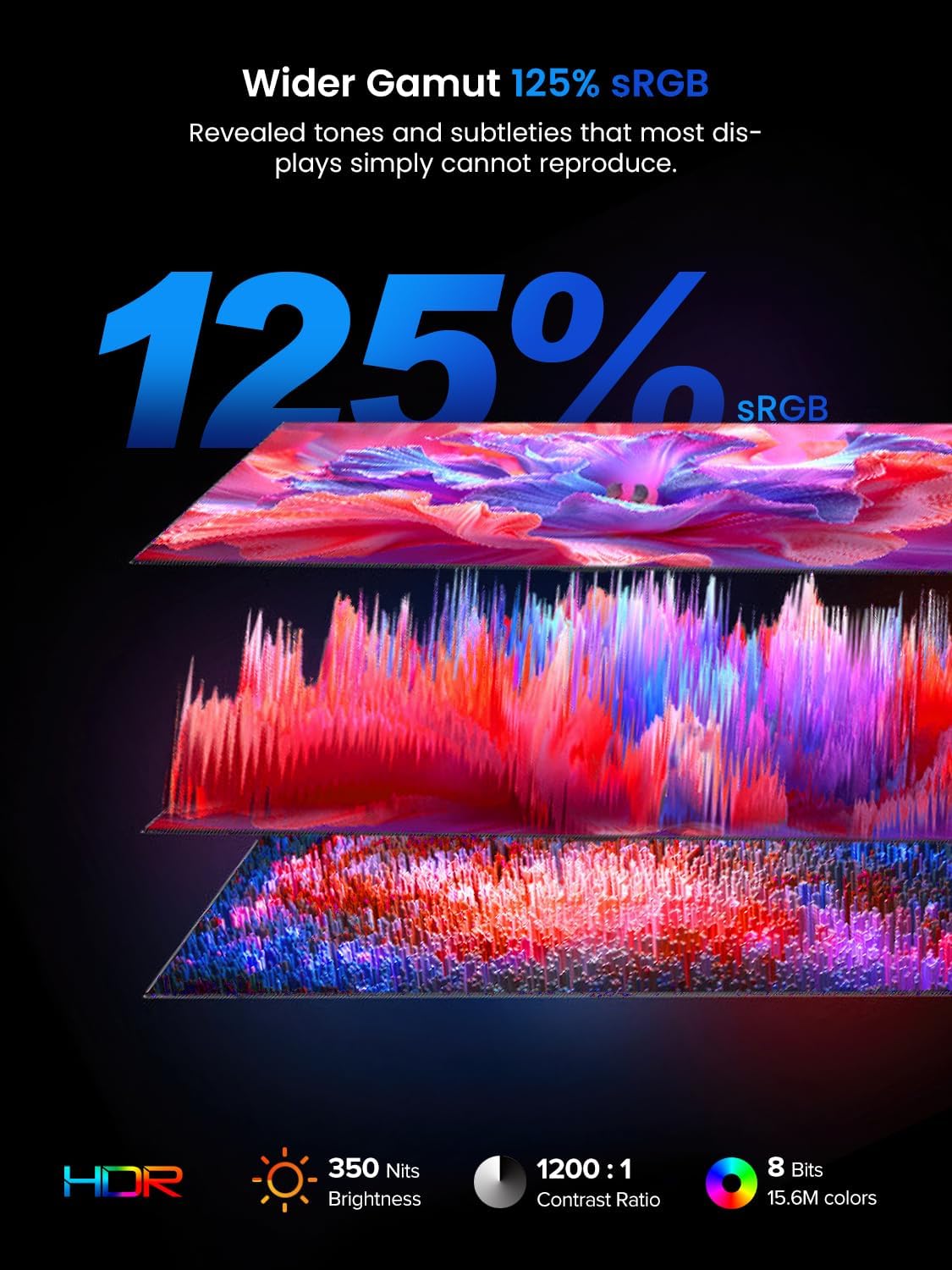
Figure 7: Display Features: 125% sRGB, 350 Nits, 1200:1 Contrast Ratio
5. Specifikacijos
| Funkcija | Specifikacija |
|---|---|
| Ekrano dydis | 15.6 colių |
| Ekrano raiška | 1920 x 1080 pikselių (Full HD) |
| Krašto santykis | 16:9 |
| Spalvų gama | 125% sRGB |
| Ryškumas | 350 nitų |
| Kontrasto santykis | 1200:1 |
| Ekrano paviršius | Matinis |
| Prekės modelio numeris | M180K01 |
| Prekės svoris | 2.2 svaro |
| Gaminio matmenys | 0.23 x 13.9 x 8.2 colio |
| ttage | 5 voltų |
| Gamintojas | PATIKIMAS |
6. Priežiūra
To ensure the longevity and optimal performance of your UPERFECT Portable Monitor, follow these maintenance guidelines:
- Ekrano valymas: Švelniai nuvalykite ekraną minkštu, nepūkuotu audiniu. Jei dėmės sunkiai įveikiamos, šiek tiek pamirkykite.ampen the cloth with water or a screen-specific cleaning solution. Avoid using harsh chemicals, alcohol, or abrasive materials.
- Kūno valymas: Monitoriaus korpusą nuvalykite minkštu, sausu skudurėliu.
- Saugykla: When not in use or during transport, always place the monitor in its protective sleeve to prevent scratches and impacts.
- Venkite ekstremalių sąlygų: Nelaikykite monitoriaus ilgą laiką tiesioginiuose saulės spinduliuose, itin aukštose temperatūrose ar drėgmės sąlygomis.

Figure 8: Protective Sleeve for Safe Transport and Storage
7. Problemų sprendimas
Jei kyla problemų dėl monitoriaus, vadovaukitės toliau pateiktais įprastais trikčių šalinimo veiksmais.
- Nėra signalo:
- Įsitikinkite, kad visi laidai (USB-C arba HDMI) yra tvirtai prijungti prie monitoriaus ir įrenginio.
- Verify that your device's display output is enabled and configured correctly (e.g., extended or duplicated display).
- If using HDMI, ensure the monitor is receiving power via a separate USB-C connection.
- Nėra galios:
- Check if the PD30W Power Adapter is properly connected to a power outlet and the monitor's USB-C port.
- If powering via a single USB-C cable from your device, ensure your device's USB-C port supports power delivery.
- Display Issues (e.g., incorrect resolution, mirroring):
- Adjust display settings on your connected device (Windows/macOS) to select the desired resolution and display mode (extend, duplicate).
- Ensure the monitor's refresh rate is compatible with your device's output.
- Garso problemos:
- Check the volume settings on both the monitor (via OSD menu) and your connected device.
- If using headphones, ensure they are properly plugged into the 3.5mm audio jack.
- Mirkėjimas arba zvimbimas:
- Ensure all cables are securely connected and try using different cables if available.
- Verify that the power supply is stable and sufficient.
If the issue persists after attempting these steps, please contact UPERFECT customer service for further assistance.
8. Garantija ir palaikymas
For warranty information, please refer to the warranty card included in your product package. UPERFECT is committed to customer satisfaction. If you have any questions or require support, please contact UPERFECT customer service. Contact details can typically be found on the official UPERFECT websvetainėje arba garantijos kortelėje.


