1. Įvadas
This manual provides instructions for the operation and maintenance of your Edillas Square Digital Sport Watch, Model 461D. Please read this manual thoroughly to ensure proper use and to maximize the lifespan of your watch.
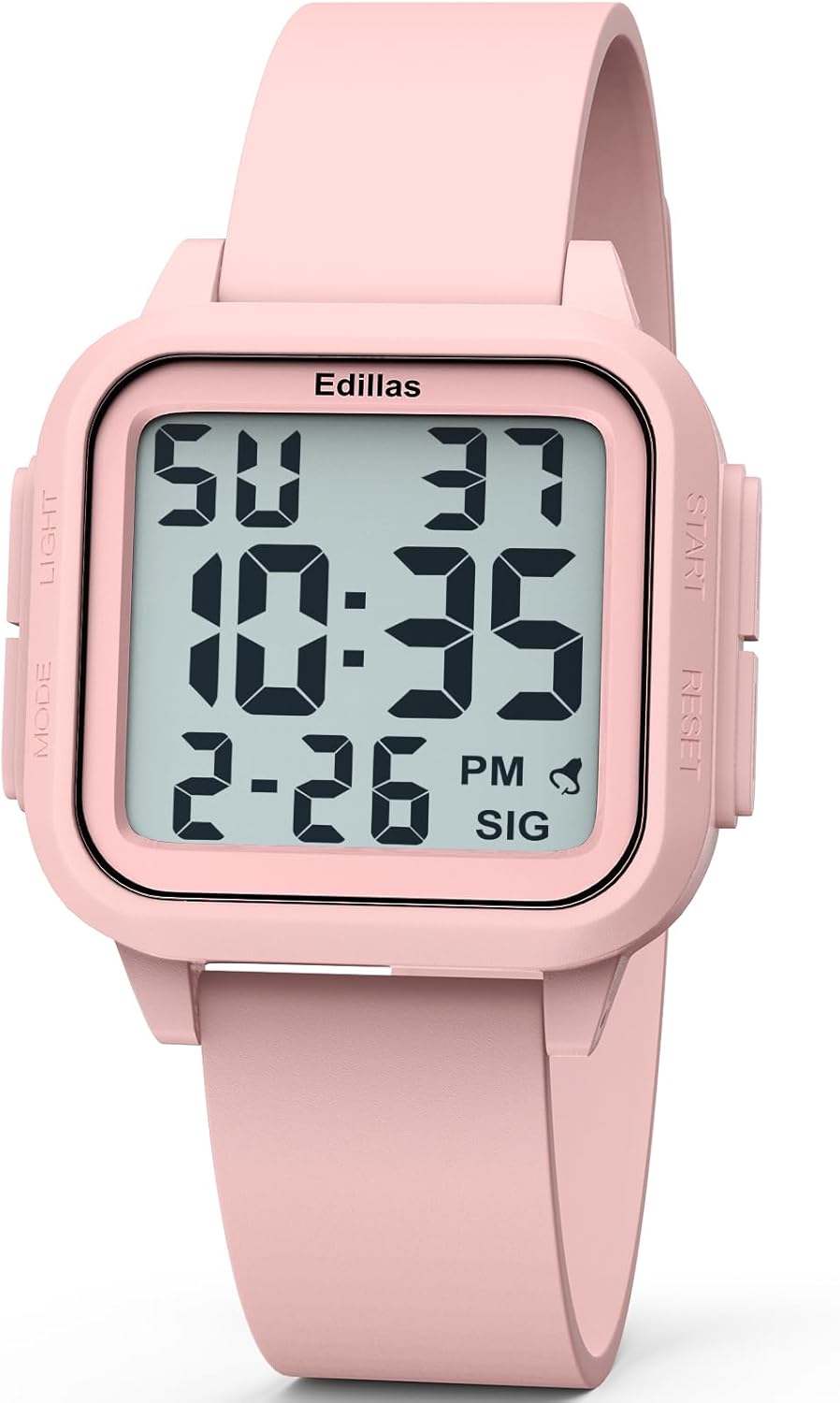
Image 1.1: Edillas Square Digital Sport Watch Model 461D (Light Pink)
2. Produkto ypatybės
- 1.5-inch large digital display for clear readability of time, date, and day of the week.
- Palaiko tiek 12 valandų, tiek 24 valandų laiko formatus.
- Equipped with an LED backlight for visibility in low-light conditions.
- Integrated alarm function.
- Chronometro funkcija laiko matavimo veiklai.
- 5ATM water resistance, suitable for shallow-water swimming and cold showers.
- Durable construction with a soft silicone strap and scratch-resistant resin crystal lens.
- Lightweight design (40g) with an adjustable band fitting wrist sizes from 14.2cm (5.6") to 22.5cm (8.9").
3. Watch Overview ir mygtukų funkcijos

Image 3.1: Watch Display and Button Layout
The Edillas Square Digital Sport Watch features four buttons:
- LIGHT mygtukas (viršuje kairėje): Įjungia LED foninį apšvietimą.
- MODE mygtukas (apačioje kairėje): Perjungia skirtingus režimus (laikas, chronometras, žadintuvas).
- START mygtukas (viršuje dešinėje): Used to adjust settings (increment values), start/pause the stopwatch, or turn the alarm/hourly įjungti / išjungti skambėjimą.
- Mygtukas „RESET“ (apačioje dešinėje): Used to select flashing digits in setting mode, reset the stopwatch, or confirm settings.
4. Sąrankos ir naudojimo instrukcijos
4.1. Laiko ir datos nustatymas
- Įprastu laiko rodymo režimu paspauskite REŽIMAS button three times to enter time setting mode. The seconds digits will begin to flash.
- Paspauskite RESET button to advance to the next setting (hours, minutes, month, date, day of week).
- Kol mirksi skaitmuo, paspauskite PRADĖTI mygtuką, kad sureguliuotumėte jo vertę.
- Nustatę visas norimas vertes, paspauskite REŽIMAS mygtuką, kad išeitumėte iš nustatymo režimo ir grįžtumėte į įprastą laiko rodymo režimą.
4.2. Foninio apšvietimo funkcija
Paspauskite ŠVIESA button (top left) to activate the LED backlight for approximately 3 seconds. This enhances visibility in dark environments.

Image 4.1: Backlight in use
4.3. Signalizavimo funkcija
To use the alarm function, follow these steps:
- Paspauskite REŽIMAS button twice to enter the alarm mode.
- To turn the alarm and hourly chime on or off, press the PRADĖTI button. A displayed bell icon indicates the alarm is on. A displayed "SIG" icon indicates the hourly chime is active. If the icon is not visible, the corresponding function is turned off.
- Norėdami nustatyti žadintuvo laiką, paspauskite RESET button. The hours digits will flash. Press the PRADĖTI button to adjust the hour setting.
- Nustatę valandą paspauskite RESET button to switch to minute setting. Similarly, press the PRADĖTI mygtuką norėdami sureguliuoti minutes.
- Nustatę minutes, paspauskite RESET kad patvirtintumėte, tada paspauskite REŽIMAS , kad išeitumėte iš žadintuvo nustatymo režimo.
Video 4.2: Instructions for using the alarm function on the Edillas 461D watch.
4.4. Chronometro funkcija
To use the stopwatch function, follow these steps:
- Paspauskite REŽIMAS mygtuką vieną kartą, kad įjungtumėte chronometro režimą.
- Paspauskite PRADĖTI mygtuką, kad pradėtumėte laiko matavimą.
- Paspauskite PRADĖTI mygtuką dar kartą, kad pristabdytumėte chronometrą.
- Pristabdymo metu paspauskite PRADĖTI button again to resume timing.
- To activate the SPL (Split) mode while the stopwatch is running, press the RESET button. The current timing data will be frozen and displayed, while the stopwatch continues running in the background. This function is useful for recording lap times.
- Paspaudus RESET button again will exit SPL mode.
- To return the stopwatch to its initial state (00:00:00), press the PRADĖTI button to pause it, then press the RESET mygtuką.
- Paspauskite REŽIMAS button once to exit the stopwatch mode.
Video 4.3: Instructions for using the stopwatch function on the Edillas 461D watch.
5. Atsparumo vandeniui gairės
The Edillas Square Digital Sport Watch is rated for 5ATM (50 meters) water resistance. This means it is suitable for:
- Daily water resistance (splashes, rain).
- Shallow-water swimming.
- Šalti dušai.
Svarbios atsargumo priemonės:
- NESPAUSKITE jokių mygtukų, kai laikrodis yra panardintas į vandenį.
- Avoid exposure to hot water and steam, as this can compromise the watch's water resistance.
- Not suitable for surfing, diving, or high-pressure water activities.

Image 5.1: Water Resistance Capabilities
6. Battery and Materials
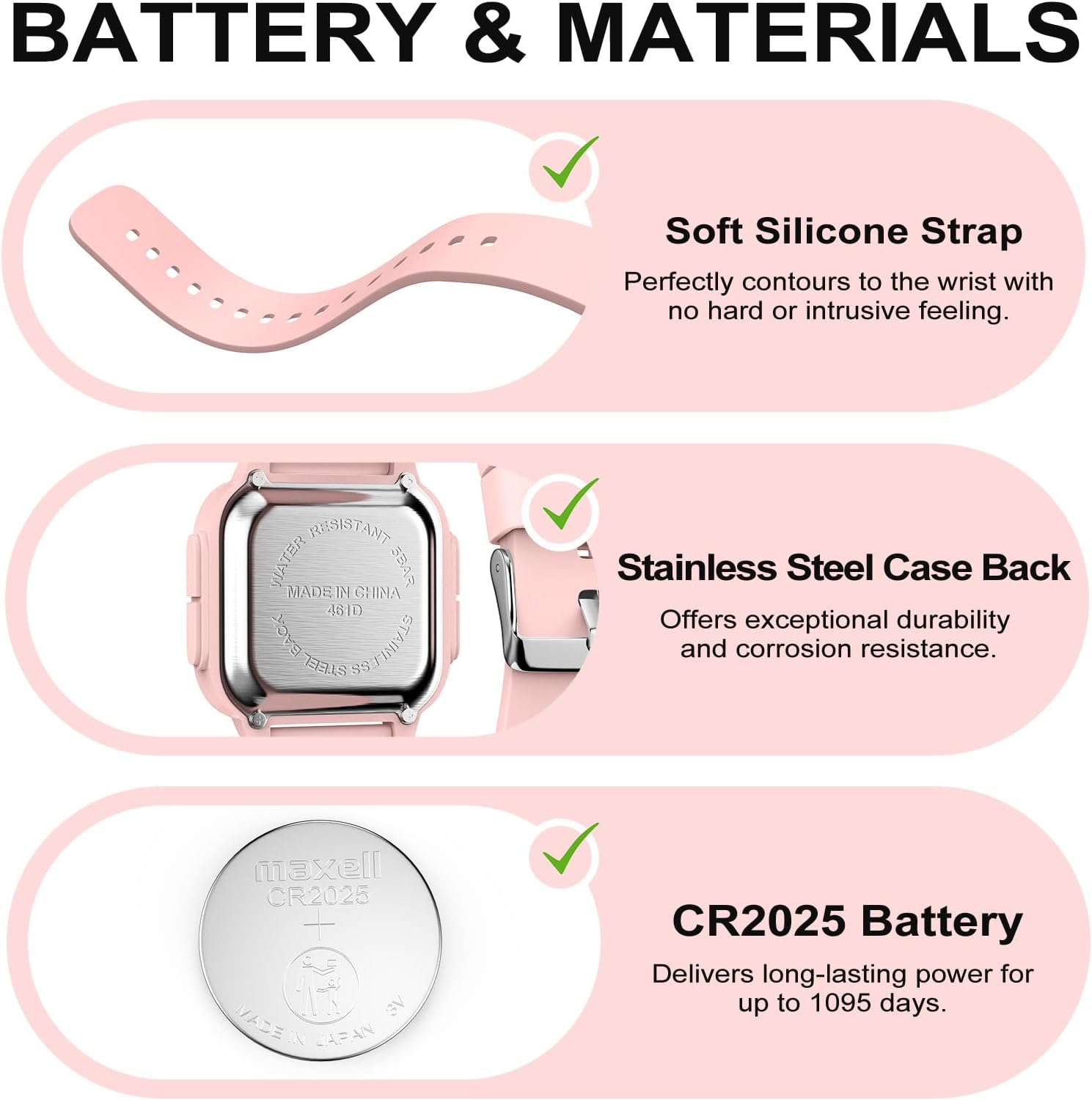
Image 6.1: Watch Components
- Dirželis: Soft silicone, designed for comfort and durability.
- Atgalinė dalis: Stainless steel, offering durability and corrosion resistance.
- Baterija: CR2025 (included), providing long-lasting power for up to 1095 days.
- Kristalas: Scratch-resistant resin.
7. Priežiūra ir priežiūra
- Reguliariai valykite laikrodį minkšta šluoste,amp audiniu. Venkite stiprių cheminių medžiagų ar abrazyvinių medžiagų.
- Venkite per didelių temperatūrų ir tiesioginių saulės spindulių ilgą laiką.
- Do not attempt to open the watch case or replace the battery yourself, as this may void the warranty and compromise water resistance. Seek professional service for battery replacement.
- Nenaudojamą laikrodį laikykite vėsioje, sausoje vietoje.

Image 7.1: Durability Features
8. Specifikacijos
| Funkcija | Detalė |
|---|---|
| Modelio numeris | 461D |
| Pakuotės matmenys | 5.98 x 2.32 x 0.75 colio |
| Prekės svoris | 2.4 uncijos (40 g) |
| Atsparumas vandeniui | 5 bankomatas (50 metrų) |
| Baterijos tipas | 1 C battery (CR2025) |
| Dirželio medžiaga | Silikonas |
| Bylos medžiaga | ABS |
| Krištolo medžiaga | Derva |

Image 8.1: Watch Dimensions
9. Problemų sprendimas
If you encounter any issues with your Edillas Square Digital Sport Watch, please consider the following:
- Ekranas tuščias arba blankus: Gali reikėti pakeisti bateriją.
- Laikas neteisingas: Re-adjust the time settings as described in Section 4.1.
- Mygtukai nereaguoja: Ensure the watch is not in a locked mode (if applicable, though not specified for this model) or that no debris is obstructing the buttons.
Dėl papildomos pagalbos kreipkitės į klientų aptarnavimo tarnybą.
10. Garantija ir palaikymas
For information regarding warranty coverage and customer support, please refer to the product packaging or contact the retailer where the watch was purchased. Keep your proof of purchase for warranty claims.
Manufacturer: Yadelai


