1. Įvadas
This manual provides detailed instructions for the KOOSMILE Mini PC N150 (Model N80). This device is a compact and portable computer featuring an 8-inch multi-touch display, designed for various applications from daily tasks to light entertainment. Please read this manual thoroughly before using the product to ensure proper operation and to maximize its lifespan.

1.1 paveikslas: The KOOSMILE Mini PC N150, showcasing its integrated 8-inch touchscreen and various connectivity ports.
Pagrindinės funkcijos:
- Procesorius: Twin Lake N150 CPU (4 cores, 4 threads, up to 3.6 GHz)
- Atmintis: 12 GB DDR5 RAM
- Saugykla: 256GB M.2 SSD (expandable, other variants available)
- Ekranas: 8-inch HD multi-touch screen
- Ryšys: WiFi 6, Bluetooth 5.2, Dual RJ45 Ethernet
- Prievadai: 2x USB 3.0, 2x USB 2.0, HDMI, DisplayPort, Full-function Type-C, 3.5mm Audio Jack, TF Card Slot
- Operacinė sistema: Windows 11 Pro
- Baterija: Integrated 5000mAh battery for portable use
2. Pakuotės turinys
Išpakuodami patikrinkite, ar pakuotėje yra visi reikalingi daiktai:
- KOOSMILE Mini PC N150 (Model N80)
- Maitinimo adapteris
- HDMI kabelis
- DP kabelis
- Vartotojo vadovas (šis dokumentas)
3. Produktas baigtasview (Ports and Features)
Familiarize yourself with the various ports and features of your Mini PC for optimal connectivity and usage.

3.1 paveikslas: Išsamus view of the KOOSMILE Mini PC N150's 12-port design, highlighting each port's function.
Uosto aprašymai:
- USB 3.0 prievadai (x2): Didelės spartos duomenų perdavimui su suderinamais įrenginiais.
- USB 2.0 prievadai (x2): For connecting standard USB peripherals like keyboards and mice.
- HDMI prievadas: Connects to external displays, TVs, or projectors for video and audio output.
- „DisplayPort“ (DP): Connects to external displays for high-resolution video output.
- Pilnai veikiantis C tipo prievadas: Supports 4K@60Hz video output, data transfer, and power delivery.
- RJ45 Ethernet prievadai (x2): Laidinio tinklo jungtims.
- 3.5 mm garso lizdas: Skirta ausinėms arba išoriniams garsiakalbiams prijungti.
- TF kortelės lizdas: For expanding storage or transferring data from TF cards.
- Maitinimo mygtukas: Norėdami įjungti / išjungti įrenginį.

3.2 paveikslas: The integrated adjustable metal bracket allows for flexible viewkampų.
4. Sąrankos vadovas
4.1 Maitinimo prijungimas
- Connect the provided power adapter to the power input port on the Mini PC.
- Įkiškite maitinimo adapterį į sieninį lizdą.
- The device is now ready for initial power on.
4.2 Pradinis paleidimas ir „Windows“ sąranka
- Press the power button located on the side of the Mini PC.
- The device will boot up, and the 8-inch touchscreen will display the Windows 11 Pro setup wizard.
- Follow the on-screen instructions to complete the initial Windows setup, including language, region, network connection, and user account creation.
4.3 Išorinių įrenginių prijungimas
You can connect external devices such as a keyboard, mouse, and external monitors.
- Klaviatūra ir pelė: Connect USB keyboards and mice to the available USB 2.0 or USB 3.0 ports. Wireless peripherals can be connected via Bluetooth 5.2.
- Išoriniai monitoriai: Use the provided HDMI or DP cables to connect to external displays. The full-function Type-C port also supports video output.
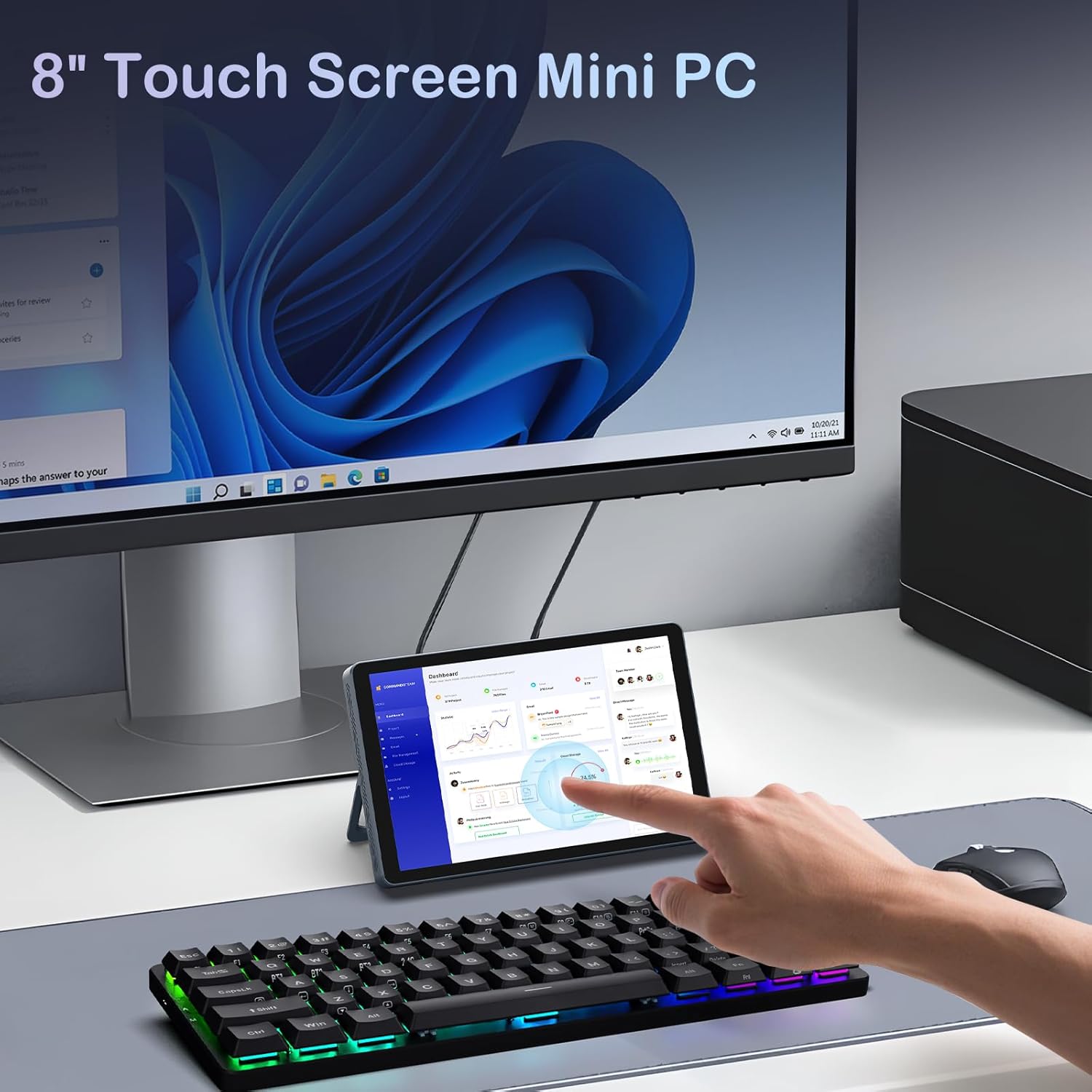
4.1 paveikslas: The Mini PC N150 in a desktop setup, utilizing an external monitor and peripherals.
4.4 Tinklo jungtis
- „Wi-Fi“: During Windows setup or via Windows settings, connect to your preferred Wi-Fi 6 network.
- Ethernet: Connect an Ethernet cable from your router or modem to one of the two RJ45 ports on the Mini PC for a wired network connection.
5. Naudojimo instrukcijos
5.1 Jutiklinio ekrano naudojimas
The 8-inch display supports multi-touch gestures, allowing for intuitive interaction with Windows 11 Pro. Use standard touch gestures for navigation, scrolling, zooming, and selecting items.
5.2 Connecting External Displays (Dual Display)
The Mini PC supports dual 4K displays simultaneously via HDMI, DisplayPort, and the full-function Type-C port. This allows for an extended desktop experience.
- Connect your external monitors using the appropriate cables (HDMI, DP, or Type-C).
- Once connected, Windows will automatically detect the displays. You can configure display settings (extend, duplicate, or second screen only) via the Display Settings in Windows.
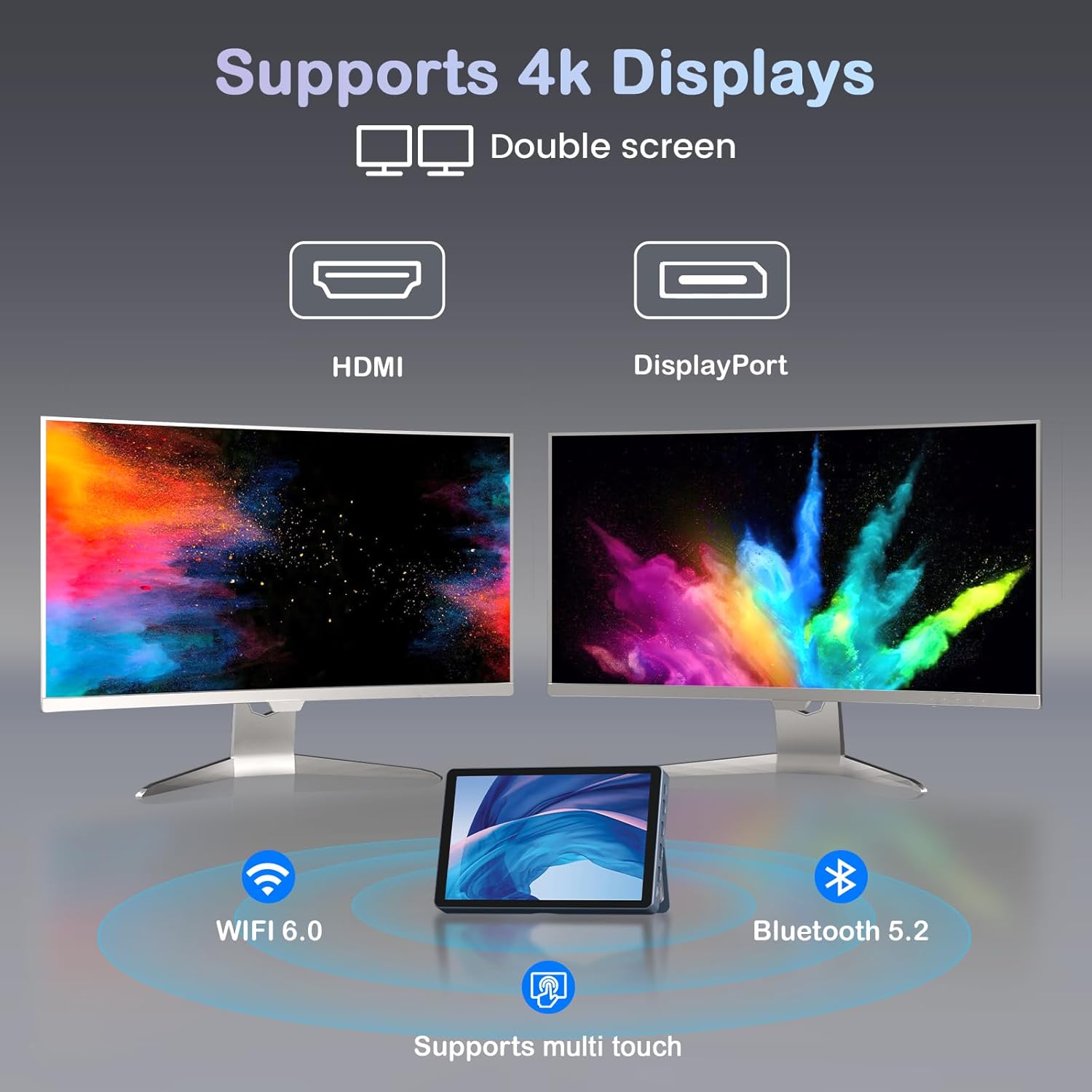
5.1 paveikslas: The Mini PC N150 supporting a dual 4K monitor setup, enhancing productivity.
5.3 Akumuliatoriaus valdymas
The integrated 5000mAh battery provides power for portable use. The battery also supports charging other devices via its Type-C port.
- Charging the Mini PC: Connect the power adapter to fully charge the internal battery.
- Išorinių įrenginių įkrovimas: Use a compatible USB-C cable to connect your smartphone or other devices to the Mini PC's full-function Type-C port for charging. Ensure the Mini PC has sufficient battery charge.

5.2 paveikslas: The Mini PC N150 can provide power to charge other portable devices.
5.4 Adjusting the Integrated Stand
The Mini PC features an adjustable metal bracket on its rear, allowing you to set the device at various viewkampai patogiam naudojimui.
- Gently pull out the metal bracket from the back of the device.
- Adjust the bracket to your desired angle (e.g., 45 degrees or 165 degrees) to prop up the screen.
- Ensure the bracket is stable before releasing įrenginį.
6. Priežiūra
6.1 Valymas
- Įrenginio išorei valyti naudokite minkštą, sausą, nepūkuotą šluostę.
- For the touchscreen, use a screen-specific cleaning solution and a microfiber cloth. Avoid harsh chemicals.
- Prieš valydami įsitikinkite, kad prietaisas yra išjungtas ir atjungtas.
6.2 Saugyklos išplėtimas
The Mini PC comes with an M.2 SSD, which can be upgraded. Refer to the manufacturer's guidelines or a qualified technician for storage upgrades to avoid voiding the warranty or damaging the device.
- The device supports M.2 SSDs.
- Consult the technical support team for recommended compatible M.2 SSD types and installation procedures.
7. Problemų sprendimas
If you encounter issues with your KOOSMILE Mini PC N150, refer to the following common troubleshooting steps:
- Nėra galios:
- Įsitikinkite, kad maitinimo adapteris yra tvirtai prijungtas tiek prie „Mini PC“, tiek prie veikiančio maitinimo lizdo.
- Patikrinkite, ar maitinimo lizdas veikia, prijungdami prie jo kitą įrenginį.
- If using the battery, ensure it is charged.
- Nėra vaizdo išoriniame monitoriuje:
- Check that the HDMI, DP, or Type-C cable is securely connected to both the Mini PC and the monitor.
- Ensure the external monitor is powered on and set to the correct input source.
- Jei įmanoma, išbandykite kitą laidą arba monitorių.
- „Wi-Fi“ / „Bluetooth“ ryšio problemos:
- Įsitikinkite, kad „Windows“ nustatymuose įjungtas „Wi-Fi“ / „Bluetooth“.
- Paleiskite „Mini PC“ ir maršrutizatorių / modemą iš naujo.
- Check for updated network drivers in Device Manager.
- Jutiklinis ekranas nereaguoja:
- Paleiskite mini kompiuterį iš naujo.
- Įsitikinkite, kad ekranas yra švarus ir be šiukšlių.
- Check for updated touchscreen drivers.
If these steps do not resolve the issue, please contact KOOSMILE technical support for further assistance.
8. Specifikacijos
The following table outlines the technical specifications for the KOOSMILE Mini PC N150 (Model N80):
| Funkcija | Specifikacija |
|---|---|
| Modelio numeris | N80 |
| Procesorius | Intel Celeron N150 (4 Cores, 4 Threads, up to 3.6 GHz) |
| RAM | 12GB DDR5 |
| Sandėliavimas | 256GB M.2 SSD (supports NVMe) |
| Grafika | Integruota grafika |
| Operacinė sistema | Windows 11 Pro |
| Ekranas | 8-inch HD Multi-touch Screen |
| Maksimali ekrano skiriamoji geba | 3840 x 2160 (4K) |
| USB prievadai | 2x USB 3.0, 2x USB 2.0 |
| Vaizdo išvestis | HDMI, DisplayPort, Full-function Type-C (4K@60Hz Dual Display Support) |
| Tinklas | WiFi 6 (802.11ax), Bluetooth 5.2, 2x RJ45 Ethernet |
| Garsas | 3.5mm garso lizdas |
| Kortelių skaitytuvas | TF kortelių lizdas |
| Baterija | 5000 mAh (nestandartinė baterija) |
| Matmenys | 7.62 × 4.88 × 0.91 inches (19.36 x 12.4 x 2.31 cm) |
| Svoris | 2.42 svaro (1.1 kg) |
9. Garantija ir palaikymas
KOOSMILE is committed to providing reliable products and customer satisfaction.
- Garantija: Each KOOSMILE Mini PC N150 comes with a 1-year limited warranty from the date of purchase. This warranty covers manufacturing defects and hardware malfunctions under normal use.
- Techninė pagalba: We offer lifetime technical support for your product. Our professional after-sales team is available 24 hours a day to assist you with any technical inquiries or issues.
- Klientų aptarnavimas: For responsive customer service, please refer to the contact information provided on the KOOSMILE official websvetainėje arba jūsų pirkimo platformoje.


