Įvadas
Ačiū, kad pirkoteasing the ROCAM Digital Radio Alarm Clock. This manual provides detailed instructions for setting up, operating, and maintaining your device. Please read this manual thoroughly before use to ensure proper function and longevity of the product.
Saugos informacija
- Ensure the device is connected to a power source with the correct voltage.
- Saugokite prietaisą nuo vandens ar per didelės drėgmės.
- Nestatykite prietaiso šalia šilumos šaltinių arba tiesioginiuose saulės spinduliuose.
- Nebandykite patys ardyti ar taisyti įrenginio. Kreipkitės į kvalifikuotus techninės priežiūros darbuotojus.
- Laikyti vaikams nepasiekiamoje vietoje.
Produktas baigtasview
The ROCAM Digital Radio Alarm Clock features a clear display, intuitive controls, and multiple functions including FM radio, Bluetooth speaker, night light, and charging ports.

Priekyje view of the ROCAM Digital Radio Alarm Clock, showing the large digital display and speaker grille.
Pagrindinės funkcijos:
- FM Radio (87.5 MHz - 108.0 MHz) with 20 presets.
- Bluetooth 5.0 speaker with 10m wireless range.
- Adjustable night light.
- USB and Type-C charging ports.
- Large, dimmable LED display (5 brightness levels).
- Dual alarm modes with classic beep or radio sound.
- 12/24 hour format and DST function.
- Battery backup for time and settings during power outages.
Sąranka
1. Maitinimo prijungimas:
Connect the provided power adapter to the DC input port on the back of the alarm clock and plug it into a wall outlet. The clock requires plug power to operate. The internal battery serves as a backup for settings during power interruptions.
2. Pradinis įjungimas:
Once connected, the display will light up. You may need to set the time manually if it's the first use or after a prolonged power disconnection without battery backup.
Naudojimo instrukcijos
Laiko ir datos nustatymas:
- Paspauskite ir palaikykite Laikas nustatytas button (or similar button, usually indicated by a clock icon). The hour digits will start flashing.
- Pasukite Time/Volume knob reguliuoti valandą.
- Paspauskite Laikas nustatytas dar kartą paspauskite mygtuką, kad patvirtintumėte valandas ir pereitumėte prie minučių.
- Pasukite Time/Volume knob sureguliuoti minutes.
- Paspauskite Laikas nustatytas mygtuką dar kartą, kad sutaupytumėte laiko.
- Norėdami perjungti tarp 12 valandų ir 24 valandų formato, paspauskite 12/24H mygtuką.
Signalų nustatymas:
Laikrodis palaiko du nepriklausomus žadintuvus.
- Paspauskite ir palaikykite Signalas 1 or Signalas 2 mygtuką. Mirksės žadintuvo valandų skaitmenys.
- Pasukite Time/Volume knob norėdami nustatyti norimą žadintuvo valandą.
- Paspauskite atitinkamą Signalizacija dar kartą paspauskite mygtuką, kad patvirtintumėte valandas ir pereitumėte prie minučių.
- Pasukite Time/Volume knob , kad nustatytumėte norimas žadintuvo minutes.
- Paspauskite Signalizacija button again to select the alarm sound: classic beep or FM radio.
- Paspauskite Signalizacija button one last time to save the alarm setting.
- Norėdami įjungti / išjungti žadintuvą, trumpai paspauskite atitinkamą Signalizacija mygtuką. Ekrane pasirodys / išnyks žadintuvo piktograma.
The alarm clock display showing the time and an active alarm icon, indicating the alarm function is set.
Snaudimo funkcija:
Kai suskamba žadintuvas, paspauskite Snaudimas/Šviesa button to temporarily silence the alarm for a few minutes (default snooze time). The alarm will sound again after the snooze period.
FM radijo veikimas:
- Paspauskite Režimas mygtuką, kad perjungtumėte į FM radijo režimą.
- To perform an automatic scan for stations, press and hold the Nuskaityti button. The radio will search for and save up to 20 available stations (87.5 MHz to 108.0 MHz).
- To manually tune, short press the Ankstesnis/Kitas mygtukai dažniui reguliuoti.
- Pasukite Time/Volume knob to adjust the radio volume (16 levels).

The alarm clock display showing an FM radio frequency, indicating it is in radio mode.
„Bluetooth“ susiejimas:
- Paspauskite Režimas button to switch to Bluetooth mode. The display will show a Bluetooth icon, usually flashing to indicate pairing mode.
- On your mobile device or computer, enable Bluetooth and search for "ROCAM Alarm Clock" (or similar device name).
- Select the device to pair. Once connected, the Bluetooth icon on the clock's display will stop flashing.
- You can now stream audio from your device to the alarm clock.
- Pasukite Time/Volume knob to adjust the playback volume.

Vidinis view of the ROCAM alarm clock highlighting its Bluetooth 5.0 capabilities and speaker components, demonstrating its audio features.
Naktinės šviesos funkcija:
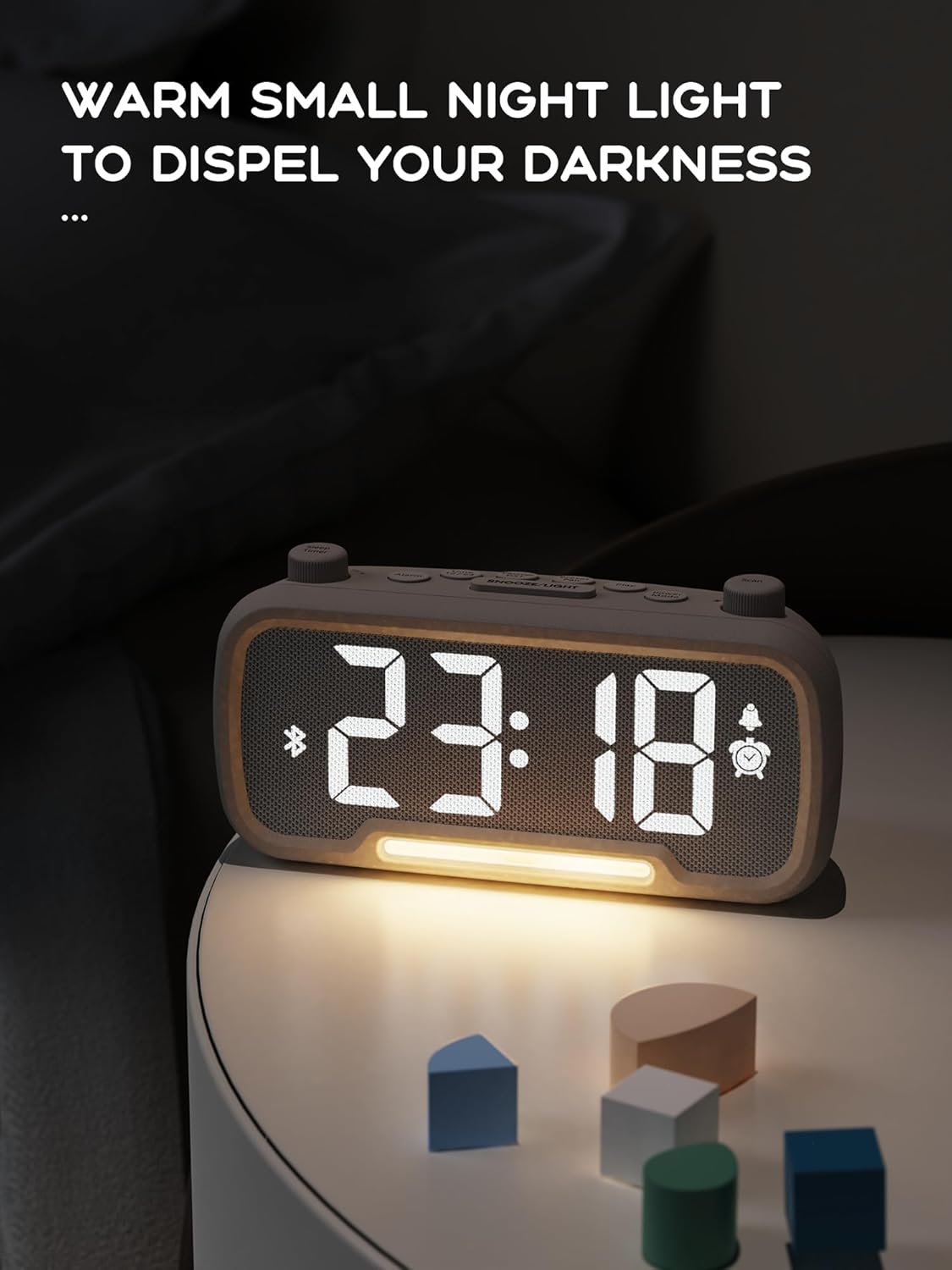
The alarm clock features an integrated night light.
- Trumpai paspauskite Snaudimas/Šviesa mygtuką, kad įjungtumėte arba išjungtumėte naktinę lemputę.
- The night light has adjustable brightness levels. Press and hold the Snaudimas/Šviesa button to cycle through the brightness options.

The ROCAM alarm clock on a bedside table, with its warm night light illuminated, providing ambient lighting.
Ekrano ryškumo reguliavimas:
The main display has 5 adjustable brightness levels.
- Paspauskite Ryškumas button (or similar, often combined with Snooze/Light) to cycle through the display brightness levels.
- Select the level that is most comfortable for your environment.
Daylight Saving Time (DST) Function:
Norėdami prisitaikyti prie vasaros laiko:
- Trumpai paspauskite DST button (or similar, often indicated by a sun icon). The time will automatically adjust forward or backward by one hour.
- Press it again to revert the change.
USB ir C tipo įkrovimo prievadai:
The alarm clock includes USB and Type-C ports for charging external devices.
- Connect your device's charging cable to the appropriate USB or Type-C port on the back of the alarm clock.
- Ensure the alarm clock is powered on for the charging ports to function.
Priežiūra
- Prietaisą valykite minkštu, sausu skudurėliu. Nenaudokite skystų valiklių ar abrazyvinių medžiagų.
- Keep the device free from dust and debris to ensure proper ventilation.
- If the device will not be used for an extended period, unplug it from the power outlet.
Trikčių šalinimas
| Problema | Galima priežastis | Sprendimas |
|---|---|---|
| Laikrodžio ekranas išjungtas. | Nėra elektros, elektros trūkstatage, or device is off. | Check power connection. Ensure the power adapter is securely plugged in. If there was a power outage, the battery backup should maintain settings, but the display requires main power. |
| Signalizacija neskamba. | Alarm is not activated, volume is too low, or incorrect time set. | Ensure the alarm icon is visible on the display. Increase alarm volume. Verify alarm time is set correctly. |
| Prastas FM radijo priėmimas. | Silpnas signalas, neištiesta antena arba yra trukdžių. | Adjust the position of the device. Extend the FM antenna fully. Try auto-scanning for stations again. Avoid placing near other electronic devices. |
| „Bluetooth“ įrenginio nepavyksta susieti. | Clock not in Bluetooth mode, device too far, or already paired with another device. | Ensure the clock is in Bluetooth mode (flashing icon). Move your device closer to the clock. Disconnect from other Bluetooth devices. |
| USB/Type-C charging not working. | Clock not powered, cable faulty, or device not compatible. | Ensure the alarm clock is plugged into a wall outlet. Try a different charging cable. Verify your device is compatible with standard USB charging. |
Specifikacijos
| Funkcija | Detalė |
|---|---|
| Prekės ženklas | ROCAM |
| Modelis | B0FNWB172Z |
| Spalva | Pilka |
| Matmenys | 16.8 x 3.81 x 8.4 cm (6.6 x 1.5 x 3.3 colio) |
| Svoris | 350 g (0.77 svaro) |
| Maitinimo šaltinis | Su laidu elektra |
| Baterija | 1 Lithium-metal battery (included, for backup) |
| FM dažnių diapazonas | 87.5 MHz–108.0 MHz |
| Bluetooth versija | 5.0 |
| Ekrano ryškumas | Reguliuojama 5 lygių |
| Garsumo lygiai | Reguliuojama 16 lygių |
Garantija ir palaikymas
Dėl garantijos informacijos ar techninės pagalbos kreipkitės į pirkinį pateiktus kontaktinius duomenis arba apsilankykite oficialioje ROCAM svetainėje. websvetainėje. Išsaugokite pirkimo įrodymą garantiniams reikalavimams.


