Įvadas
Thank you for choosing the Vandlion V11B Digital Voice Recorder. This manual provides detailed instructions on how to set up, operate, and maintain your device. Please read it carefully to ensure optimal performance and longevity of your recorder.

Image: The Vandlion V11B Digital Voice Recorder, a compact device shown held in a hand, highlighting its portable design.
Kas yra dėžutėje
Patikrinkite, ar pakuotėje yra visi reikalingi daiktai:
- 1 x Digital voice recorder
- 1 x USB-C duomenų kabelis
- 1x ausines
- 1 x Naudotojo vadovas (šis dokumentas)

Image: A visual representation of the package contents, including the digital voice recorder, USB-C cable, headphones, lanyard, and user manual.
Įrenginys baigtasview
Familiarize yourself with the physical components of your Vandlion V11B recorder.

Paveikslėlis: detalus view of the Vandlion V11B digital voice recorder, showing its display, control buttons (REC, SAVE, POWER, RESET), and integrated carabiner clip.

Image: The Vandlion V11B digital voice recorder shown attached to a backpack and a belt loop, illustrating its compact size and ease of carrying.
Pagrindinės funkcijos:
- Ekranas: Shows recording status, time, battery level, and file informacija.
- REC/SAVE Switch: Slide up to start recording, slide down to save.
- Įjungimo mygtukas: Paspauskite ir palaikykite, kad įjungtumėte/išjungtumėte.
- Perkrovimo mygtukas: Small pinhole button for factory reset if needed.
- USB-C prievadas: Įkrovimui ir duomenų perdavimui.
- Ausinių lizdas: 3.5mm port for audio playback.
- Integruotas klipas: Kad būtų lengviau pernešti.
Sąranka
1. Įrenginio įkrovimas
Before first use, fully charge the recorder. Connect the supplied USB-C cable to the device's USB-C port and the other end to a computer or a USB power adapter (not included).
- Pilnas įkrovimas trunka maždaug 1.5 valandos.
- A fully charged device provides up to 20 valandos of continuous recording.
- Ekrane bus rodoma įkrovimo būsena.

Image: The Vandlion V11B digital voice recorder connected to a laptop via its USB-C port for charging and data transfer.
2. Įjungimas/išjungimas
- Norėdami įjungti: paspauskite ir palaikykite GALIA mygtuką, kol ekranas įsijungs.
- Norėdami išjungti: paspauskite ir palaikykite GALIA mygtuką, kol ekranas išsijungs.
Naudojimo instrukcijos
1. One-Button Recording
The device features a simple slide switch for quick recording.
- To start recording: Slide the ĮRAŠYTI / IŠSAUGOTI switch upwards to the "REC" position. The device will begin recording immediately.
- To save recording: Slide the ĮRAŠYTI / IŠSAUGOTI switch downwards to the "SAVE" position. The current recording will be saved, and the device will stop recording.

Image: An illustration demonstrating the one-button recording function, showing a finger sliding the REC/SAVE switch to initiate recording.
2. Dirbtinio intelekto triukšmo mažinimas
The Vandlion V11B incorporates an advanced AI chip to enhance audio clarity by reducing background noise.
- This feature automatically identifies and minimizes distracting sounds, focusing on human speech.
- It is active during recording to provide high-fidelity voice capture.

Image: A graphic illustrating how AI noise reduction works, showing various types of noise (wind, static, hum) being filtered out to produce clear sound.
3. Voice Activated Recording (VOR)
The Voice Activated Recording function allows the device to record only when sound is detected, conserving memory and battery life.
- To enable VOR: Access the device's menu by long pressing the Leisti / pristabdyti / patvirtinti button when not recording, then navigate to the VOR settings. Set VOR to "ON".
- Once enabled, slide the ĮRAŠYTI / IŠSAUGOTI button to "REC". The recorder will start recording when sound above a set threshold (e.g., >65dB) is detected and pause when sound falls below the threshold (e.g., <65dB).
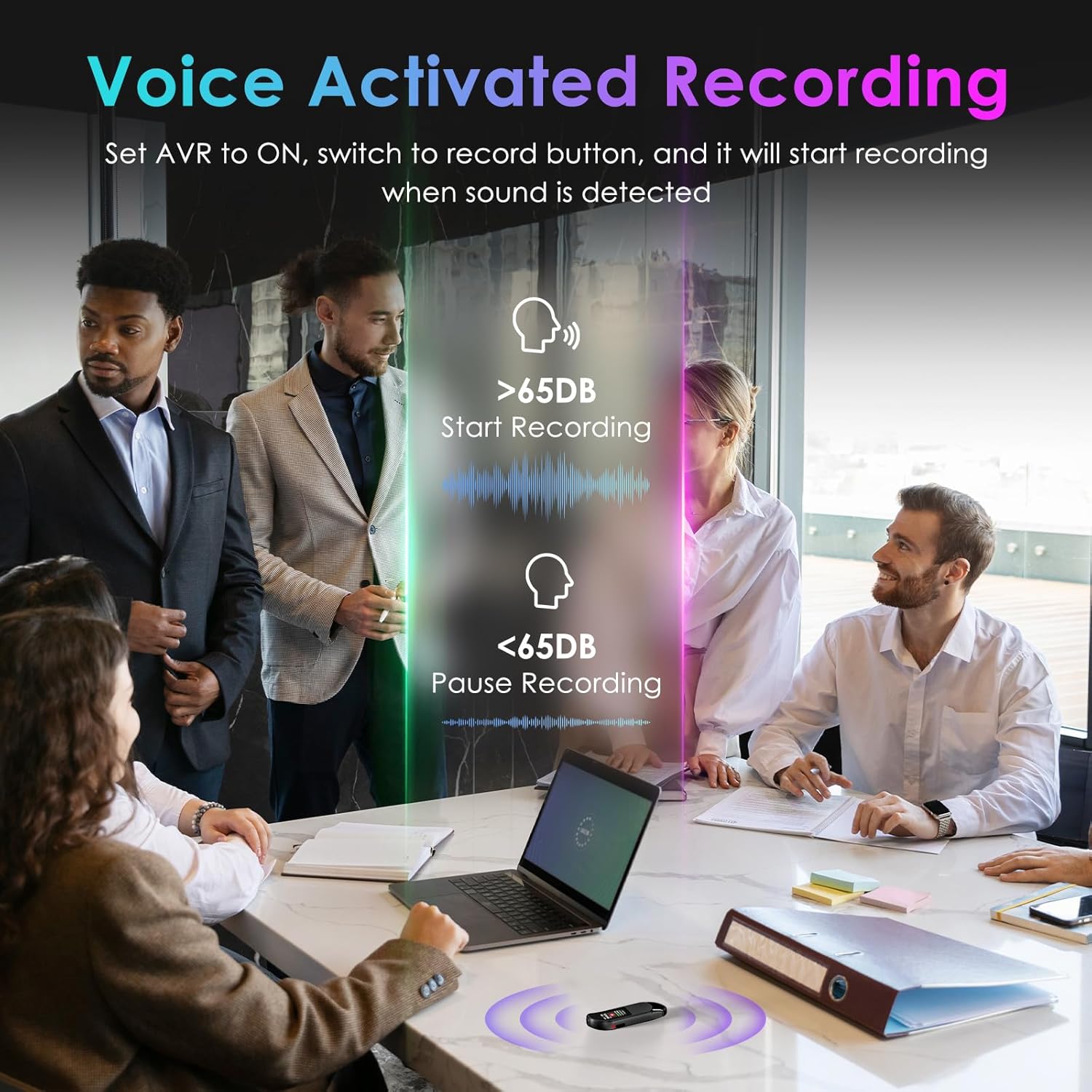
Image: A visual demonstrating voice-activated recording in a meeting, showing the device starting to record when sound is above 65dB and pausing when below.
4. Atkūrimas
You can listen to your recordings directly from the device using headphones or by transferring files to a computer or Android phone.
- Naudojant ausines: Connect the included headphones to the 3.5mm jack. Use the control buttons (Vol+, Vol-, Previous, Next, Play/Pause/Confirm) on the headphone cable to navigate and play recordings.
- Connecting to Computer/Phone: Perdavimas files as described in the "File Management" section below.

Image: A diagram showing various playback methods: using wired headphones, connecting to a computer, and connecting to an Android phone. The image also illustrates the control buttons on the headphone cable for navigation.
5. Slaptažodžio apsauga
To protect your recordings, you can set a 4-digit password.
- To set a password: Access the device's menu (long press the Leisti / pristabdyti / patvirtinti button when not recording) and navigate to the "Password" settings. Follow the on-screen prompts to set your 4-digit code.
- Once enabled, the password will be required to access the device's files.

Image: A visual representation of the password protection feature, showing the device screen prompting for a 4-digit password.
6. File Valdymas ir perdavimas
Recordings are saved with timestamps for easy organization. You can transfer files to a computer (Windows/Mac) or an Android phone.
- Connect the device to your computer or Android phone using the supplied USB-C cable.
- Įrenginys bus rodomas kaip išimama atminties kortelė.
- You can then drag and drop recording files (MP3 or WAV format) to your desired location.
- Pastaba: This device is not compatible with iPhones for direct file perkėlimas.

Image: The Vandlion V11B connected to a laptop via USB-C, demonstrating file transfer and showing example filenames with timestamps.
Priežiūra
- Laikykite prietaisą sausą ir atokiau nuo ekstremalių temperatūrų.
- Prietaisą valykite minkštu, sausu skudurėliu. Nenaudokite skystų valiklių.
- Saugokitės, kad prietaisas nenukristų ir nepatirtų stipraus smūgio.
- Regularly back up your recordings to prevent data loss.
- If the device becomes unresponsive, use a small pin to press the RESET mygtuką.
Trikčių šalinimas
| Problema | Galima priežastis | Sprendimas |
|---|---|---|
| Įrenginys neįsijungia. | Senka baterija. | Įkraukite įrenginį bent 1.5 valandas. |
| Neįmanoma įrašyti. | Memory full; device frozen. | Perdavimas files to a computer to free up space. Press the RESET button. |
| Prasta garso kokybė. | Microphone obstructed; excessive background noise. | Ensure microphone is clear. Use AI Noise Reduction in appropriate environments. |
| Negalima perkelti files to iPhone. | Device is not compatible with iPhone for direct transfer. | Perdavimas files to a computer (Windows/Mac) or Android phone instead. |
| Pamiršau slaptažodį. | Slaptažodis pamestas. | Contact customer support for assistance. A factory reset might be required, which will erase all data. |
Specifikacijos
| Funkcija | Detalė |
|---|---|
| Modelio numeris | V11B |
| Atminties talpa | 64 GB (up to 900 hours of recording) |
| Įrašymo formatas | MP3 garsas, WAV |
| Garso kokybė | 1536Kbps Crystal Audio |
| Triukšmo mažinimas | AI triukšmo panaikinimas |
| Baterijos veikimo laikas (įrašymas) | Iki 20 valandų |
| Įkrovimo laikas | apytiksliai 1.5 valandas |
| Suderinami įrenginiai | Personal Computer (Windows/Mac), Smartphone (Android) |
| Techninės įrangos sąsaja | C tipo USB |
| Mikrofono formos faktorius | Įmontuotas |
| Ausinės Jack | 3.5 milimetrai |
| Gaminio matmenys | 0.39 colio gylis x 0.86 colio plotis x 2.99 colio aukštis (10 mm x 22 mm x 76 mm) |
| Prekės svoris | 1.41 uncijos (40 gramų) |
| Matoma ekrano įstrižainė | 1 colių / 3 cm |
Garantija ir palaikymas
Vandlion products are built for performance and durability. For warranty information or technical support, please refer to the contact details provided with your purchase or visit the official Vandlion websvetainę.
Dėl dažniausiai pasitaikančių problemų žr. šio vadovo skyrių „Trikčių šalinimas“.
Gamintojas: Vandlionas
Svarbios pastabos
- Always ensure the device is fully charged before important recording sessions.
- Regularly transfer and back up your recordings to avoid data loss.
- The device does not have a built-in speaker; headphones or external playback devices are required to listen to recordings.


