1. Įvadas
Thank you for choosing the Oilsky M1 MP3 Player. This device is designed to provide a portable and versatile music experience. It features Bluetooth 5.4 for wireless audio, a 2.4-inch full touch screen for easy navigation, and 128GB of internal storage, expandable via MicroSD card. Beyond music playback, it includes functions such as FM radio, voice recording, e-book reading, and picture viewing. Please read this manual thoroughly to understand the player's features and ensure optimal performance.
2. Kas yra dėžutėje
Carefully unpack your Oilsky M1 MP3 Player and check for the following items:
- 1x Oilsky M1 Music Player
- 1x ausinės
- 1x USB Cable (for charging and data transfer)
- 1x apsauginis dėklas
- 1x vartotojo vadovas

Image: All items included in the Oilsky M1 MP3 Player package.
3. Produktas baigtasview
The Oilsky M1 MP3 Player features a compact design with a full touch screen interface. Familiarize yourself with the device's physical components:
- 2.4 colių pilnai lietimui jautrus ekranas: Main interface for navigation and control.
- Maitinimo mygtukas: Located on the side, used to turn the device on/off and lock/unlock the screen.
- Garsumo mygtukai: Sureguliuokite garso išvesties lygį.
- USB-C prievadas: For charging and connecting to a computer for data transfer.
- 3.5 mm ausinių lizdas: For wired earphone connection.
- MicroSD kortelės lizdas: For expanding storage capacity (card not included).
- Integruotas garsiakalbis: Allows audio playback without headphones.
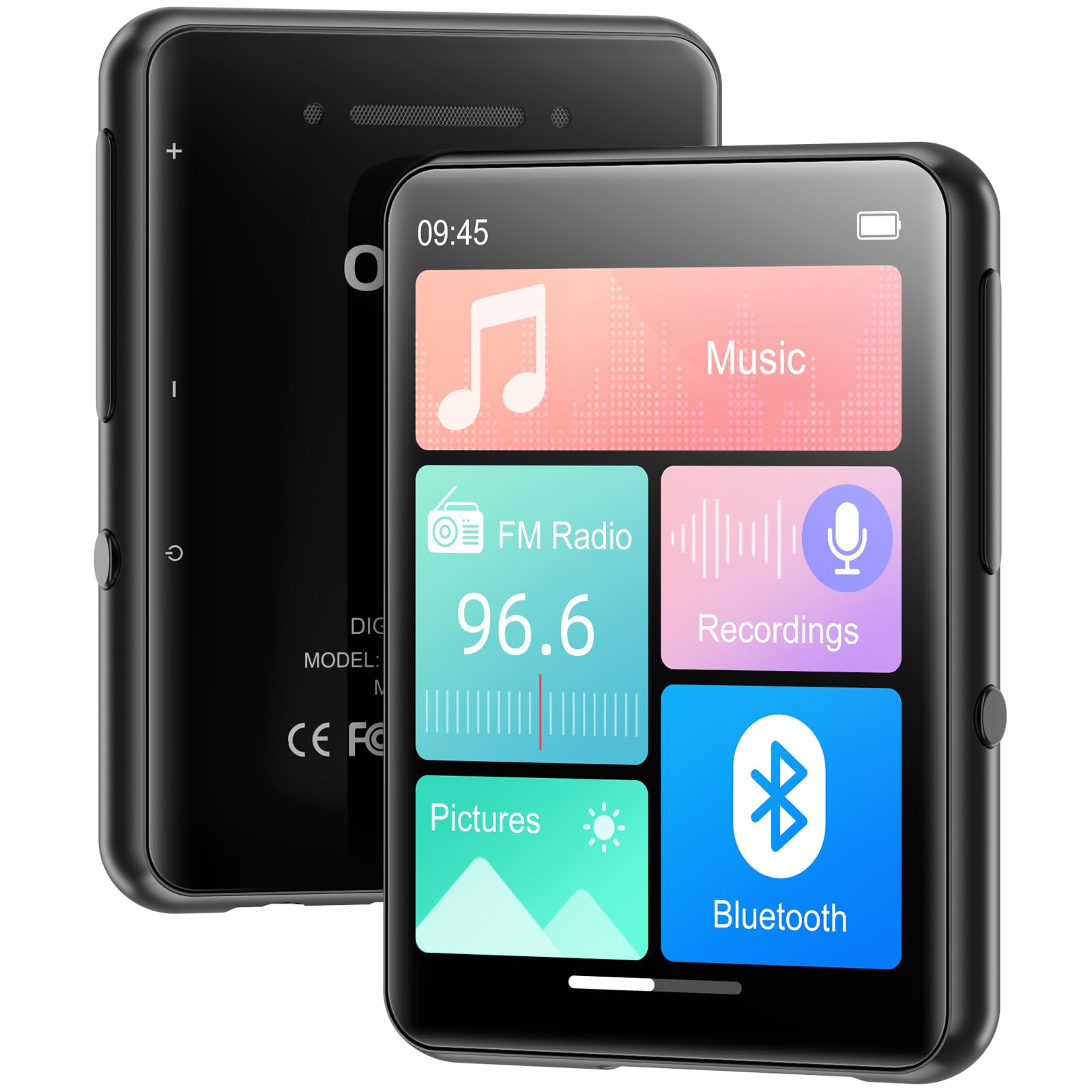
Vaizdas: priekis view of the MP3 player displaying its main screen.
4. Sąranka
4.1 Įrenginio įkrovimas
Before first use, fully charge the MP3 player. Connect the provided USB cable to the device's USB-C port and the other end to a USB power adapter (not included) or a computer's USB port. The battery indicator on the screen will show charging status.
4.2 Maitinimo įjungimas/išjungimas
- Norėdami įjungti: Paspauskite ir palaikykite maitinimo mygtuką, kol užsidegs ekranas.
- Norėdami išjungti: Paspauskite ir palaikykite maitinimo mygtuką, tada ekrane pasirinkite „Išjungti“.
- Ekrano užraktas / atrakinimas: Briefly press the Power button to lock or unlock the screen during use.
4.3 Kalbos nustatymai
Pirmą kartą įjungus įrenginį, gali būti paprašyta pasirinkti pageidaujamą kalbą. Jei ne, eikite į Nustatymai > Kalba to choose from the available options.
4.4 Muzikos perkėlimas ir Files
The Oilsky M1 MP3 Player has 128GB of internal storage and supports MicroSD cards up to 128GB (not included).
- Prijunkite MP3 grotuvą prie kompiuterio naudodami USB laidą.
- Grotuvas jūsų kompiuteryje bus rodomas kaip išimamas diskas.
- Vilkite ir numeskite muziką files (MP3, WMA, APE, FLAC, WAV, AAC), pictures (JPEG, BMP), or e-books (TXT) into the appropriate folders on the player or MicroSD card.
- Prieš atjungdami USB laidą, saugiai atjunkite įrenginį nuo kompiuterio.

Image: Visual representation of the 128GB internal storage and MicroSD card expansion capability.
5. Naudojimo instrukcijos
5.1 Muzikos atkūrimas
From the main menu, tap the 'Music' icon to access your music library. You can browse by artist, album, genre, or all songs. Tap a song to begin playback. Use the on-screen controls for play/pause, skip tracks, and adjust volume. The player supports MP3, WMA, APE, FLAC, WAV, and AAC audio formats.

Image: User interacting with the touch screen for music playback.
5.2 Bluetooth poravimas
The Oilsky M1 features Bluetooth 5.4 for connecting to wireless headphones or speakers. Pastaba: This device cannot pair with mobile phones or personal computers via Bluetooth.
- Eikite į Nustatymai > Bluetooth or tap the 'Bluetooth' icon from the main menu.
- Įjunkite „Bluetooth“.
- Įsitikinkite, kad jūsų „Bluetooth“ ausinės arba garsiakalbis yra susiejimo režime.
- The MP3 player will scan for available devices. Select your device from the list to pair.
- Once paired, audio will be routed to your Bluetooth device.

Image: MP3 player demonstrating Bluetooth connectivity with headphones.
5.3 FM radijas
To use the FM Radio, connect wired earphones to the 3.5mm jack, as they act as the antenna. Tap the 'FM Radio' icon from the main menu. You can manually tune to stations or use the auto-scan feature to find available frequencies.
5.4 Diktofonas
Tap the 'Recordings' icon to access the voice recorder. The built-in microphone allows you to capture audio. Start, pause, and save recordings using the on-screen controls. Recorded files are saved in the 'Recordings' folder.
5.5 Kitos funkcijos
The Oilsky M1 MP3 Player includes several other useful applications:
- Nuotraukos: View stored image files (JPEG, BMP).
- El. Knyga: Skaityti tekstą files (TXT formatas).
- Žadintuvas: Set alarms with your favorite music.
- Kalendorius: View dabartinė data.

Image: Main menu showing various functions of the MP3 player.
Vaizdo įrašas: Viršijimasview of the Oilsky MP3 Player's features and interface, demonstrating its functionality.
6. Priežiūra
- Laikykite prietaisą sausą. Venkite drėgmės ar skysčių.
- Ekraną ir korpusą valykite minkštu, sausu skudurėliu. Nenaudokite abrazyvinių valiklių.
- Venkite ekstremalių temperatūrų.
- Nemeskite prietaiso ir nepalikite jo stipriam smūgiui.
- Store the device in the provided protective case when not in use.
7. Problemų sprendimas
| Problema | Galimas sprendimas |
|---|---|
| Įrenginys neįsijungia. | Įsitikinkite, kad akumuliatorius įkrautas. Prijunkite prie maitinimo šaltinio ir bandykite dar kartą. |
| Nepavyksta prisijungti prie „Bluetooth“ įrenginio. | Ensure the Bluetooth device is in pairing mode and within range. Confirm the MP3 player's Bluetooth is enabled. Remember, it cannot pair with phones or PCs. |
| Nėra garso iš ausinių. | Patikrinkite ausinių jungtį. Įsitikinkite, kad garsas nėra nutildytas arba per mažas. Išbandykite su kitomis ausinėmis. |
| Muzika files not appearing. | Patvirtinti files are in supported formats (MP3, WMA, APE, FLAC, WAV, AAC). Ensure files are transferred to the correct folders. Refresh the music library if available in settings. |
| Ekranas nereaguoja. | Restart the device by holding the power button. If unresponsive, allow the battery to drain completely and then recharge. |
8. Specifikacijos
| Funkcija | Detalė |
|---|---|
| Modelio pavadinimas | M1 |
| Prekės ženklas | Oilskis |
| Ryšio technologija | Bluetooth 5.4, USB |
| Atminties talpa | 128 GB (Internal), supports up to 128 GB Micro SD |
| Ekrano dydis | 2.4 colių |
| Ypatingos savybės | FM Radio, Touch Screen, Built-in Speaker, Voice Recorder, E-book, Picture Viewer, Alarm Clock, Calendar |
| Suderinami įrenginiai | Ausinės, „Bluetooth“ garsiakalbiai |
| Palaikomi laikmenų tipai | Micro SD |
| Palaikomi garso formatai | MP3, WMA, APE, FLAC, WAV, AAC |
| Prekės svoris | 5.9 uncijos (apie 167 gramų) |
| Pakuotės matmenys | 5.87 x 5.83 x 0.75 colio |
| Baterija | 1 ličio jonų baterija (pridedama) |
9. Garantija ir palaikymas
The Oilsky M1 MP3 Player comes with a standard manufacturer's warranty. Please refer to the warranty card included in your package for specific terms and conditions. For technical support, troubleshooting assistance, or warranty claims, please contact Oilsky customer service through the retailer where the product was purchased.


