1. Įvadas
This manual provides instructions for the safe and efficient use of your INIU 45W 20000mAh Power Bank with built-in USB-C cable and the included 240W USB-C fast charging cables. Please read this manual thoroughly before using the product and retain it for future reference.
2. Pakuotės turinys
Patikrinkite, ar pakuotėje yra visi reikalingi daiktai:
- INIU 45W 20000mAh Power Bank with Built-in USB-C Cable (x1)
- 240W Fast Charging USB-C to USB-C Cable (x2)
- Vartotojo vadovas (šis dokumentas)
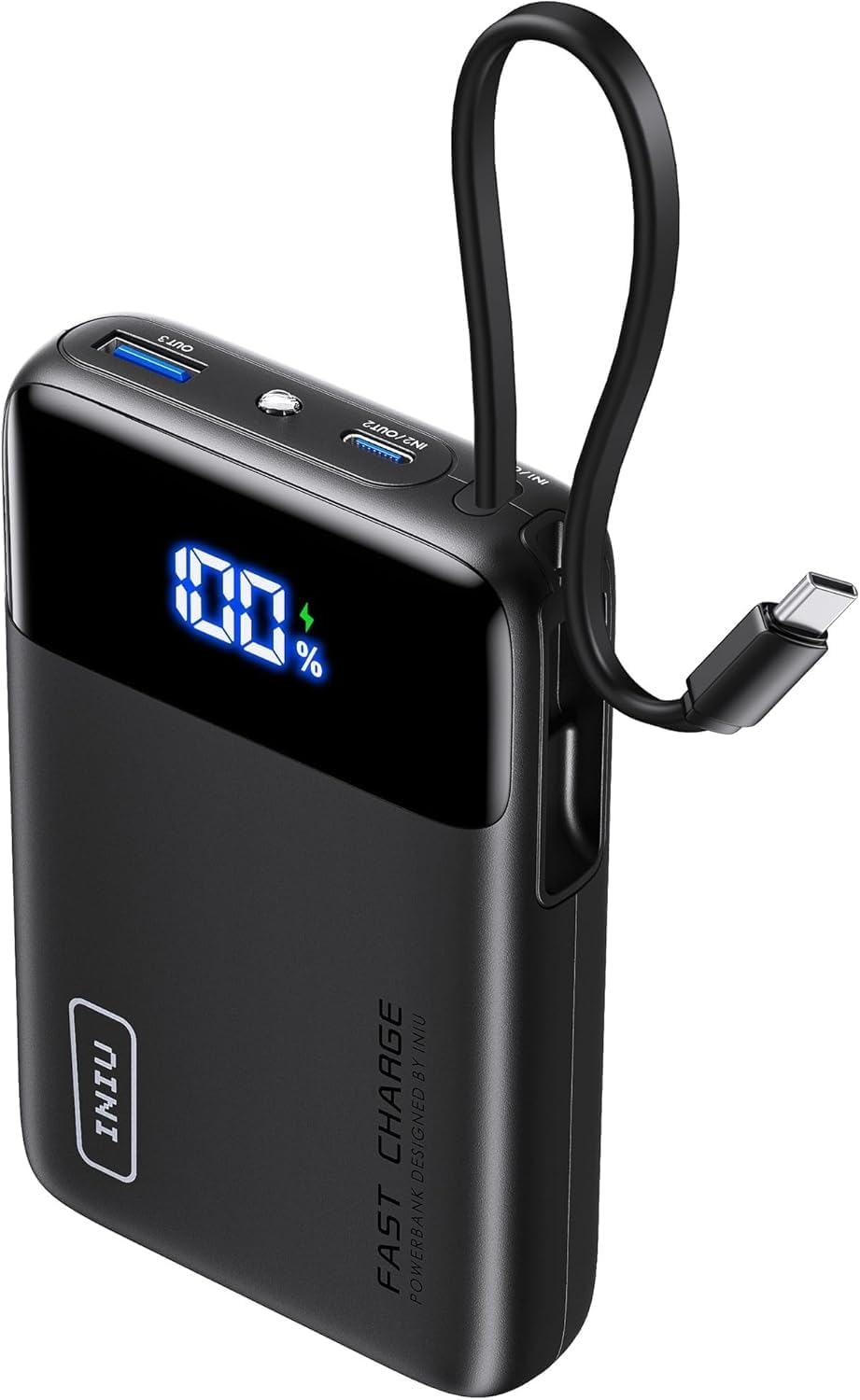
Image: The INIU 45W 20000mAh Power Bank, showing its compact design and integrated USB-C cable. The digital display shows "100%".

Image: Two INIU 240W USB-C to USB-C fast charging cables, coiled, highlighting their robust design and "FAST CHARGE 240W" branding.
3. Produktas baigtasview
The INIU 45W 20000mAh Power Bank is a portable charging solution designed for various USB-C compatible devices. It features a built-in USB-C cable for convenience and a digital display for battery percentage. The included 240W USB-C cables support ultra-fast charging for compatible devices.
3.1 Power Bank Features
- Talpa: 20000 mAh
- Išėjimo galia: Iki 45W
- Integruotas kabelis: Integrated USB-C cable for direct device charging.
- Skaitmeninis ekranas: Rodo likusį akumuliatoriaus įkrovos procentątage.
- Įvesties / išvesties prievadai: Additional USB-C and USB-A ports for versatile charging.
3.2 240W USB-C Cable Features
- Maitinimo tiekimas: Supports up to 240W fast charging.
- Patvarumas: Constructed with a durable nylon braided exterior.
- Ilgis: 6.6ft (2 meters) for extended reach.
4. Sąranka
4.1 Išorinės baterijos įkrovimas
Before initial use, fully charge the power bank. Use a compatible USB-C wall charger (not included) and one of the provided 240W USB-C cables or the built-in USB-C cable to connect the power bank's input port to a power source.
- Connect one end of a USB-C cable to the power bank's input port (or use the built-in cable).
- Connect the other end of the USB-C cable to a USB-C wall charger.
- Įjunkite sieninį įkroviklį į maitinimo lizdą.
- The digital display on the power bank will show the charging progress. It is fully charged when the display shows "100%".
Note: For optimal charging speed of the power bank, use a fast charging wall adapter.
5. Naudojimo instrukcijos
5.1 Charging Devices with the Power Bank
The power bank can charge various devices using its built-in USB-C cable or its additional USB-C and USB-A output ports.
- Naudojant integruotą USB-C laidą:
- Pull out the built-in USB-C cable from its storage slot.
- Connect the USB-C end directly to your compatible device's charging port.
- Išorinė baterija automatiškai pradės krauti jūsų įrenginį.
- Using External USB-C or USB-A Cables:
- Connect one end of a charging cable (e.g., one of the provided 240W USB-C cables) to an output port on the power bank (USB-C or USB-A).
- Prijunkite kitą laido galą prie savo įrenginio įkrovimo prievado.
- Išorinė baterija automatiškai pradės krauti jūsų įrenginį.
Skaitmeniniame ekrane bus rodomas likusios baterijos procentastage of the power bank during device charging.

Image: Illustration showing an iPhone 15 charging to 71% and a Samsung S24 Ultra charging to 84% in 30 minutes using the 240W USB-C cable.

Image: A MacBook Pro 16" (2022) charging to 88% in 30 minutes using the INIU 240W cable, compared to 49% with a 100W cable.
5.2 Using the 240W USB-C Cables
The included 240W USB-C to USB-C cables are designed for high-speed charging of compatible devices. They can be used with the power bank or with a separate USB-C wall charger.
- Connect one end of the 240W USB-C cable to a compatible power source (e.g., a 240W wall adapter, or the power bank's USB-C output port).
- Kitą laido galą prijunkite prie įrenginio USB-C įkrovimo prievado.
- Ensure both the power source and the device support the desired charging wattage optimaliam veikimui.

Image: Diagram illustrating the compatibility of the 240W USB-C cable with various devices and their respective power requirements, including VR headsets (240W), MacBook Pro (140W/100W), and smartphones (60W).
Note: These cables are USB 2.0 USB-C to USB-C charging cables and do not support Thunderbolt or video/media output.
6. Priežiūra
6.1 Valymas
- Prieš valydami, įsitikinkite, kad išorinė baterija yra atjungta nuo visų maitinimo šaltinių ir įrenginių.
- Wipe the surface of the power bank and cables with a soft, dry, lint-free cloth.
- Nenaudokite abrazyvinių valiklių, tirpiklių ar cheminių medžiagų.
6.2 Saugykla
- Store the power bank and cables in a cool, dry place, away from direct sunlight and extreme temperatures.
- Venkite laikyti aplinkoje, kurioje yra didelė drėgmė.
- Jei ilgesnį laiką nenaudosite išorinės baterijos, įkraukite ją maždaug iki 50–75 % kas 3 mėnesius, kad palaikytumėte baterijos veikimo laiką.

Image: Depiction of the "FLYWEAVE Nylon Cable" highlighting its pet-proof design and "Multiple Protections" to prevent damage and ensure longevity.
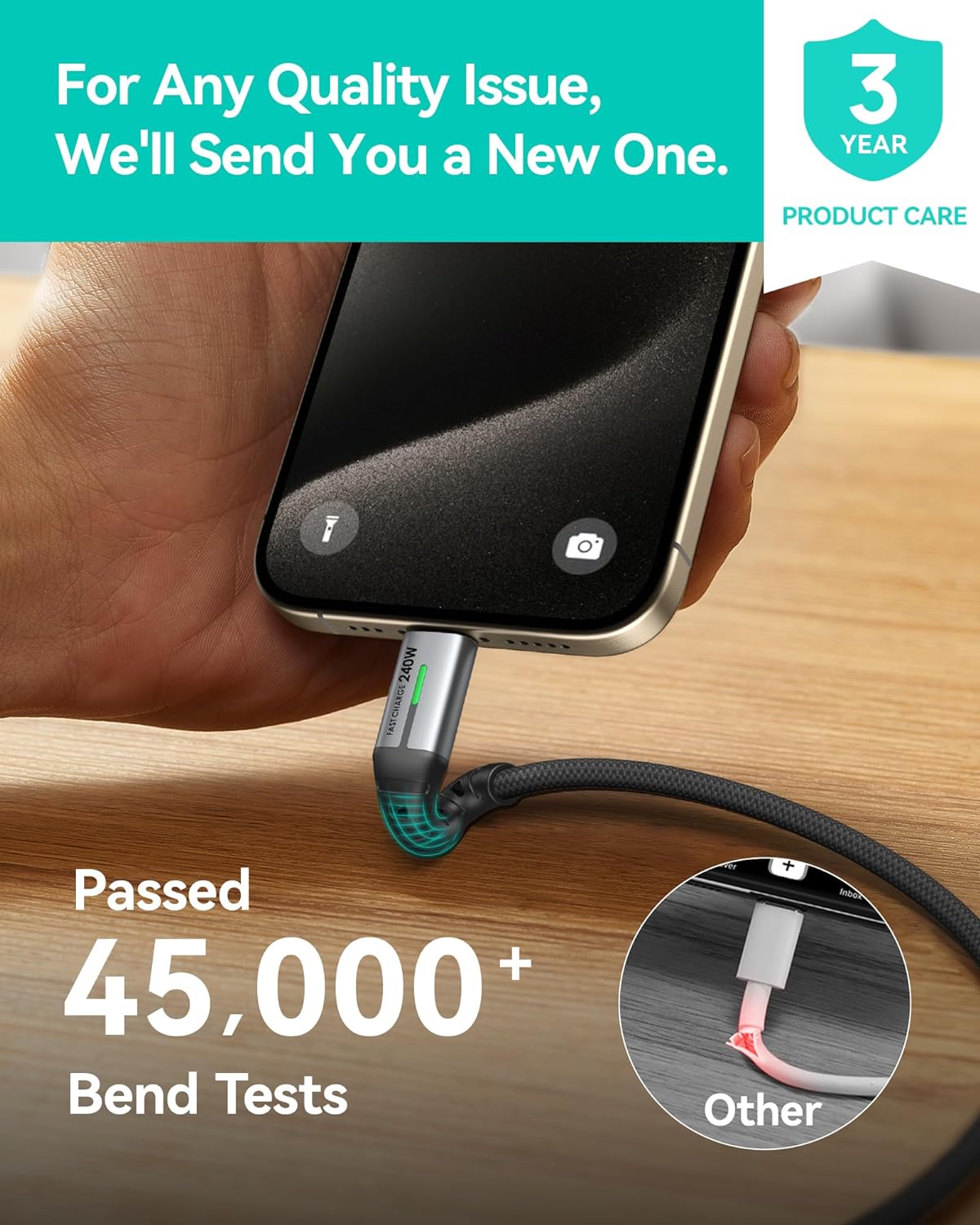
Image: A hand connecting the INIU 240W USB-C cable to a smartphone, with text indicating the cable has passed over 45,000 bend tests, contrasting with a damaged "Other" cable.
7. Problemų sprendimas
| Problema | Galima priežastis | Sprendimas |
|---|---|---|
| Maitinimo bankas neįkraunamas | Low battery; faulty cable; incompatible charger; loose connection. | Ensure the power bank has sufficient charge. Try a different USB-C cable. Use a compatible USB-C wall charger. Check all connections. |
| Įrenginys neįkraunamas iš maitinimo bloko | Power bank low on charge; faulty cable; device incompatibility; loose connection. | Recharge the power bank. Try a different charging cable. Ensure your device is compatible with USB-C or USB-A charging. Check all connections. |
| Lėtas įkrovimo greitis | Kabelis nepalaiko didelės galiostage; charger not supporting high wattage; device limitation. | Ensure you are using the provided 240W USB-C cables and a compatible fast charging wall adapter. Verify your device supports fast charging. |
| Skaitmeninis ekranas neveikia | Nešiojamoji baterija išjungta; vidinis gedimas. | Press the power button (if available) to activate the display. If the issue persists, contact customer support. |
8. Specifikacijos
| Funkcija | Detalė |
|---|---|
| Maitinimo banko talpa | 20000 mAh |
| Power Bank Output (Max) | 45W |
| Įmontuotas kabelis | USB-C |
| Pridedami kabeliai | 2x USB-C to USB-C (240W, 6.6ft/2m) |
| Cable Data Transfer | USB 2.0 (Charging only, no video output) |
| ASIN | B0FPLM1QMC |
| Pasiekiama pirmoji data | 13 m. rugpjūčio 2024 d |
9. Garantija ir palaikymas
INIU teikia pirmaujančias pramonės šakos paslaugas 3 metų „iNiu“ priežiūra for this product. This warranty covers manufacturing defects and quality issues. For any quality issues, INIU will send a new replacement.
For support, please contact INIU customer service through their official website or the platform where you purchased the product. Please have your purchase details and product model number ready.

Image: A graphic indicating "3 YEAR PRODUCT CARE" with the INIU logo, emphasizing the extended warranty.
10. Svarbi saugos informacija
- Nelaikykite išorinės baterijos ekstremaliose temperatūrose (aukštesnėje nei 60 °C / 140 °F arba žemesnėje nei 0 °C / 32 °F), tiesioginiuose saulės spinduliuose ar ugnyje.
- Saugokite maitinimo bloką nuo vandens ar kitų skysčių.
- Do not disassemble, modify, or attempt to repair the power bank or cables.
- Laikyti vaikams nepasiekiamoje vietoje.
- Venkite išorinės baterijos numetimo ir stiprių smūgių.
- Naudokite tik sertifikuotus ir suderinamus įkrovimo laidus bei adapterius.
- If the power bank swells, emits an odor, or becomes excessively hot, discontinue use immediately and contact customer support.
- Išmeskite išorinę bateriją pagal vietinius elektroninių atliekų tvarkymo reikalavimus.


