Įvadas
This manual provides comprehensive instructions for the INPHIC Tri-Mode Wireless Mouse, Model B0FQCFSHPQ. It covers setup, operation, maintenance, and troubleshooting to ensure optimal performance and user experience. Please read this manual thoroughly before using the product.
Produktas baigtasview
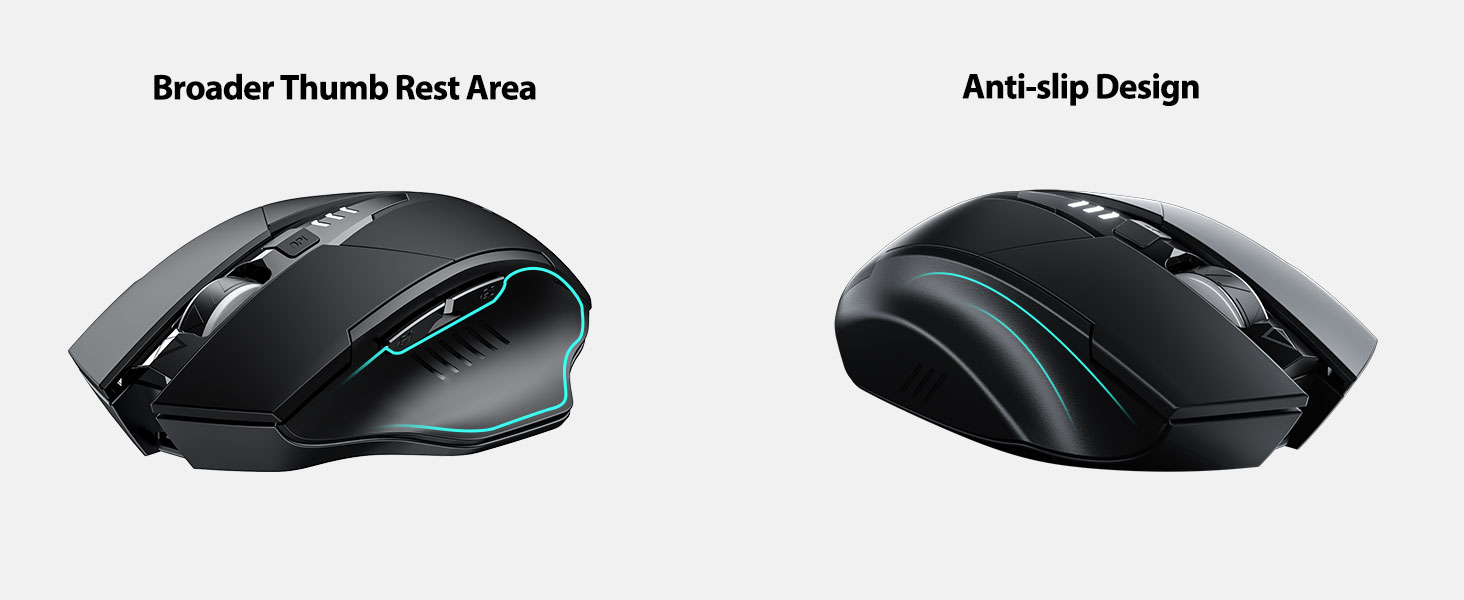
The INPHIC Tri-Mode Wireless Mouse offers versatile connectivity options (Bluetooth 5.0, Bluetooth 4.0, and 2.4G USB) and an ergonomic design for comfortable use. Key features include a visible battery indicator, silent click buttons, and adjustable DPI settings.
Pakuotės turinys
- INPHIC Tri-Mode Wireless Mouse
- USB imtuvas (saugomas pelėje)
- USB-C įkrovimo laidas
- Vartotojo vadovas (šis dokumentas)
Pelės komponentai

- Kairysis / dešinysis paspaudimo mygtukai: Tylus veikimas.
- Slinkties ratukas: Vertikaliam slinkimui.
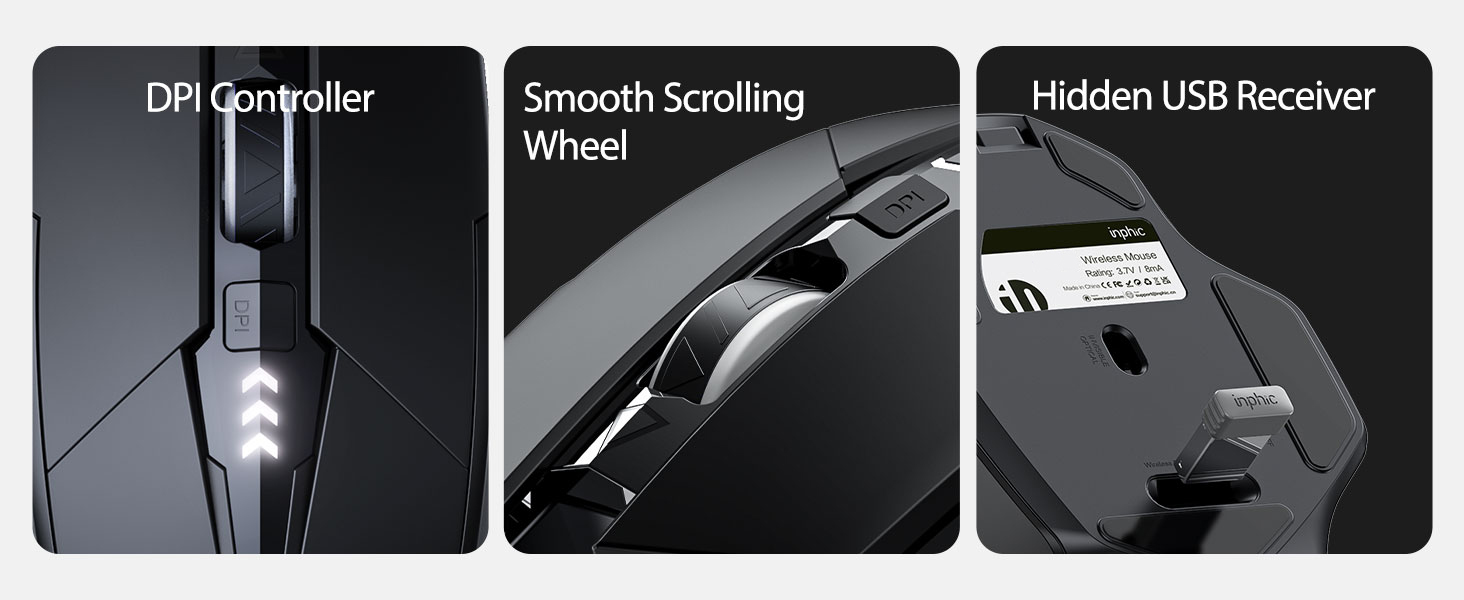
- DPI mygtukas: Adjusts cursor speed (800/1200/1600/2000/2400 DPI).
- Forward/Backward Buttons (Side): Navigacijai web naršyklės arba file tyrinėtojai.
- Baterijos indikatorius: LED lights on top display remaining battery level.
- Connection Type Switch (Bottom): Toggles between 2.4G USB, Bluetooth 4.0, and Bluetooth 5.0 modes.
- Power Switch (Bottom): ON / OFF jungiklis.
- USB Receiver Slot (Bottom): Stores the 2.4G USB receiver.
- Charging Port (Front): USB-C prievadas vidinei baterijai įkrauti.
Sąranka
Pradinis įkrovimas
Before first use, fully charge the mouse for approximately 1 hour. Connect the USB-C charging cable to the mouse's charging port and to a USB power source (e.g., computer USB port, USB wall adapter).

Pelės prijungimas
The mouse supports three connection modes: 2.4G USB, Bluetooth 4.0, and Bluetooth 5.0. Use the switch on the bottom of the mouse to select your desired mode.
2.4G USB jungtis
- Raskite USB imtuvą, esantį pelės apačioje esančiame lizde.
- Prijunkite USB imtuvą prie laisvo kompiuterio USB prievado.
- Switch the connection mode on the bottom of the mouse to "2.4G".
- Turn on the mouse using the power switch. The mouse should connect automatically.
Bluetooth Connection (BT 4.0 / BT 5.0)
- Switch the connection mode on the bottom of the mouse to "BT 4.0" or "BT 5.0".
- Įjunkite pelę naudodami maitinimo jungiklį.
- On your device (laptop, tablet, etc.), open Bluetooth settings.
- Ieškokite new Bluetooth devices. The mouse should appear as "INPHIC Mouse" or similar.
- Pasirinkite pelę, kurią norite susieti.
- Suporavus pelę, ji paruošta naudoti.
Pastaba: Bluetooth 5.0 is compatible with Windows 8/10 (not Windows 7 or XP), Android, and Mac OS systems. iOS systems (iPad and iPhone) require iOS 14 or later for Bluetooth 5.0 compatibility.
Naudojimo instrukcijos
Maitinimo įjungimas/išjungimas
Use the ON/OFF switch located on the bottom of the mouse to power the device. To conserve battery, turn off the mouse when not in use for extended periods.
Ryšio režimų perjungimas
The mode switch button on the bottom of the mouse allows you to cycle between 2.4G USB, Bluetooth 4.0, and Bluetooth 5.0 connections. This enables seamless switching between multiple paired devices.

DPI (žymeklio greičio) reguliavimas
Press the DPI button located on the top of the mouse, below the scroll wheel, to cycle through 5 adjustable DPI levels: 800, 1200, 1600, 2000, and 2400. This allows you to customize cursor sensitivity to your preference.

Baterijos indikatorius
The mouse features a visible battery indicator on its top surface. LED lights illuminate to show the remaining battery power, providing a clear visual cue for when recharging is needed.

Automatinis miego režimas
To conserve power, the mouse will automatically enter sleep mode after 5 minutes of inactivity. To wake the mouse, simply click any button.
Priežiūra
Valymas
Wipe the mouse with a soft, dry cloth. For stubborn dirt, a slightly damp galima naudoti šluostę, užtikrinant, kad į vidinius komponentus nepatektų drėgmės. Venkite stiprių cheminių medžiagų ar abrazyvinių valiklių.
Akumuliatoriaus priežiūra
- Recharge the mouse when the battery indicator shows low power.
- Kad pailgintumėte akumuliatoriaus tarnavimo laiką, venkite jo dažnai visiškai iškrauti.
- Kai ilgesnį laiką nenaudojate pelės, laikykite ją vėsioje, sausoje vietoje.
Trikčių šalinimas
| Problema | Galima priežastis | Sprendimas |
|---|---|---|
| Pelė nereaguoja |
|
|
| Žymeklio judėjimas yra netolygus arba lėtas |
|
|
| Bluetooth ryšio problemos |
|
|
Specifikacijos
| Funkcija | Detalė |
|---|---|
| Modelis | B0FQCFSHPQ |
| Ryšio technologija | Bluetooth 5.0 / Bluetooth 4.0 / 2.4G USB Wireless |
| DPI lygiai | 800 / 1200 / 1600 / 2000 / 2400 (reguliuojamas) |
| Mygtukai | 6 (kairėn, dešinėn, slinkties ratukas, DPI, pirmyn, atgal) |
| Baterijos tipas | Rechargeable (400mAh built-in) |
| Įkrovimo prievadas | USB-C |
| Veikimo atstumas | Iki 10 metrų (33 pėdų) |
| Gaminio matmenys | 4.7 x 3.1 x 0.04 colio |
| Prekės svoris | 3.36 uncijos |
| Suderinamumas | Windows 7/8/10/XP, Vista, Mac OS. Bluetooth 5.0: Windows 8/10, Android, Mac OS, iOS 14+ (iPad/iPhone). 2.4G USB: Any USB-enabled device. |

Garantija ir palaikymas
INPHIC products are designed for reliability and performance. For warranty information and technical support, please refer to the official INPHIC websvetainėje arba susisiekite tiesiogiai su jų klientų aptarnavimo tarnyba.
- Gamintojas: INPHIC
- Pardavėjas: YingFeiTe (on Amazon)
- Grąžinimo politika: Refer to Amazon's current return policy.
- Pagalbos kontaktas: Jei reikia pagalbos, apsilankykite INPHIC Store on Amazon arba gamintojo oficialus atstovas websvetainę.
Svarbi saugos informacija
- Nelaikykite pelės ekstremalioje temperatūroje ar drėgmėje.
- Saugokitės, kad pelė nenumestų arba nepaveiktų stipraus smūgio.
- Do not attempt to disassemble or repair the mouse yourself. This may void the warranty.
- Laikyti vaikams nepasiekiamoje vietoje.
Produkto vaizdo įrašas
Vaizdo įrašo aprašymas: An official product video from INPHIC demonstrating the features and usage of the INPHIC Bluetooth Mouse. It shows the mouse being unboxed, its various components, connection methods, and ergonomic design in action.


