1. Įvadas
Thank you for choosing the Baseus Nomos 160W 5-in-1 Charging Station. This device is designed to provide a comprehensive and efficient charging solution for multiple electronic devices, including laptops, tablets, and smartphones. Featuring GaN technology, Qi2 certified wireless charging, and a retractable cable, it aims to simplify your charging experience and declutter your workspace.
Prieš naudodami gaminį, atidžiai perskaitykite šį vadovą, kad užtikrintumėte tinkamą veikimą ir pailgintumėte jo tarnavimo laiką. Išsaugokite šį vadovą ateičiai.
2. Produktas baigtasview
The Baseus Nomos 160W Charging Station integrates multiple charging technologies into a compact design:
- 160W bendra galia: Efficiently charges up to five devices simultaneously.
- Qi2 Certified 15W Magnetic Wireless Charger: Provides fast and precise magnetic alignment for compatible iPhones (12-16 series).
- 100 W ištraukiamas USB-C laidas: Built-in 80cm (2.6ft) braided cable for convenient and tidy charging.
- Keli uostai: Includes 3 USB-C ports and 1 USB-A port for versatile connectivity.
- GaN technologija: Ensures high efficiency and a compact form factor.
- BPS3.0 Smart Power Allocation: Intelligently distributes power to connected devices for optimal charging speed and safety.
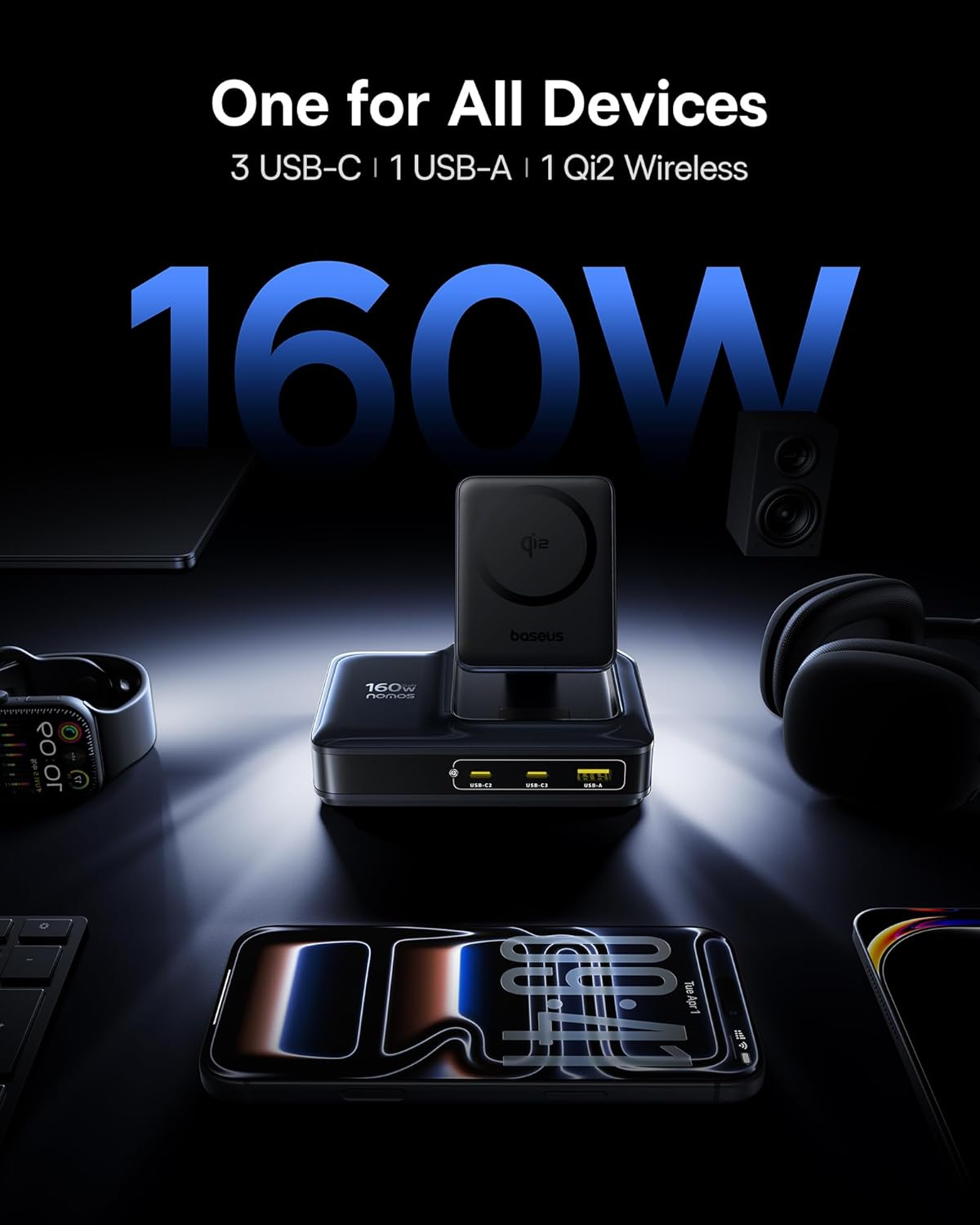
Image: The Baseus Nomos 160W Charging Station shown powering a laptop, tablet, smartphone, and earbuds simultaneously, demonstrating its multi-device charging capability.
3. Sąrankos instrukcijos
- Išpakuokite įrenginį: Carefully remove the charging station and any included accessories from its packaging.
- Prijunkite prie maitinimo: Plug the provided AC power cord into the charging station's power input, then connect the other end to a standard wall outlet.
- Padėties nustatymas: Place the charging station on a stable, flat surface. Ensure adequate ventilation around the device. The anti-slip silicone pad on the bottom helps secure its position.
- Retractable Cable: To use the built-in retractable USB-C cable, gently pull it out to the desired length (up to 80cm / 2.6ft). To retract, pull the cable again slightly, and it will smoothly coil back into the station.
- Belaidžio įkrovimo stovas: The Qi2 wireless charging pad can be adjusted for optimal viewing angles. Simply tilt the magnetic pad to your preferred position.

Image: The Baseus Nomos 160W Charging Station showcasing its integrated retractable USB-C cable, extended for use, highlighting its cable management feature.
4. Naudojimo instrukcijos
The Baseus Nomos Charging Station is designed for intuitive use. Simply connect your devices to the appropriate ports or place them on the wireless charging pad.
4.1 Wired Charging (USB-C & USB-A)
- USB-C prievadai: Connect your USB-C compatible devices (laptops, tablets, phones) to the USB-C1, USB-C2, or USB-C3 ports. USB-C1 supports up to 100W, while USB-C2/C3 can deliver up to 140W each when used individually.
- USB-A prievadas: Connect your USB-A compatible devices to the USB-A port. This port supports up to 18W.
- Retractable Cable: Utilize the built-in retractable USB-C cable for convenient charging of compatible devices.
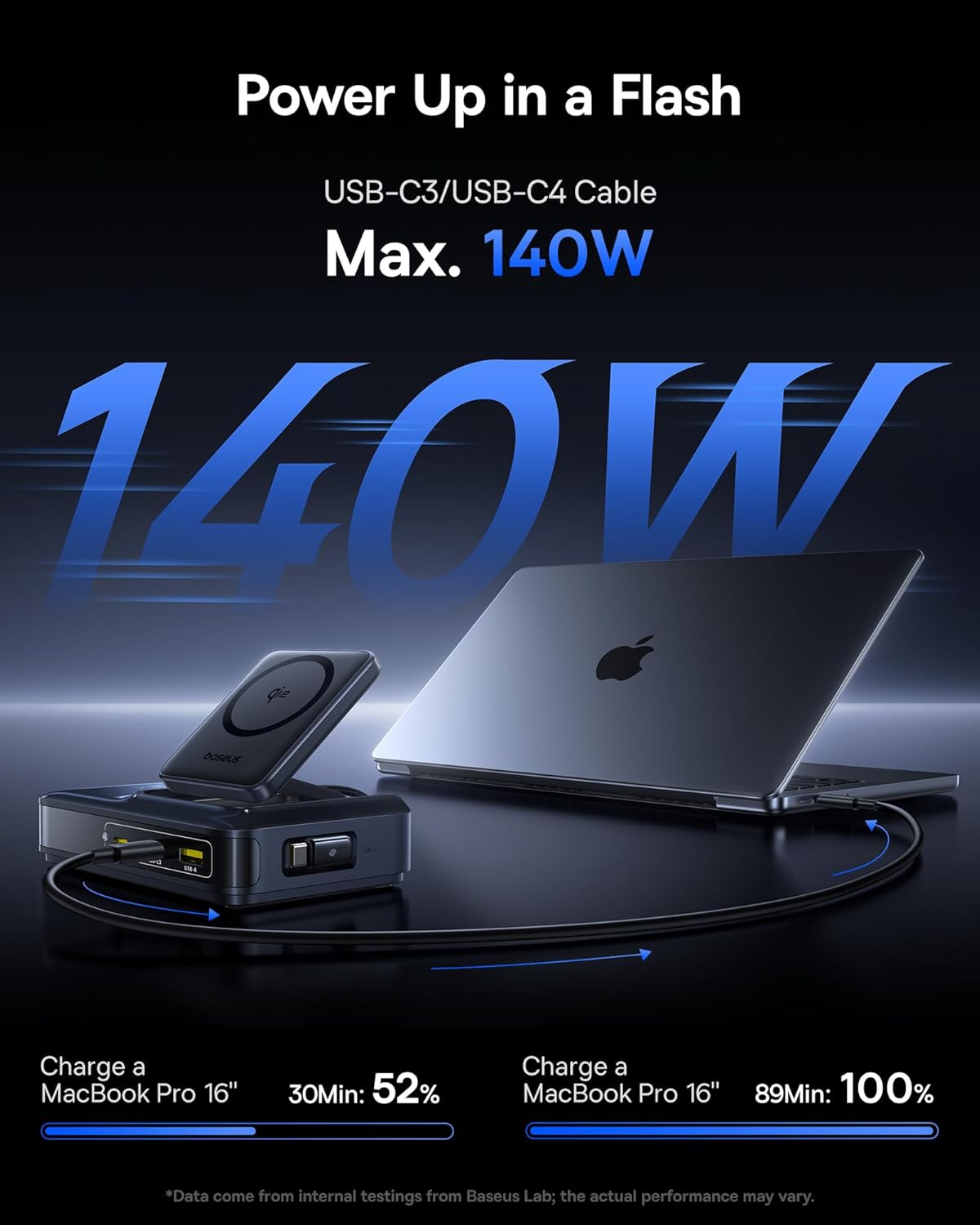
Image: A MacBook Pro 16-inch being charged by the Baseus Nomos 160W Charging Station via a USB-C cable, illustrating its high-power output capability.
4.2 Belaidis įkrovimas (Qi2)
- Vieta: Place your Qi2-compatible iPhone (12-16 series) onto the magnetic wireless charging pad. The magnets will automatically align your device for optimal charging.
- Korpuso suderinamumas: The wireless charger is compatible with phone cases up to 3mm thick.
- Įkrovimo indikatorius: The device will indicate when wireless charging is active (e.g., via a light indicator or on your phone screen).

Image: An iPhone being wirelessly charged on the magnetic pad of the Baseus Nomos 160W Charging Station, demonstrating the Qi2 fast wireless charging feature.
4.3 Smart Power Allocation (BPS3.0)
The charging station features BPS3.0 technology, which intelligently detects the power requirements of each connected device and allocates the optimal power output. This ensures efficient and safe charging across all ports simultaneously, preventing overcharging or damage.
Video: An official product video from Baseus Brand Store demonstrating the 160W Charging Station's features and capabilities.
5. Saugos funkcijos
The Baseus Nomos Charging Station incorporates multiple safety mechanisms to protect your devices and the charger itself:
- Apsauga nuo per didelės srovės: Apsaugo nuo pažeidimų dėl per didelės srovės.
- Virš ttage Apsauga: Apsaugos priemonės nuo voltage smaigaliai.
- Trumpojo jungimo apsauga: Automatiškai nutraukia elektros tiekimą trumpojo jungimo atveju.
- Apsauga nuo perkaitimo: Stebi ir reguliuoja vidinę temperatūrą, kad būtų išvengta perkaitimo.

Paveikslėlis: sprogęs view of the Baseus Nomos 160W Charging Station, illustrating the GaN chip and various internal components responsible for its efficient and safe operation, including icons for over-current, over-voltage, apsauga nuo trumpojo jungimo ir perkaitimo.
6. Priežiūra
- Valymas: Prieš valydami atjunkite įkrovimo stotelę nuo maitinimo lizdo. Paviršiui nuvalyti naudokite minkštą, sausą šluostę. Nenaudokite skystų valiklių ar aerozolių.
- Saugykla: When not in use for extended periods, store the device in a cool, dry place away from direct sunlight and moisture.
- Kabelio priežiūra: Avoid excessive force when pulling or retracting the built-in cable. Ensure the cable is not kinked or pinched.
- Venkite kliūčių: Do not block the ventilation openings on the charging station, as this can lead to overheating.
7. Problemų sprendimas
- Įrenginys neįkraunamas:
- Ensure the charging station is properly plugged into a live power outlet.
- Patikrinkite, ar įkrovimo laidas yra tvirtai prijungtas prie įkrovimo stotelės ir jūsų įrenginio.
- Verify that your device is compatible with the charging port or wireless charging standard.
- Išbandykite kitą kabelį arba prievadą, kad atmestumėte netinkamą jungtį.
- Lėtas įkrovimas:
- Confirm your device supports fast charging protocols (e.g., PD3.1, QC4, PPS) and that you are using a compatible cable.
- The charging station intelligently allocates power. If multiple high-power devices are connected, the output to individual ports may be adjusted.
- For wireless charging, ensure proper alignment of your device on the pad and that your phone case is not too thick (max 3mm).
- Perkaitimas:
- Ensure the charging station has adequate ventilation and is not covered.
- If the device feels excessively hot, disconnect it from power and all devices immediately. Contact support if the issue persists.
- Retractable Cable Not Working:
- Gently pull the cable again to trigger the retraction mechanism.
- Įsitikinkite, kad nėra jokių kliūčių, trukdančių kabeliui susitraukti.
8. Specifikacijos
| Funkcija | Detalė |
|---|---|
| Modelio numeris | E01217 |
| Bendra produkcija | 160W |
| USB-C1 išvestis | Iki 100W |
| USB-C2/C3 išvestis | Up to 140W (each, when used individually) |
| USB-A išvestis | Iki 18W |
| Qi2 belaidis įkrovimas | 15W |
| Ištraukiamo kabelio ilgis | 80 cm (2.6 pėdos) |
| Įvesties tomastage | 240 voltų |
| Matmenys | 8.43 x 6.69 x 2.44 colio |
| Prekės svoris | 1.87 svaro |
| Suderinami įrenginiai | iPhone 12-17 series, Galaxy S20-24, OnePlus 8 Pro, Google Pixel 6-8, Sony Xperia 5, iPad, Air Pods 2-3, MacBook Pro 2023, Lenovo ThinkPad T14, Dell XPS 13, and more. |
9. Garantija ir palaikymas
Baseus products are manufactured to high-quality standards. This product is covered by a manufacturer's warranty against defects in materials and workmanship from the date of purchase. The specific warranty period may vary by region and retailer.
For warranty claims, technical support, or product inquiries, please contact the retailer where you purchased the product or visit the official Baseus websvetainė, kurioje pateikiama informacija apie klientų aptarnavimą.
Palaikymas internetu: www.baseus.com
Prašome išsaugoti pirkimo įrodymą garantijos tikslais.


