
Įvadas
This manual provides essential information for the setup, operation, and maintenance of your Hyperkin The Competitor Wired Controller. Designed for precision and performance, this controller is compatible with Xbox Series X|S, Xbox One, and Windows PC. Please read this manual thoroughly before use to ensure optimal performance and longevity of your device.
Pakuotės turinys
Patikrinkite, ar pakuotėje yra visi reikalingi daiktai:
- Hyperkin The Competitor Wired Controller
- Nuimamas USB-C laidas
- Greitos pradžios vadovas
- Swappable Stick Caps (Domed & Concave)

Image: Contents of the Hyperkin The Competitor package, including the controller, cable, and documentation.
Sąranka
The Hyperkin The Competitor Wired Controller offers plug-and-play functionality for supported platforms.
Connecting to Xbox Series X|S or Xbox One:
- Įsitikinkite, kad jūsų „Xbox“ konsolė įjungta.
- Connect the detachable USB-C cable to the USB-C port on the top of the controller.
- Plug the USB-A end of the cable into an available USB port on your Xbox console.
- Valdiklis automatiškai prisijungs ir bus paruoštas naudoti.
Connecting to PC (Windows):
- Įsitikinkite, kad jūsų kompiuteris yra įjungtas.
- Connect the detachable USB-C cable to the USB-C port on the top of the controller.
- Plug the USB-A end of the cable into an available USB port on your PC.
- Windows will automatically detect and install the necessary drivers. The controller will be ready for use once the installation is complete.
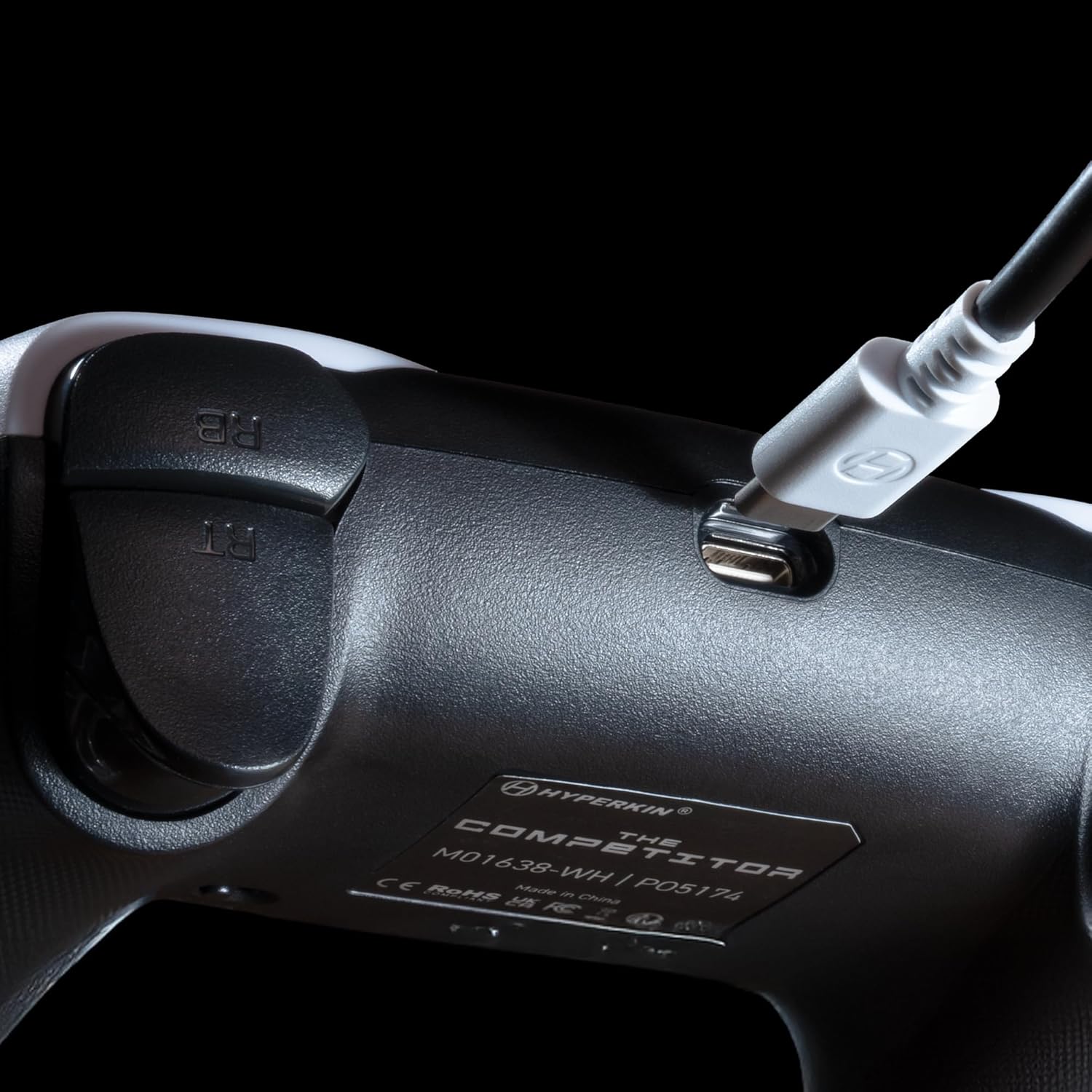
Vaizdas: Stambus planas view of the USB-C port on the Hyperkin The Competitor controller, illustrating the connection point for the detachable cable.
Valdiklio valdymas
Familiarize yourself with the key features and controls of your Hyperkin The Competitor controller.
Pagrindinės funkcijos:
- Holo efekto valdymo svirtys: Experience drift-free accuracy and magnetic precision for ultra-smooth movement and long-lasting durability.
- Impulsų trigeriai: Provides immersive and reliable haptic feedback for enhanced gameplay.
- Symmetrical Analog Stick Layout: Offers a balanced and comfortable design, supporting precision play.
- Segmented Traditional D-pad: Delivers ultra-responsive control and satisfying feedback for pinpoint accuracy.
- Programuojami grįžimo mygtukai: Two customizable rear buttons for on-the-fly remapping to suit your playstyle.
- Specialus nutildymo mygtukas: Quickly mute your microphone during gameplay.
- Swappable Stick Caps: Customize your feel with included Domed and Concave stick caps.
- Anti-Friction Gates & Metal Glide Rings: Engineered for ultra-smooth control and reduced wear.

Image: Diagram highlighting the Hall Effect Sticks and the Symmetrical Twin Stick Layout of the controller.

Image: Diagram illustrating the Hall Effect Impulse Triggers and the location of the programmable Back Buttons.

Vaizdas: Išsamus views of the Traditional Segmented D-Pad, the interchangeable Dome and Concave stick caps, and the Metal Glide Rings.
Programming Back Buttons:
Specific instructions for programming the back buttons are typically found in the Quick Start Guide included with your product or on the Hyperkin official support website. Generally, this involves a combination of holding a program button and pressing the desired back button and the button you wish to map.
Priežiūra
Norėdami užtikrinti valdiklio ilgaamžiškumą ir optimalų veikimą, laikykitės šių priežiūros nurodymų:
- Valymas: Valdiklį nuvalykite minkšta, sausa šluoste. Jei nešvarumai sunkiai nuvalote, šiek tiek pamirkykite.ampNuvalykite šluostę vandeniu. Venkite naudoti stiprias chemines medžiagas ar abrazyvinius valiklius.
- Saugykla: Laikykite valdiklį vėsioje, sausoje vietoje, apsaugotoje nuo tiesioginių saulės spindulių ir ekstremalių temperatūrų.
- Kabelio priežiūra: Avoid sharply bending or twisting the USB-C cable. Always grasp the connector, not the cable, when plugging or unplugging.
- Venkite lašų: Saugokite valdiklį nuo kritimų ir smūgių, kurie gali pažeisti vidinius komponentus.
Trikčių šalinimas
If you encounter issues with your Hyperkin The Competitor controller, try the following steps:
- Valdiklis neatsako:
- Ensure the USB-C cable is securely connected to both the controller and the console/PC.
- Pabandykite prijungti valdiklį prie kito USB prievado.
- Iš naujo paleiskite konsolę arba kompiuterį.
- Test the controller on another compatible device if possible.
- Buttons/Joysticks Not Working Correctly:
- Ensure no debris is lodged around the buttons or joysticks.
- Perform a system update on your console or PC to ensure the latest drivers are installed.
- If using on PC, check controller calibration settings in your operating system.
- Audio Issues (Mic Mute Button):
- Ensure the dedicated mute button is not activated.
- Check your in-game or system audio settings.
If problems persist after attempting these steps, please contact Hyperkin customer support for further assistance.
Specifikacijos
| Modelio numeris | M01638-WH |
| Suderinamumas | Xbox Series X|S, Xbox One, PC (Windows) |
| Ryšys | Wired (Detachable USB-C to USB-A cable) |
| Vairasvirtės | Salės efektas |
| Trigeriai | Impulsų trigeriai |
| Išdėstymas | Symmetrical Analog Sticks |
| D-Pad | Segmented Traditional D-pad |
| Mygtukai | ABXY, Menu, View, Share, Xbox Guide, 2 Programmable Back Buttons, Dedicated Mic Mute Button |
| Tinkinimas | Swappable Stick Caps (Domed & Concave) |
| Matmenys | 6.25 x 2.5 x 5 colio |
| Svoris | 15.6 uncijos |
Garantija ir palaikymas
Informacija apie garantiją:
Warranty details for the Hyperkin The Competitor Wired Controller are typically provided with your product packaging or can be found on the official Hyperkin websvetainėje. Prašome išsaugoti pirkimo įrodymą, jei prireiktų pateikti pretenziją dėl garantijos.
Klientų aptarnavimas:
For technical assistance, troubleshooting, or further inquiries, please visit the official Hyperkin support page or contact their customer service directly. Refer to the contact information provided in your product's Quick Start Guide or on the Hyperkin websvetainę.


