Įvadas
This manual provides comprehensive instructions for the operation and maintenance of your AVAPOW AV-D600 OBD2 Scanner. The AV-D600 is a professional diagnostic tool designed to assist both DIY enthusiasts and small workshops in identifying and resolving vehicle issues across multiple systems. Please read this manual thoroughly before using the device to ensure proper and safe operation.

Image: The AVAPOW AV-D600 OBD2 Scanner, showcasing its display and ergonomic design.
Produkto savybės
- 4-System Diagnostic Coverage: Diagnoses Engine, Transmission, SRS (Airbag), and ABS (Anti-lock Braking System) for comprehensive vehicle health checks.
- 3 Essential Reset Functions: Includes Oil Reset, Electronic Parking Brake (EPB) Reset, and Battery Calibration for common maintenance tasks.
- Universalus suderinamumas su automobiliu: Supports all OBDII protocols (KWP2000/ISO9141/CAN/J1850) for gasoline vehicles from 1996 onwards and diesel vehicles from 2006 onwards (US market).
- Auto VIN Function: Automatically identifies vehicle information for quick and easy setup.
- 14 Basic Diagnostic Functions: Features include Read/Clear DTCs, Live Data Graphing, I/M Readiness Status, Freeze Frame Data, Battery Test, Oxygen Sensor Monitoring, On-Board Monitoring, Performance Test, DTC Lookup, and Cloud Printing.
- Lifetime Wi-Fi Updates: Provides free, continuous software updates via Wi-Fi to ensure compatibility with new vehicle models and the latest DTC library.
- Ergonomiškas dizainas: Equipped with an anti-slip ergonomic handle for comfortable single-hand operation during extended diagnostic sessions.

Image: Visual representation of the AVAPOW AV-D600's 4-system diagnostic capabilities, including Engine, Transmission, SRS, and ABS.

Image: The AVAPOW AV-D600 demonstrating its Oil Reset, Battery Match, and EPB Reset functions.

Paveikslėlis: Viršview of the 14 basic diagnostic functions available on the AVAPOW AV-D600, such as Auto VIN, Read/Clear DTCs, Live Data, and Battery Test.
Pakuotės turinys
Atidarę pakuotę, patikrinkite, ar yra visi toliau išvardyti daiktai ir ar jie yra geros būklės:
- AVAPOW AV-D600 Diagnostic Tool
- Dėklas nešiojimui
- Įkrovimo laidas (USB)
- OBDII Diagnostic Cable
- Trumpas vadovas
- Vartotojo vadovas (šis dokumentas)

Image: The AVAPOW AV-D600 package contents, including the diagnostic tool, carrying case, charging cable, OBDII cable, quick guide, and user manual.
Sąranka
Follow these steps to set up your AVAPOW AV-D600 for initial use:
- Step 1: Locate and Plug into OBDII Port
Identify your vehicle's OBDII diagnostic port, typically located under the dashboard on the driver's side. Connect the OBDII diagnostic cable from the AV-D600 to this port. - Step 2: Activate Vehicle Ignition
Turn your vehicle's ignition to the "ON" position. The engine does not need to be running. - Step 3: Begin Diagnosis
The AV-D600 will power on automatically. Follow the on-screen prompts to select your desired diagnostic function.
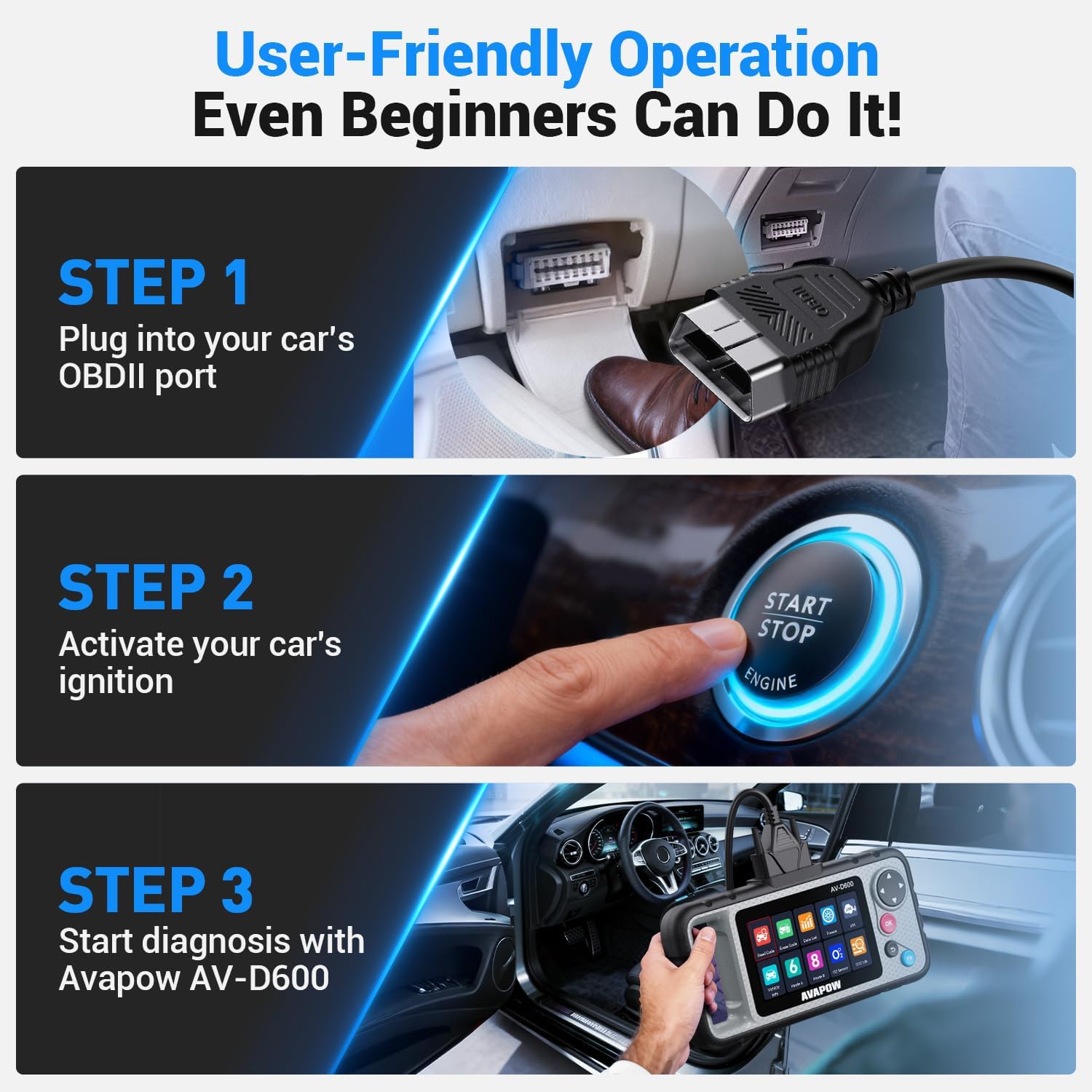
Image: A visual guide illustrating the three setup steps: plugging into the OBDII port, activating vehicle ignition, and starting diagnosis with the AVAPOW AV-D600.
Naudojimo instrukcijos
The AVAPOW AV-D600 features an intuitive interface. Refer to the diagram below for button identification:

Vaizdas: Išsamus view of the AVAPOW AV-D600, highlighting the 4.3-inch color display, OBD2 cable, USB port, OK button, Select buttons, Exit button, and FN button.
Navigation and Basic Functions
- Ekranas: The 4.3-inch color display shows all diagnostic information and menu options.
- Select Buttons: Use the directional buttons (up, down, left, right) to navigate through menus and options.
- Gerai mygtukas: Patvirtina pasirinkimus arba įeina į submeniu.
- Išėjimo mygtukas: Grąžina į ankstesnį ekraną arba išeina iš funkcijos.
- FN mygtukas: Provides quick access to frequently used functions or special features.
Diagnostikos režimai
From the main menu, select the desired diagnostic mode:
- Diagnostic (4-System): Accesses Engine, Transmission, SRS, and ABS systems to read and clear Diagnostic Trouble Codes (DTCs) and view gyvi duomenys.
- Alyvos atstatymas: Atstato alyvos keitimo lemputę.
- EPB atstatymas: Atstato elektroninę stovėjimo stabdžių sistemą po stabdžių kaladėlių pakeitimo.
- BMS (Battery Management System) / Battery Calibration: Registers new batteries and performs battery-related functions.
- OBDII: Standard OBDII functions including:
- Read/Clear DTCs: Retrieves and erases diagnostic trouble codes.
- Live Data: Displays real-time sensor data in text or graph format.
- I/M Readiness: Checks if emission-related monitors are ready for inspection.
- Freeze Frame: Captures a snapshot of vehicle conditions when an emission-related fault occurs.
- O2 Sensor Monitoring: Monitors oxygen sensor readings.
- On-Board Monitoring: Tests non-continuously monitored systems.
- Battery Test: Evaluates battery health.
- DTC Lookup: Provides definitions for diagnostic trouble codes.

Image: A close-up of the AVAPOW AV-D600 screen displaying live data, including various parameters and diagnostic options.
Priežiūra
Programinės įrangos atnaujinimai
The AVAPOW AV-D600 supports lifetime Wi-Fi updates. Regularly updating the device ensures access to the latest vehicle compatibility, DTC library, and software enhancements.
- Connect the AV-D600 to a Wi-Fi network through the 'Settings' menu.
- Navigate to the 'Update' section on the main menu.
- Follow the on-screen instructions to download and install available updates. Ensure a stable internet connection during the update process.

Image: The AVAPOW AV-D600 displaying the Wi-Fi update process, indicating access to an extensive DTC library and ongoing vehicle model support.
Bendroji priežiūra
- Laikykite įrenginį švarų, be dulkių ir drėgmės. Valymui naudokite minkštą, sausą šluostę.
- Saugokitės, kad prietaisas nenukristų ir nepatirtų stipraus smūgio.
- Store the scanner in its carrying case when not in use to protect it from damage.
- Nebandykite patys ardyti ar taisyti įrenginio. Pagalbos kreipkitės į palaikymo tarnybą.
Trikčių šalinimas
| Problema | Galima priežastis | Sprendimas |
|---|---|---|
| Įrenginys neįsijungia. | Incorrect connection to OBDII port; vehicle ignition not on; faulty OBDII cable. | Ensure the OBDII cable is securely connected. Turn the vehicle ignition to the "ON" position. Test with another vehicle if possible, or contact support. |
| Ryšio su transporto priemone klaida. | Vehicle not OBDII compliant; incorrect protocol selected (if manual selection is an option); faulty connection. | Verify vehicle compatibility. Check all connections. Ensure vehicle ignition is on. Try again. |
| Ekranas užstringa arba įrenginys nereaguoja. | Software glitch; temporary system error. | Disconnect the device from the vehicle, then reconnect. If the issue persists, perform a software update if available. |
| Unable to perform a specific reset function. | Vehicle not supported for that specific function; incorrect procedure followed. | Refer to the vehicle's service manual for specific requirements. Ensure the correct procedure is followed on the AV-D600. Contact support for vehicle-specific compatibility. |
Specifikacijos
- Modelis: AV-D600
- Prekinis ženklas: AVAPOW
- Svoris: 800 g
- Pakuotės matmenys: 26.3 x 13 x 7.7 cm
- Ekranas: 4.3 colio spalvotas ekranas
- Palaikomi protokolai: KWP2000, ISO9141, CAN, J1850 PWM, J1850 VPW
- Ryšys: OBDII Cable, USB Port, Wi-Fi
- Atnaujinimo būdas: Lifetime Wi-Fi Updates
- Suderinamumas su transporto priemone: 12V Gasoline vehicles (1996+ US), Diesel vehicles (2006+ US)

Image: The AVAPOW AV-D600's wide compatibility with passenger cars, SUVs, minivans, and pickups, supporting major OBD2 protocols and various European, American, and Asian brands.
Garantija ir palaikymas
AVAPOW is committed to providing reliable support for your AV-D600 OBD2 Scanner. In the event of any issues or questions regarding your device, please contact our customer support team. We are dedicated to resolving your concerns promptly.
The product is designed for durability and is a valuable investment for vehicle owners. Please refer to the product packaging or official AVAPOW websvetainėje rasite konkrečias garantijos sąlygas ir kontaktinę informaciją.


