1. Įvadas
The KINGBOLEN S6 Elite is an advanced bidirectional OBD2 diagnostic scan tool designed for comprehensive vehicle system analysis. This manual provides detailed instructions for setup, operation, maintenance, and troubleshooting to ensure optimal performance and accurate diagnostics.
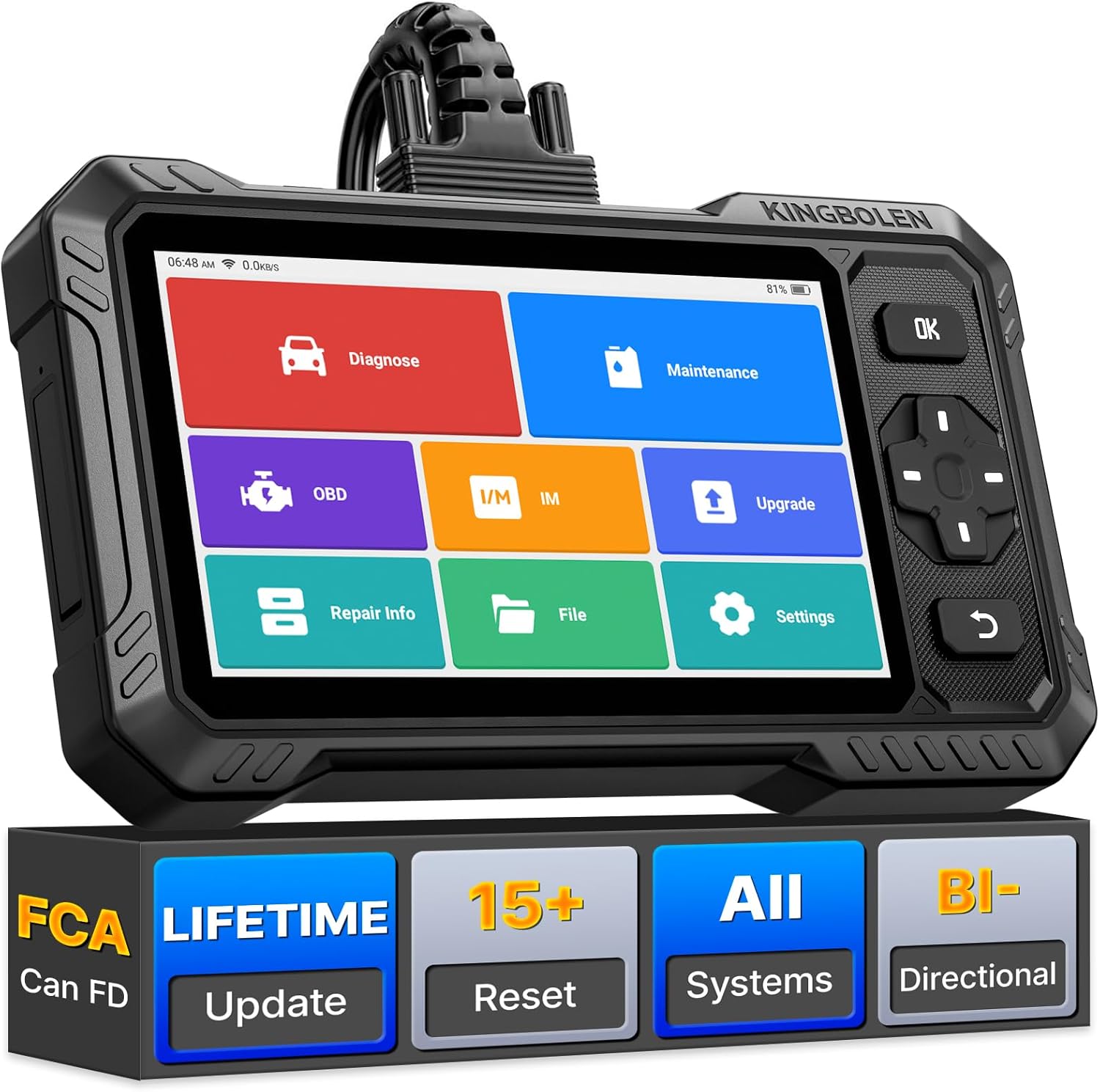
Image 1.1: The KINGBOLEN S6 Elite OBD2 Scanner, showcasing its display and robust design.
2. Produktas baigtasview
2.1 Kas yra dėžutėje
- S6 Elite Tablet
- Diagnostic Connection Cable
- C tipo kabelis
- Produkto vartotojo vadovas
- Išorinė dėžutė
2.2 Aparatūros konfigūracija
The S6 Elite is equipped with robust hardware for efficient operation:
- Operacinė sistema: Android 8.1
- Procesorius: Quad-Core 1.8GHz CPU
- Atmintis: 2 GB RAM + 32 GB ROM
- Ekranas: 6.2-inch HD Touchscreen (1024 x 600 Resolution)
- Baterija: 4150mAh / 3.8V Rechargeable Lithium-Ion
- Ryšys: 2.4 GHz Wi-Fi

Image 2.1: Visual representation of the S6 Elite's hardware specifications, including CPU, screen size, battery, and memory.
3. Pagrindinės savybės
The KINGBOLEN S6 Elite offers a comprehensive suite of diagnostic capabilities:
3.1 Visapusiška sistemos diagnostika
Access and diagnose all available vehicle systems, including Engine, ABS, Airbags (SRS), Transmission (TCM), Electronic Parking Brake (EPB), Tire Pressure Monitoring System (TPMS), Steering Angle Sensor (SAS), Air Conditioning (A/C), Battery Management System (BMS), and more. This tool reads and clears diagnostic trouble codes (DTCs), displays live data streams, and performs various system resets.

Image 3.1: Illustration of the S6 Elite's full system diagnostic coverage, showing various vehicle systems it can access.
3.2 Dvipusis valdymas (aktyvus bandymas)
Perform active tests to command vehicle components directly from the scanner. This function allows you to verify component functionality without disassembly, such as activating fuel pumps, cycling A/C clutches, testing window motors, or operating wipers. This helps in quickly pinpointing faulty components.

3.2 pav.: pvz.amples of bidirectional control tests, including fuel pump activation, window operation, and headlight tests.
3.3 15+ atstatymo funkcijų
The S6 Elite supports over 15 essential maintenance reset functions, including:
- Alyvos atstatymas
- ABS kraujavimas
- Stabdžių atstatymas
- Pavarų mokymasis
- Injektoriaus kodavimas
- TPMS atstatymas
- BMS/Battery Match
- SAS atstatymas (vairo kampo jutiklis)
- Throttle Match (ETS)
- DPF regeneracija
- „AdBlue“ nustatymas iš naujo
- ECU atstatymas
- A/F Calibration
- Oro pagalvės nustatymas iš naujo
- Prisitaikymas
Pastaba: The availability of specific reset functions may vary by vehicle make, model, and year.
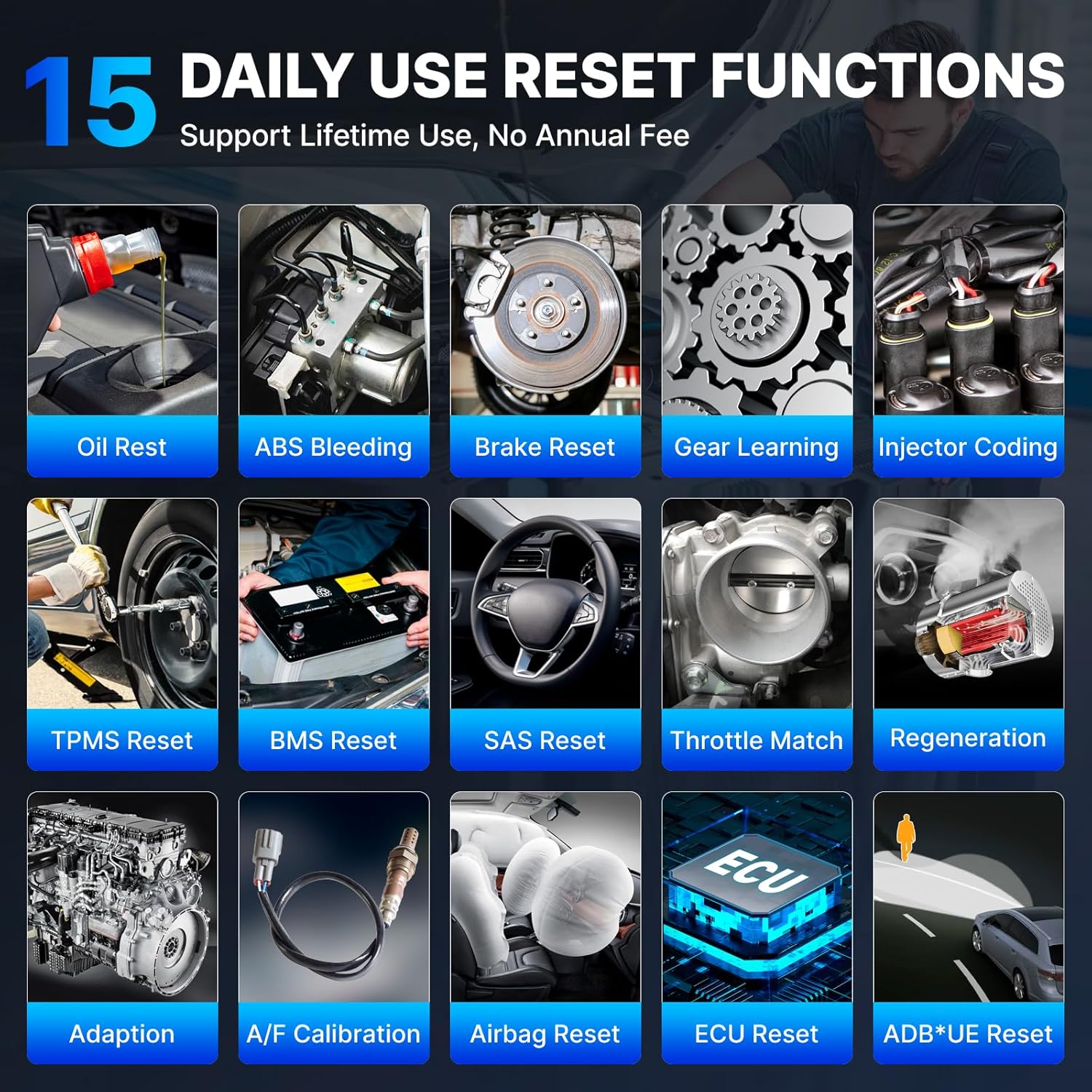
Image 3.3: Icons representing various reset functions available on the S6 Elite, such as Oil Reset, ABS Bleeding, and TPMS Reset.
3.4 CAN FD Protocol & FCA AutoAuth
The S6 Elite supports modern vehicle communication protocols:
- CAN FD Protocol: Compatible with newer GM vehicles (2019 and later), providing high-speed diagnostic communication without the need for an additional adapter.
- FCA automatinis autorizavimas: Allows access to the Security Gateway Module (SGW) on FCA vehicles (Chrysler, Dodge, Jeep, Alfa Romeo, Fiat, etc.) manufactured after 2017. A separate AutoAuth account purchase is required for this feature.

Image 3.4: Visual explanation of CAN FD protocol and FCA AutoAuth capabilities, showing the scanner connected to a vehicle.
3.5 Lifetime Software Updates
The device includes lifetime software updates via Wi-Fi, ensuring compatibility with new vehicle models and diagnostic features without recurring subscription fees.
3.6 Wide Vehicle Coverage & Multi-Language Support
The S6 Elite supports over 100 car brands and 10,000+ car models (after 1996) from America, Europe, and Asia. It also supports 28 languages, providing a versatile tool for a global user base.

Image 3.5: A chart detailing supported car brands by region (America, Europe, Asia) and a list of 28 supported languages.
3.7 Versatile Diagnostic Functions
Additional features enhance the diagnostic process:
- 4-in-1 Data Stream Graphing: Displays real-time data from multiple sensors simultaneously for easy comparison and analysis.
- Data Record and Playback: Records live data for later review ir analizė.
- Automobilio VIN: Automatically identifies vehicle information for quick diagnostics (may not work on all vehicles).
- DTC Library and Code Search: Provides definitions for diagnostic trouble codes and links to online resources for repair tips.
- Diagnostic Report Share & Print: Generates professional diagnostic reports that can be shared via Bluetooth or email, or printed for records.
- Internetinė paslauga: Provides quick support for technical issues.
- Full OBDII 10 Modes: Supports all 10 OBDII test modes for comprehensive emissions-related diagnostics.

Image 3.6: Icons representing various versatile functions like Lifetime Update, 4-in-1 Data Graph, Auto VIN, Online Feedback, Report Sharing, Google Code Search, DTC Lookup, and 28 Languages.
4. Sąranka ir pirmasis naudojimas
4.1 Įjungimas
- Ensure the S6 Elite is sufficiently charged or connected to a power source via the Type-C cable.
- Paspauskite ir palaikykite nuspaudę įrenginio maitinimo mygtuką, kol ekranas įsijungs.
4.2 Pradinė konfigūracija
- Upon first boot, follow the on-screen prompts to select your preferred language.
- Connect the device to a Wi-Fi network to enable software updates and online features. Navigate to Nustatymai > Wi-Fi ir pasirinkite savo tinklą.
- Register your device if prompted, following the instructions provided on the screen.
4.3 Prijungimas prie transporto priemonės
- Raskite transporto priemonės OBDII prievadą, paprastai esantį po prietaisų skydeliu vairuotojo pusėje.
- Connect the diagnostic connection cable to the S6 Elite and then to the vehicle's OBDII port.
- Pasukite automobilio uždegimo raktelį į „ON“ padėtį (variklis išjungtas).
- The S6 Elite will automatically establish communication with the vehicle.
5. Naudojimo instrukcijos
5.1 Sąsajos naršymas
The S6 Elite features an intuitive touchscreen interface. Use touch gestures to navigate menus and select functions. Physical buttons are also available for 'OK', 'Back', and directional control.
5.2 Performing a Full System Scan
- Pagrindiniame meniu pasirinkite „Diagnozuoti“.
- The system will attempt to automatically identify the vehicle via Auto VIN. If unsuccessful, you may need to manually select the vehicle make, model, and year.
- Choose 'Health Report' or 'Full System Scan' to initiate a comprehensive diagnostic scan of all accessible modules.
- Review the scan results, which will display any detected DTCs and system statuses.
5.3 Using Bidirectional Control (Active Test)
- After selecting 'Diagnose' and identifying the vehicle, navigate to the 'Active Test' or 'Bidirectional Control' section.
- Select the specific component or system you wish to test (e.g., 'Fuel Pump Test', 'Window Up/Down').
- Follow the on-screen instructions to activate or control the component. Observe the component's response to verify its functionality.
5.4 Executing Reset Functions
- From the main menu, select 'Maintenance'.
- Choose the desired reset function (e.g., 'Oil Reset', 'ABS Bleeding').
- Follow the specific on-screen instructions for the selected function. Ensure all prerequisites (e.g., engine off, ignition on) are met before proceeding.
5.5 Viewtiesioginius duomenis
- During diagnosis, select 'Live Data' from the menu.
- Pasirinkite parametrus, kuriuos norite stebėti.
- Data can be displayed in numerical, graph, or combined formats. Use the 4-in-1 graphing feature for simultaneous comparison of multiple data streams.
5.6 Generating and Sharing Reports
- After completing a diagnostic scan, a health report can be generated.
- Select the 'Share' or 'Print' option from the report screen.
- Reports can be sent via email, Bluetooth, or printed using a compatible printer.
6. Priežiūra ir atnaujinimai
6.1 Programinės įrangos naujiniai
To ensure your S6 Elite has the latest vehicle coverage and features, regularly check for software updates:
- Įsitikinkite, kad įrenginys prijungtas prie stabilaus „Wi-Fi“ tinklo.
- Pagrindiniame meniu pasirinkite „Atnaujinti“.
- The system will check for available updates. Follow the on-screen prompts to download and install any new software.
6.2 Įrenginio priežiūra
- Įrenginį valykite minkštu, sausu skudurėliu. Venkite naudoti abrazyvinius valiklius ar tirpiklius.
- Laikykite prietaisą vėsioje, sausoje vietoje, apsaugotoje nuo tiesioginių saulės spindulių ir ekstremalių temperatūrų.
- Protect the screen from scratches by using a screen protector if available.
6.3 Akumuliatoriaus priežiūra
- Charge the battery regularly, even if the device is not in frequent use, to prolong its lifespan.
- Venkite dažnai visiškai iškrauti akumuliatorių.
7. Problemų sprendimas
Šiame skyriuje aptariamos dažniausiai pasitaikančios problemos, su kuriomis galite susidurti:
| Problema | Galima priežastis | Sprendimas |
|---|---|---|
| Įrenginys neįsijungia. | Žema akumuliatoriaus įtampa; sugedęs maitinimo mygtukas. | Įkraukite įrenginį bent 30 minučių. Jei jis vis tiek nereaguoja, susisiekite su palaikymo tarnyba. |
| Nepavyksta prisijungti prie transporto priemonės. | Loose OBDII connection; vehicle ignition off; incompatible vehicle. | Ensure cable is securely connected. Turn ignition to 'ON'. Verify vehicle compatibility. |
| Nepavyksta atnaujinti programinės įrangos. | Unstable Wi-Fi connection; insufficient storage. | Ensure strong Wi-Fi signal. Clear unnecessary files to free up storage. Try again. |
| Auto VIN does not work. | Vehicle not supported for Auto VIN; communication issue. | Manually select vehicle information. Check OBDII connection. |
8. Specifikacijos
| Specifikacija | Detalė |
|---|---|
| Prekės ženklas | Karalius |
| Modelis | S6 Elitas |
| Operacinė sistema | Android 8.1 |
| Procesorius | Keturių branduolių 1.8 GHz |
| RAM | 2 GB |
| Sandėliavimas | 32 GB |
| Ekranas | 6.2-inch Touchscreen (1024 x 600 Resolution) |
| Baterija | 4150mAh / 3.8V Lithium Ion |
| Ryšys | 2.4 GHz Wi-Fi |
| Prekės svoris | 2.2 svaro |
| Pakuotės matmenys | 10.16 x 6.34 x 2.83 colio |
| Tinkamo automobilio tipas | Universalus tinka |
9. Parama
For technical assistance or inquiries, please utilize the online service feature on your device or visit the official KINGBOLEN webpalaikymo išteklių svetainė.


