Įvadas
The vakiav Smart Bird Feeder with Camera offers an immersive birdwatching experience. Featuring 2K Ultra HD video live stream, automatic capture of 5MP photos and HD videos, and advanced AI bird species identification, this device ensures you never miss a moment of nature. Designed for easy setup and reliable performance, it provides instant motion alerts directly to your phone.
This manual provides detailed instructions to help you set up, operate, and maintain your smart bird feeder for optimal performance.
Sąranka
1. Išpakavimas ir komponentai
Prieš pradėdami montavimą, įsitikinkite, kad pakuotėje yra visi komponentai:
- Paukščių lesyklėlė su kamera
- Montavimo komplektas
- Signalo siųstuvas
- Saulės skydas
- Vartotojo vadovas
- Tinklo kabelis
- Maitinimo kabelis

Figure 1: All components included in the vakiav Smart Bird Feeder package.
2. Assembly of the Bird Feeder
The bird feeder assembly is tool-free and involves sliding the main components together.
- Install the Feeder Roof: Slide the roof piece onto the main feeder body.
- Install the Tray: Slide the feeding tray into the designated slots at the bottom of the feeder body.
- Insert the Camera: Carefully insert the camera module into the central opening of the feeder. Ensure it clicks securely into place.

Figure 2: Visual guide for assembling the bird feeder components.
3. Montavimo parinktys
The vakiav Smart Bird Feeder offers multiple mounting solutions:
- Lango tvirtinimas: Use the provided suction cups to attach the feeder directly to a clean window surface. Ensure the surface is dry and free of debris for optimal adhesion.
- Wall/Tree/Fence Mount: Utilize the included mounting bracket and screws to secure the feeder to a wall, tree, or fence. Position the solar panel in an area with maximum sunlight exposure.
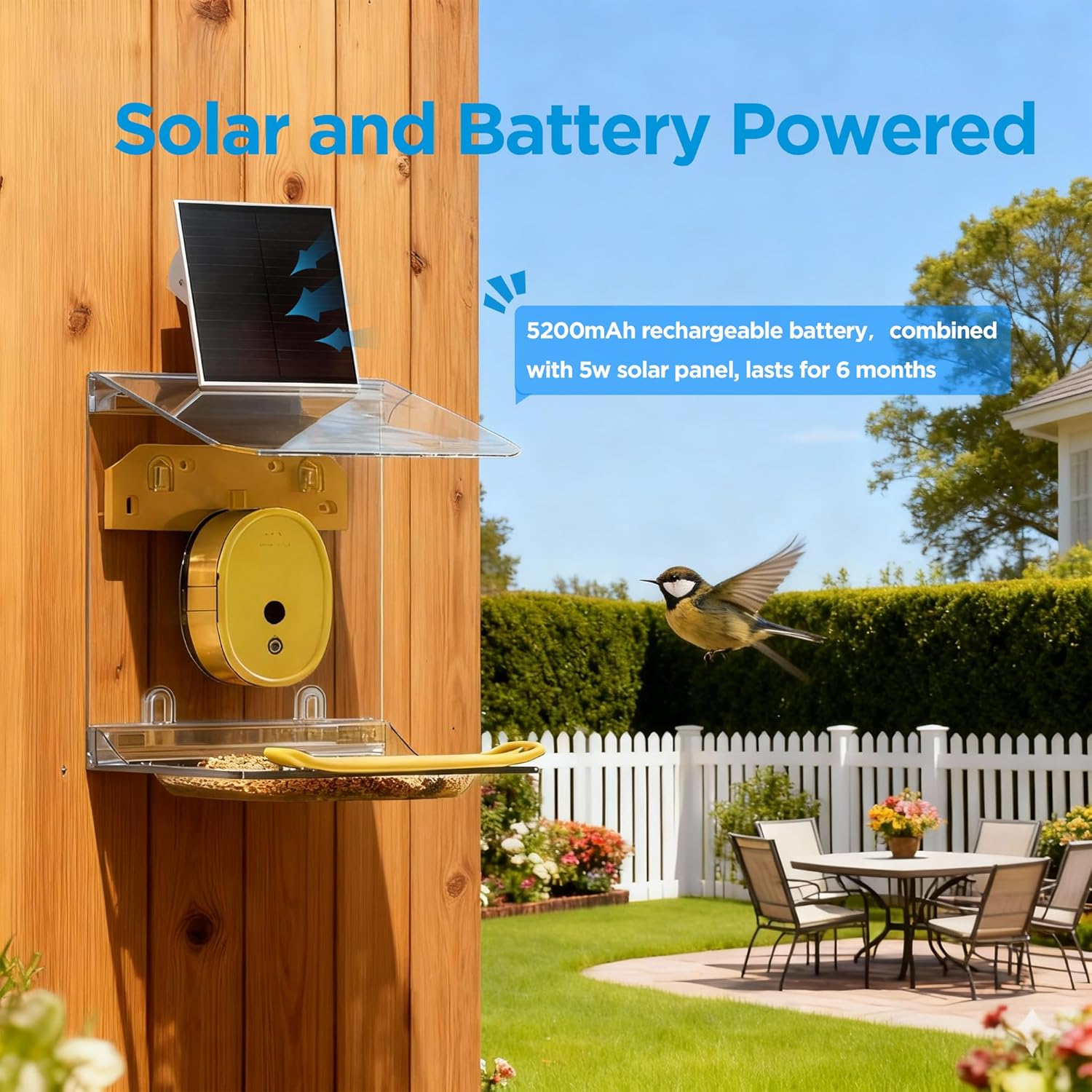
Figure 3: Illustration of the versatile mounting options for the bird feeder.

Figure 4: Attaching suction cups for window installation.
4. Network Connection (Dual-Linkage Technology)
The vakiav Smart Bird Feeder uses Dual-Linkage Technology for a stable connection without relying on your home Wi-Fi network directly.
- Connect the Signal Transmitter: Plug the included signal transmitter into a power outlet.
- Connect to Router: Use the Ethernet cable to connect the signal transmitter directly to your home router.
- Power On Camera: Ensure the camera is powered on using the switch on its side. A red light will flash, and bird chirps will indicate successful pairing with the transmitter. The transmitter's green light confirms pairing readiness.

Figure 5: The signal transmitter connected to a router, establishing a dedicated network for the bird feeder.
5. Programėlės diegimas ir susiejimas
Download the Vakiav app to your smartphone and follow the on-screen instructions to pair your device.
- Download the App: Scan the QR code provided in the user manual or on the product packaging to download the official Vakiav app from your device's app store. You can also visit www.vakiav.com/download.
- Create Account: Follow the in-app prompts to create your user account.
- Add Device: Select the VK-G2 model within the app.
- Scan QR Code: Use your phone's camera to scan the QR code located on the camera module itself or in the manual.
- Confirm Connection: The app will confirm the connection and display the Wi-Fi signal strength and battery status.

Figure 6: The Vakiav app guides you through the device pairing process.
Naudojimo instrukcijos
1. Gyvai View and Auto Moment Capture
Once connected, open the Vakiav app to access the live 2K Ultra HD video stream from your bird feeder. The camera automatically records bird visits, capturing sharp 5MP photos and smooth HD videos.
- Stebėjimas realiuoju laiku: Tap on the device in the app to view gyvas pašaras.
- Save & Share: Easily save captured photos and videos to your device or share them directly from the app.

Figure 7: The app interface showing live view and captured bird moments.
2. AI Bird Species Identification
The advanced built-in AI automatically recognizes over 10,000 bird species from live video and categorizes each visit in your gallery. This feature is completely free.
- Automatinis atpažinimas: The AI identifies birds as they visit the feeder.
- Species Gallery: Review and learn about different bird species directly from your app's gallery.

Figure 8: The AI recognition feature categorizes bird species in your gallery.
3. Instant Motion Alerts
Receive instant alerts on your phone the moment birds arrive at the feeder. Tap the notification to open the app and watch the live action.
- Pranešimai realiuoju laiku: Get immediate alerts for bird activity.
- Greita prieiga: Tap alerts to jump directly to the live camera feed.
Priežiūra
1. Power Management (Solar Powered)
The vakiav Smart Bird Feeder is equipped with a 5W solar panel and a 5200mAh rechargeable battery, providing up to 180 days of power with minimal recharging. For optimal performance, ensure the solar panel is positioned to receive maximum direct sunlight.
Figure 9: The solar panel provides continuous power to the bird feeder.

Figure 10: The 5200mAh rechargeable battery and 3W solar panel ensure long-lasting operation.
2. Valymas ir patvarumas
The feeder is designed with a durable protective coating to resist sun exposure, rain, and snow, ensuring reliable performance year-round. Regular cleaning of the feeding tray and camera lens is recommended to maintain hygiene and clear views.
- Lengvas valymas: The feeder components are designed for easy disassembly and cleaning.
- Atsparus oro sąlygoms: Sukurta atlaikyti įvairias oro sąlygas.
Trikčių šalinimas
- Ryšio problemos: Ensure the signal transmitter is properly connected to your router via Ethernet and powered on. Check the indicator lights on the transmitter for status.
- Kamera nereaguoja: Verify the camera is powered on and fully charged. If using solar power, ensure the panel is receiving adequate sunlight.
- Programos funkcionalumas: If experiencing issues with the app, ensure it is updated to the latest version. Refer to the in-app help or support section for further assistance.
- Subscription Clarification: While the product description mentions "No-Subscription" for AI identification, some users have noted that notifications and identifications may require a subscription for full functionality. Please refer to the latest app information for subscription details.
Specifikacijos
| Funkcija | Detalė |
|---|---|
| Prekės ženklas | vakiav |
| Modelio numeris | VK-G2 (Smart Bird Feeder) |
| Vaizdo raiška | 2K UHD |
| Nuotraukų raiška | 5 MP |
| AI identifikavimas | 10,000+ bird species |
| Maitinimo šaltinis | Solar Powered (5W solar panel) |
| Baterija | 1 ličio jonų (5200 mAh) |
| Ryšys | Dual-Linkage (via Signal Transmitter to router) |
| Medžiaga | Akrilnitrilo butadieno stirenas (ABS), metalas |
| Montavimo tipas | Window, Wall, Tree, Fence |
| Gaminio matmenys | 13.8 colio ilgio x 9.8 colių pločio x 5.9 colio aukščio |
| Prekės svoris | 2.97 svaro (1.35 kilogramo) |
Garantija
Specific warranty details are typically provided with your product purchase or can be found on the manufacturer's official websvetainėje. Prašome išsaugoti pirkimo įrodymą garantiniams reikalavimams.
Palaikymas
For any questions, technical assistance, or troubleshooting not covered in this manual, please contact vakiav customer support:
- El. paštas: service@vakiav.com
- Telefono numeris: +1 (408) 207-5061 (Monday to Sunday, 8:00 AM-8:00 PM)

Figure 11: Vakiav Customer Support details.


