1. Įvadas
This manual provides detailed instructions for the installation, operation, and maintenance of your Luqeeg 7-Day Programmable Timer Switch. This device is designed for precise control of electrical appliances such as pool pumps, heaters, filters, and other motor-driven equipment, offering up to 28 on/off schedules per day or week. Its robust, waterproof PC casing ensures reliable performance in various environments.
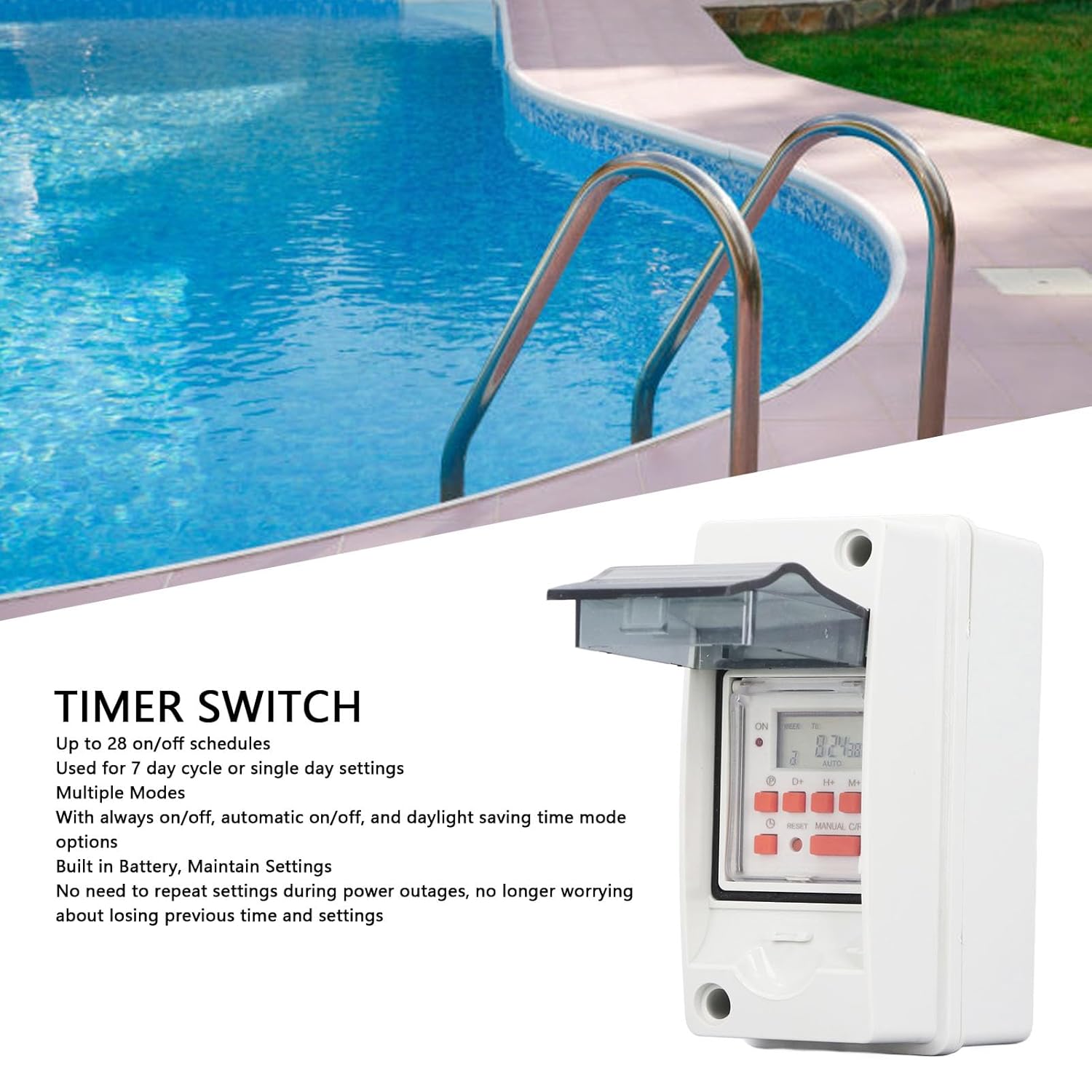
1.1 vaizdas: The Luqeeg Timer Switch shown in an outdoor application near a swimming pool. This image illustrates the product's intended use for controlling outdoor equipment.
2. Saugos informacija
Please read all safety warnings and instructions carefully before installing or operating this device. Failure to do so may result in electric shock, fire, or serious injury.
- Elektros pavojus: Installation should only be performed by a qualified electrician or trained personnel. Ensure power is disconnected at the circuit breaker before installation or maintenance.
- ttage Suderinamumas: Patikrinkite, ar tiekimo ttage matches the timer switch's rated voltage (AC85-265V).
- Apkrova: Do not exceed the maximum current rating of the switch. Overloading can cause overheating and fire.
- Vandens apsauga: Nors casing is waterproof, ensure all connections are properly sealed and the casing is securely closed to maintain its protective rating.
- Veikimo aplinka: Do not operate the device outside its specified temperature and humidity ranges.
3. Pakuotės turinys
Atsargiai išpakuokite dėžę ir įsitikinkite, kad yra visi toliau išvardyti daiktai ir jie nepažeisti. Jei kokių nors daiktų trūksta arba jie pažeisti, susisiekite su klientų aptarnavimo tarnyba.
- 1 x Timer Switch (Upper and Lower Shell)
- 2 x jungtis
- 2 x sandarinimo žiedas
- 6 x Varžtas
- 2 x Ring
- 4 x sieninis inkaras
- 4 x Terminal Connector
- 1 x 5m Electric Tape
- 1 x naudojimo instrukcija (šis dokumentas)

3.1 vaizdas: The Luqeeg Timer Switch shown alongside its complete set of accessories, including connectors, sealing rings, screws, wall anchors, terminal connectors, and electrical tape.
4. Specifikacijos
| Parametras | Vertė |
|---|---|
| Prekės tipas | Laikmačio jungiklis |
| Medžiaga | PC (polikarbonatas) |
| Įvertintas ttage | AC85-265V |
| Line Quantity Conversion Switch | SPDT |
| Error Correcting | ≤2 Seconds Per Day (at 25℃) |
| Įjungimo/išjungimo operacijos | 28 Times (per day/week) |
| Energijos suvartojimas | 4.5 VA (MAXIMUM) |
| Ekranas | LCD ekranas |
| Shortest Interval | 1 minutė |
| Darbinė temperatūra | -10 ℃ iki +55 ℃ |
| Darbinė drėgmė | Nuo 35 iki 85 % RH |
| Sandėliavimo maitinimo šaltinis | 1 x Lithium Ion Battery 200mAh (Built-in) |
| Baterijos atsarginė kopija | ≤15 dienų |
| Matmenys (I x P x A) | 6.29 x 3.93 x 3.14 colio |
| Prekės svoris | 12.4 uncijos |
5. Sąranka ir diegimas
Proper installation is crucial for the safe and effective operation of the timer switch. Refer to the wiring diagram and follow local electrical codes.
5.1 Jungiklio montavimas
- Choose a suitable location for mounting, ensuring it is accessible for programming and maintenance.
- Use the provided wall anchors and screws to securely mount the timer switch casing ant lygaus paviršiaus.
- Įsitikinkite, kad casing is level and all mounting points are tightened.

5.1 vaizdas: Kampinis view of the Luqeeg Timer Switch, highlighting its durable and waterproof PC casing designed for outdoor conditions. Note the two outlet holes for wiring protection.
5.2 Laidų prijungimo instrukcijos
WARNING: Disconnect power at the main circuit breaker before attempting any wiring.
- Open the timer switch casing.
- Identify the input terminals (Power) and output terminals (Load) as shown in the wiring diagram.
- Connect the incoming live wire (L) and neutral wire (N) from your power source to the corresponding input terminals of the timer switch.
- Connect the live wire (L) and neutral wire (N) of your appliance (load) to the corresponding output terminals of the timer switch.
- Ensure all wire connections are secure and properly insulated using the provided terminal connectors and electrical tape.
- Uždarykite casing securely, ensuring the sealing rings are properly seated to maintain waterproof integrity.

5.2 vaizdas: A detailed wiring diagram for the Luqeeg Timer Switch, illustrating connections for neutral wire, live wire, and load. This diagram is essential for correct and safe installation.
6. Naudojimo instrukcijos
The timer switch features an LCD display and several buttons for programming. Familiarize yourself with the controls before proceeding.

6.1 vaizdas: Iš arti view of the Luqeeg Timer Switch's LCD display and control buttons, including 'P' (Program), 'D+' (Day), 'H+' (Hour), 'M+' (Minute), 'RESET', and 'MANUAL C/R' buttons.
6.1 Initial Setup (First Use)
- After connecting power, the LCD display will illuminate. If the display is blank, press the RESET button using a pointed object (e.g., a pen tip).
- The built-in battery will retain settings during power outages, but it may need initial charging if the device has been stored for a long time.
6.2 Dabartinio laiko ir dienos nustatymas
- Paspauskite P button once. The display will show the current time setting.
- Paspauskite D+ norėdami nustatyti dabartinę savaitės dieną.
- Paspauskite H+ norėdami nustatyti dabartinę valandą.
- Paspauskite M+ norėdami nustatyti dabartinę minutę.
- Paspauskite P dar kartą paspauskite mygtuką, kad patvirtintumėte ir išeitumėte iš laiko nustatymo režimo.
6.3 Programming On/Off Schedules
Laikmatis palaiko iki 28 įjungimo/išjungimo programų. Kiekviena programa susideda iš įjungimo laiko ir išjungimo laiko.
- Paspauskite P button repeatedly until '1 ON' appears on the display. This is for the first ON program.
- Paspauskite D+ to select the day(s) for this program (e.g., Mon-Sun, Mon-Fri, Sat-Sun, individual days, etc.).
- Paspauskite H+ , kad nustatytumėte norimą ĮJUNGIMO valandą.
- Paspauskite M+ , kad nustatytumėte norimą įjungimo minutę.
- Paspauskite P again. '1 OFF' will appear. This is for the first OFF program.
- Pakartokite 2–4 veiksmus, kad nustatytumėte norimą (-as) šios programos išjungimo dieną (-as), valandą ir minutę.
- Spauskite toliau P to cycle through '2 ON', '2 OFF', up to '28 ON', '28 OFF' to set additional programs.
- Nustatę visas norimas programas, paspauskite P mygtuką, kol ekrane vėl bus rodomas dabartinis laikas.
6.4 Manual Override and Mode Selection
Paspauskite MANUAL C/R mygtuką, kad perjungtumėte skirtingus veikimo režimus:
- ĮJUNGTA: The output is continuously ON, overriding all programs.
- IŠJUNGTA: The output is continuously OFF, overriding all programs.
- AUTOMATINIS ĮJUNGTAS: The timer will follow programmed schedules, starting with an ON state if the current time falls within an ON period.
- AUTOMATINIS IŠJUNGTAS: The timer will follow programmed schedules, starting with an OFF state if the current time falls within an OFF period.
6.5 Daylight Saving Time (DST) Mode
This timer switch supports Daylight Saving Time adjustments. Refer to the specific instructions in the included paper manual for activating and deactivating DST mode, as the button combination may vary.
7. Priežiūra
The Luqeeg Timer Switch is designed for low maintenance. Follow these guidelines to ensure longevity:
- Valymas: Nuvalykite c išoręasing su minkštu, damp cloth. Do not use abrasive cleaners or solvents. Ensure the casing is dry before re-energizing.
- Baterija: The device has a built-in lithium-ion battery for backup. This battery is not user-replaceable. If the battery backup function degrades significantly, the unit may need servicing or replacement.
- Patikra: Periodically inspect the wiring connections and the integrity of the waterproof casing, especially if installed outdoors.
8. Problemų sprendimas
If you encounter issues with your timer switch, refer to the following common problems and solutions:
| Problema | Galima priežastis | Sprendimas |
|---|---|---|
| Ekranas tuščias | No power supply; Internal battery depleted; Device reset needed. | Check power connections and circuit breaker. Press the RESET button. Allow time for the internal battery to charge if recently powered on. |
| Prietaisas neįsijungia/išsijungia pagal programą | Incorrect program settings; Timer is in MANUAL ON/OFF mode; Incorrect wiring. | Verify program settings (ON/OFF times, days). Ensure the timer is in AUTOMATINIS ĮJUNGTAS or AUTOMATINIS IŠJUNGTAS mode. Check wiring connections. |
| Laikas netikslus | Initial time not set correctly; Minor drift over time. | Reset the current time and day. The device has an error correction of ≤2 seconds per day. |
| Mygtukai nereaguoja | Device frozen; Moisture ingress. | Paspauskite RESET button. Ensure the casing is properly sealed and dry. |
9. Garantija ir palaikymas
Luqeeg products are manufactured to high-quality standards. For warranty information, technical support, or to report any issues, please contact your retailer or the Luqeeg customer service department. Keep your purchase receipt as proof of purchase.
Dėl papildomos pagalbos apsilankykite „Luqeeg“ parduotuvė „Amazon“ platformoje.