Įvadas
Thank you for choosing the Altec Lansing Comfort Pro Over Ear Bluetooth Headphones. These headphones are designed to provide a high-quality audio experience with advanced features such as Active Noise Cancellation (ANC), Environmental Noise Cancellation (ENC), Spatial Audio, and a long-lasting battery. This manual will guide you through the setup, operation, and maintenance of your new headphones.
Kas yra dėžutėje
- Altec Lansing Comfort Pro Wireless Headphones
- USB-C Charging Cable (not explicitly listed but implied for charging)
- Audio Cable (not explicitly listed but common for wired use)
- Carrying Case (implied by images)
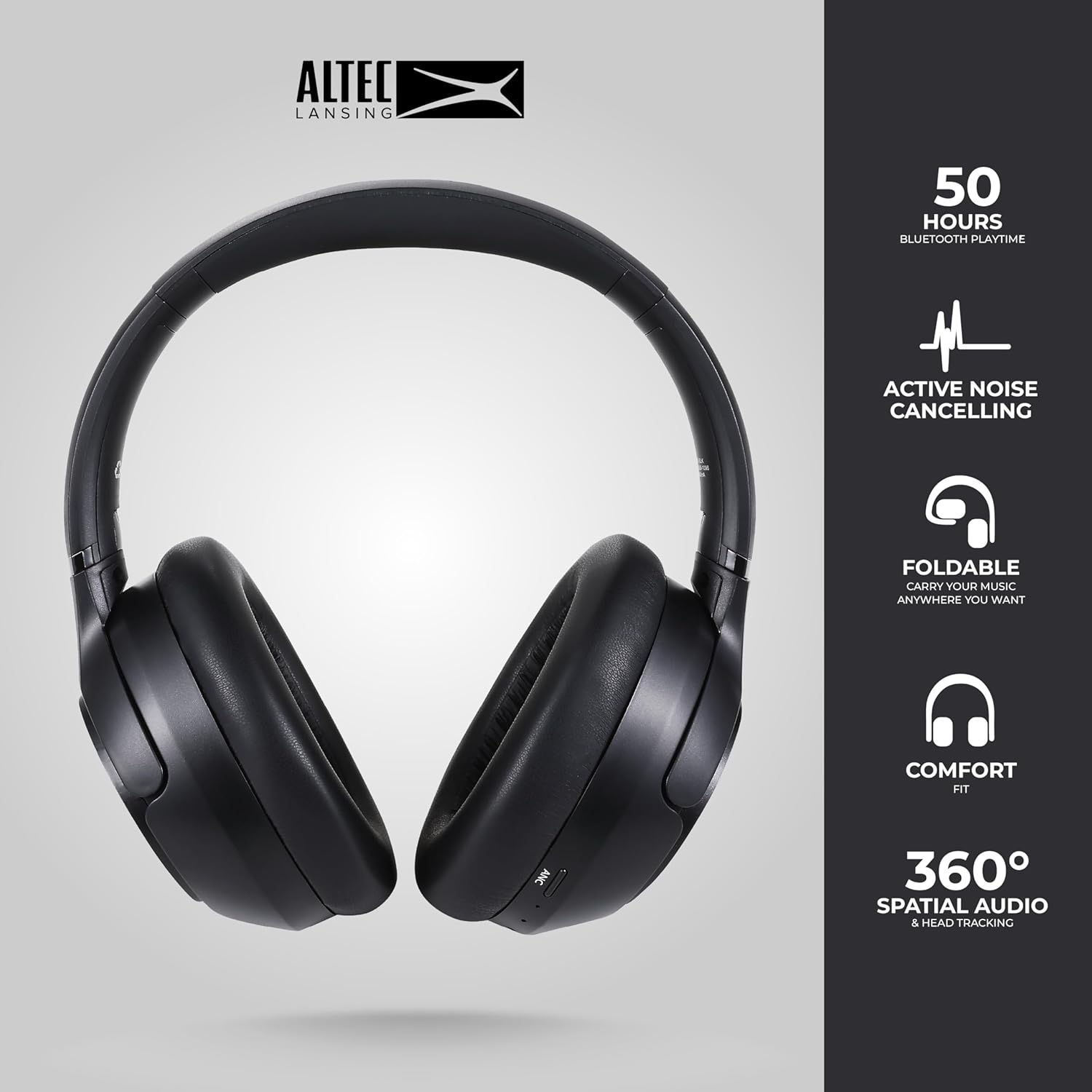
Image: The Altec Lansing Comfort Pro headphones, showcasing their sleek design and key features like 50 hours Bluetooth playtime, Active Noise Cancelling, foldable design, comfort fit, and 360° Spatial Audio & Head Tracking.
Sąranka
1. Ausinių įkrovimas
Before first use, fully charge your headphones. Connect the provided USB-C charging cable to the charging port on the headphones and the other end to a USB power source. The LED indicator will show charging status and turn off or change color when fully charged. A full charge typically takes approximately two hours.
2. Įjungimas/išjungimas
- Norėdami įjungti: Paspauskite ir palaikykite maitinimo mygtuką maždaug 3 sekundes, kol užsidegs LED indikatorius.
- Norėdami išjungti: Paspauskite ir palaikykite maitinimo mygtuką maždaug 3 sekundes, kol užges LED indikatorius.
3. „Bluetooth“ poravimas
The headphones support Bluetooth 5.4 for stable connectivity and multipoint pairing for connecting to two devices simultaneously.
- Įsitikinkite, kad ausinės yra išjungtos.
- Paspauskite ir palaikykite maitinimo mygtuką maždaug 5–7 sekundes, kol LED indikatorius greitai mirksės (dažniausiai mėlynai ir raudonai), rodydamas susiejimo režimą.
- On your device (smartphone, laptop, tablet), go to Bluetooth settings and enable Bluetooth.
- Ieškokite available devices and select "Altec Lansing Comfort Pro" from the list.
- Prijungus, LED indikatorius nustos mirksėti ir liks nuolat mėlynas.
- For multipoint pairing, connect to the first device, then put the headphones back into pairing mode and connect to the second device. The headphones will intelligently switch between the two connected devices.

Paveikslėlis: detalus view of the Altec Lansing Comfort Pro headphones highlighting the adjustable headband and the soft, lightweight ear cushions designed for comfort during extended use.
Veikiantis
Ausinių valdikliai
The headphones feature intuitive controls located on the earcups. Refer to the image below for button identification.

Vaizdas: Stambus planas view of the right earcup of the Altec Lansing Comfort Pro headphones, showing the power button, volume controls, and other function buttons.
- Maitinimo mygtukas: Press and hold to power on/off. Short press for play/pause, answer/end calls.
- Garsumo padidinimas (+): Trumpas paspaudimas, norint padidinti garsumą. Ilgas paspaudimas, norint pereiti į kitą takelį.
- Sumažinti garsumą (-): Trumpas paspaudimas, jei norite sumažinti garsumą. Ilgas paspaudimas, jei norite pereiti į ankstesnį takelį.
- ANC mygtukas: Press to cycle through Active Noise Cancellation modes (ANC On, Ambient Mode, ANC Off).
- Daugiafunkcis mygtukas (MFB): Double press to activate Voice Assistant (Siri/Google Voice). Triple press to activate Low Latency Mode.
Active Noise Cancellation (ANC) & Environmental Noise Cancellation (ENC)
The Comfort Pro headphones feature powerful ANC to block out external noise and ENC for clear calls. Press the dedicated ANC button to toggle between ANC On, Ambient Mode (allowing some environmental sounds for awareness), and ANC Off. ENC is automatically active during calls to ensure your voice is clear.
Erdvinis garsas
Experience immersive sound with Spatial Audio. This feature creates a 3D soundstage, making audio feel more lifelike. Spatial Audio is automatically enabled when supported by your device and content.
Mažos delsos režimas
For gaming or video playback where audio-visual synchronization is critical, activate Low Latency Mode by triple-pressing the MFB. This reduces audio delay for a more synchronized experience.
Balso asistentas
Access your device's voice assistant (Siri or Google Voice) by double-pressing the MFB. You can then issue commands through the headphone's microphone.
Skambučių valdymas
- Atsiliepti / Baigti skambutį: Trumpai paspauskite maitinimo mygtuką.
- Atmesti skambutį: Paspauskite ir 2 sekundes palaikykite maitinimo mygtuką.
Priežiūra
Valymas
Norėdami išlaikyti ausinių veikimą ir išvaizdą:
- Ausų kaušelius ir galvos juostą nuvalykite minkštu, sausu, nepūkuotu skudurėliu.
- Esant sunkiai įsisenėjusiems nešvarumams, švelniai dampNuvalykite šluostę vandeniu. Venkite naudoti stiprias chemines medžiagas, tirpiklius ar abrazyvinius valiklius.
- Neleiskite drėgmei patekti į jokias angas.
Sandėliavimas
When not in use, store your headphones in the provided carrying case to protect them from dust, scratches, and impacts. The foldable design allows for compact storage.

Image: The Altec Lansing Comfort Pro headphones neatly folded and stored inside their protective carrying case, emphasizing portability and protection.
Akumuliatoriaus priežiūra
- Venkite dažnai visiškai iškrauti akumuliatorių.
- Jei ausinės ilgą laiką nenaudojamos, laikykite jas iš dalies įkrautas.
- Venkite ekstremalių temperatūrų, kurios gali pabloginti akumuliatoriaus veikimo laiką.
Trikčių šalinimas
If you encounter any issues with your Altec Lansing Comfort Pro headphones, refer to the following common solutions:
- Ausinės neįsijungia: Įsitikinkite, kad ausinės yra visiškai įkrautos. Prijunkite jas prie maitinimo šaltinio ir bandykite dar kartą po kelių minučių.
- Nepavyksta susieti su įrenginiu:
- Įsitikinkite, kad ausinės yra susiejimo režime (LED greitai mirksi).
- Išjunkite ir įjunkite „Bluetooth“ savo įrenginyje.
- Delete "Altec Lansing Comfort Pro" from your device's Bluetooth list and attempt to pair again.
- Pabandykite susieti su kitu įrenginiu, kad atmestumėte su įrenginiu susijusias problemas.
- Nėra garso arba garsas per mažas:
- Patikrinkite garsumo lygius tiek ausinėse, tiek prijungtame įrenginyje.
- Įsitikinkite, kad ausinės tinkamai prijungtos per „Bluetooth“.
- Jei naudojate laidinį ryšį, įsitikinkite, kad garso kabelis yra visiškai įkištas tiek į ausines, tiek į garso šaltinį.
- ANC neveikia efektyviai:
- Įsitikinkite, kad ANC įjungtas, paspausdami ANC mygtuką.
- Sureguliuokite ausinių prigludimą, kad užtikrintumėte gerą sandarumą aplink ausis.
- ANC is most effective against low-frequency, constant noise. It may not completely block out voices or sudden, high-frequency sounds.
- Balso asistentas neatsako: Ensure your device's voice assistant is enabled and that the headphones are properly connected. Double-press the MFB firmly.
Specifikacijos
| Modelio pavadinimas | MX3050 (MZX3050-BLK-STK-6) |
| Ryšio technologija | Belaidis ryšys („Bluetooth“) |
| Bluetooth versija | 5.4 |
| Baterijos veikimo laikas | Up to 60 Hours (40 Hours with ANC activated) |
| Triukšmo kontrolės funkcijos | Aktyvus triukšmo slopinimas (ANC), aplinkos triukšmo slopinimas (ENC) |
| Ausinės forma | Virš ausies |
| Kontrolės metodas | App, Voice, On-headphone buttons |
| Suderinami įrenginiai | Išmanieji telefonai, nešiojamieji kompiuteriai, planšetiniai kompiuteriai |
| Medžiaga | Fabric/Silicone and Plastic/Metal (Combination) |
| Prekės svoris | 1 svaras |
| Atsparumo vandeniui lygis | Atsparus vandeniui |
Garantija ir palaikymas
For warranty information and customer support, please refer to the documentation included with your purchase or visit the official Altec Lansing website. You can typically find detailed warranty terms, FAQs, and contact information for technical assistance there.
Internetiniai ištekliai: www.alteclansing.com


