1. Įvadas
This manual provides essential information for the safe and efficient operation of your Coocaa 55Y74 Pro QLED Ultra Smart Google TV. Please read this manual thoroughly before using the product and retain it for future reference. Your Coocaa TV features a durable A+ Grade QLED panel and an ultra-bright screen designed for optimal picture quality.
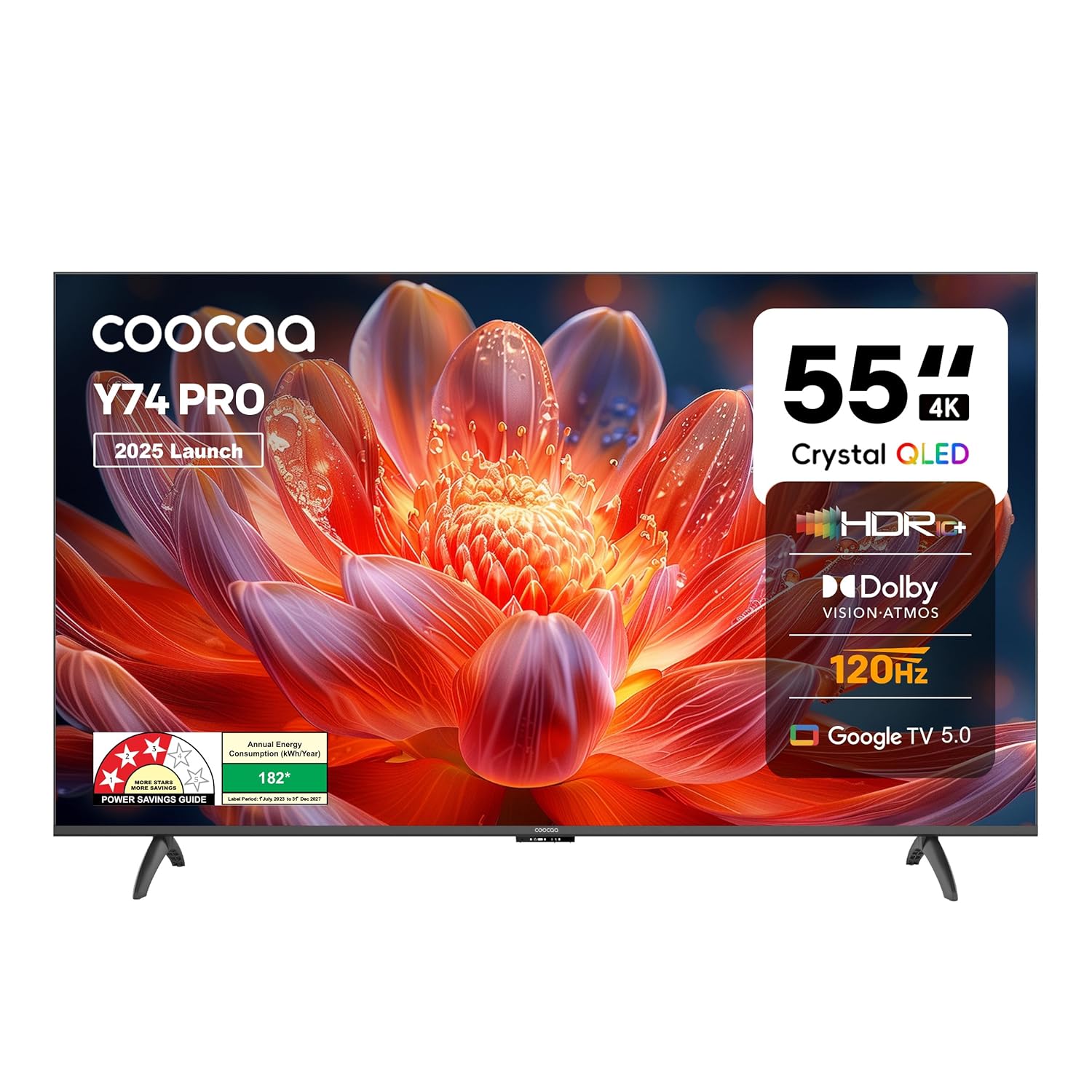
1.1 pav.: priekis view of the Coocaa 55Y74 Pro QLED Ultra Smart Google TV.
2. Saugos informacija
Kad išvengtumėte pažeidimų ir užtikrintumėte saugų veikimą, laikykitės šių saugos priemonių:
- Saugokite televizorių nuo lietaus ar drėgmės.
- Neuždenkite vėdinimo angų.
- Užtikrinkite tinkamą maitinimo laido įžeminimą.
- Venkite statyti televizorių ant nestabilių paviršių.
- Atjunkite maitinimo laidą žaibuojant arba kai prietaisas ilgą laiką nenaudojamas.
- Visus techninės priežiūros darbus patikėkite kvalifikuotam techninės priežiūros personalui.
3. Kas yra dėžutėje
Patikrinkite, ar pakuotėje yra visi komponentai:
- Televizoriaus skyrius (1N)
- Stovo pagrindai (2N)
- Greito paleidimo vadovas (1N)
- Garantinė kortelė (1N)
- Nuotolinio valdymo pultas (1N)
- AAA baterijos (2N)
- Maitinimo laidas (1N)
- Varžtai (4N)
- AV konvertavimo kabelis (1N)

Figure 3.1: Contents included with your Coocaa 55Y74 Pro TV.
4. Sąranka
4.1 Išpakavimas
Atsargiai išimkite televizorių ir visus priedus iš pakuotės. Rekomenduojama išsaugoti pakuotę, kad prireikus galėtumėte jį transportuoti ar atlikti techninę priežiūrą.
4.2 Stovo montavimas
If placing the TV on a table, attach the two stand bases to the bottom of the TV using the provided screws. Ensure the stands are securely fastened.
4.3 Tvirtinimas prie sienos
The Coocaa 55Y74 Pro supports wall mounting. A compatible VESA wall mount kit (not included) is required. Follow the instructions provided with your wall mount kit and ensure professional installation for safety.
4.4 Išorinių įrenginių prijungimas
Prijunkite įrenginius prie televizoriaus naudodami galimus prievadus:
- HDMI prievadai: Connect set-top boxes, Blu-ray players, gaming consoles, or other HDMI-enabled devices. The TV features 3 HDMI ports, including HDMI 2.1 with eARC support.
- USB prievadai: Prijunkite USB atmintines, kad galėtumėte atkurti medijos failus. Televizoriuje yra 2 USB 2.0 prievadai.
- Skaitmeninė garso išvestis: Skirta prijungti prie išorinių garso sistemų.
- LAN prievadas: Laidiniam interneto ryšiui.
- AV įvestis: Senesniems įrenginiams, naudojantiems kompozicinį vaizdo įrašą ir stereo garsą.
- Satellite Port: For satellite signal input.

Figure 4.1: Available connectivity ports on the Coocaa 55Y74 Pro TV.
4.5 Maitinimo jungtis
Prijunkite maitinimo laidą prie televizoriaus maitinimo įvesties, o tada – prie tinkamo elektros lizdo. Televizorius veikia 240 voltų kintamąja srove.
5. Operacinis
5.1 Pirmasis nustatymas
Upon first power-on, the TV will guide you through the initial setup process, including language selection, network connection (Wi-Fi or Ethernet), and Google account sign-in for Google TV features.
5.2 Nuotolinis valdymas
Insert the two AAA batteries into the remote control. The remote features dedicated buttons for popular streaming services like Netflix and Prime Video, a navigation key, and a voice assistant button for Google Assistant.

Figure 5.1: The Coocaa TV remote control.
5.3 Pagrindinės funkcijos
- Galia: Norėdami įjungti arba išjungti televizorių, paspauskite nuotolinio valdymo pulto maitinimo mygtuką.
- Apimtis: Garsumo lygiui reguliuoti naudokite garsumo didinimo / mažinimo mygtukus.
- Įvesties pasirinkimas: Use the input button to switch between connected devices (HDMI, AV, etc.).
5.4 Išmaniojo televizoriaus funkcijos („Google TV“)
Your Coocaa TV runs on Google TV, providing access to a wide range of applications and features:
- Prieiga prie programos: Download and use apps like Netflix, YouTube, Prime Video, Zee5, and Sony LIV from the Google Play Store.
- „Google“ padėjėjas: Balso komandas naudokite nuotolinio valdymo pulte paieškai, valdymui ir informacijai.
- Įtaisytasis „Chromecast“: Cast content from compatible mobile devices directly to your TV.
- Display Mirroring: Mirror the screen of compatible devices to the TV.
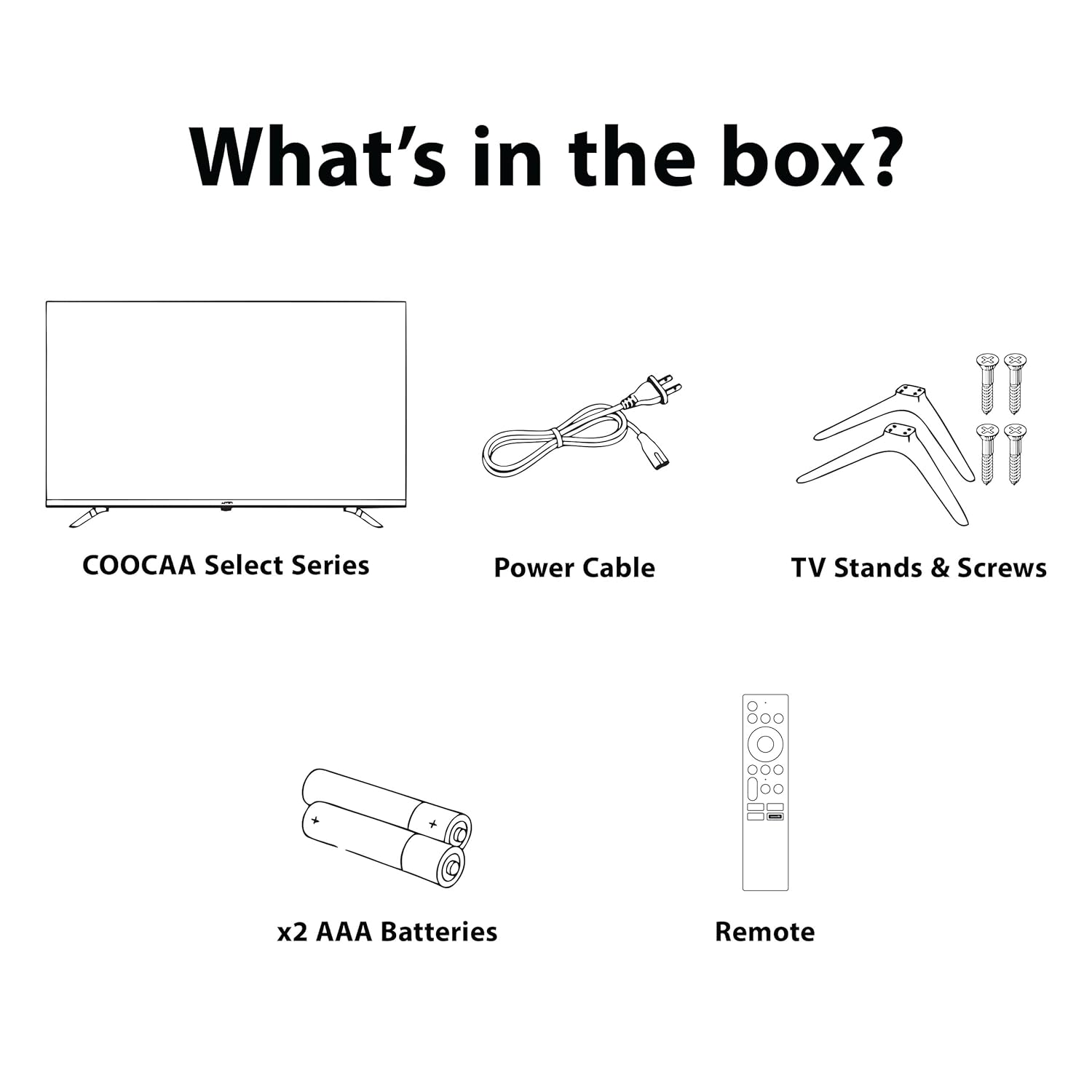
Figure 5.2: Key smart features of the Coocaa 55Y74 Pro TV.
6. Priežiūra
6.1 Valymas
- Ekranas: Švelniai nuvalykite ekraną minkšta, nepūkuota šluoste. Įsisenėjusioms dėmėms valyti naudokite specialiai televizoriams skirtą ekrano valiklį, užtepkite ant šluostės, o ne tiesiai ant ekrano.
- Televizoriaus korpusas: Wipe the TV frame and back panel with a soft, dry cloth. Avoid abrasive cleaners or solvents.
6.2 Programinės įrangos naujiniai
Your TV may receive software updates to improve performance and add new features. Ensure your TV is connected to the internet. You can usually check for updates in the TV's settings menu under 'System' or 'About'.
6.3 Saugykla
Jei televizorių ilgesnį laiką nenaudosite, atjunkite jį nuo maitinimo šaltinio, išimkite baterijas iš nuotolinio valdymo pulto ir laikykite jį vėsioje, sausoje vietoje, geriausia originalioje pakuotėje.
7. Problemų sprendimas
Dažniausiai pasitaikančias problemas ir jų sprendimus žr. šioje lentelėje:
| Problema | Galima priežastis | Sprendimas |
|---|---|---|
| Nėra galios | Atjungtas maitinimo laidas; problema su maitinimo lizdu | Check power cord connection; Test power outlet with another device. |
| Nėra vaizdo, bet yra garsas | Neteisingas įvesties šaltinis; Atsilaisvinęs HDMI/AV kabelis | Pasirinkite tinkamą įvesties šaltinį; Tvirtai prijunkite laidus. |
| Nėra garso, bet vaizdas yra | Garsas nutildytas arba per mažas; išorinės garso sistemos problema | Unmute volume or increase level; Check external audio connections. |
| Nuotolinio valdymo pultas neveikia | Išsikrovusios baterijos; Kliūtis; Nuotolinio valdymo pultas nesuporuotas | Replace batteries; Remove obstructions; Re-pair Bluetooth remote (refer to TV settings). |
| Wi-Fi ryšio problemos | Neteisingas slaptažodis; Maršrutizatoriaus problema; Signalo trukdžiai | Verify Wi-Fi password; Restart router; Move TV closer to router or use wired connection. |
Jei problema išlieka ir išbandžius šiuos sprendimus, susisiekite su klientų aptarnavimo tarnyba.
8. Specifikacijos
Key technical specifications for the Coocaa 55Y74 Pro QLED Ultra Smart Google TV:
| Funkcija | Specifikacija |
|---|---|
| Modelis | 55Y74 Pro |
| Ekrano dydis | 55 colių (138 cm) |
| Ekrano technologija | QLED, A+ Display Type |
| Rezoliucija | 4K UHD (3840 x 2160 pikselių) |
| Atnaujinimo dažnis | HSR 120 Hz |
| Operacinė sistema | Google TV |
| Procesorius | A55 lustas |
| Grafikos koprocesorius | Mali G52 MC1 |
| RAM atmintis | 2 GB |
| Sandėliavimo talpa | 32 GB |
| Garso išvestis | 30 Watts, Dolby Atmos, 2.0 Sound Channel |
| Ryšys | 3 HDMI ports (1x HDMI 2.1 eARC), 2 USB 2.0 ports, Ethernet, Wi-Fi (Dual band), Bluetooth |
| Ypatingos savybės | Chromecast, Google Voice Assistant, Display Mirroring, Eye Care (Flicker Free, Night Mode, Automatic Brightness) |
| Gaminio matmenys (IxPxH) | 122.6 x 7.9 x 72 cm |
| Prekės svoris | 9.4 kg |
| Maitinimo šaltinis | 240 voltų kintamoji srovė |
| Vattage | 120 vatų |

Figure 8.1: Dimensions of the Coocaa 55Y74 Pro TV.
9. Garantija ir palaikymas
9.1 Informacija apie garantiją
Your Coocaa 55Y74 Pro QLED Ultra Smart Google TV comes with a 1 metų garantija provided by the brand from the date of purchase. To avail warranty services, please retain your purchase invoice and the warranty card.
9.2 Pagalba klientams
For further assistance, technical support, or to access the latest user manual, please visit the official Coocaa brand website. Contact details for customer service can typically be found on the warranty card or the brand's websvetainę.


