1. Įvadas
This manual provides detailed instructions for the safe and efficient operation of your BYINTEK T5 Max Projector. Please read this manual thoroughly before using the product and retain it for future reference. The BYINTEK T5 Max is designed to deliver a high-quality visual and audio experience for home entertainment, outdoor camping, and various social gatherings.
2. Produktas baigtasview
2.1 Pagrindinės savybės
- Full HD 1080p Resolution with 4K Support: Experience crisp, clear images with vibrant colors.
- 1000 ANSI liumenų ryškumas: Mėgaukitės skaidriai viewnet ir gerai apšviestoje aplinkoje.
- Užsandarintas optinis variklis: Protects internal components from dust, ensuring longer lifespan and stable performance.
- Automatic Focus and 6D Keystone Correction: Instant and precise image adjustment for optimal viewiš įvairių kampų.
- Integrated Stereo Speakers with Bluetooth 5.0: Delivers rich audio and allows connection to external audio devices or use as a standalone Bluetooth speaker.
- Android TV 11.0 OS: Access a wide range of streaming applications and content.
- Multi-functional Connectivity: Supports Wi-Fi 2.4G for screen mirroring (iPhone/Android), HDMI, and USB inputs.
2.2 Produkto komponentai
The BYINTEK T5 Max Projector package typically includes:
- BYINTEK T5 Max Projector
- Nuotolinio valdymo pultas
- Maitinimo adapteris
- Vartotojo vadovas (šis dokumentas)

1 paveikslas: Priekyje view of the BYINTEK T5 Max Projector, showcasing the lens and auto-focus sensor.
3. Sąranka
3.1 Išpakavimas ir įdėjimas
- Atsargiai išimkite visus komponentus iš pakuotės.
- Place the projector on a stable, flat surface. Ensure adequate ventilation around the projector.
- Position the projector at the desired distance from the projection surface (wall or screen). The optimal projection distance varies based on desired screen size. Refer to the specifications section for projection ratios.
3.2 Maitinimo jungtis
- Prijunkite maitinimo adapterį prie projektoriaus maitinimo įvesties prievado.
- Įkiškite maitinimo adapterį į tinkamą elektros lizdą.
- The projector will typically enter standby mode, indicated by an LED light.
3.3 Pradinis įjungimas
Paspauskite projektoriaus arba nuotolinio valdymo pulto maitinimo mygtuką, kad įjungtumėte įrenginį. Projektorius pradės paleisties seką, įskaitant automatinį fokusavimą ir trapecijos korekciją.
4. Naudojimo instrukcijos
4.1 Automatic Focus and Keystone Correction
The BYINTEK T5 Max features advanced TOF technology for instant automatic focus and 6D keystone correction. When the projector is moved or powered on, it will automatically adjust the image for clarity and a perfect rectangular shape.
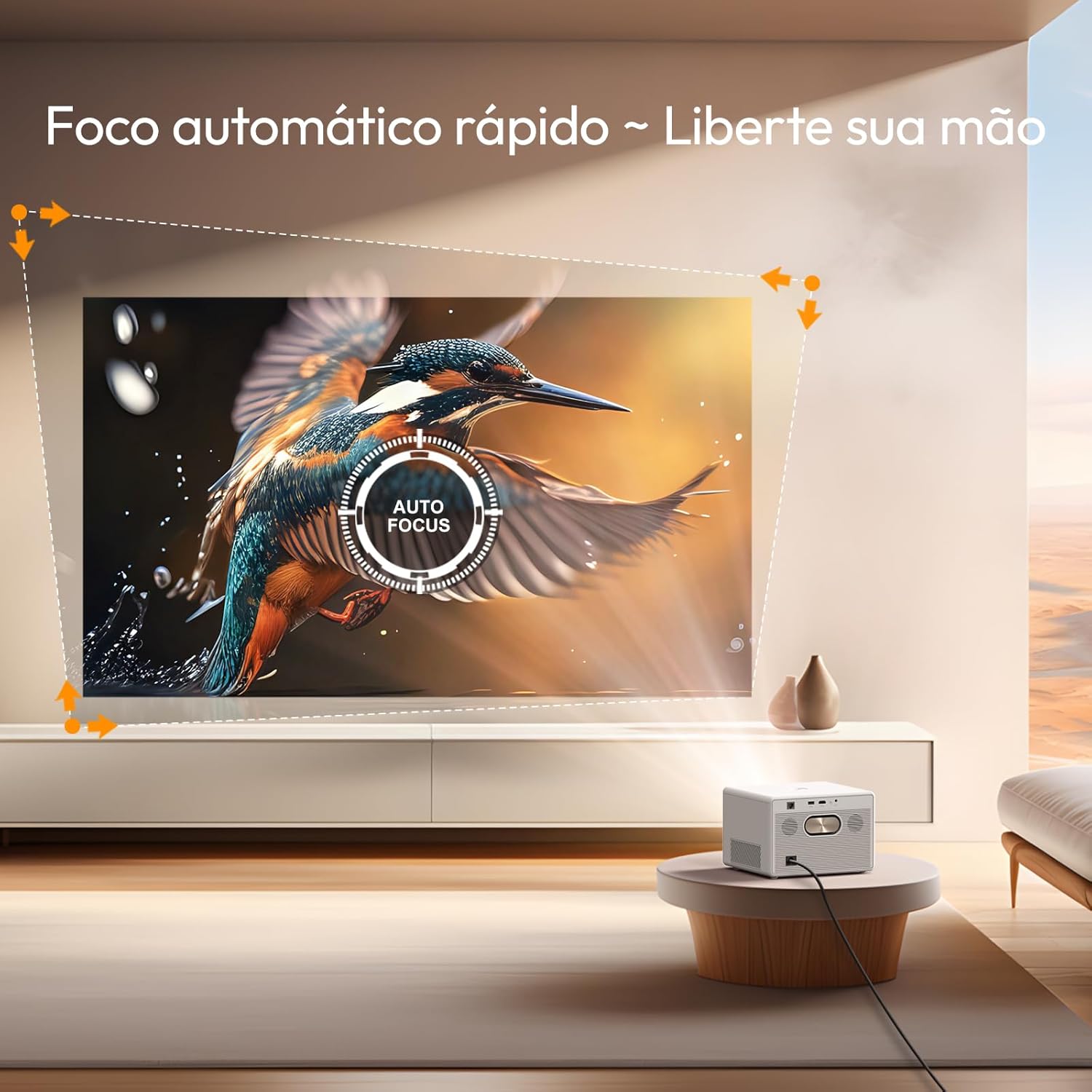
2 paveikslas: Projektorius automatiškai reguliuoja fokusavimą, kad vaizdas būtų aiškus.

3 paveikslas: Automatic keystone correction ensures a perfectly rectangular image from various projection angles.
4.2 Navigating Android TV 11.0
The projector comes with Android TV 11.0 OS, providing access to a wide range of applications and streaming services. Use the remote control to navigate the interface, select apps, and manage settings.
- Pagrindinis ekranas: Rodomas rekomenduojamas turinys, įdiegtos programos ir sistemos nustatymai.
- App Store: Atsisiųskite papildomų programų iš „Google Play“ parduotuvės.
- Nustatymai: Adjust network, display, sound, and system preferences.

4 paveikslas: The Google TV interface provides access to a variety of entertainment options.
4.3 Ryšio parinktys
The BYINTEK T5 Max offers multiple ways to connect your devices:
- „Wi-Fi“ (2.4 G): Connect to your home network for internet access and screen mirroring.
- Eikite į Nustatymai> Tinklas ir internetas , kad prisijungtumėte prie „Wi-Fi“ tinklo.
- For screen mirroring, select the appropriate option from the projector's menu (e.g., "Screen Cast" or "Mirroring") and follow the instructions on your smartphone (iPhone/Android).
- HDMI: Prijunkite išorinius įrenginius, tokius kaip nešiojamieji kompiuteriai, žaidimų konsolės arba „Blu-ray“ grotuvai.
- Connect an HDMI cable from your device to the projector's HDMI port.
- Select the HDMI input source from the projector's input menu.
- USB: Leisti mediją files tiesiai iš USB atmintinės.
- Įkiškite USB atmintinę į projektoriaus USB prievadą.
- Eikite į file manager or media player application on the Android TV interface to access your files.
- "Bluetooth 5.0": Prijunkite išorinius „Bluetooth“ garsiakalbius arba ausines, kad garsas būtų geresnis, arba naudokite projektorių kaip „Bluetooth“ garsiakalbį.
- To connect to an external audio device: Go to Settings > Remote & Accessories > Add accessory and pair your Bluetooth device.
- To use the projector as a Bluetooth speaker: Select the Bluetooth speaker mode from the projector's menu.

5 paveikslas: The projector supports various applications including screen casting, gaming, and watching sports.
4.4 Garso išvestis
The projector features integrated stereo speakers for immersive sound. For a more personalized audio experience, connect external speakers or headphones via Bluetooth.

6 paveikslas: The projector's built-in stereo speakers provide powerful audio.
5. Priežiūra
Proper maintenance ensures the longevity and optimal performance of your BYINTEK T5 Max Projector.
5.1 Objektyvo valymas
- Naudokite minkštą, nepūkuotą šluostę, specialiai skirtą optiniams lęšiams.
- Gently wipe the lens surface to remove dust or smudges. Avoid using abrasive materials or harsh cleaning chemicals.
5.2 Dust Prevention (Sealed Optical Engine)
The BYINTEK T5 Max features a sealed optical engine, which significantly reduces the risk of dust entering and affecting image quality. While this design minimizes maintenance, it is still recommended to keep the projector in a clean environment and periodically wipe the exterior casing minkštu, sausu skudurėliu.
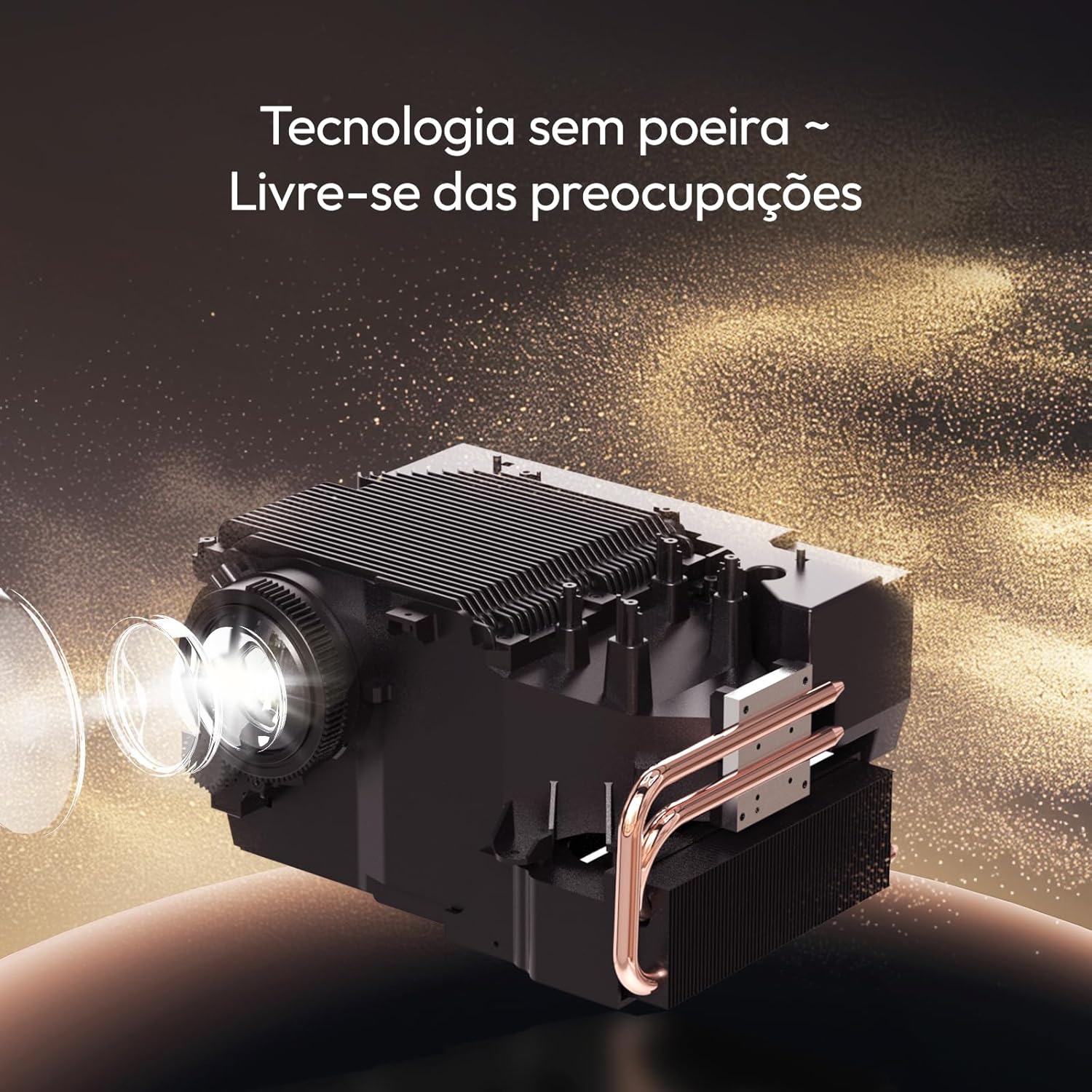
7 paveikslas: The sealed optical engine design prevents dust accumulation, enhancing durability and image stability.
5.3 Vėdinimas
Ensure that the projector's ventilation vents are not blocked. Proper airflow is crucial to prevent overheating and maintain performance.
6. Problemų sprendimas
Jei kyla problemų dėl projektoriaus, žr. šias dažniausiai pasitaikančias problemas ir sprendimus:
| Problema | Galima priežastis | Sprendimas |
|---|---|---|
| Vaizdas nerodomas | Atjungtas maitinimo laidas, neteisingas įvesties šaltinis, įrenginys neįjungtas. | Check power connection. Ensure the projector is powered on. Select the correct input source (HDMI, USB, etc.). |
| Vaizdas neryškus | Projector out of focus, lens dirty. | Allow auto-focus to recalibrate. Clean the projector lens. |
| Vaizdas iškraipytas (ne stačiakampis) | Reikalinga trapecijos korekcija. | The projector should automatically apply 6D keystone correction. If not, check settings for manual adjustment options. |
| Nėra garso | Volume too low, external audio device not connected, incorrect audio output selected. | Increase volume. Check Bluetooth connection to external speakers. Ensure internal speakers are selected if no external device is desired. |
| Nepavyksta prisijungti prie „Wi-Fi“. | Neteisingas slaptažodis, už diapazono ribų, maršrutizatoriaus problema. | Verify Wi-Fi password. Move projector closer to the router. Restart router and projector. |
Jei problema išlieka ir išbandžius šiuos sprendimus, susisiekite su klientų aptarnavimo tarnyba.
7. Specifikacijos
| Prekės ženklas | Byintek |
| Modelis | T5 maks |
| Ekrano technologija | LED |
| Ryškumas | 1000 ANSI liumenai |
| Gimtoji raiška | 1920 x 1080 pikselių (Full HD) |
| Palaikoma rezoliucija | Iki 4 tūkst |
| Kontrasto santykis | 15000:1 |
| Krašto santykis | 16:9, 4:3 |
| Operacinė sistema | Android TV 11.0 |
| Ryšys | Wi-Fi (2.4G), Bluetooth 5.0, HDMI, USB |
| Ypatingos savybės | Automatic Focus, 6D Keystone Correction, Sealed Optical Engine, Portable |
| Matmenys (produktas) | 19.5 x 22.5 x 15 cm |
| Svoris (produktas) | 2.62 kilogramo |
| Maitinimo šaltinis | AC |
| Atnaujinimo dažnis | 60 Hz |

8 paveikslas: Projekcijos atstumo vadovas įvairiems ekrano dydžiams.
8. Garantija ir palaikymas
Your BYINTEK T5 Max Projector comes with a manufacturer's warranty and dedicated customer support.
8.1 Informacija apie garantiją
- Gamintojo garantija: The product includes a one-year manufacturer's warranty.
- Pratęsta garantija: Extended warranty options may be available for purchase. Please refer to your purchase documentation for details.

9 paveikslas: BYINTEK offers a 365-day warranty and local technical support.
8.2 Techninė pagalba
For technical assistance, troubleshooting beyond this manual, or warranty claims, please contact BYINTEK customer support. Contact information can typically be found on the official BYINTEK websvetainėje arba pirkimo kvite.
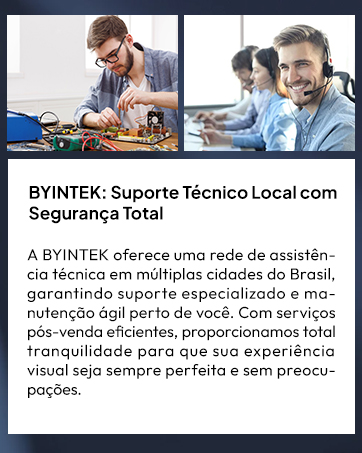
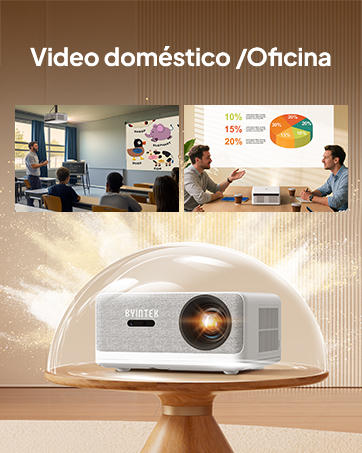
10 paveikslas: BYINTEK provides local technical support and customer service.


