Įvadas
The HWWR MS82 Portable Karaoke Machine is designed to provide an immersive audio experience with its professional acoustics, including a 5.5-inch tweeter and woofer. It delivers high-volume sound without distortion, suitable for various environments. Featuring intelligent DSP for adjustable reverb and EQ settings, it creates a 3D surround sound experience. The system includes dual 2.4G wireless microphones for stable, delay-free connection within 10 meters, allowing freedom of movement. Its compact and portable design, along with multiple connectivity options, makes it versatile for home parties, outdoor events, and personal entertainment.
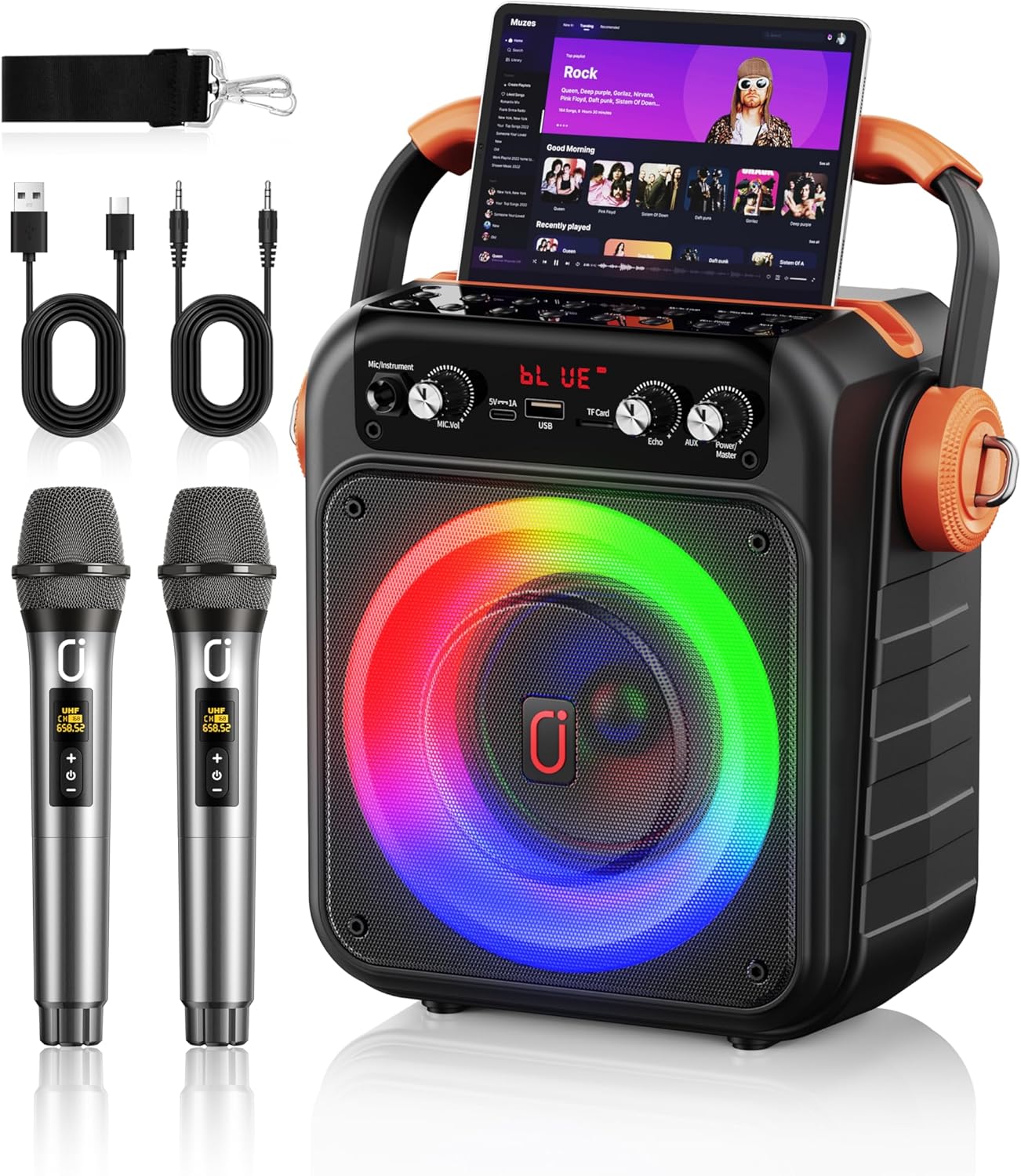
Image: The HWWR MS82 Portable Karaoke Machine, showcasing the main unit, two wireless microphones, charging cables, and a shoulder strap.
Kas yra dėžutėje
- 1x HWWR MS82 Karaoke Speaker
- 2x belaidžiai mikrofonai
- 1x AUX laidas
- 1x įkrovimo laidas (C tipo)
- 1x petnešėlė
- 1x vartotojo vadovas

Image: All components included in the HWWR MS82 package, neatly arranged.
Produktas baigtasview
Valdymo skydas (viršuje View)

Image: Close-up of the top control panel, highlighting buttons for Mode/Loop, Rec/Playback, Priority Mic/Vocal Accompany, Prev/Rewind, Next, Play/Pause/Pair, and number/light controls.
Control Panel (Front View)

Image: Close-up of the front control panel, indicating Mic Vol, Mic In, Type-C Charging, USB Port, TF Card slot, Echo knob, AUX In, and Power/Speaker Vol knob.
Mikrofonas baigtasview

Image: The two wireless microphones, highlighting their stable connection, channel display, and universal compatibility. Note: 3A batteries are required and not included.
Sąranka
Garsiakalbio įkrovimas
Before first use, fully charge the karaoke speaker. Connect the provided Type-C charging cable to the speaker's Type-C port and a suitable USB power adapter (not included). The speaker features a power display and fast charging capabilities, providing 8-12 hours of playtime after a 3-hour charge.
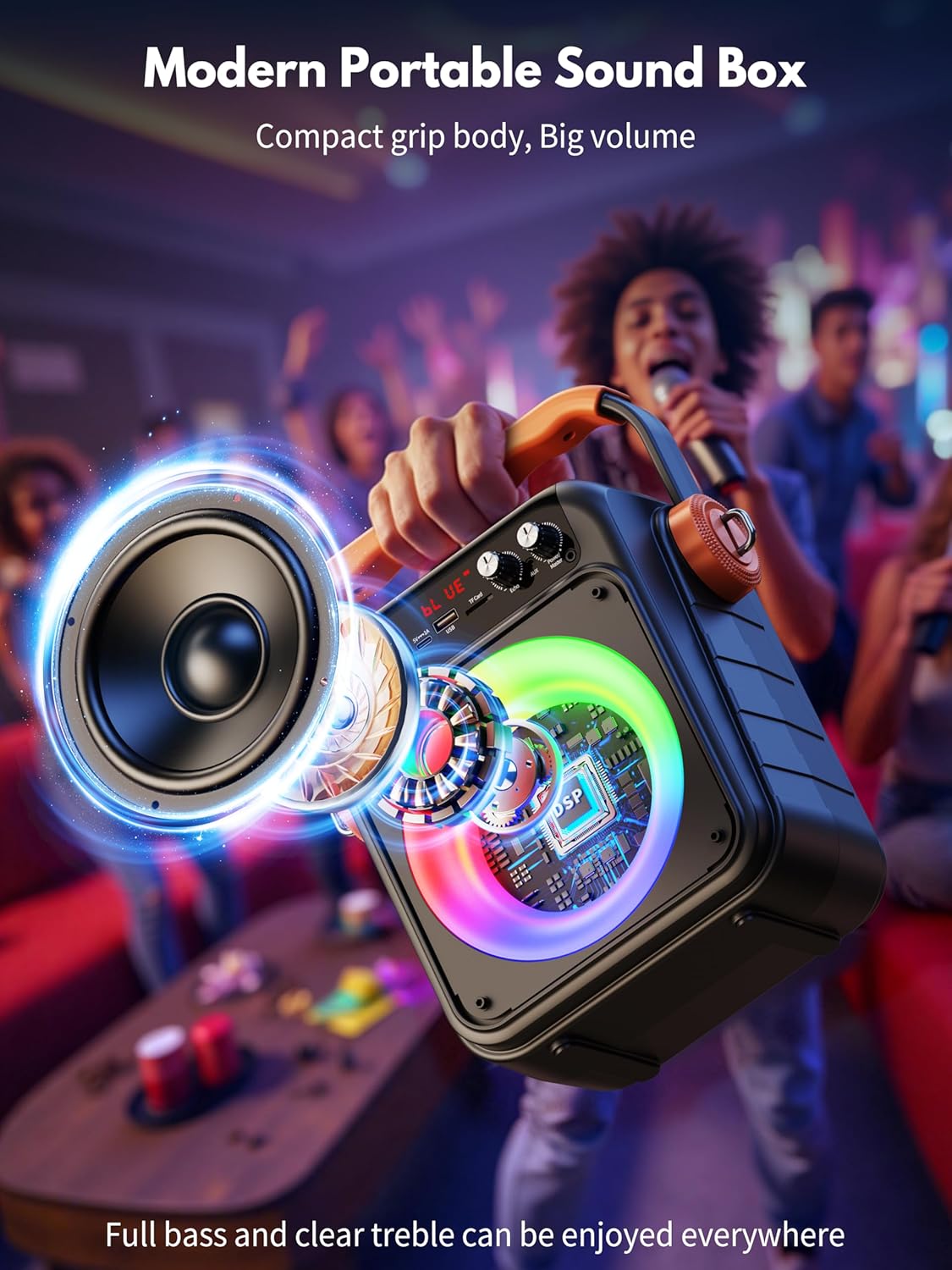
Image: The HWWR MS82 speaker connected to a charger, illustrating its portable charging feature and battery capacity.
Mikrofono baterijos montavimas
Each wireless microphone requires 3A batteries (not included). Open the battery compartment at the bottom of the microphone and insert the batteries, ensuring correct polarity.
Naudojimo instrukcijos
Maitinimo įjungimas/išjungimas
Turn the 'Power/Speaker Vol' knob clockwise to power on the speaker. Turn it counter-clockwise until it clicks to power off.
"Bluetooth" poravimas
The HWWR MS82 features Bluetooth 5.3 for stable wireless connection.
- Turn on Bluetooth on your phone, tablet, or TV (compatible with both iPhone and Android).
- Power on the HWWR MS82 speaker. It will automatically enter Bluetooth pairing mode, indicated by 'BLUE' on the display.
- Scroll through the available devices on your device and find 'HWWR MS82'.
- Tap to pair. Once connected, you can play your favorite music through the speaker.

Image: Visual guide for Bluetooth setup, showing a phone connecting to the MS82 speaker.
USB/TF kortelės atkūrimas
Insert a USB drive or TF card into the respective port on the speaker. The speaker will automatically detect and play audio files from the storage device. Use the 'Prev/Rewind', 'Next', and 'Play/Pause' buttons to control playback.
AUX įvestis
Connect an external audio device (e.g., MP3 player, computer) to the speaker's AUX IN port using the provided AUX cable. The speaker will switch to AUX mode, and audio from the connected device will play.
Mikrofono naudojimas
Once the microphones are powered on and paired, you can adjust their volume using the 'Mic Vol' knob and add echo effects using the 'Echo' knob on the speaker's control panel. The microphones ensure stable, delay-free connection.
TWS (True Wireless Stereo) ryšys
For an enhanced stereo experience, two HWWR MS82 speakers can be connected wirelessly.
- Ensure both MS82 speakers are powered on and not connected to any Bluetooth device.
- Long press the 'Mode/Loop' button on one of the speakers. It will enter TWS pairing mode.
- The two speakers will automatically pair with each other. Once paired, they will function as a stereo pair.
- Connect your Bluetooth device to the primary speaker (the one you initiated TWS pairing on).

Image: Illustration of the TWS connection method, showing two speakers linked wirelessly to a single device for stereo audio.
Disko šviestuvai
The speaker features colorful disco lights that enhance the party atmosphere. These lights can be controlled or toggled using the 'Num & Light' button on the top control panel.

Image: The MS82 speaker with its vibrant, multi-colored disco lights active, adding visual flair to the audio experience.
Produkto vaizdo įrašas
Video: An introduction to the HWWR MS82 Light Karaoke Machine with two microphones, provided by the seller HSDZ US. This video demonstrates the product's features and functionality.
Priežiūra
- Valymas: Use a soft, dry cloth to clean the speaker and microphones. Avoid using abrasive cleaners or solvents.
- Saugykla: Laikykite prietaisą vėsioje, sausoje vietoje, apsaugotoje nuo tiesioginių saulės spindulių ir ekstremalių temperatūrų.
- Akumuliatoriaus priežiūra: Norėdami optimalaus baterijos veikimo laiko, venkite dažnai visiškai iškrauti garsiakalbį. Reguliariai jį įkraukite, net jei ilgą laiką nenaudojate.
- Mikrofono priežiūra: Ensure microphones are kept dry. Remove batteries if storing for long periods to prevent leakage.
Trikčių šalinimas
| problema | Galima priežastis | Sprendimas |
|---|---|---|
| Garsiakalbis neįsijungia | Low battery; Power knob not turned sufficiently. | Charge the speaker; Turn the 'Power/Speaker Vol' knob fully clockwise. |
| Nepavyksta prisijungti per Bluetooth | Bluetooth not enabled on device; Speaker not in pairing mode; Device compatibility issue. | Ensure Bluetooth is on; Restart speaker to enter pairing mode; Try connecting with a different device (e.g., iPad instead of phone). |
| Mikrofonai neveikia | Microphone batteries low or incorrectly installed; Microphone not paired. | Replace or correctly install 3A batteries; Ensure microphones are powered on and automatically paired with the speaker. |
| Nėra garso iš garsiakalbio | Volume too low; Incorrect input mode selected; Cables not properly connected. | Increase 'Power/Speaker Vol' knob; Ensure correct mode (Bluetooth, USB, AUX) is active; Check cable connections. |
| Echo effect too strong/weak | 'Echo' knob setting. | Adjust the 'Echo' knob to desired level. |
Specifikacijos
| Funkcija | Detalė |
|---|---|
| Modelio numeris | MS82 |
| Gaminio matmenys | 4 x 3.5 x 9 colio |
| Prekės svoris | 4 svaro |
| Prekės ženklas | HWWR |
| Spalva | Juoda |
| Maitinimo šaltinis | Maitinamas baterijomis |
| Bluetooth versija | 5.3 |
| Ryšys | „Bluetooth“, USB, TF kortelė, AUX |
| Mikrofonai | 2 Wireless Microphones (2.4G) |
| Garsiakalbio savybės | 5.5-inch tweeter and woofer, DSP, Disco Lights |
| Baterijos veikimo laikas | 8-12 hours playtime (approx.) |
| Įkrovimo laikas | 3 valandų (maždaug) |
Garantija ir palaikymas
HWWR upholds strict quality standards for the MS82 karaoke machine. For any product-related inquiries or support, please contact HWWR customer service. Refer to the included user manual for specific warranty details and contact information.


