Įvadas
The pTron TagNet X1 is an MFi certified item finder designed to help you locate your personal belongings using the Apple Find My network on your iOS devices. This manual provides essential information on setting up, operating, and maintaining your TagNet X1 to ensure optimal performance and security for your valuables.
Pakuotės turinys
- 1 x pTron TagNet X1 Item Finder
- 1 x Vartotojo vadovas
Produktas baigtasview
The pTron TagNet X1 is a compact and lightweight item finder equipped with several features to help you keep track of your belongings:
- MFi sertifikatas: Ensures seamless compatibility and performance with iOS devices.
- „Apple“ raskite mano tinklą: Utilizes Apple's extensive network for accurate location tracking.
- 80dB Buzzer: Emits a loud sound to help locate items within close proximity.
- Anti-Lost Alerts: Notifies you if you leave an item behind.
- 1 metų baterijos veikimo laikas: Features a replaceable coin battery for extended use.
- Patvari medžiaga: Constructed from Acrylonitrile Butadiene Styrene (ABS) for resilience.

Image: The pTron TagNet X1 is lightweight, compact, made of durable material, and features a replaceable coin battery with a 1-year life.

Image: The pTron TagNet X1 can be used for various items such as keychains, bags, pets, and suitcases.
Sąranka
Follow these steps to connect your pTron TagNet X1 to your iOS device:
- Suaktyvinkite TagNet X1: Paspauskite mygtuką ant TagNet X1 device. The locator will beep, indicating it is ready for pairing.
- Atidarykite programėlę „Rasti mano“: On your iOS device, open the pre-installed 'Find My' app and ensure Bluetooth is turned on.
- Pridėti naują elementą: In the 'Find My' app, tap the '+' icon and select 'Add Item'.
- Select Other Item: Choose the 'Other Item' option from the list.
- Connect to PBX Finder: Your device will detect the 'PBX Finder'. Tap 'Connect'.
- Užbaigti sąranką: Rename your TagNet X1 device as desired and tap 'Agree' to link it to your Apple ID and finish the setup process.

Image: Step-by-step guide for connecting the pTron TagNet X1 to your iOS device via the Find My app.
Naudojimo instrukcijos
Jūsų prekės vietos nustatymas
Once connected, you can locate your item using the 'Find My' app:
- Paleisti garsą: Open the 'Find My' app, select your TagNet X1, and tap 'Play Sound'. The device will emit an 80dB buzzer sound, helping you find it if it's nearby.
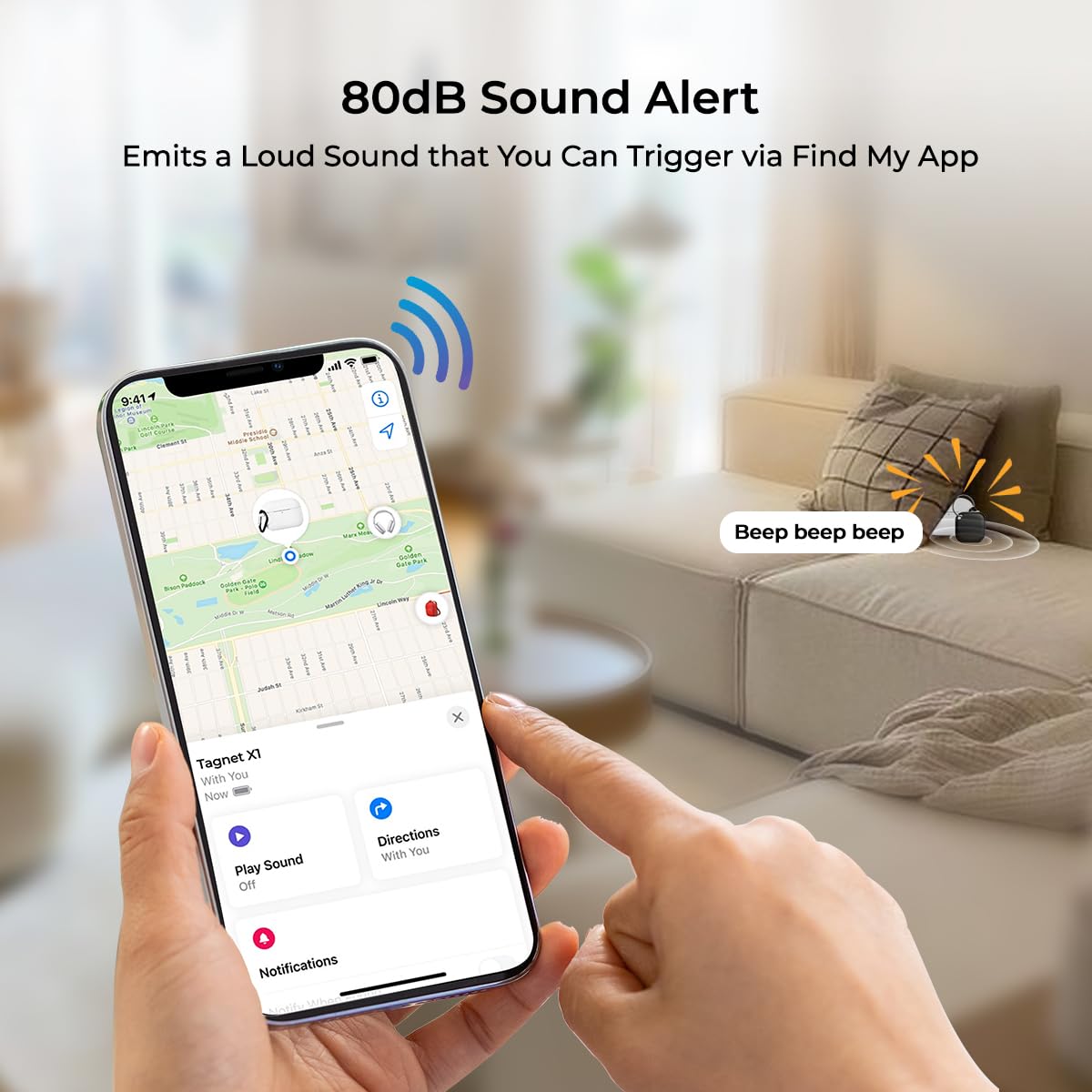
Image: The 80dB sound alert feature of the pTron TagNet X1, triggered via the Find My app.
Paliktas priminimas
Receive instant notifications if you accidentally leave your item behind:
- The 'Find My' app will alert you on your iPhone whenever your TagNet X1 disconnects from Bluetooth range, indicating the item has been left behind.

Image: The 'Left Behind Reminder' feature notifies you when your item disconnects from your iPhone's Bluetooth range.
Prarastas režimas
If your item is lost, activate Lost Mode in the 'Find My' app to:
- Receive notifications when your item is detected by another device on the Find My network.
- View your item's last known location on a map.
Shared Tracking
The TagNet X1 supports shared tracking, allowing multiple users to locate an item:
- Group members can view the item's location, play a sound, and use precise tracking to find it easily.

Image: Shared tracking allows multiple users to locate an item and use precise tracking.
Priežiūra
Baterijos keitimas
The pTron TagNet X1 uses a replaceable coin battery with an average life of 1 year. When the battery is low, you will receive a notification on your iOS device. To replace the battery:
- Carefully open the TagNet X1 casing.
- Išimkite seną monetų bateriją.
- Insert a new compatible coin battery, ensuring correct polarity.
- Uždarykite casing saugiai.
Valymas
Wipe the device with a soft, dry cloth. Avoid using harsh chemicals or abrasive materials, as these can damage the device.
Trikčių šalinimas
| Problema | Galimas sprendimas |
|---|---|
| Device not pairing with iPhone |
|
| Signalas neskamba |
|
| Location not updating or inaccurate |
|
| Įrenginys dažnai atsijungia |
|
Specifikacijos
| Funkcija | Detalė |
|---|---|
| Prekės ženklas | pTronas |
| Modelis | TagNet X1 |
| Gaminio matmenys | 3 x 3 x 1 cm |
| Prekės svoris | 20 g |
| Ryšio technologija | Bluetooth |
| Palaikoma programa | Apple Find My |
| Ypatingos savybės | Alert Notification, Anti-Theft, Real Time Tracking, Shock Resistant, Weather Resistant |
| Suderinami įrenginiai | „iOS“ įrenginiai („iPhone“, „iPad“ ir kt.) |
| Baterijos tipas | Replaceable Coin Battery |
| Vidutinis akumuliatoriaus veikimo laikas | 1 metai |
| Medžiaga | Akrilnitrilo butadieno stirenas (ABS) |
Informacija apie garantiją
The pTron TagNet X1 typically comes with a standard manufacturer's warranty. Please refer to your purchase documentation or contact customer support for specific warranty terms and duration. Extended warranty options may also be available from third-party providers.
Palaikymas
For technical assistance, product inquiries, or warranty claims, please contact pTron customer support:
- El. paštas: support@ptron.in
- Telefonas: 040-67138888
Manufacturer Address: Palred Electronics Pvt. Ltd., SY.NO. 56, 1ST FLOOR, GUNDLAPOCHAMPALLY VILLAGE, TECHNOLOGIJŲ PARKAS MTP, TSIIC-IALA NACHARAM, HAIDARABADAS - 500076, TELANGANA, INDIJA.