Įvadas
This manual provides detailed instructions for setting up, operating, and maintaining your Gamrombo Wireless Gaming Controller, Model RH-102A. Please read this manual thoroughly before use to ensure proper functionality and to maximize your gaming experience. This controller is designed for use with Xbox One, Xbox Series X/S, PC, Android, and iOS devices.

Vaizdas: priekis view of the Gamrombo Wireless Gaming Controller, showcasing its black design with vibrant RGB lighting on the joysticks, buttons, and grip areas.
Sąranka
Pakuotės turinys
- Gamrombo Wireless Gaming Controller (Model RH-102A)
- USB Charging/Data Cable (assumed)
- Vartotojo vadovas (šis dokumentas)
Akumuliatoriaus montavimas
The controller requires dvi (2) AA baterijos (not included) for wireless operation. Locate the battery compartment on the back of the controller, open the cover, insert the batteries according to the polarity indicators, and close the cover securely.
Valdiklio prijungimas
The Gamrombo controller supports multiple connection methods: Wireless (for Xbox), Bluetooth (for PC, Android, iOS), and Wired (for PC).

Vaizdas: Viršview of the controller highlighting its compatibility with various platforms including PC, Mac, Android, iOS, and Steam.
1. Wireless Connection (Xbox Consoles)
- Ensure your Xbox console (Xbox Series X, Xbox Series S, Xbox One S, Xbox One X) is powered on.
- Paspauskite ir palaikykite Pagrindinis mygtukas on the controller until the LED indicator begins to flash, indicating pairing mode.
- On your Xbox console, press the Poravimo mygtukas (usually located on the front or side of the console).
- The controller's LED will become solid when successfully paired.
- Svarbi pastaba: Due to Xbox system updates, third-party controllers may require a software update to maintain compatibility. If you experience pairing issues, please visit the Gamrombo support website for the latest software updates and instructions.
2. Bluetooth Connection (PC, Android, iOS)
- Ensure the controller has sufficient battery power.
- Activate Bluetooth on your device (PC, Android, iOS).
- Paspauskite ir palaikykite Bluetooth poravimo mygtukas (refer to controller diagram for exact location, often a small button near the top) until the LED indicator flashes rapidly.
- On your device, search for new Bluetooth devices and select "Gamrombo Controller" (or similar name) from the list.
- The controller's LED will become solid when successfully paired.
3. Wired Connection (PC)
- Connect one end of the USB cable to the controller's USB port.
- Connect the other end of the USB cable to an available USB port on your PC.
- Jūsų kompiuteris turėtų automatiškai atpažinti valdiklį. Tvarkyklės gali būti įdiegtos automatiškai.
Naudojimo instrukcijos
Mygtuko išdėstymas
Familiarize yourself with the controller's button layout for optimal use.
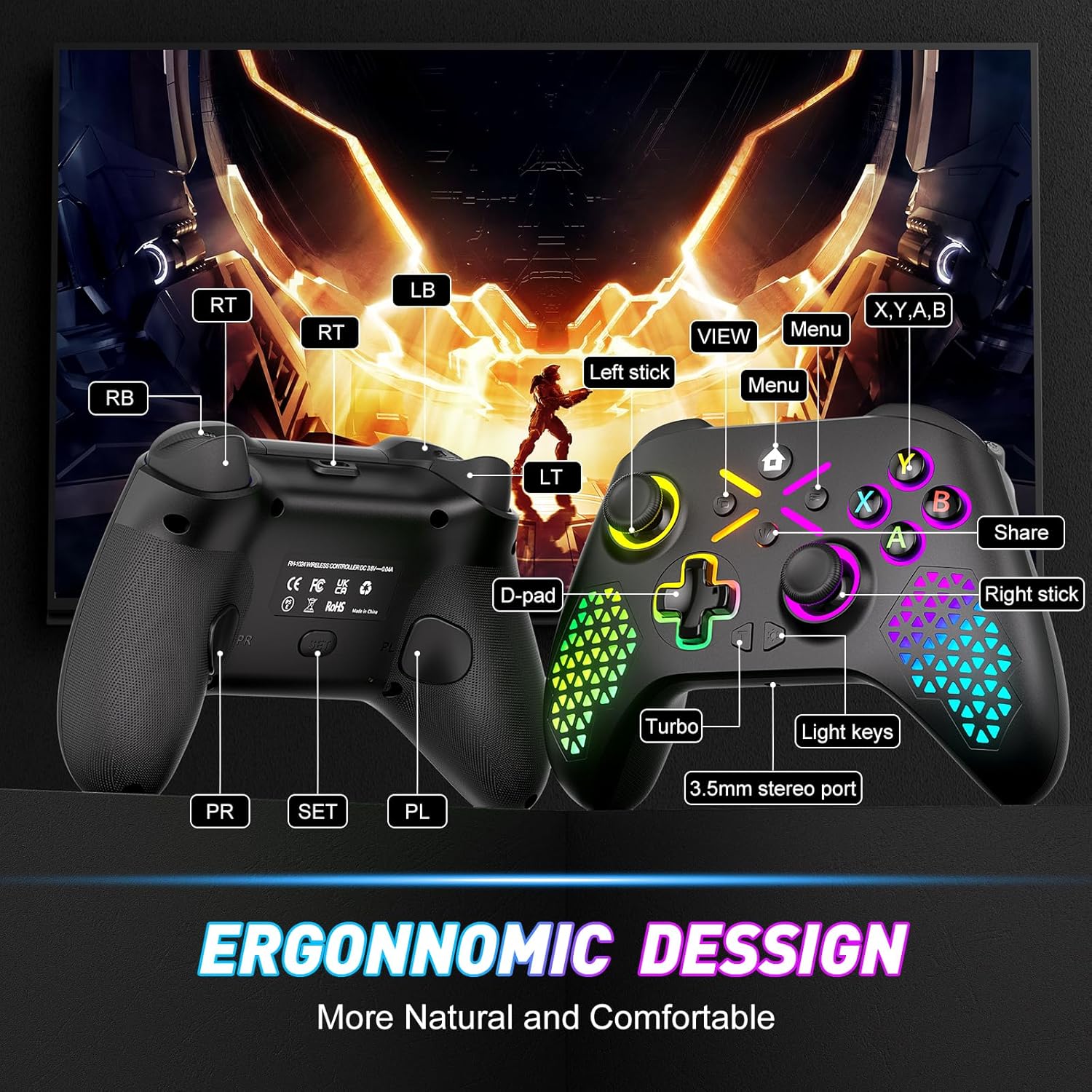
Image: Diagram illustrating the front and back button layout of the Gamrombo controller, labeling joysticks, D-pad, A/B/X/Y buttons, triggers, bumpers, Home, View, Menu, Share, Turbo, Light keys, 3.5mm stereo port, and programmable back paddles (PR/PL).
Specialios funkcijos
1. TURBO funkcija
The TURBO function allows for rapid-fire action by repeatedly pressing a button as long as it is held down. This can provide a competitive edge in certain games.

Image: Close-up of the controller with an overlay explaining the TURBO function, showing different rapid-fire rates (5/s, 12/s, 20/s) and the 'T' button icon.
- Norėdami suaktyvinti: Paspauskite ir palaikykite TURBO button (T), then press the desired action button (e.g., A, B, X, Y, LB, RB, LT, RT). The button will now have TURBO functionality.
- Norėdami reguliuoti greitį: While holding the TURBO button, move the Dešinysis analoginis vairasvirtės aukštyn arba žemyn to cycle through different TURBO speeds (e.g., 5/s, 12/s, 20/s).
- Norėdami išjungti: Paspauskite ir palaikykite TURBO button (T), tada dar kartą paspauskite tą patį veiksmo mygtuką.
2. Macro Programming (Back Paddles)
The controller features two back-mappable buttons (PR and PL) that can be programmed with up to 16 button inputs, allowing for complex actions with a single press.

Vaizdas: Galinis view of the controller highlighting the PR and PL programmable back paddles and the 'SET' button, with an illustration of how multiple button presses can be mapped to a single paddle.
- Norėdami įjungti programavimo režimą: Paspauskite SET mygtukas (located on the back of the controller). The indicator light will flash.
- Į programą: Paspauskite arba PR or PL paddle you wish to program. Then, input the sequence of up to 16 buttons you want to map.
- Išsaugoti: Paspauskite SET mygtukas again to exit programming mode. The indicator light will stop flashing.
- To Clear Macro: Enter programming mode, press the PR or PL paddle, then press the SET button again without inputting any sequence.
3. RGB apšvietimo pritaikymas
Customize the controller's RGB lighting with 7 colors and multiple lighting modes to match your preference.

Image: Visual representation of different RGB lighting modes including Breathing LED Mode, Fixed LED Mode, Flickering LED Mode, and Single Zone Mode, with color options.
- To Change Color/Mode: Paspauskite Šviesos raktas (refer to button layout diagram) to cycle through 7 bright colors and various lighting modes (multi-zone, breathing, solid).
- Norėdami reguliuoti ryškumą: Laikykite Šviesos raktas ir naudokite Left Analog Stick Up or Down reguliuoti ryškumo lygį.
4. 6 ašių giroskopinis jutiklis
The built-in 6-axis gyroscope provides more accurate somatosensory control, enhancing immersion in games that support motion sensing.
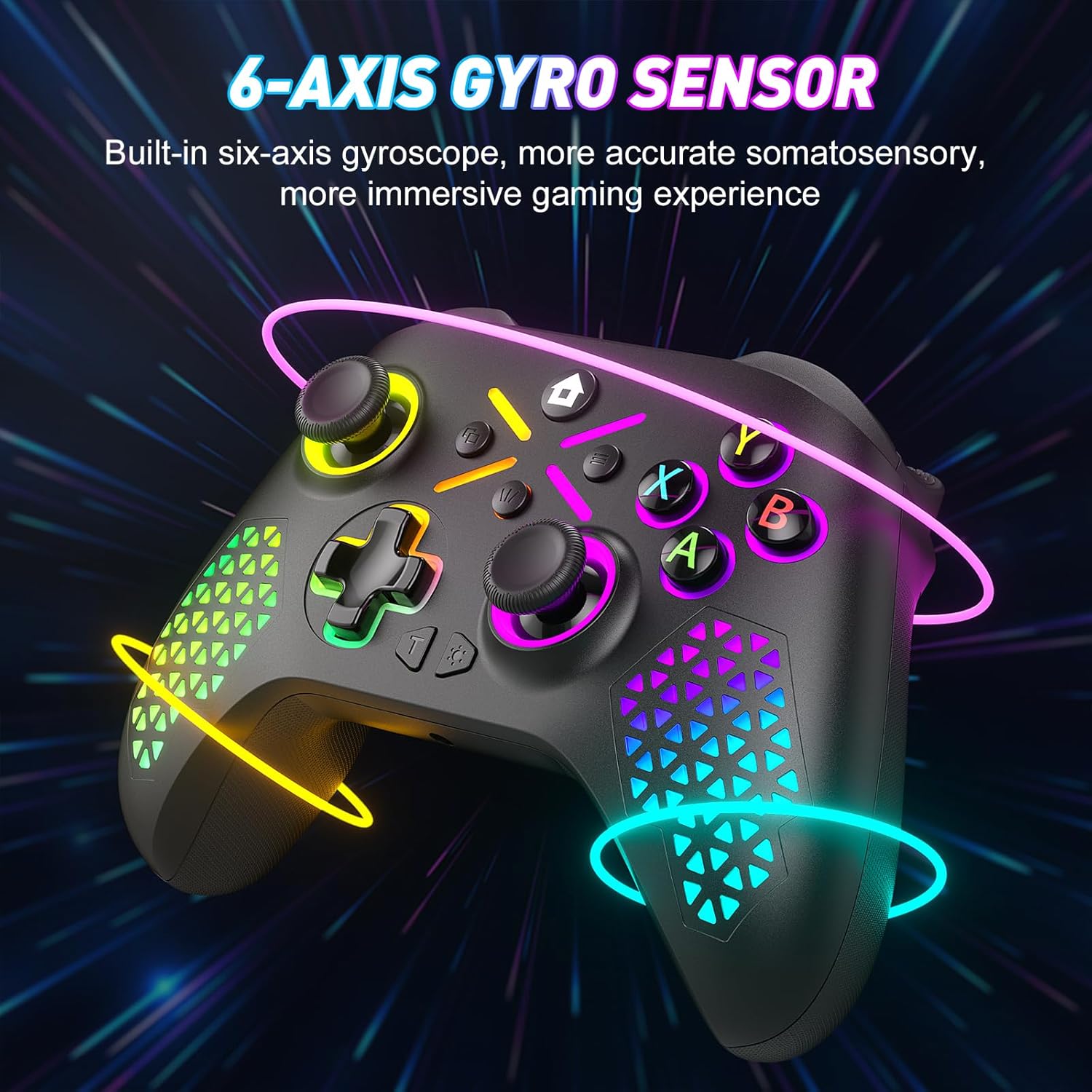
Image: The controller shown with glowing lines indicating motion, illustrating the 6-axis gyro sensor functionality for immersive gaming.
5. 3.5 mm garso lizdas
Connect your compatible headset to the 3.5mm audio jack for in-game audio and communication.

Image: A split image showing the 6-axis gyro sensor on one side and the adjustable vibration feature with the 3.5mm audio jack on the other, emphasizing enhanced game immersion.
Priežiūra
Valymas
- Use a soft, dry cloth to wipe the surface of the controller.
- Įsisenėjusiam purvui šiek tiek pamirkykiteampNuvalykite šluostę vandeniu arba švelniu valymo tirpalu. Venkite stiprių cheminių medžiagų.
- Neleiskite skysčiams patekti į valdiklio angas.
Sandėliavimas
- Laikykite valdiklį vėsioje, sausoje vietoje, apsaugotoje nuo tiesioginių saulės spindulių ir ekstremalių temperatūrų.
- If storing for an extended period, remove the AA batteries to prevent leakage.
Trikčių šalinimas
Bendros problemos ir sprendimai
- Controller not pairing with Xbox:
Ensure the controller has fresh batteries. Verify that the controller's software is up-to-date. Xbox system updates can sometimes affect third-party controller compatibility. Visit the Gamrombo support website for the latest software updates and detailed pairing instructions. - Controller not connecting via Bluetooth/Wired:
Check battery levels. For wired connection, ensure the USB cable is securely connected to both the controller and the PC. For Bluetooth, ensure Bluetooth is enabled on your device and the controller is in pairing mode. Try restarting both the controller and the device. - Buttons or Joysticks not responding:
Check for any physical obstructions or debris around the buttons or joysticks. Ensure the controller has sufficient power. If the issue persists after a drop, internal damage may have occurred, which might not be repairable or covered under warranty. - RGB lights not working or incorrect:
Ensure the controller has power. Try cycling through the light modes and adjusting brightness using the Light Key. - Ryšys nutrūksta dažnai:
Ensure you are within the 10m (32.8ft) wireless range. Minimize interference from other wireless devices. Ensure the controller's software is updated.
Specifikacijos
Techninės detalės
| Modelio numeris | RH-102A |
| ASIN | B0FWCDB6F |
| Gamintojas | Gamrombo |
| Ryšys | Wireless (WiFi), Bluetooth, Wired (USB) |
| belaidis diapazonas | Iki 10 metrų (32.8 pėdų) |
| Baterijos tipas | 2 x AA baterijos (į komplektą neįeina) |
| Prekės svoris | 10.5 uncijos |
| Pakuotės matmenys | 12.68 x 9.88 x 0.55 colio |
| Pirmoji laisva data | 15 m. spalio 2025 d |
Garantija ir palaikymas
Informacija apie garantiją
Specific warranty details for the Gamrombo Wireless Gaming Controller are not provided within this manual. For information regarding warranty coverage, terms, and conditions, please refer to the product packaging or contact Gamrombo customer support directly.
Pagalba klientams
If you encounter any issues or have questions not addressed in this manual, please contact Gamrombo customer support. Contact information can typically be found on the product packaging, the official Gamrombo websvetainėje arba per pirkimo vietą.


