1. Įvadas
Thank you for choosing the GOBOULT Mustang Thunder Bluetooth Headphones. This manual will guide you through the features, setup, and operation of your new headphones, ensuring an optimal audio experience. Please read these instructions carefully before use.

Image 1.1: GOBOULT Mustang Thunder Bluetooth Headphones in Silver Black.
2. Pakuotės turinys
Įsitikinkite, kad jūsų siuntinyje yra visi daiktai:
- GOBOULT Mustang Thunder Bluetooth Headphones
- C tipo USB įkrovimo laidas
- 3.5 mm garso kabelis (laidiniam prijungimui)
- Vartotojo vadovas
3. Produktas baigtasview
Susipažinkite su pagrindiniais ausinių komponentais ir valdikliais.

Image 3.1: Illustration of tactile controls and AI Voice Assistant feature on the headphone.
Pagrindinės funkcijos:
- 40mm Bass Drivers: For powerful and immersive sound.
- Zen ENC Mic: Aplinkos triukšmo slopinimas aiškiems skambučiams.
- Bluetooth v5.4: Stable and low-latency wireless connectivity.
- C tipo greitas įkrovimas: Efficient power replenishment.
- 70 valandų žaidimo laikas: Prailgintas baterijos veikimo laikas ilgesniam naudojimui.
- 4 ekvalaizerio garso režimai: Customizable audio profiles (Rock, Pop, Vocal, Bass).
- 3 Brightness LED Modes: Adjustable LED lighting on the earcups.
4. Sąranka ir pirmasis naudojimas
4.1 Ausinių įkrovimas
Prieš pirmą kartą naudodami, visiškai įkraukite ausines.
- Prijunkite USB C tipo įkrovimo laidą prie ausinių įkrovimo prievado.
- Kitą laido galą prijunkite prie USB maitinimo adapterio (nepridedamas) arba kompiuterio USB prievado.
- The LED indicator will show charging status. It will turn off or change color once fully charged.
A full charge provides up to 70 hours of playtime without LED lights, or 50 hours with LED lights active.
4.2 Įjungimas / išjungimas
- Norėdami įjungti: Paspauskite ir palaikykite maitinimo mygtuką maždaug 3 sekundes, kol užsidegs LED indikatorius.
- Norėdami išjungti: Paspauskite ir palaikykite maitinimo mygtuką maždaug 3 sekundes, kol užges LED indikatorius.
4.3 Bluetooth poravimas
Pair your headphones with a Bluetooth-enabled device.
- Įsitikinkite, kad ausinės yra išjungtos.
- Paspauskite ir palaikykite maitinimo mygtuką 5–7 sekundes, kol LED indikatorius pakaitomis mirksės raudonai ir mėlynai, rodydamas susiejimo režimą.
- Savo įrenginyje (išmaniajame telefone, planšetiniame kompiuteryje, kompiuteryje) įjunkite „Bluetooth“ ir ieškokite galimų įrenginių.
- Select "GOBOULT Mustang Thunder" from the list of found devices.
- Prijungus, LED indikatorius lėtai mirksės mėlynai arba šviečia mėlynai.
The headphones support Bluetooth v5.4 for a stable connection up to 10 meters.
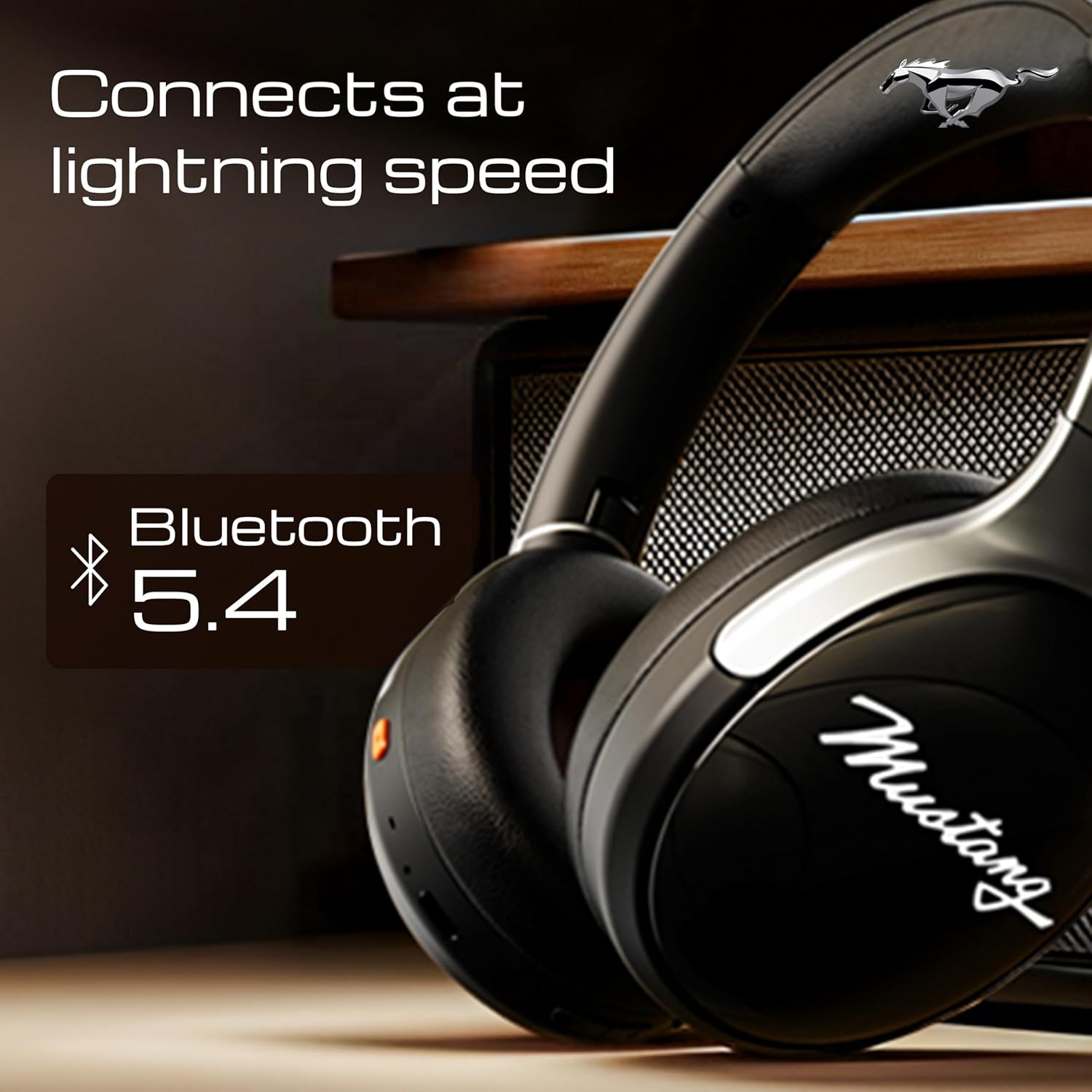
Image 4.1: Bluetooth 5.4 connectivity for fast and stable pairing.
5. Naudojimo instrukcijos
5.1 Muzikos atkūrimas
- Leisti / pristabdyti: Vieną kartą paspauskite daugiafunkcį mygtuką.
- Kitas takelis: Paspauskite ir palaikykite garsumo didinimo mygtuką.
- Ankstesnis takelis: Paspauskite ir palaikykite garsumo mažinimo mygtuką.
- Pagarsink: Trumpai paspauskite garsumo didinimo mygtuką.
- Patildyti: Trumpai paspauskite garsumo mažinimo mygtuką.
5.2 Skambučių valdymas
The integrated Zen ENC Mic ensures clear communication.

Image 5.1: Zen ENC Mic technology for noise-free communication.
- Atsiliepti / Baigti skambutį: Vieną kartą paspauskite daugiafunkcį mygtuką.
- Atmesti skambutį: Paspauskite ir 2 sekundes palaikykite daugiafunkcį mygtuką.
- Perrink paskutinį numerį: Du kartus paspauskite daugiafunkcinį mygtuką.
5.3 EQ garso režimai
Customize your audio experience with 4 distinct EQ modes.
- Perjungti režimus: Press the EQ button (refer to product diagram for location) to cycle through Rock, Pop, Vocal, and Bass modes.
5.4 LED apšvietimo režimai
Activate and change the dynamic LED lights on your earcups.

Image 5.2: Dynamic LED lights and glowing Mustang emblem on the headphones.
- Activate/Change Modes: Press the LED button (refer to product diagram for location) to cycle through the 3 brightness LED modes.
5.5 Dirbtinio intelekto balso asistentas
Access your device's voice assistant directly from the headphones.
- Suaktyvinti: Triple-press the Multi-function button to activate Google Assistant or your device's default voice assistant.
5.6 Laidinis ryšys (AUX režimas)
Use the included 3.5mm audio cable for a wired connection, conserving battery or connecting to non-Bluetooth devices.
- Prijunkite vieną 3.5 mm garso kabelio galą prie ausinių AUX prievado.
- Kitą galą prijunkite prie savo įrenginio 3.5 mm garso lizdo.
- The headphones will automatically switch to AUX mode.
6. Priežiūra ir priežiūra
Tinkama priežiūra užtikrina ausinių ilgaamžiškumą ir našumą.
- Valymas: Ausinėms valyti naudokite minkštą, sausą šluostę. Nenaudokite stiprių cheminių medžiagų ar abrazyvinių medžiagų.
- Saugykla: Store the headphones in a cool, dry place, away from direct sunlight and extreme temperatures. The foldable design allows for compact storage.
- Atsparumas vandeniui: Ausinės yra atsparios vandeniui. Venkite jų panardinti į vandenį ir saugoti nuo stipraus lietaus.
- Baterija: To preserve battery life, charge the headphones at least once every three months if not in regular use.
7. Problemų sprendimas
Jei kyla problemų, žr. šiuos įprastus sprendimus:
| Problema | Galima priežastis | Sprendimas |
|---|---|---|
| Ausinės neįsijungia | Senka baterija | Visiškai įkraukite ausines naudodami pridedamą C tipo laidą. |
| Nepavyksta susieti su įrenginiu | Ausinės neįjungtos susiejimo režimu; įrenginyje išjungtas „Bluetooth“; įrenginys per toli | Ensure headphones are in pairing mode (flashing red/blue). Turn on Bluetooth on your device. Move device closer to headphones (within 10m). |
| Atkūrimo metu nėra garso | Per mažas garsumas; netinkamas garso šaltinis; neprijungtos ausinės | Increase volume on headphones and device. Check if headphones are properly connected via Bluetooth or AUX. Ensure correct audio output is selected on your device. |
| Prasta skambučio kokybė | Environmental noise; weak Bluetooth connection | Move to a quieter environment. Ensure a stable Bluetooth connection. |
8. Specifikacijos
Detailed technical specifications for the GOBOULT Mustang Thunder Bluetooth Headphones:
| Funkcija | Specifikacija |
|---|---|
| Modelio pavadinimas | Airbass |
| Ryšio technologija | Belaidis ryšys („Bluetooth“ v5.4) |
| Bluetooth diapazonas | 10 metrų |
| Garso tvarkyklės dydis | 40 milimetrų |
| Dažnio atsakas | 20 Hz |
| Jautrumas | 118 dB |
| Ausinės Jack | 3.5 mm lizdas |
| Baterijos veikimo laikas (žaidimo laikas) | Up to 70 Hours (without LEDs), 50 Hours (with LEDs) |
| Baterijos sudėtis | Ličio polimeras |
| Įkrovimo prievadas | C tipo USB |
| Prekės svoris | 234 gramų |
| Gaminio matmenys | 18 x 5 x 19.5 cm |
| Atsparumo vandeniui lygis | Atsparus vandeniui |
| Valdymo tipas | Button Control, Google Assistant |
9. Garantija ir palaikymas
9.1 Informacija apie garantiją
The GOBOULT Mustang Thunder Bluetooth Headphones come with a 1 metų gamintojo garantija from the date of purchase. This warranty covers manufacturing defects and ensures trusted performance and premium build quality.
Išsaugokite pirkimo įrodymą, kad galėtumėte kreiptis dėl garantijos.
9.2 Pagalba klientams
For any questions, technical assistance, or warranty claims, please contact GOBOULT customer support through their official websvetainę arba mažmenininką, iš kurio buvo pirktas produktas.


