Įvadas
This manual provides detailed instructions for the LEXiBOOK DMW060DINO Dinosaur Digital Watch. Please read this guide carefully to ensure proper use and maintenance of your watch.
Saugos informacija
WARNING: Small parts. Choking hazard. Not suitable for children under 3 years.
This product is designed for children aged 3 years and up. Adult supervision is recommended during initial setup and use.
Sąranka
Išpakavimas
Carefully remove the watch from its packaging. Ensure all components, including the watch and user guide, are present.
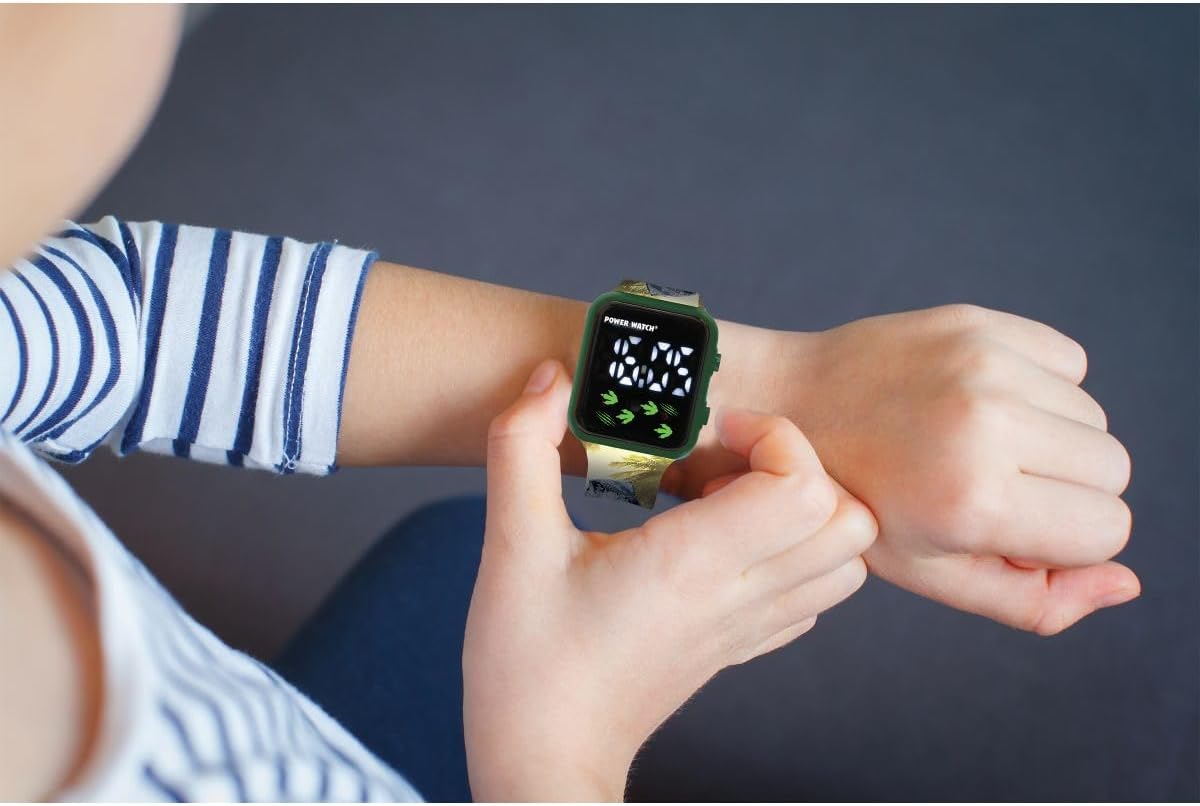
Image: The LEXiBOOK DMW060DINO Dinosaur Digital Watch displayed in its retail packaging, showing the watch face and dinosaur-themed strap.
Pradinis įjungimas / Baterija
The watch comes with a pre-installed battery. If the display is not active, press any button to activate it. If the watch does not turn on, the battery may need replacement. This watch uses a standard button cell battery. Consult a professional for battery replacement if needed.
Naudojimo instrukcijos
The LEXiBOOK DMW060DINO watch features a simple digital display with two buttons for operation, typically located on the right side of the watch case.
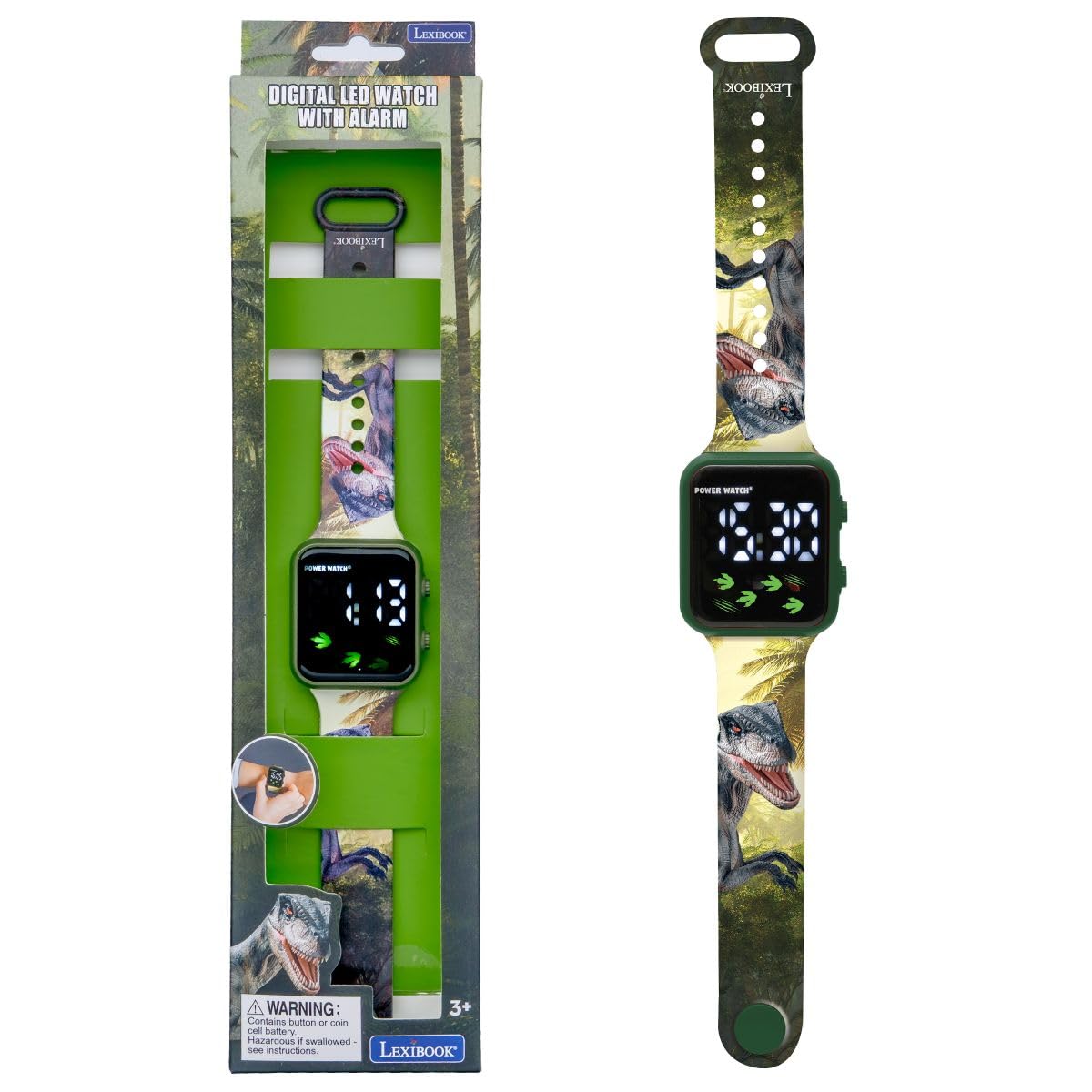
Vaizdas: Stambus planas view of the LEXiBOOK DMW060DINO watch face, displaying the time "12:30" digitally, with dinosaur footprints and claw marks as decorative elements.
Laiko nustatymas
- Paspauskite REŽIMAS button (usually the bottom right button) repeatedly until the time display starts flashing.
- Naudokite NUSTATYTI button (usually the top right button) to adjust the hours. Each press will advance the hour.
- Paspauskite REŽIMAS button again to move to the minutes setting. The minutes display will flash.
- Naudokite NUSTATYTI mygtuką norėdami sureguliuoti minutes.
- Paspauskite REŽIMAS button one more time to confirm the time and exit setting mode.

Image: A child's hand wearing the LEXiBOOK DMW060DINO watch, demonstrating how to interact with the side buttons.
12 valandų / 24 valandų formatas
During the time setting process, when adjusting the hours, you can cycle between 12-hour (AM/PM) and 24-hour formats. Continue pressing the NUSTATYTI button past 12 AM/PM or 23:00 to switch formats.
Checking Date
Vienu mygtuko paspaudimu REŽIMAS button (when not in setting mode) will typically cycle through time, date, and possibly seconds. Press the button briefly to view data.
Priežiūra
Valymas
To clean the watch, gently wipe it with a soft, dry cloth. For stubborn dirt, a slightly damp Galima naudoti šluostę, po kurios nedelsiant nusausinkite. Venkite naudoti stiprias chemines medžiagas ar abrazyvinius valiklius.
Atsparumas vandeniui
This watch is NOT water resistant. Avoid exposing it to water, moisture, or high humidity to prevent damage.
Sandėliavimas
Kai nenaudojate, laikrodį laikykite vėsioje, sausoje vietoje, toliau nuo tiesioginių saulės spindulių ir ekstremalių temperatūrų.
Trikčių šalinimas
Bendros problemos ir sprendimai
- Ekranas tuščias: The battery may be depleted. Replace the battery or consult a service center.
- Laikas neteisingas: Iš naujo nustatykite laiką vadovaudamiesi instrukcijomis skyriuje „Laiko nustatymas“.
- Mygtukai nereaguoja: Ensure the watch is not exposed to extreme temperatures or moisture. If the issue persists, the internal mechanism may be faulty.
If you encounter problems not listed here, please contact LEXiBOOK customer support.
Specifikacijos
| Funkcija | Detalė |
|---|---|
| Modelio numeris | DMW060DINO |
| Prekės ženklas | LEXiBOOK |
| Ekrano tipas | Skaitmeninis |
| Judėjimas | Kvarcas |
| Bylos medžiaga | Plastikiniai |
| Juostos medžiaga | Plastikiniai |
| Juostos spalva | Green with Dinosaur Pattern |
| Ciferblato spalva | Žalia |
| Atsparumo vandeniui lygis | Neatsparus vandeniui |
| Užsegimo tipas | Sagtis |
| Dirželio tipas | Reguliuojamas |
| Gaminio matmenys | 24 x 3.5 x 1.1 cm |
| Prekės svoris | 24.95 g (apie 0.06 svaro) |
| Rekomenduojamas amžius | 3 metai ir daugiau |
| Įtraukti komponentai | 1 Vartotojo vadovas |
Garantija ir palaikymas
Informacijos apie garantiją ir klientų aptarnavimą ieškokite prie pirkinio pridėtoje dokumentacijoje arba apsilankykite oficialioje „LEXiBOOK“ svetainėje. websvetainėje. Išsaugokite pirkimo įrodymą garantiniams reikalavimams.
For further assistance, you may contact LEXiBOOK customer service through their official channels.


