Įvadas
Welcome to the user manual for your Rapoo EV310M Wireless Vertical Mouse. This ergonomic mouse is designed for comfort and efficiency, featuring multi-mode wireless connectivity and adjustable DPI settings. Please read this manual carefully to ensure proper setup and optimal performance.
Pakuotės turinys
- Rapoo EV310M Wireless Vertical Mouse
- USB imtuvas (saugomas pelės viduje)
- AA baterija (iš anksto įdiegta arba pridėta)
- Greitos pradžios vadovas (šis dokumentas)
Produktas baigtasview
Familiarize yourself with the components of your Rapoo EV310M mouse.
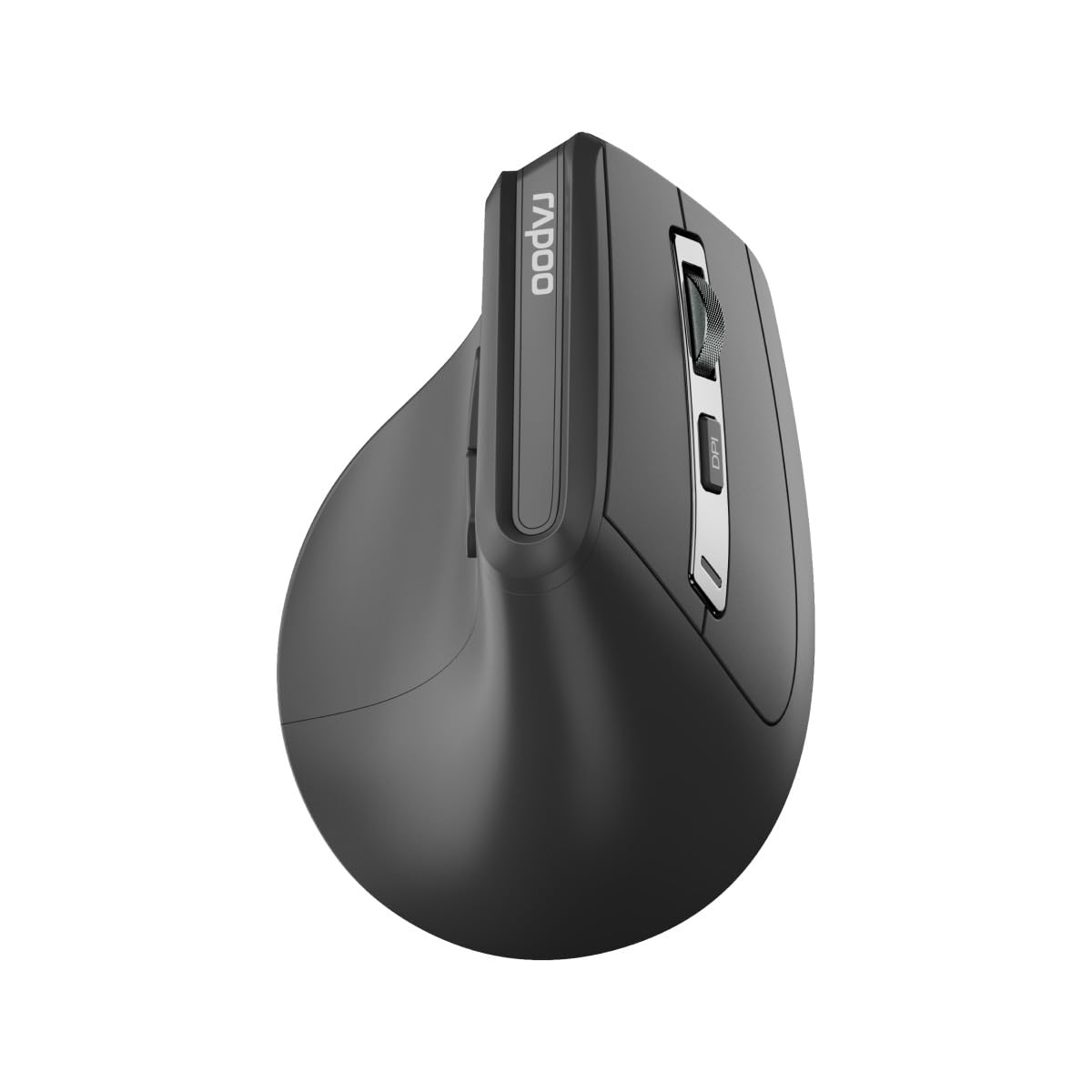
Vaizdas: Viršus view of the Rapoo EV310M Wireless Vertical Mouse, highlighting the scroll wheel and DPI button.
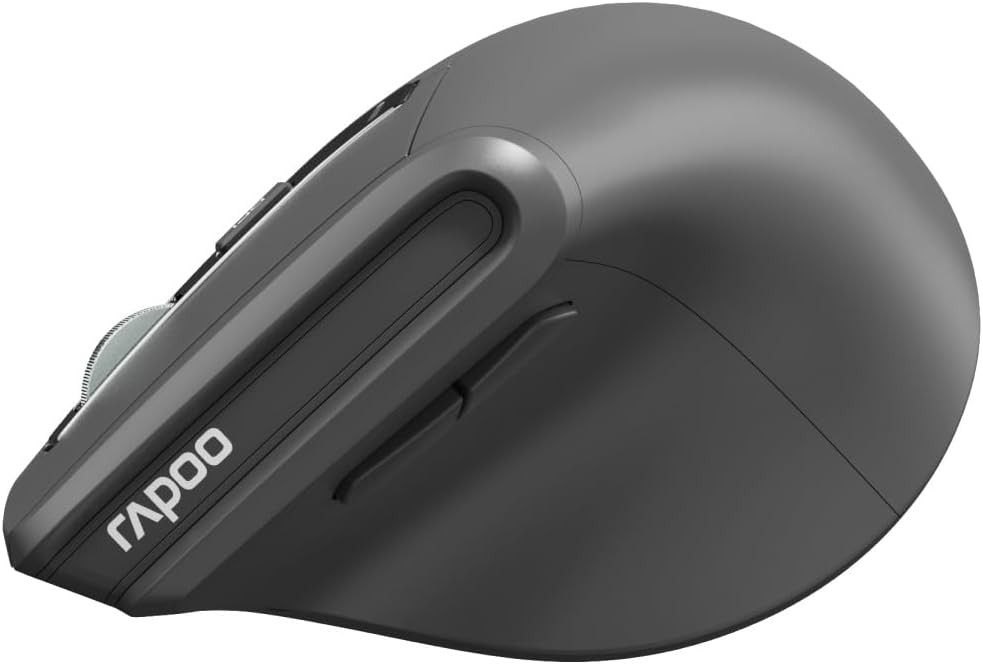
Vaizdas: Šoninė view of the Rapoo EV310M Wireless Vertical Mouse, showing the forward and backward navigation buttons.
Mygtukų funkcijos
- Kairysis paspaudimo mygtukas: Standartinė kairiojo pelės mygtuko paspaudimo funkcija.
- Dešinysis pelės mygtuko paspaudimas: Standartinė dešiniojo pelės mygtuko paspaudimo funkcija.
- Slinkties ratukas: Slinkite aukštyn / žemyn, spustelėkite viduriniu pelės mygtuku.
- DPI mygtukas: Reguliuoja žymeklio jautrumą (DPI).
- Pirmyn mygtukas: Naviguoja pirmyn web naršyklės arba file tyrinėtojai.
- Mygtukas atgal: Naviguoja atgal web naršyklės arba file tyrinėtojai.
- Mode Switch Button/Indicator: Switches between 2.4GHz and Bluetooth modes.
Sąranka
1. Akumuliatoriaus įdėjimas
- Raskite akumuliatoriaus skyrių pelės apačioje.
- Atidarykite akumuliatoriaus skyriaus dangtelį.
- Įdėkite vieną AA bateriją, užtikrindami teisingą poliškumą (+/-).
- Uždarykite akumuliatoriaus skyriaus dangtelį.
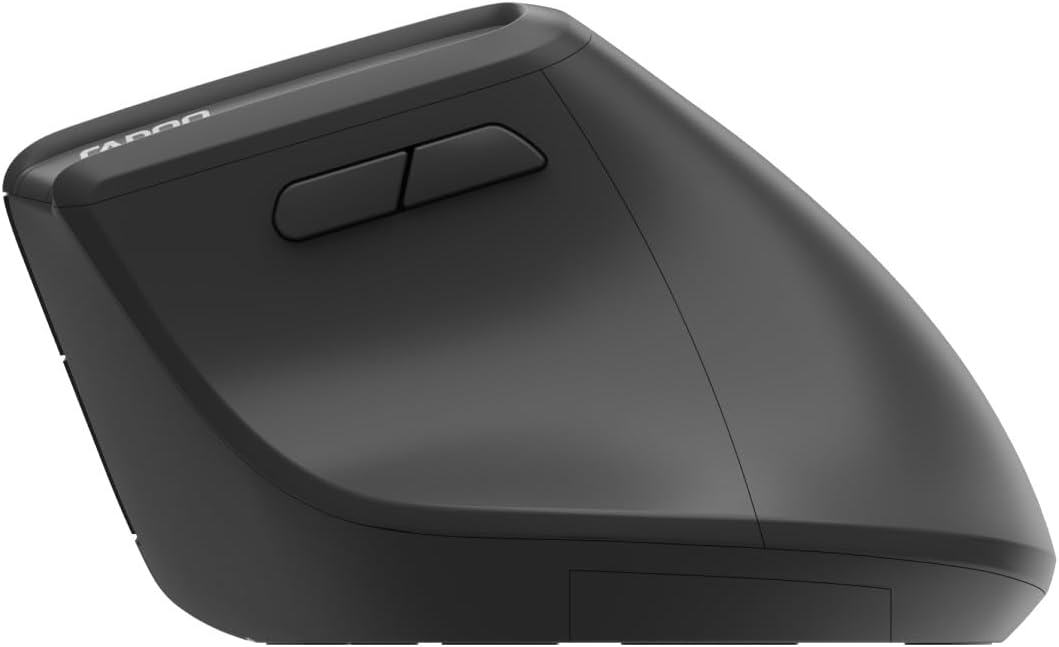
Image: Underside of the mouse, illustrating the battery compartment and the storage slot for the USB receiver.
2. Pelės prijungimas
The Rapoo EV310M supports multi-mode wireless connection: 2.4 GHz via USB receiver and Bluetooth 3.0/5.0.
2.1. 2.4 GHz belaidis ryšys
- Išimkite USB imtuvą iš jo laikymo lizdo pelės apačioje.
- Prijunkite USB imtuvą prie laisvo kompiuterio USB prievado.
- Turn on the mouse using the power switch (usually on the bottom).
- The mouse should connect automatically. If not, press the mode switch button until the 2.4GHz indicator lights up.
2.2. „Bluetooth“ ryšys
- Įjunkite pelę.
- Press the mode switch button to select a Bluetooth channel (e.g., Bluetooth 1 or Bluetooth 2). The indicator light for the selected Bluetooth channel will start blinking slowly.
- Press and hold the mode switch button for 3 seconds until the indicator light blinks rapidly. This indicates the mouse is in pairing mode.
- Kompiuteryje arba įrenginyje atidarykite „Bluetooth“ nustatymus ir ieškokite naujų įrenginių.
- Select "RAPOO EV310M" from the list of available devices to pair.
- Kai susiejimas bus atliktas, indikatoriaus lemputė nustos mirksėti ir kelias sekundes šviečia nemirksėdama, o tada užges.
Naudojimo instrukcijos
1. DPI reguliavimas
The DPI (Dots Per Inch) button allows you to adjust the cursor speed and sensitivity.
- Paspauskite DPI mygtukas located on the top of the mouse to cycle through available DPI settings (e.g., 800, 1200, 1600, 2400 DPI).
- Each press will change the sensitivity, allowing you to find your preferred cursor speed.
2. Perjungimas tarp prijungtų įrenginių
The EV310M mouse can be paired with up to three devices (one 2.4GHz and two Bluetooth devices).
- To switch between connected devices, simply press the režimo perjungimo mygtukas ant pelės.
- The indicator light will briefly show which channel (2.4G, BT1, BT2) is active.
Priežiūra
Valymas
To clean your mouse, use a soft, dry cloth. For stubborn dirt, slightly dampNuvalykite šluostę vandeniu arba švelniu valymo tirpalu. Venkite naudoti stiprias chemines medžiagas ar abrazyvines medžiagas.
Baterijos keitimas
When the mouse performance degrades or the indicator light signals low battery, replace the AA battery following the installation steps in the Setup section.
Trikčių šalinimas
Pelė nereaguoja
- Patikrinkite akumuliatorių: Įsitikinkite, kad akumuliatorius tinkamai įdėtas ir yra pakankamai įkrautas. Jei reikia, pakeiskite.
- Maitinimo jungiklis: Patikrinkite, ar pelė įjungta.
- USB imtuvas: For 2.4GHz mode, ensure the USB receiver is securely plugged into a working USB port. Try a different port.
- „Bluetooth“ ryšys: For Bluetooth mode, ensure Bluetooth is enabled on your device and the mouse is correctly paired. Re-pair if needed.
- Atstumas: Ensure the mouse is within the effective operating range of your computer (typically 10 meters).
Žymeklio judėjimas yra nepastovus
- Paviršius: Pelę naudokite ant švaraus, neatspindinčio paviršiaus. Rekomenduojama naudoti pelės kilimėlį.
- DPI nustatymas: Adjust the DPI setting to a lower value if the cursor is too fast or jumpy.
- Jutiklio švara: Check the optical sensor on the bottom of the mouse for any obstructions or dirt. Clean gently with a soft cloth.
Specifikacijos
| Funkcija | Detalė |
|---|---|
| Prekės ženklas | RAPOO |
| Modelio numeris | EV310M |
| Ryšio technologija | Bluetooth (3.0, 5.0), 2.4 GHz Wireless |
| DPI jautrumas | Adjustable 800-2400 DPI |
| Mygtukų skaičius | 6 |
| Rankų orientacija | Dešiniarankis |
| Maitinimo šaltinis | Maitinamas baterijomis (1 x AA) |
| Baterijos veikimo laikas | Iki 9 mėnesių |
| Operacinės sistemos suderinamumas | PC, Linux, Mac |
| Prekės svoris | 100 gramų |
| Spalva | Juoda |
Garantija ir palaikymas
For warranty information or technical support, please refer to the official RAPOO website or contact your local dealer. Keep your purchase receipt for warranty claims.