Įvadas
Thank you for choosing the Insoma 3-Zone Water Timer. This device is designed to simplify your garden irrigation, ensuring your plants receive optimal watering without constant manual intervention. With independent zone control, automatic scheduling, rain delay, and child lock features, this timer offers convenience and water efficiency for various outdoor watering needs.
Svarbi saugos informacija
- Do not immerse the timer in water. It is IPX5 waterproof, meaning it can withstand water jets, but not submersion.
- Use only 2 AA 1.5V Alkaline batteries. Do not mix new and old batteries, or different types of batteries.
- Store the timer indoors during freezing temperatures to prevent damage.
- Įsitikinkite, kad visos jungtys yra sandarios, kad išvengtumėte nuotėkio.
- Keep out of reach of children and pets when not in use or when the child lock is not activated.
Pakuotės turinys
- Insoma 3-Zone Water Timer (Model SGW15-T)
- Vartotojo vadovas
- Hose Connector/Adapter (if included, typically for different hose sizes)
Note: 2 AA 1.5V Alkaline batteries are not included and must be purchased separately.
Produktas baigtasview
The Insoma 3-Zone Water Timer features a large LCD screen for easy readability and intuitive controls for programming. It includes a brass inlet for durability and three independent outlets for versatile watering.
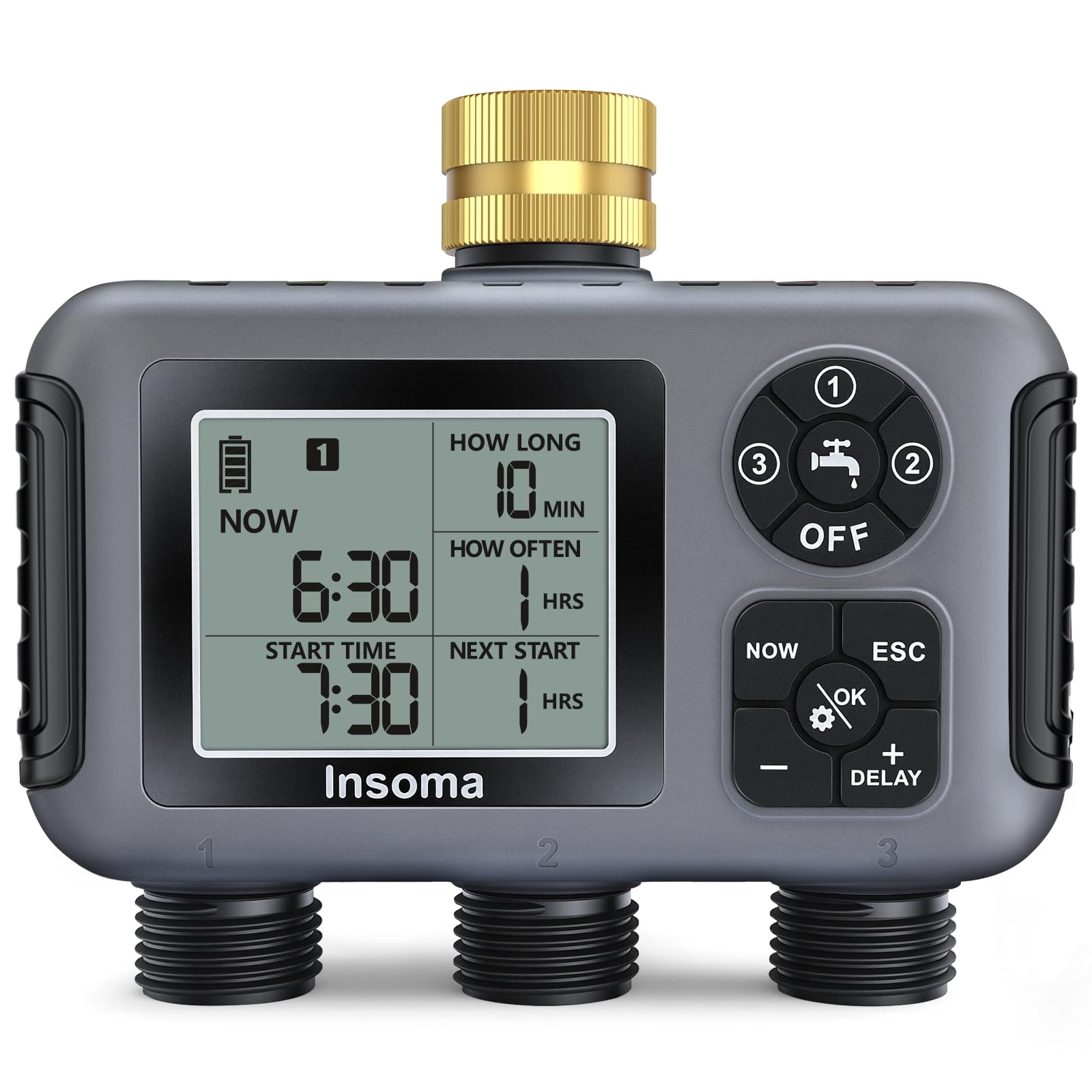
Vaizdas: priekis view of the Insoma 3-Zone Water Timer, showing the display, control dial, and three hose outlets.
Pagrindiniai komponentai:
- LCD ekranas: Shows current time, watering schedule, battery level, and other settings.
- Valdymo ratukas: Used to navigate through different settings (Set Clock, Start Time, How Long, How Often, Auto, Off).
- Mygtukai „+“ ir „-“: Adjust values for time, duration, and frequency.
- Gerai mygtukas: Patvirtina pasirinkimus.
- Faucet Icon Button: Įjungia rankinį laistymo režimą.
- Atidėjimo mygtukas: Activates rain delay function.
- Žalvarinis įvadas: Connects to your outdoor faucet. Features a filter to prevent debris.
- 3 nepriklausomi prekybos taškai: Connect up to three hoses for separate watering zones.
- Baterijų skyrius: Located on the back, requires 2 AA batteries.

Image: Close-up of the enhanced brass inlet with a 360-degree rotation feature and integrated metal filter.
Sąrankos vadovas
- Įdėkite baterijas:
- Atidarykite akumuliatoriaus skyrių laikmačio gale.
- Insert 2 new AA 1.5V Alkaline batteries, ensuring correct polarity (+/-).
- Securely close the battery compartment to maintain IPX5 waterproof rating.
Video: Demonstrates how to install batteries and set up the water timer. This video is from a seller and is relevant.
- Prijungimas prie čiaupo:
- Ensure the brass inlet filter is clean and properly seated.
- Screw the timer onto your outdoor garden faucet. Hand-tighten only to prevent damage.
- Sujunkite žarnas:
- Attach your garden hoses to the three independent outlets.
- Ensure connections are secure to prevent leaks.

Image: The water timer connected to a faucet with three hoses leading to different watering zones.
Naudojimo instrukcijos
1. Set Current Time (Set Clock)
- Pasukite valdymo ratuką į padėtį "Set Clock".
- Naudokite „+“ ir '-' mygtukais nustatykite esamą valandą. Paspauskite "gerai" patvirtinti.
- Minutes reguliuokite naudodami „+“ ir '-'. Paspauskite "gerai" patvirtinti.
- Select 12-hour or 24-hour format if prompted, then press "gerai".
2. Program Watering Schedules (Auto Mode)
The timer allows you to set independent schedules for each of the three zones. Zones will water sequentially based on their start times.

Image: The water timer display showing options for setting clock, start time, watering duration, and frequency.
- Pasirinkite zoną: Paspauskite '1/2/3' button (if available, or cycle through zones using a specific button, based on common timer interfaces) to select Zone 1, Zone 2, or Zone 3. The display will indicate the active zone.
- Nustatyti pradžios laiką:
- Pasukite valdymo ratuką į padėtį "Start Time".
- Naudokite „+“ ir '-' to set the desired start hour. Press "gerai".
- Set the minutes. Press "gerai".
- Set Watering Duration (How Long):
- Pasukite valdymo ratuką į padėtį "How Long".
- Naudokite „+“ ir '-' to set the watering duration from 1 minute to 360 minutes. Press "gerai".
- Set Watering Frequency (How Often):
- Pasukite valdymo ratuką į padėtį "How Often".
- Naudokite „+“ ir '-' to set the frequency: every 1-23 hours or every 1-30 days. Press "gerai".

Image: Illustrates setting watering frequency in hours (e.g., every 2 hours) or days (e.g., every 3 days).
- Activate Auto Mode:
- Once all settings are configured for a zone, turn the control dial to "Auto". The timer will now operate according to your programmed schedule.
- Repeat for other zones as needed. Remember, zones water one by one according to their set start times.
3. Rankinis laistymo režimas
This mode allows for immediate watering without affecting your programmed schedule.
- Paspauskite Faucet Icon Button.
- Naudokite „+“ ir '-' to set the desired manual watering duration (1 to 360 minutes).
- Paspauskite "gerai" pradėti laistyti rankiniu būdu.
- Norėdami sustabdyti rankinį laistymą, paspauskite Faucet Icon Button dar kartą arba pasukite ratuką į „Išjungta“.
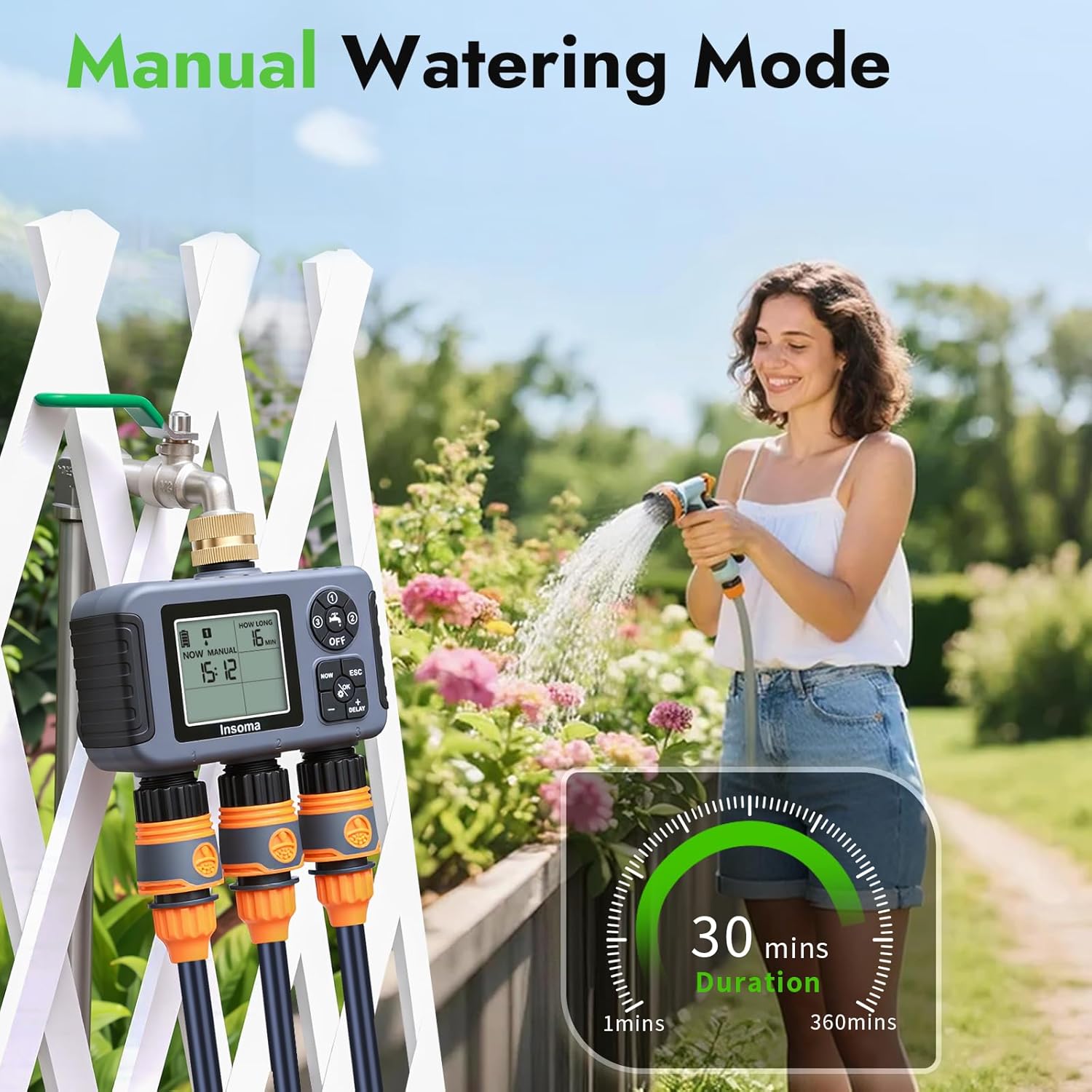
Image: The water timer display showing manual watering duration, with a person manually watering plants in the background.
4. Lietaus uždelsimo režimas
Pause your watering schedule for a set period to conserve water during rainy weather.
- Pasukite valdymo ratuką į padėtį "Auto".
- Paspauskite ir palaikykite "Delay" button (often combined with '+') for 3 seconds.
- Naudokite „+“ ir '-' to select the delay duration (1 to 15 days).
- Paspauskite "gerai" to confirm. The timer will resume its schedule automatically after the delay.
- To cancel rain delay, press and hold the "Delay" dar kartą paspauskite mygtuką 3 sekundes.

Image: The water timer display showing rain delay options (1-15 days) with a rainy garden background.
5. Užrakto nuo vaikų funkcija
Prevent accidental changes to your watering program.
- To activate, turn the control dial to "Auto". Paspauskite ir palaikykite '-' mygtuką 5 sekundes, kol ekrane pasirodys užrakto piktograma.
- Norėdami išjungti, paspauskite ir palaikykite '-' button again for 5 seconds until the lock icon disappears.

Image: The water timer display showing a lock icon, with a child playing in a sprinkler in the background.
Priežiūra
- Baterijos keitimas: Replace batteries when the low battery indicator appears on the screen. The timer will automatically shut off when batteries are critically low to prevent unexpected watering.
- Filtro valymas: Regularly check and clean the filter in the brass inlet to prevent clogging and ensure proper water flow.
- Saugojimas žiemą: Before the first frost, remove the timer from the faucet, remove batteries, and store it indoors in a dry, frost-free location.
- Bendras valymas: Nuvalykite laikmatį su skelbimuamp audinys. Nenaudokite abrazyvinių valiklių ar tirpiklių.
Trikčių šalinimas
| Problema | Galima priežastis | Sprendimas |
|---|---|---|
| Laikmatis nelaisto. |
|
|
| Iš jungčių teka vanduo. |
|
|
| Žemas vandens slėgis. |
|
|
Specifikacijos
- Modelis: SGW15-T
- Vandens išleidimo angos: 3 nepriklausomos zonos
- Darbinis slėgis: 7.25–116 psi
- Laistymo trukmė: 1 min - 360 min
- Laistymo dažnis: Kas 1-23 valandų arba kas 1-30 dienas
- Maitinimo šaltinis: 2 x AA 1.5 V šarminės baterijos (nepridedamos)
- Atsparumo vandeniui įvertinimas: IPX5
- Medžiaga: Brass Inlet
- Matmenys: 4.7 "D x 2.3" P x 4.7" A
- Prekės svoris: 1.5 svaro (0.68 kilogramo)
Garantija ir palaikymas
Insoma provides a standard warranty for this product. For specific warranty details, please refer to the warranty card included in your package or contact Insoma customer support.
If you have any questions, concerns, or require technical assistance, please contact our customer support team:
- El. paštas: support@insomasmart.com
- Websvetainė: Visit the Insoma Store on Amazon


