1. Įvadas
This manual provides detailed instructions for the installation, operation, and maintenance of your Stiflix 7" Double Din Touchscreen Stereo. This unit features wireless CarPlay and Android Auto, Bluetooth 5.5, a 7-inch HD IPS touchscreen, a 45W USB Type-C charging port, and a built-in DSP for enhanced audio control. Please read this manual thoroughly before use to ensure proper functionality and safety.
2. Saugos informacija
- Nenaudokite įrenginio taip, kad tai atitrauktų jūsų dėmesį nuo vairavimo. Visada teikite pirmenybę eismo saugumui.
- Ensure all wiring is correctly connected to prevent short circuits or damage. Consult a professional for installation if unsure.
- Nelaikykite įrenginio itin aukštose temperatūrose, tiesioginiuose saulės spinduliuose ilgą laiką arba per didelėje drėgmėje.
- Naudokite tik nurodytą tūrįtage and power sources.
- Keep the unit clean and free from dust. Do not use harsh chemicals for cleaning.
3. Kas yra dėžutėje
Prieš tęsdami montavimą, patikrinkite, ar yra visi komponentai:
- Stiflix Double Din CarPlay Stereo Unit
- Backup Camera & Cable
- Wiring Harness & Wires
4. Sąranka ir diegimas
4.1 Bendras montavimas
The Stiflix 7" Double Din Stereo is designed to fit universal double-DIN slots (7" x 4"). Ensure your vehicle's dashboard opening is compatible. The unit features a full black double-DIN chassis with multiple mounting points for secure installation and heat dissipation.

4.2 Laidų jungtys
The included wiring harness is color-coded for easy connection. Refer to your vehicle's wiring diagram for specific connections. Common connections include power (constant 12V, accessory 12V, ground), speaker outputs, antenna, and steering wheel control wires.
- Geltona viela: Nuolatinė 12 V įtampa (baterija)
- Raudonas laidas: Accessory 12V (Ignition Switched)
- Juodas laidas: Žemė
- Oranžinė viela: Apšvietimas
- Mėlyna viela: Maitinimo antena / Amp„Lifier“ nuotolinis įjungimas
- Garsiakalbių laidai: Typically color-coded (e.g., White/White-Black for Front Left, Gray/Gray-Black for Front Right, Green/Green-Black for Rear Left, Purple/Purple-Black for Rear Right).
- Vairo valdymo (SWC) laidai: Connect to your vehicle's SWC interface (if applicable).
4.3 Galinio vaizdo kameros įrengimas
The package includes a waterproof night vision AHD backup camera. Follow these steps for installation:
- 1 veiksmas: Plug the rear camera into the camera interface on the stereo unit.
- 2 veiksmas: Open the side gap of your vehicle's interior trim and insert the camera cable.
- 3 veiksmas: Fix the rear camera above the car license plate or in a suitable location.
- 4 veiksmas: Prijunkite galinės kameros lizdo kištuką į kabelio lizdą.
- 5 veiksmas: Connect the red wire (12V) of the reversing lamp to the positive wire of the camera.

5. Naudojimo instrukcijos
5.1 belaidis „CarPlay“ ir „Android Auto“
This unit supports wireless CarPlay and Android Auto, allowing seamless integration with your smartphone for navigation, music, calls, and messages. To connect:
- Įsitikinkite, kad jūsų išmaniajame telefone įjungti „Bluetooth“ ir „Wi-Fi“.
- Stereo sistemoje eikite į „CarPlay“ arba „Android Auto“ programėlę.
- Vykdykite ekrane pateikiamus nurodymus, kad susietumėte telefoną per „Bluetooth“. Susiejus, sistema automatiškai užmegs „Wi-Fi“ ryšį, skirtą belaidžiam „CarPlay“ / „Android Auto“.

5.2 Bluetooth Calling & Music Streaming
The unit features upgraded Bluetooth 5.5 for stable hands-free calling and wireless audio streaming.
- Įjunkite „Bluetooth“ savo telefone ir ieškokite galimų įrenginių.
- Select "Stiflix Stereo" (or similar name) from the list on your phone to pair.
- Once connected, you can make/receive calls and stream music from your phone. The built-in microphone and external mic jack ensure clear communication.

5.3 USB Media & Type-C Charging
The unit includes a USB port for media playback and a Type-C port for fast charging.
- USB laikmena: Insert a USB flash drive into the USB port to play 1080p videos or MP3 music files.
- C tipo įkrovimas: The USB-C port delivers 45W power, capable of charging compatible devices up to 100% in approximately 30 minutes. Use a compatible USB-C to USB-C cable for optimal charging speed.

5.4 7-Inch HD IPS Touchscreen
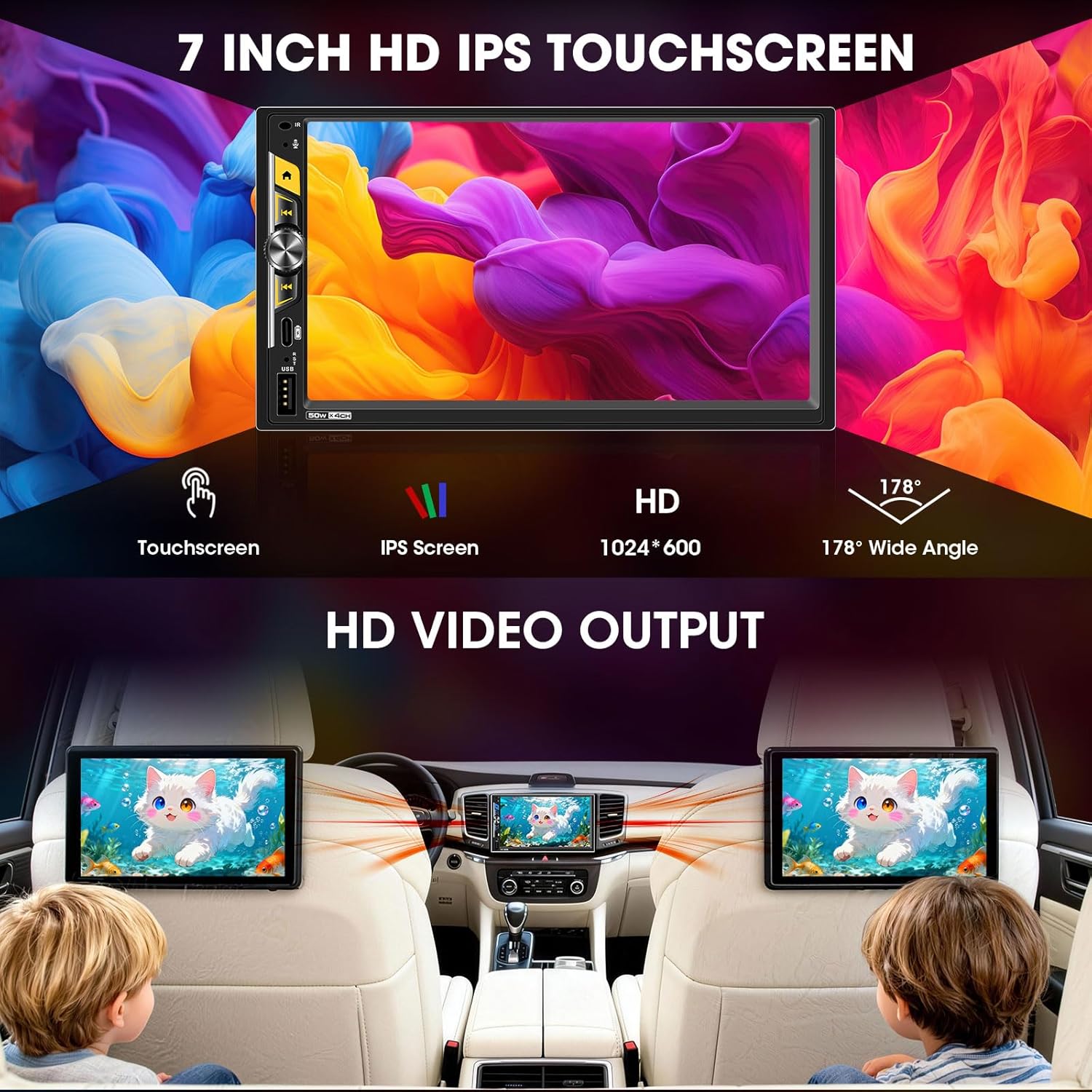
The 7-inch capacitive touchscreen offers a 1024x600 resolution and a 178° ultra-wide viewing angle for clear visibility, even in direct sunlight. Operate the unit by touching the icons and controls on the screen.
5.5 Audio Outputs & Built-in DSP
The stereo features 4-channel preamp outputs plus 2 separate subwoofer outputs, ideal for upgrading speakers or adding an amplifier. The advanced DSP (Digital Sound Processor) includes a 16-band equalizer and time alignment settings for precise audio adjustment. Integrated HPF/LPF (High-Pass/Low-Pass Filter) technology optimizes speaker performance.

5.6 Vairo valdymas (SWC)
If your vehicle supports steering wheel controls, connect the SWC wires during installation. The unit can be configured to recognize your vehicle's steering wheel buttons, allowing you to control volume, track changes, and other functions without taking your hands off the wheel.
5.7 Veidrodinis ryšys
The Mirrorlink function allows you to mirror your smartphone's screen onto the stereo display. This feature is typically accessed via a dedicated app on the stereo and requires a wired USB connection for some devices.
5.8 FM/AM Radio Tuner
Access the built-in FM/AM radio tuner to listen to local broadcasts. You can scan for stations, save presets, and switch between FM and AM bands.
6. Priežiūra
- Ekrano valymas: Jutiklinį ekraną švelniai nuvalykite minkšta, nepūkuota šluoste. Įsisenėjusias dėmes šiek tiek nuvalykiteampNuvalykite šluostę vandeniu arba ekranui saugiu valikliu. Venkite abrazyvinių medžiagų ar stiprių cheminių medžiagų.
- Bendras valymas: Keep the unit's exterior free from dust and debris. Use a dry cloth for cleaning.
- Programinės įrangos atnaujinimai: Periodiškai tikrinkite gamintojo websvetainėje ieškokite visų galimų programinės įrangos atnaujinimų, kad užtikrintumėte optimalų našumą ir prieigą prie naujų funkcijų.
7. Problemų sprendimas
| Problema | Galima priežastis | Sprendimas |
|---|---|---|
| Nėra galios | Incorrect wiring (power/ground), blown fuse. | Check all power and ground connections. Inspect vehicle's fuse box and the unit's inline fuse. |
| Nėra garso | Neteisingas garsiakalbio prijungimas, per mažas garsumas, įjungtas nutildymas, ampkeltuvų problemos. | Verify speaker connections. Increase volume. Check if mute is active. Ensure external amplifiers are powered on. |
| „CarPlay“ / „Android Auto“ neprisijungia belaidžiu ryšiu | Bluetooth/Wi-Fi off on phone, incorrect pairing, phone not supported. | Ensure phone's Bluetooth and Wi-Fi are on. Re-pair the device. Check phone compatibility. |
| Galinio vaizdo kamera nerodoma | Kamera neįjungta, vaizdo kabelis atsilaisvinęs, atbulinės eigos trigerio laidas neprijungtas. | Check camera power supply (reverse light connection). Ensure RCA video cable is securely connected. Verify reverse trigger wire connection. |
| Jutiklinis ekranas nereaguoja arba atsilieka | Temporary software glitch, excessive heat. | Restart the unit (turn vehicle off and on). Ensure proper ventilation around the unit. |
8. Specifikacijos
| Funkcija | Detalė |
|---|---|
| Modelio numeris | B0G39538PX |
| Ekrano dydis | 7 colių |
| Ekrano tipas | HD IPS Touch Screen |
| Rezoliucija | 1024x600 |
| Ryšys | „Bluetooth 5.5“, USB, „Wi-Fi“ |
| Ypatingos savybės | Wireless Apple CarPlay, Wireless Android Auto, Built-in DSP, 16-Band EQ, 2 Subwoofer Outputs, 4.2 CHN Audio Outputs, Type-C Fast Charging (45W), Mirrorlink, HD Video Output, Steering Wheel Control, FM/AM Receiver, Front/Rear View Kameros įvestis |
| Suderinami įrenginiai | Amplifier, Speaker, Subwoofer |
| USB-C įkrovimas | PD3.0, 45W |
| Gaminio matmenys | 4.64 "D x 7" P x 3.93" A |
| Prekės svoris | 2 svaro |
9. Garantija ir palaikymas
This Stiflix product is covered by a standard manufacturer's warranty. For specific warranty details, please refer to the warranty card included with your product or visit the official Stiflix website. For technical support, troubleshooting assistance, or service inquiries, please contact Stiflix customer service through their official channels.
Išsaugokite pirkimo įrodymą, kad galėtumėte kreiptis dėl garantijos.