1. Įvadas
Thank you for choosing the XGIMI HORIZON 20 4K RGB Triple Laser Home Projector. This manual provides essential information for setting up, operating, and maintaining your device. Please read it thoroughly before use to ensure optimal performance and safety.
2. Saugos informacija
Always follow basic safety precautions when using this product to reduce the risk of fire, electric shock, or injury. Do not attempt to disassemble or modify the projector. Avoid direct eye exposure to the projector lens. Keep the device away from water, heat sources, and direct sunlight. Ensure proper ventilation to prevent overheating.
3. Pakuotės turinys
- XGIMI HORIZON 20 Projector
- Maitinimo adapteris
- Nuotolinio valdymo pultas
- Vartotojo vadovas
- Floor Stand (if included in package)
4. Produktas baigtasview
The XGIMI HORIZON 20 is a high-performance 4K RGB Triple Laser Home Projector designed for cinematic viewing. It features 3200 ISO Lumens, Google TV with licensed Netflix, optical zoom, lens shift, IMAX Enhanced, and Dolby Vision for an immersive experience.

1 pav.: priekis view of the XGIMI HORIZON 20 Projector, showcasing objektyvą ir garsiakalbio groteles.

Figure 2: The XGIMI HORIZON 20 Projector mounted on its dedicated floor stand in an Elephant Grey finish, compatible with Horizon 20 series projectors. Projector sold separately.
5. Sąranka
5.1 Įdėjimas
Place the projector on a stable, flat surface or mount it using a compatible ceiling mount or the provided floor stand. Ensure the lens is unobstructed and pointed towards your desired projection surface. For optimal image quality, position the projector perpendicular to the screen.
5.2 Maitinimo jungtis
Connect the power adapter to the projector's power input and then plug it into a power outlet. The projector will automatically power on or enter standby mode.
5.3 Pradinė konfigūracija
Upon first power-on, follow the on-screen instructions to complete the initial setup, including language selection, Wi-Fi connection, and Google account login. The projector features automatic keystone correction and autofocus for quick image adjustment.

Figure 3: Diagram illustrating the flexible lens shift capabilities of the XGIMI HORIZON 20, allowing for vertical (±120%) and horizontal (±45%) image adjustment without sacrificing clarity.
6. Naudojimo instrukcijos
6.1 Nuotolinis valdymas
Use the provided remote control to navigate the Google TV interface. The remote allows for power on/off, volume control, navigation, and quick access to streaming apps like Netflix, YouTube, Prime Video, and Disney+.
6.2 Vaizdo koregavimas
The projector features automatic keystone correction and autofocus. For manual adjustments, navigate to the projector settings. Optical zoom and lens shift provide flexibility in placement without image distortion.
6.3 Programos naudojimas
Access a wide range of applications through Google TV. Licensed Netflix is pre-installed for direct streaming. Other apps can be downloaded from the Google Play Store. Ensure a stable internet connection for optimal streaming performance.
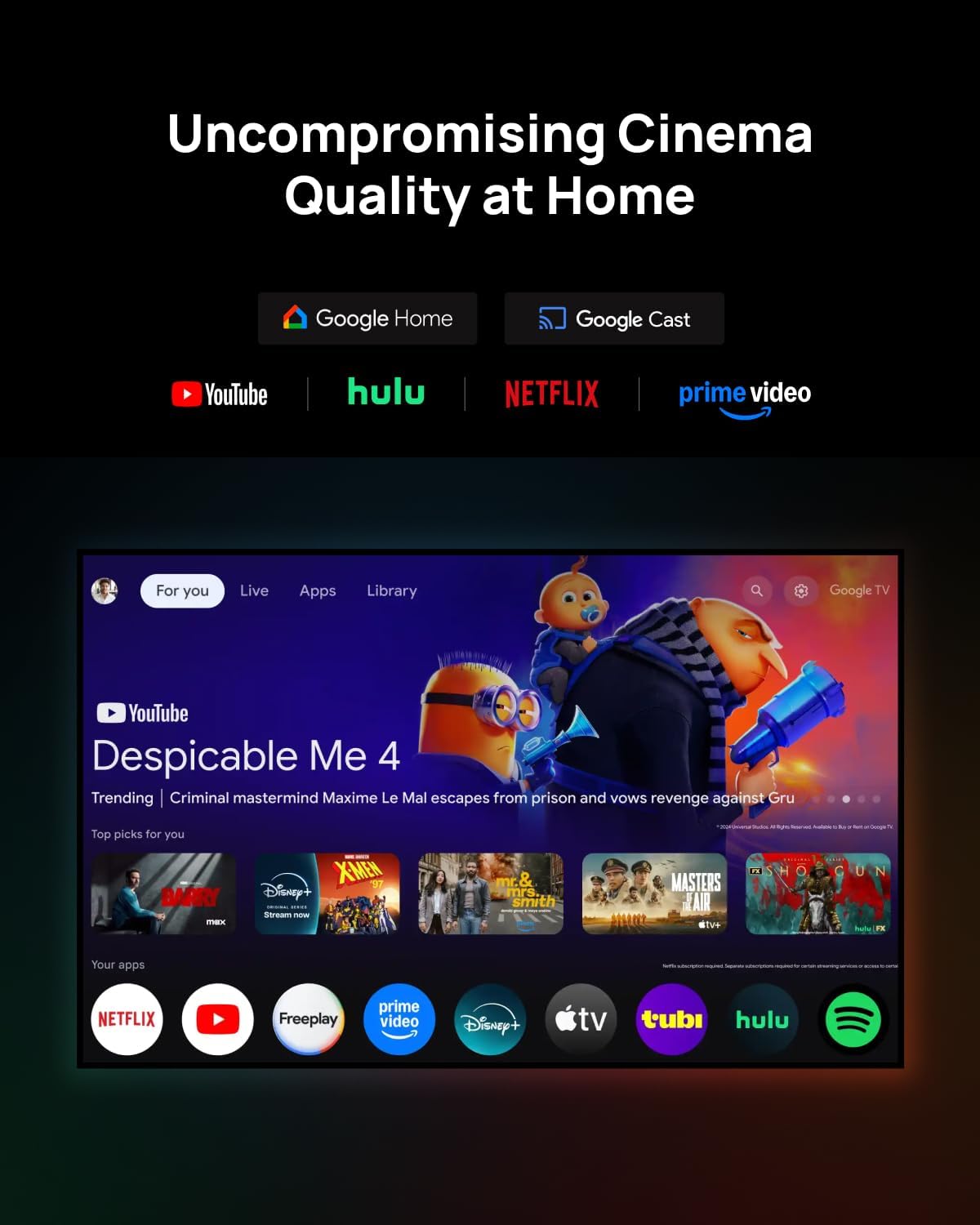
Figure 4: The Google TV interface displayed on the XGIMI HORIZON 20, showing various streaming applications and content recommendations.
7. Ryšys
The XGIMI HORIZON 20 offers multiple connectivity options:
- HDMI: Prijunkite išorinius įrenginius, tokius kaip žaidimų konsolės, „Blu-ray“ grotuvai arba nešiojamieji kompiuteriai.
- USB: Leisti mediją files tiesiai iš USB atminties įrenginių.
- „Wi-Fi“: Connect to your home network for streaming and online features.
- Bluetooth: Connect external audio devices like soundbars or headphones.
8. Priežiūra
Kad užtikrintumėte projektoriaus ilgaamžiškumą ir optimalų veikimą:
- Objektyvo valymas: Naudokite minkštą, nepūkuotą šluostę, specialiai skirtą optiniams lęšiams. Venkite abrazyvinių medžiagų ar stiprių cheminių medžiagų.
- Išorės valymas: Projektoriaus išorę nuvalykite minkšta, sausa šluoste.
- Vėdinimas: Ensure the projector's vents are not blocked to prevent overheating.
9. Problemų sprendimas
- Nėra paveiksliuko: Patikrinkite maitinimo jungtį, įvesties šaltinį ir įsitikinkite, kad nuimtas objektyvo dangtelis.
- Neryškus vaizdas: Adjust focus manually or allow automatic autofocus to recalibrate.
- Nėra garso: Check volume settings, ensure external audio devices are correctly connected, and verify the audio output settings.
- Nuotolinio valdymo pultas nereaguoja: Replace batteries and ensure no obstructions between the remote and the projector.
10. Specifikacijos
| Modelis | HORIZONTAS 20 |
| Ekrano technologija | RGB trigubas lazeris |
| Rezoliucija | 4K (3840 x 2160) |
| Ryškumas | 3200 ISO liumenų |
| Kontrasto santykis | 100,000:1 |
| Operacinė sistema | Google TV |
| Garsas | Harman Kardon garsiakalbiai |
| Ypatingos savybės | Optical Zoom, Lens Shift, IMAX Enhanced, Dolby Vision, HDR10+, Filmmaker Mode |
11. Oficialūs produktų vaizdo įrašai
XGIMI HORIZON S Max Unboxing
This video provides an unboxing experience of the XGIMI HORIZON S Max, showcasing its packaging and initial presentation. It highlights the sleek design and premium feel of the projector as it is removed from its box.
12. Garantija ir palaikymas
Your XGIMI HORIZON 20 projector comes with a standard manufacturer's warranty. For detailed warranty terms, technical support, or service inquiries, please refer to the warranty card included in your package or visit the official XGIMI websvetainę.


