1. Įvadas
This manual provides comprehensive instructions for the setup, operation, and maintenance of your GOBOULT Mustang Racer Smart Watch. Please read this manual thoroughly before using the device to ensure proper functionality and to maximize your user experience. Keep this manual for future reference.
2. Kas yra dėžutėje
Patikrinkite, ar pakuotėje yra visi reikalingi daiktai:
- GOBOULT Mustang Racer Smart Watch
- Įkrovimo kabelis
- Vartotojo vadovas (šis dokumentas)
- Garantijos kortelė
3. Produktas baigtasview
Familiarize yourself with the key components of your GOBOULT Mustang Racer Smart Watch.
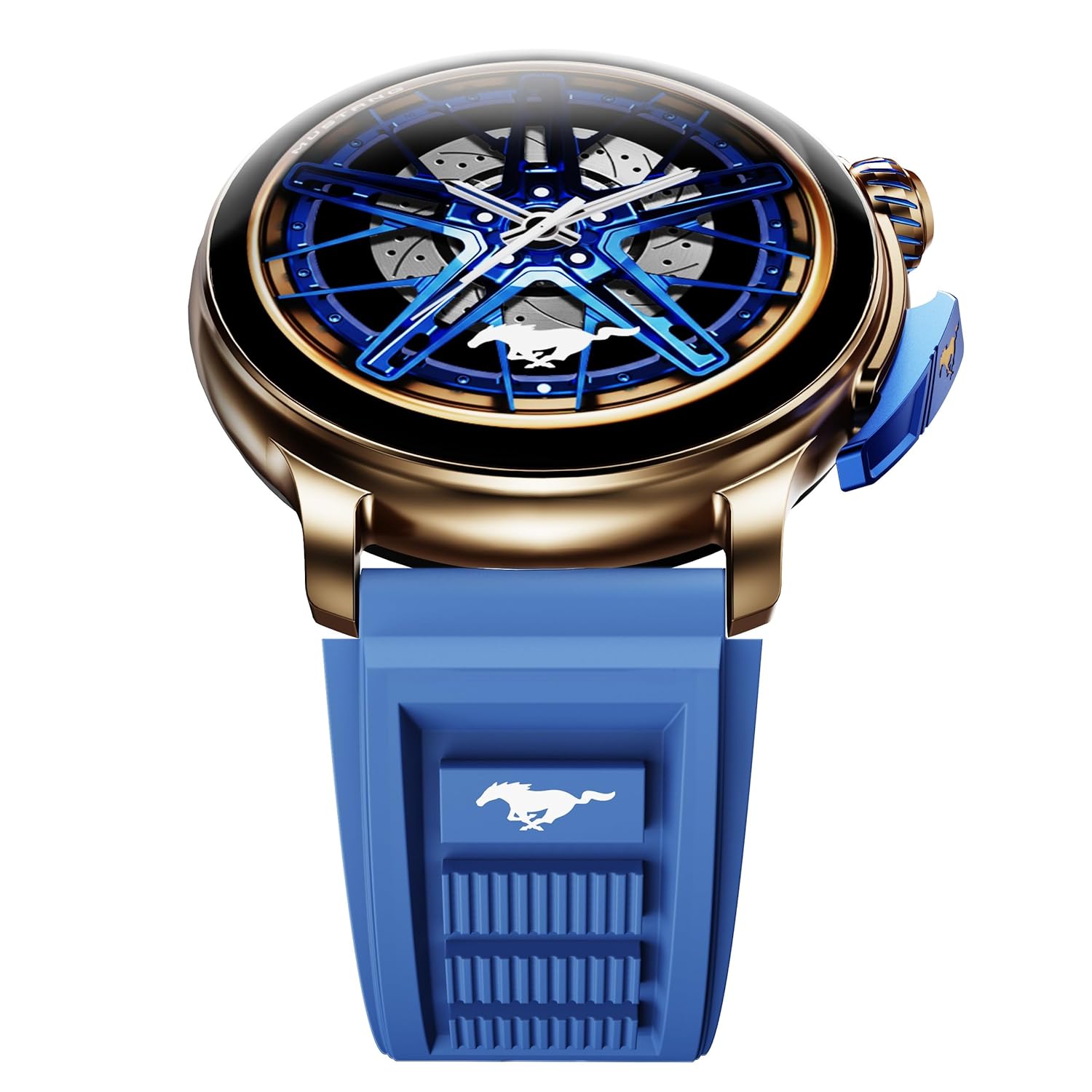
Image: The GOBOULT Mustang Racer Smart Watch, showcasing its 1.43-inch AMOLED display and overall design.
Display and Bezel
The watch features a 1.43-inch AMOLED display with 500 Nits brightness for clear visibility. The functional rotating bezel allows for intuitive navigation through menus and features.

Paveikslėlis: detalus view of the smartwatch's 1.43-inch AMOLED display and the rotating bezel, highlighting its design and brightness.
Buttons and Crown
The watch includes a rotating tyre-tread crown for navigation and selection, along with a functional paddle shifter button for quick access to features.

Image: The smartwatch featuring its functional paddle shifter and rotating crown, designed for enhanced control.
4. Sąranka
4.1. Išmaniojo laikrodžio įkrovimas
Before initial use, fully charge your smartwatch. Connect the magnetic charging cable to the charging pins on the back of the watch and plug the USB end into a compatible power adapter (not included) or a computer's USB port. The watch will display a charging indicator. A full charge takes approximately 120 minutes.
4.2. Įjungimas/išjungimas
- Maitinimas: Press and hold the main power button (crown) for a few seconds until the GOBOULT logo appears.
- Išjungti: From the watch face, swipe down to access quick settings, or navigate to the settings menu. Select "Power Off" and confirm. Alternatively, press and hold the main power button until the power-off option appears.
4.3. Susiejimas su išmaniuoju telefonu
To unlock all features, pair your GOBOULT Mustang Racer Smart Watch with the companion app on your smartphone via Bluetooth.
- Download the official GOBOULT app from your smartphone's app store (iOS App Store or Google Play Store).
- Įsitikinkite, kad jūsų išmaniajame telefone įjungtas „Bluetooth“.
- Open the GOBOULT app and follow the on-screen instructions to create an account or log in.
- In the app, select "Add Device" or similar option.
- Select "GOBOULT Mustang Racer" from the list of available devices.
- Patvirtinkite susiejimo užklausą tiek išmaniajame telefone, tiek išmaniajame laikrodyje.
Suporuotas laikrodis sinchronizuos duomenis su jūsų telefonu, o nustatymus galėsite pritaikyti programėlėje.

Image: The smartwatch highlighting its Bluetooth V5.3 connectivity for quick syncing and IP67 water resistance.
5. Naudojimo instrukcijos
5.1. Navigacija
- Braukite aukštyn / žemyn / kairėn / dešinėn: Navigate through menus, notifications, and quick access panels.
- Bakstelėkite: Pasirinkite elementą arba patvirtinkite veiksmą.
- Rotating Bezel/Crown: Rotate to scroll through lists or adjust settings. Press to select or return to the home screen.
- Paddle Shifter Button: Customizable shortcut for frequently used functions (e.g., sports modes).
5.2. Skambinimas per „Bluetooth“
With integrated speaker and microphone, you can make and receive calls directly from your wrist after pairing with your smartphone.
- Įsitikinkite, kad jūsų laikrodis yra prijungtas prie telefono per „Bluetooth“.
- To make a call: Access the dialer or contacts list on your watch.
- To receive a call: An incoming call notification will appear on your watch. Tap to answer or decline.
5.3. Laikrodžio ciferblatai
Customize your watch's appearance with over 150 watch faces, including exclusive Mustang designs. Long-press the watch face to change it, or use the companion app for more options.

Paveikslėlis: išmaniųjų laikrodžių demonstracijaasing multiple watch face options, including exclusive Mustang designs.
5.4. Sporto režimai
The watch supports over 120 sports modes to track your physical activities. Access sports modes from the main menu or via the paddle shifter shortcut (if configured).
- Select your desired sport.
- Start the activity. The watch will record metrics such as duration, calories burned, and heart rate.
- End the activity to save data. Review your performance in the app.

Image: The smartwatch displaying a sports tracking interface, indicating its capability to monitor various physical activities.
5.5. Sveikatos stebėsena
The GOBOULT Mustang Racer Smart Watch provides comprehensive health tracking features:
- 24x7 Heart Rate Monitor: Nuolat seka jūsų širdies ritmą.
- SpO2 Blood Oxygen Saturation Monitor: Matuoja deguonies kiekį kraujyje.
- Miego stebėjimas: Analyzes sleep patterns (deep sleep, light sleep, awake time).
- Streso monitorius: Suteikia įžvalgų apie jūsų streso lygį.
- Kraujo spaudimas: (Note: Smartwatch blood pressure measurements are for reference only and should not be used for medical diagnosis.)
Access these features from the watch's health menu or view išsamios ataskaitos papildomoje programėlėje.

Paveikslėlis: vidinis view of the smartwatch highlighting its health tracking sensors, with text indicating features like heart rate, SpO2, sleep, and stress monitoring.
5.6. Dirbtinio intelekto balso asistentas
Activate the AI Voice Assistant on your watch to perform tasks, set reminders, or get information using voice commands. Ensure your watch is connected to your phone for this feature to function.
5.7. Išmanieji pranešimai
Receive notifications for calls, messages, and app alerts directly on your watch. Manage notification settings through the GOBOULT app.
5.8. Always On Display
The Always On Display feature allows the time and essential information to remain visible on the screen without needing to raise your wrist or press a button. This feature can be enabled or disabled in the watch settings to manage battery consumption.

Image: The smartwatch displaying the time and a car image, illustrating the Always On Display functionality.
6. Savybės ir specifikacijos
Pagrindinės funkcijos:
- 1.43" AMOLED Display with 500 Nits Brightness
- Bluetooth Calling (BT V5.3)
- Rotating Bezel for intuitive control
- 150+ Watch Faces, including exclusive Mustang designs
- AI balso padėjėjas
- Health Monitoring: SpO2, Heart Rate, Sleep, Stress, Blood Pressure
- 120 ir daugiau sporto režimų
- IP67 Atsparus vandeniui
- Up to 7-day battery runtime with fast charging
Techninės specifikacijos:
| Prekės ženklas | GOBOULT |
| Modelio numeris | GOBOULT Mustang Racer |
| Ekrano dydis | 1.43 colių |
| Belaidis tipas | Bluetooth V5.3 |
| Akumuliatoriaus įkrovimo laikas | 120 minučių |
| Baterijos energijos kiekis | 1.11 vatų valandos |
| Atsparumas vandeniui | IP67 |
| Prekės svoris | 55 g |
| Kilmės šalis | Kinija |
7. Priežiūra
7.1. Išmaniojo laikrodžio valymas
Reguliarus valymas padeda išlaikyti laikrodžio išvaizdą ir funkcionalumą:
- Nuvalykite ekraną ir korpusą minkštu, nepūkuotu skudurėliu.
- Įsisenėjusioms dėmėms šiek tiek pamirkykiteampNuvalykite šluostę vandeniu. Venkite naudoti stiprias chemines medžiagas ar abrazyvines medžiagas.
- Clean the charging contacts periodically with a dry cloth to ensure proper charging.
7.2. Atsparumas vandeniui (IP67)
The GOBOULT Mustang Racer Smart Watch is IP67 water resistant, meaning it can withstand immersion in up to 1 meter of fresh water for up to 30 minutes. It is suitable for daily use and light splashes. However, it is not recommended for swimming, showering with hot water, or diving. Avoid exposure to saltwater or chemicals, as this may damage the device.
7.3. Akumuliatoriaus priežiūra
- Venkite dažnai visiškai iškrauti akumuliatorių.
- Laikykite laikrodį vėsioje, sausoje vietoje, kai ilgesnį laiką jo nenaudojate.
- Naudokite tik pateiktą įkrovimo laidą.
8. Problemų sprendimas
| Problema | Galimas sprendimas |
|---|---|
| Laikrodis neįsijungia. | Įsitikinkite, kad laikrodis yra visiškai įkrautas. Prijunkite jį prie įkroviklio bent 30 minučių. |
| Nepavyksta susieti su išmaniuoju telefonu. |
|
| Netikslūs sveikatos duomenys. |
|
| Trumpas baterijos veikimo laikas. |
|
9. Garantija ir palaikymas
Your GOBOULT Mustang Racer Smart Watch comes with a warranty as specified on the included Warranty Card. Please refer to the card for details regarding warranty period, coverage, and terms and conditions.
For technical support, product inquiries, or warranty claims, please contact GOBOULT customer service through the contact information provided on your Warranty Card or visit the official GOBOULT websvetainę.
Įtraukti komponentai: Charging Cable, Mustang Racer Apex Blue Smart watch, User Manual, Warranty Card


