📘 „EasyLog“ vadovai • Nemokami PDF failai internete
EasyLog logotipas

„EasyLog“ vadovai ir naudotojo vadovai

EasyLog by Lascar Electronics harnesses the power of IoT to offer compact USB and wireless cloud-connected data loggers for temperature, humidity, and air quality.

Patarimas: norėdami tiksliau nustatyti atitikmenį, įtraukite visą modelio numerį, atspausdintą ant „EasyLog“ etiketės.

Apie „EasyLog“ vadovus Manuals.plus

EasyLog, manufactured by Lascar Electronics, specializes in innovative data logging solutions that leverage the power of the Internet of Things (IoT). Their versatile product range includes simple low-cost USB loggers, advanced graphical data loggers, wireless WiFi data logging sensors, and robust cloud-based monitoring systems. EasyLog devices are designed to automate the recording and monitoring of crucial environmental parameters such as temperature, humidity, and indoor air quality.

With intuitive features such as instant notifications, secure 24/7 cloud storage access from any internet-connected device, and scalable systems managed via the EasyLog App, these monitoring tools cater to both compact user setups and worldwide corporate solutions. EasyLog data can be seamlessly integrated into business workflows, ensuring compliance with strict industry standards like 21 CFR Part 11 requirements.

„EasyLog“ vadovai

Naujausi vadovai iš manuals+ šiam prekės ženklui kuruota.

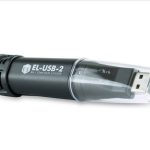
EasyLog EL-USB Paprastas pigių duomenų registravimo vartotojo vadovas

9 m. kovo 2022 d
EL-USB greito paleidimo vadovas ATSISIŲSKITE IR ĮDIEGKITE PROGRAMINĘ ĮRANGĄ „Windows™ 7/8/10“ (32 ir 64 bitų) Apsilankykite www.lascarelectronics.com/software ir spustelėkite „Atsisiųsti“. PROGRAMINĖS ĮRANGOS NAUDOJIMAS Įkiškite duomenų kaupiklį į laisvą USB prievadą…

LASCAR EasyLog EL-WiFi-TPX+ duomenų kaupiklio vartotojo vadovas

27 m. gruodžio 2021 d
Duomenų kaupiklio „LASCAR EasyLog EL-WiFi-TPX+“ naudotojo vadovas Funkcijos Temperatūros matavimo diapazonas nuo -40 iki +125 °C (nuo -40 iki +257 °F) Konfigūruojami aliarmo lygiai su integruota įspėjamąja lempute ir garsiniu signalu Skaitmeninis kalibruojamas…

LASCAR EL-WiFi-DULT duomenų kaupiklio vartotojo vadovas

27 m. gruodžio 2021 d
LASCAR EL-WiFi-DULT duomenų kaupiklis, dviejų kanalų, itin žemos temperatūros, kriogeninės vakcinos, „WiFi“ duomenų kaupiklis, matavimo diapazonas –100–+100 °C, T tipo zondas ant 1 m kabelio, dviejų kanalų įrašymas…

„EasyLog“ „WiFi“ jutiklio DUK vadovas

vadovas
Išsamus DUK vadovas apie „EasyLog WiFi“ duomenų registravimo jutiklius, apimantis tokias temas kaip baterijos veikimo laikas, saugykla, įkrovimas, debesies serverio nustatymai, programinės įrangos pašalinimas, WEP šifravimas ir išsamios specifikacijos.

EasyLog support FAQ

Dažniausiai užduodami klausimai apie šio prekės ženklo vadovus, registraciją ir palaikymą.

  • How do I set up my EasyLog USB data logger?

    Insert the data logger into an available USB port, install the EasyLog USB software from Lascar Electronics' website onto your PC, and double-click the desktop icon to run the setup wizard before logging.

  • Where can I download the EasyLog software?

    You can download the latest version of the EasyLog USB and Cloud software directly from the Lascar Electronics website under their software section at www.lascarelectronics.com/software.

  • How do I connect my EasyLog EL-IOT to the Cloud?

    First, sign up for an account at easylogcloud.com. Download the EasyLog Cloud App on your mobile device, select 'Setup Device' from the menu, and follow the on-screen instructions to connect your logger to your WiFi network.

  • What does a flashing signal icon mean on my WiFi sensor?

    A flashing signal icon indicates that the EasyLog sensor is attempting to communicate with your WiFi network. Once the icon is solid, the sensor is successfully communicating with the network.