📘 MOGA manuals • Free online PDFs
MOGA logo

MOGA Manuals & User Guides

MOGA is a sub-brand of PowerA that specializes in premium mobile and cloud gaming controllers, power banks, and adjustable clips for Xbox, PC, and Android platforms.

Tip: include the full model number printed on your MOGA label for the best match.

About MOGA manuals on Manuals.plus

MOGA Mobile Gaming

MOGA is a premier line of mobile gaming accessories developed by PowerA, a leading brand under ACCO Brands. Designed to bring console-quality controls to mobile devices, MOGA specializes in Bluetooth and wired controllers, mobile gaming clips, and integrated power banks for seamless gaming on the go.

Their controllers are heavily optimized for Xbox Cloud Gaming and PC platforms, featuring advanced mappable buttons and ergonomic designs for extended play sessions. Whether using the MOGA XP5-X Plus or the versatile XP-ULTRA, MOGA multi-platform wireless controllers empower mobile gamers to play their way anywhere, minimizing latency and maximizing comfort.

MOGA manuals

Naujausi vadovai iš manuals+ šiam prekės ženklui kuruota.

moga 1519066-01 xbx žaidimų klipas Vartotojo vadovas

20 m. liepos 2022 d
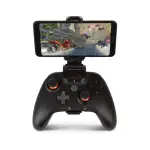
„moga 1519066-01 xbx“ žaidimų laikiklis INSTRUKCIJOS Įstumkite belaidį „Xbox“ valdiklį į „Mobile Gaming Clip 2.0“, pirmiausia pakreipdami viršutinį kraštą. Apatinį valdiklio kraštą spauskite žemyn į laikiklį, kol jis užsifiksuos…

MOGA XP Ultra greito paleidimo vadovo struktūra

Greitos pradžios vadovas
Šiame dokumente aprašoma „MOGA XP Ultra“ greito paleidimo vadovo (QSG) struktūra ir turinys, išsamiai aprašomi valdiklio prijungimo prie konsolių ir mobiliųjų įrenginių sąrankos veiksmai, taip pat…

MOGA video guides

Peržiūrėkite šio prekės ženklo vaizdo įrašus apie sąranką, diegimą ir trikčių šalinimą.

MOGA support FAQ

Dažniausiai užduodami klausimai apie šio prekės ženklo vadovus, registraciją ir palaikymą.

  • How do I pair my MOGA controller via Bluetooth?

    Move the Wireless/Wired switch to BT, turn the controller on, and hold the Bluetooth sync button on the back for 2 seconds. The LED will flash rapidly. Select the MOGA controller in your device's Bluetooth settings.

  • How do I assign the Advanced Gaming Buttons on my MOGA controller?

    Press the Program Button for 2-3 seconds until the LED flashes. Press the button you wish to map (e.g., A/B/X/Y), then press the desired Advanced Gaming Button (AGR or AGL) to complete the assignment.

  • How do I check the battery level on my MOGA controller?

    Press the battery status button on the front lower left of the controller. LEDs will indicate the current charge level from 25% to 100% even when the controller is off.

  • Can I use my MOGA controller in wired mode on an Android phone?

    Yes, switch the controller to USB mode and connect it to your Android device using the appropriate provided micro-USB to USB-C or Micro-USB cable.