📘 „PlayCool“ vadovai • Nemokami PDF failai internete
PlayCool logo

„PlayCool“ vadovai ir naudotojo vadovai

PlayCool specializes in high-performance wireless gaming controllers and charging stations compatible with PlayStation, PC, Android, and iOS devices.

Patarimas: norėdami tiksliau parinkti tinkamą modelį, nurodykite visą modelio numerį, atspausdintą ant „PlayCool“ etiketės.

Apie „PlayCool“ vadovus Manuals.plus

PlayCool Gaming Accessories

PlayCool is a dedicated gaming accessory brand that focuses on delivering high-performance wireless controllers and charging solutions for gamers. Their product lineup includes the Elite Wireless Gaming Controller and Tri-Protection Charging Stations, which are designed to support a wide range of platforms such as PlayStation 4, PlayStation 5, PC, Android, and iOS devices.

Featuring ergonomic designs, Bluetooth connectivity, multi-axis gyro sensors, and built-in adjustable RGB lighting, PlayCool accessories strive to enhance the modern competitive and casual gaming experience.

„PlayCool“ vadovai

Naujausi vadovai iš manuals+ šiam prekės ženklui kuruota.

„PlayCool Master Pro“ belaidžio valdiklio naudojimo instrukcija

11 m. sausio 2023 d
„PlayCool Master Pro“ belaidžio valdiklio naudojimo instrukcija Klavišų aprašymas A) Krypties mygtukai B) Mygtukas „SHARE“ C) Jutiklinės planšetės mygtukas D) Mygtukas „OPTIONS“ E) mygtukas / mygtukas / mygtukas / mygtukas F) Garsiakalbis G) Dešinysis…

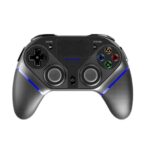
PLAYCOOL PS4010 Elite belaidžio žaidimų valdiklio naudojimo vadovas

25 m. gegužės 2022 d
„PLAYCOOL PS4010 Elite“ belaidžio žaidimų valdiklio naudojimo instrukcija. Produkto aprašymas. Produktas tinka PS4, PS3, „Android“ („Android 10.0“ ar naujesnė versija), „iOS“ (13.0 ar naujesnė versija) ir asmeniniams kompiuteriams. Didelio našumo…

„PlayCool Elite“ belaidžio žaidimų valdiklio naudojimo instrukcija

6 m. gegužės 2021 d
„PlayCool Elite“ belaidžio žaidimų valdiklio naudojimo instrukcija „PlayCool-PS4010“ Produkto aprašymas Produktas tinka PS4, PS3, „Android“ („Android 10.0“ ar naujesnė versija), „iOS“ (13.0 ar naujesnė versija) ir asmeniniams kompiuteriams. Didelio našumo…

„PlayCool Elite“ belaidžio žaidimų valdiklio naudojimo instrukcija

Instrukcijų vadovas
Išsami „PlayCool Elite“ belaidžio žaidimų valdiklio (modelis: PS4010) naudojimo instrukcija, kurioje išsamiai aprašomos produkto savybės, mygtukų išdėstymas, elektros specifikacijos, PS4, PS3, asmeninio kompiuterio, „Android“ ir „iOS“ prijungimo vadovai bei garantija…

PlayCool support FAQ

Dažniausiai užduodami klausimai apie šio prekės ženklo vadovus, registraciją ir palaikymą.

  • How do I connect the PlayCool controller to a PS4 console?

    For the first use, connect the controller to your PS4 using the provided Type-C data cable. Once connected, press the HOME/PS button. You can then unplug the cable to use it wirelessly.

  • How do I pair my PlayCool controller with an Android or iOS device?

    Turn on the controller, then press and hold SHARE + HOME until the LED indicator light flashes intermittently. Go to your device's Bluetooth settings, search for 'PS4010', and click to pair.

  • What does the PlayCool warranty cover?

    PlayCool offers a 1-year warranty from the date of purchase. It requires proof of purchase and does not cover damage from misuse, wearable goods, customer neglect, or incorrect repair.

  • How do I reset my PlayCool gaming controller if it malfunctions?

    Insert a slender object into the Reset hole located on the back of the Gamepad and press the Reset button to restore its state.