

TRT-electronics TURTLE Trigger Owner's Manual
Gerbiamas TURTLE vartotojau,
Thank you for choosing the TRT-electronics TURTLE trigger to achieve perfect TTL or manual control in your underwater photography setup. This product is designed for users who want to utilize TTL, MANUAL, or even HSS functions with their underwater strobes. The i-TURTLE 3 SMART version is compatible with both DSLR and mirrorless (MILC) cameras.
What’s in the box you purchased:
- 1 paleidiklis su baterija, sukonfigūruota „Nikon“ fotoaparato protokolui
- 1 LED adapteris, skirtas montuoti povandeninio korpuso lange
- 1 USB-C–USB-C kombinuotas laidas programavimui ir įkrovimui
- 1 USB-C–USB-B adapteris (jei jūsų kompiuteryje nėra USB-C prievado)
- 1 atsarginė baterija
- 1 silikagelio pakelis SMD šviesos diodams apsaugoti nuo drėgmės
- 1 apsauginis dėklas saugiam transportavimui kelionių metu
Suderinamumas: Šiuo metu testuojama šiose sistemose:
Nikon MILC: Z30, Z50, Z6, Z6 II, Z7, Z7 II, Z8, Z9 Nikon DSLR: D5, D4s, D4, D850, D810, D810A, D800, D750, D600, D500, D300, D300s, D7500, D7200, D7100, D7000, D90
This list may expand–please refer to the product description on our websvetainę, kurioje rasite naujausius atnaujinimus.
Galimos blykstės funkcijos:
- TTL/RANKINIS perjungimas iš kameros meniu nardymo metu
- Pirmosios uždangos sinchronizavimas (TTL / MANUAL iš kameros meniu nardymo metu)
- Second curtain sync (TTL / MANUAL from camera menu during the dive)0
- In manual mode, HSS (High-Speed Sync) is automatically activated above the maximum flash sync speed.
On cameras where HSS manual mode is available. (Marelux, AOI, HF-1, Retra etc)
Supported strobes in TTL:
- Ikelite DS160, DS230
- „Seaflash“ 60D, 160D
- Inon Z240 / Z330
- Sea&Sea YS-D2J, YS-D3, YS-D3 DUO
- Retra PRO X MILC
- Retra PRO MAX DSLR/MILC
- AOI Intelli Strobe (SONY settings in the strobe)
- Backscatter HF-1(SONY settings in the strobe)
- APOLLO III V2.0, APOLLO S
Darbo pradžia
Software setup If you did not request pre-configuration, please download the Setup program. (For Windows: from the product page | For Mac: from the App Store)
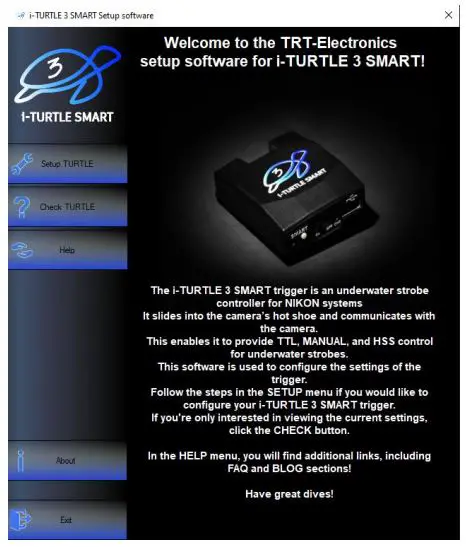
- Setup TURTLE Configure TTL strobe profiles ir rankinis režimas
- Check TURTLE Check current settings and battery level
- Help Guides for configuration and supported strobe types
- About Information about the company and product
Sąrankos vaizdo įrašas: https://www.youtube.com/watch?v=UVkscXZP0QU
Žingsnis po žingsnio instrukcijos, kaip nustatyti trigerį naudojant programinę įrangą
NUSTATYTI VĖŽLYS
- Išjunkite gaiduką

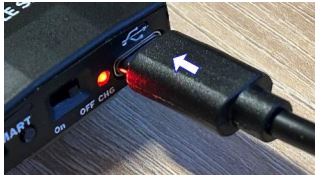
- Prijunkite jį prie kompiuterio naudodami pridedamą USB laidą
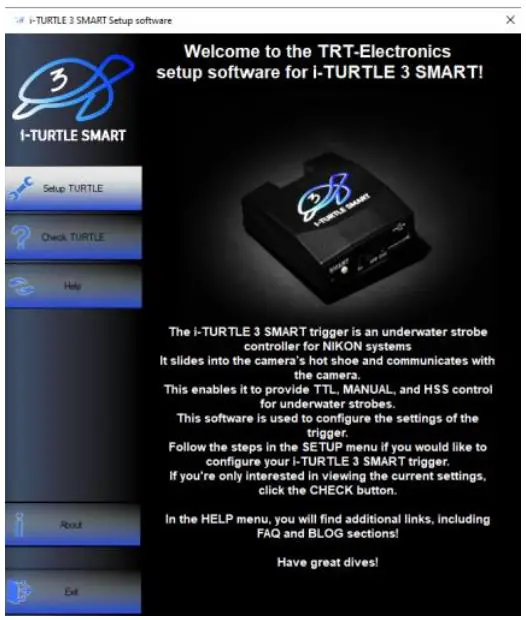
- Paleiskite programinę įrangą ir atidarykite meniu „Setup TURTLE“
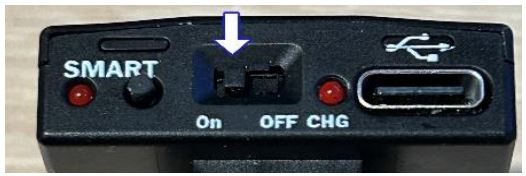
- Įjunkite gaiduką, kai jis prijungtas.
- Spustelėkite „Rasti nuoseklųjį prievadą“ ir išskleidžiamajame meniu pasirinkite antrąjį COM prievadą.

Jei keli įrenginiai naudoja virtualius COM prievadus, prireikus išbandykite skirtingus - Pasirinkite TTL stroboskopą profesionalamsfile norite naudoti

- In the next menu, configure the Manual Mode:

Manual mode offers a basic manual flash option, which can be activated from the camera’s menu. In this mode, the camera will emit a single flash, and the trigger handles it accordingly. However, the TURTLE trigger is capable of much more.
- 1.MANUAL: Trigger forwards either 1st or 2nd curtain flash from the camera.
- 2.STROBOSCOPE: Advanced users can set multiple flashes within a single exposure (1/102s interval).
Stroboscope mode explanation: https://www.youtube.com/watch?v=jPMbL5A6AQg
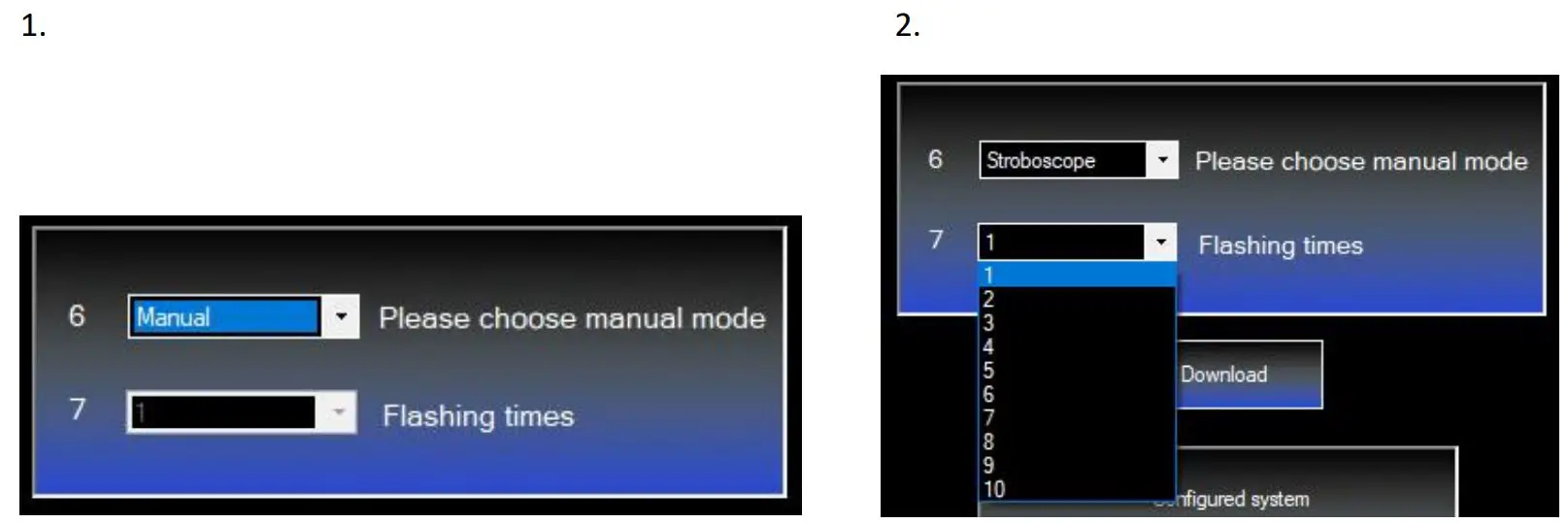
8 . Click “Download” to upload the settings to the trigger. You’ll see confirmation in the lower info window.

PATIKRINTAS VĖŽLYS
If you want to check the battery level, there are two options: You can either press the small button on the back of the trigger a few times until it starts flashing — we’ll cover this in more detail later — or you can check it in the setup software under the CHECK TURTLE menu
Repeat steps 15, then click the “Setup Checking” button. The info window will show the selected strobe and the battery level.

Aparatūra baigtaview
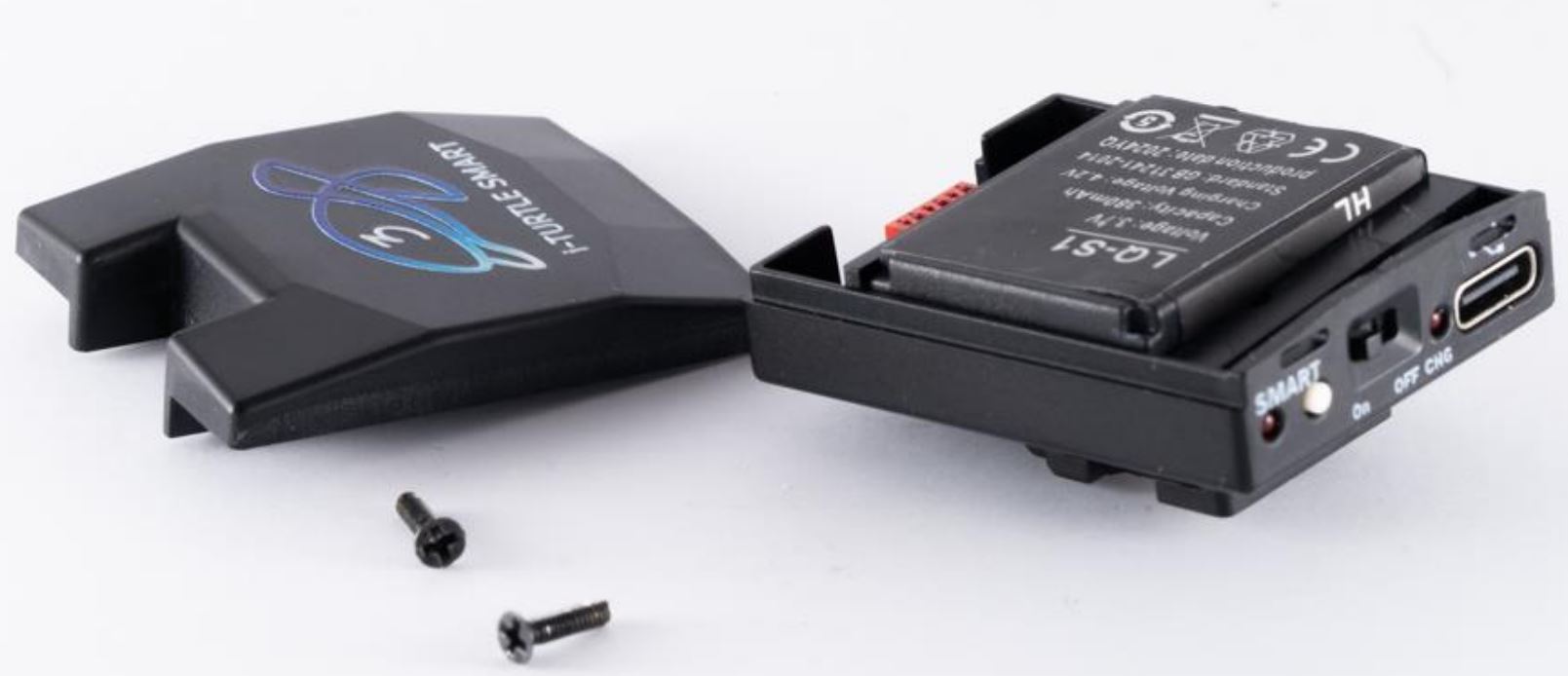
1. Baterija
This is the first TTL trigger on the market with a user-replaceable battery. It uses a standard LQ-S1 battery (commercially available), but only one specific type is compatible–please check connector type before purchasing.

Ši baterija gali tiekti energiją maždaug 6000 kadrų, jei įjungtas fotoaparato miego režimas.
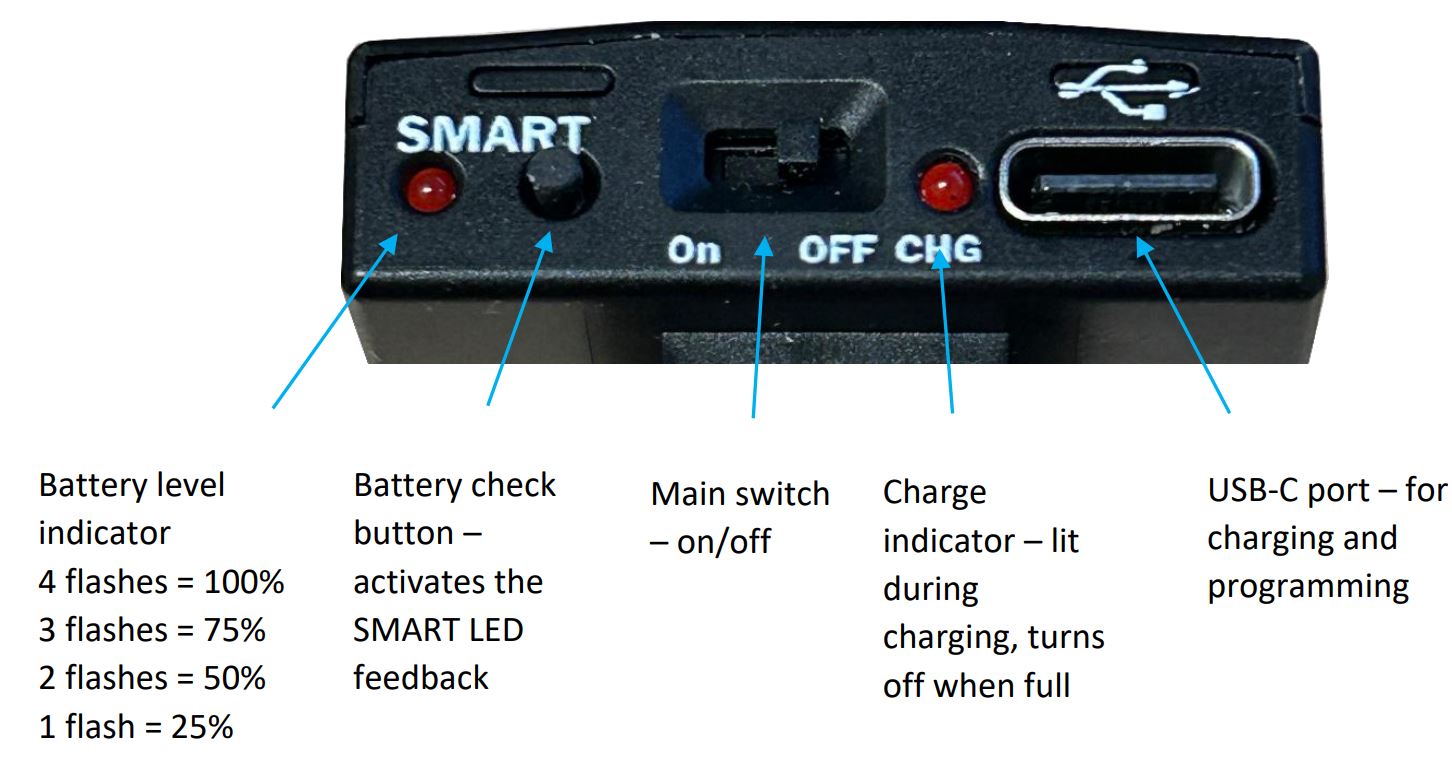
If sleep mode is not enabled and the camera remains active continuously, the battery may discharge within 5 days. Battery capacity and charge level can be checked via the software, but you can also get feedback by pressing the SMART button on the back of the i-TURTLE 3 trigger.
Rekomenduojama pirmiausia išjungti kamerą, tada iš naujo įjungti ir išjungti TURTLE. Paleidiklis gali likti prijungtas prie kameros.
Tada paspauskite mygtuką ir stebėkite šviesos diodų blyksnių skaičių po SMART etikete, kad nustatytumėte akumuliatoriaus lygį.
Battery replacement video: https://www.youtube.com/watch?v=x1hy1vVInBw
2. Strobe connector:
If you need a wired solution for your underwater setup, we can provide various connector types where the Xtrigger, Quench, and GND lines are exposed.
Pagal numatytuosius nustatymus siūlome optinius sprendimus.
TTL funkcionalumas garantuojamas tik naudojant mūsų tiekiamas šviesos diodus.

3. Rear buttons & indicators
Garantija:
The product comes with a 2-year manufacturer’s warranty. Shipping costs for returning a faulty product are not covered by the warranty.
Linkime puikių nardymų ir sėkmingos fotografijos!
Dokumentai / Ištekliai
 |
TRT-electronics TURTLE Trigger [pdfNaudotojo vadovas i-TURTLE 3 SMART, TURTLE Trigger, TURTLE, Trigger |