1. Produktas baigtasview
The BUFFALO DriveStation Ultra is a high-performance, high-capacity direct attached storage (DAS) solution designed for demanding data transfer needs, such as high-resolution video editing. This 10-drive desktop model offers a 40 TB storage capacity and features multi-interface support for both Mac and PC systems.
Pagrindinės funkcijos:
- Industry-leading throughput: Up to 972 MB/s Read and 737 MB/s Write speeds.
- Multi-interface support: Thunderbolt 2 for Mac, and eSATA/USB 3.0 for Windows.
- Advanced data protection: Supports RAID 6 configurations, allowing for up to two drive failures without data loss.
- Equipped with enterprise or NAS hard drives for continuous operation.
1.1 Kas yra dėžutėje
- DriveStation™ Ultra unit
- Thunderbolt laidas
- USB 3.0 laidas
- eSATA laidas
- Greito nustatymo vadovas
- Garantinis pareiškimas
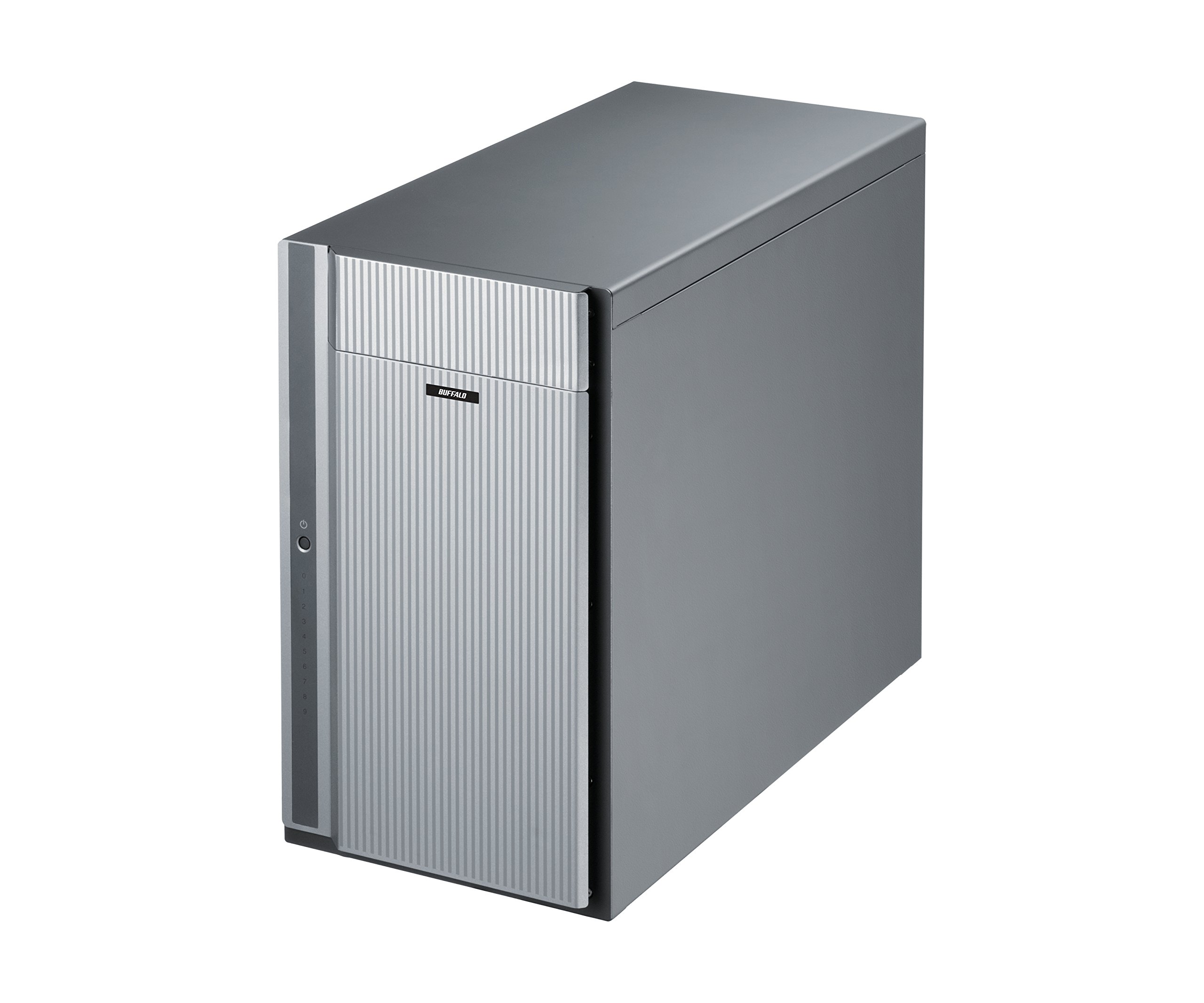
1 pav.: priekis view of the BUFFALO DriveStation Ultra unit.
2. Sąrankos instrukcijos
Follow these steps to set up your DriveStation Ultra:
- Išpakuokite įrenginį: Carefully remove the DriveStation Ultra and all accessories from its packaging.
- Padėkite įrenginį: Place the unit on a stable, flat surface with adequate ventilation. Ensure no vents are obstructed.
- Prijunkite maitinimą: Connect the power cable to the unit and then to a power outlet. Do not power on the device yet.
- Prisijunkite prie kompiuterio: Pasirinkite vieną iš šių prisijungimo būdų:
- Thunderbolt 2 (Mac): Use the provided Thunderbolt cable to connect the DriveStation Ultra to your Mac's Thunderbolt port.
- USB 3.0 (PC/Mac): Use the provided USB 3.0 cable to connect the DriveStation Ultra to your computer's USB 3.0 port.
- eSATA (PC): Use the provided eSATA cable to connect the DriveStation Ultra to your computer's eSATA port.
- Maitinimas: Once connected, press the power button on the DriveStation Ultra. The device will initialize.
- Tvarkyklės diegimas (jei reikia): Your operating system should automatically detect the device. If prompted, install any necessary drivers from the included software or BUFFALO's support websvetainę.
- RAID konfigūracija: The DriveStation Ultra comes pre-configured. For advanced RAID configurations (e.g., changing from default RAID 6), refer to the detailed software manual available on the BUFFALO support websvetainę.

2 pav.: galinis view of the DriveStation Ultra, highlighting Thunderbolt, USB 3.0, and eSATA ports.
3. Naudojimo instrukcijos
Once the DriveStation Ultra is set up and recognized by your computer, it functions as an external storage device. You can access it like any other connected drive.
- Duomenų perdavimas: Vilkite ir numeskite files to and from the DriveStation Ultra. For optimal performance, use the Thunderbolt 2 connection on Mac systems or USB 3.0/eSATA on PC systems.
- Našumas: Expect high-speed data transfers, particularly with large files, due to the optimized hardware and RAID configuration.
- Saugus pašalinimas: Always safely eject the DriveStation Ultra from your operating system before disconnecting the cables or powering down the unit to prevent data corruption.
- Galios valdymas: The device is designed for continuous operation. If you need to power it off, use the power button on the unit after safely ejecting it from your computer.
4. Priežiūra
Proper maintenance ensures the longevity and reliability of your DriveStation Ultra:
- Valymas: Use a soft, dry cloth to clean the exterior of the unit. Do not use liquid cleaners or aerosols directly on the device.
- Vėdinimas: Įsitikinkite, kad ventiliacijos angos nėra dulkės ir neužsikimšusios, kad išvengtumėte perkaitimo.
- Firmware atnaujinimai: Periodically check the BUFFALO support websvetainės, kurioje rasite programinės įrangos atnaujinimus. Nuolat atnaujinant programinę įrangą galima pagerinti našumą ir stabilumą.
- Duomenų atsarginė kopija: While the DriveStation Ultra offers RAID 6 for data protection, it is always recommended to maintain separate backups of critical data.
- Disko sveikata: Monitor the health of the drives using the included utility software or your operating system's disk management tools.
5. Problemų sprendimas
If you encounter issues with your DriveStation Ultra, try the following steps:
- Įrenginys neaptiktas:
- Įsitikinkite, kad maitinimo laidas yra tvirtai prijungtas ir įrenginys įjungtas.
- Verify that the data cable (Thunderbolt, USB, or eSATA) is firmly connected to both the DriveStation Ultra and your computer.
- Try connecting to a different port on your computer or using a different cable.
- Restart your computer and the DriveStation Ultra.
- Lėtas našumas:
- Ensure you are using the correct high-speed interface (Thunderbolt 2, USB 3.0, or eSATA) and compatible cables.
- Check for background processes on your computer that might be consuming resources.
- Verify that the DriveStation Ultra has adequate ventilation to prevent thermal throttling.
- Drive Failure Indication:
- The DriveStation Ultra's RAID 6 configuration provides protection against up to two drive failures. Consult the detailed manual or BUFFALO support for drive replacement procedures.
- Do not attempt to replace drives without proper guidance to avoid data loss.
- Kitos problemos: If the problem persists after trying these steps, refer to the comprehensive user manual on the BUFFALO support websvetainėje arba susisiekite su technine pagalba.
6. Specifikacijos
| Funkcija | Detalė |
|---|---|
| Kietojo disko talpa | 40 TB mechaninis kietasis diskas |
| Prekės ženklas | BUFALAS |
| Serija | DriveStation Ultra |
| Modelio numeris | HD-DN040T/R6 |
| Aparatinės įrangos platforma | „Mac“, asmeninis kompiuteris |
| Prekės svoris | 39.7 svaro |
| Gaminio matmenys (IxPxH) | 15.24 x 7.48 x 12.6 colio |
| Spalva | Sidabras |
| Kietojo disko sąsaja | eSATA |
| Kietojo disko sukimosi greitis | 7200 aps./min |
| Ryšio technologija | Thunderbolt, USB, eSATA |
| Diegimo tipas | Išorinis kietasis diskas |
| Pirmoji laisva data | 22 m. liepos 2015 d |
7. Informacija apie garantiją
The BUFFALO DriveStation Ultra 10-Drive Thunderbolt Desktop DAS 40 TB (Model HD-DN040T/R6) comes with a 3 metų ribota garantija.
For detailed terms and conditions of the warranty, please refer to the warranty statement included in your product packaging or visit the official BUFFALO websvetainę.
8. Parama
For technical assistance, additional documentation, or to download the latest drivers and firmware, please visit the official BUFFALO support websvetainę.
You can typically find support resources by searching for your product model (HD-DN040T/R6) on the BUFFALO support portal.
Contact information for customer service may also be available on the BUFFALO website or in your product's quick setup guide.