Įvadas
The PRISMXR Vega T1 Wireless Gaming Earbuds are designed to provide a low-latency audio experience for gaming across various platforms, including Meta Quest, PlayStation, Steam Deck, and PC. Featuring dual connectivity (2.4GHz wireless via USB-C dongle and Bluetooth), these earbuds offer high-fidelity sound and clear communication capabilities. This manual provides detailed instructions for setup, operation, maintenance, and troubleshooting to ensure optimal performance.
Kas yra dėžutėje
Išpakuodami patikrinkite, ar yra visi komponentai:
- PRISMXR Vega T1 Wireless Gaming Earbuds (Left and Right)
- Įkrovimo dėklas
- USB-C raktas
- USB-C į USB-A adapteris
- USB-C įkrovimo laidas
- Eartips (3 pairs: S, M, L)
- Vartotojo vadovas (šis dokumentas)

Image: All components included in the PRISMXR Vega T1 package.
Produktas baigtasview
The Vega T1 earbuds are engineered for immersive audio and seamless connectivity. Key features include:
- VegaBlast Tech: Utilizes PU+bionic fiber layers and high-purity copper coils for enhanced bass and a wide soundstage.
- ZeroDrag Tech: Achieves ultra-low latency of 25ms for synchronized audio during gaming and media consumption.
- Dvigubas ryšys: Supports 2.4GHz wireless via USB-C dongle for gaming and Bluetooth for mobile devices.
- Super Passthrough Charge: Allows 27W fast charging through the dongle, keeping your device powered while in use.
- Clear Microphone Sound: Equipped with two microphones per earbud and beamforming technology for noise-cancelling calls.
- Universal Plug and Play: Compatible with a wide range of devices including Meta Quest, PS4/PS5, Steam Deck, PC, and mobile phones.

Image: The PRISMXR Vega T1 earbuds and their accompanying USB-C dongle.

Paveikslėlis: sprogęs view diagram highlighting the internal audio components of the Vega T1 earbuds, showcasing VegaBlast Tech.
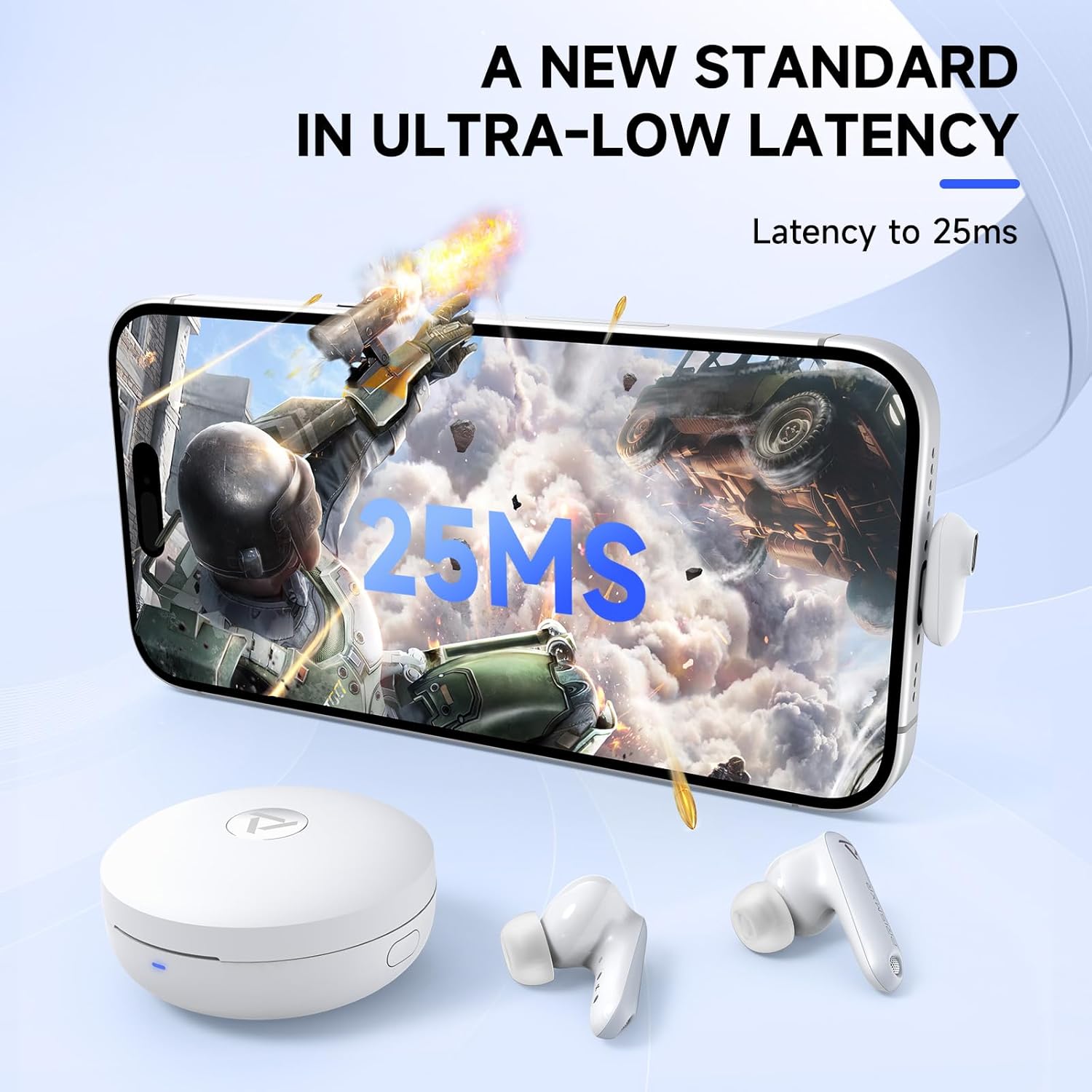
Image: A smartphone screen showing a game with "25ms" latency displayed, indicating the low-latency performance of the earbuds.
Sąranka
1. Pradinis įkrovimas
Before first use, fully charge the earbuds and the charging case. Place the earbuds into the charging case and connect the USB-C charging cable to the case and a power source. The indicator lights on the case will show charging status.
2. Connecting via 2.4GHz Wireless (Dongle)
- Insert the USB-C dongle into a compatible port on your gaming device (e.g., Meta Quest, PS5, Steam Deck, PC). If your device only has a USB-A port, use the provided USB-C to USB-A adapter.
- Ensure the earbuds are in the charging case and the case is open, or the earbuds are out of the case and powered on.
- The earbuds will automatically attempt to connect to the dongle. A successful connection is indicated by a stable light on the dongle.
- On your device, select the Vega T1 as the audio output device if it does not switch automatically.
Important Note for PS4/PS5: Do not plug the dongle into the controller or into the back of the PS4/PS5 console. Use a front USB port. Do not attempt to connect to PS4/PS5 via Bluetooth, as this is not supported for gaming audio.

Image: Illustration demonstrating the correct method for connecting the Vega T1 dongle to a PS4 or PS5 console.
3. Prisijungimas per Bluetooth
- Ensure the earbuds are out of the charging case.
- On your mobile device, open Bluetooth settings.
- Select "PRISMXR Vega T1" from the list of available devices to pair.
- Balso pranešimas patvirtins sėkmingą susiejimą.
Bluetooth connection is primarily for mobile devices and voice chat (e.g., Discord on smartphone) while simultaneously using the dongle for game audio.
Naudojimo instrukcijos
Ausinių valdikliai
The Vega T1 earbuds feature touch controls for various functions:
| Veiksmas | Funkcija |
|---|---|
| Vienas bakstelėjimas (kairėn / dešinėn) | Leisti / pristabdyti, atsiliepti / baigti skambutį |
| Dvigubas bakstelėjimas (kairėn) | Sumažinti garsumą |
| Dvigubas bakstelėjimas (dešinėn) | Padidinti garsumą |
| Trigubas bakstelėjimas (kairėje) | Ankstesnis takelis |
| Trigubas bakstelėjimas (dešinėn) | Kitas takelis |
| Ilgas paspaudimas (2 s) | Atmesti skambutį, įjungti balso asistentą |
Simultaneous Play and Chat
The Vega T1 allows you to receive game audio via the 2.4GHz dongle and simultaneously connect to your smartphone via Bluetooth for voice chat applications like Discord. This enables uninterrupted communication during gameplay.

Image: A user playing a VR game while simultaneously engaging in a voice chat, demonstrating the dual connectivity feature.
Using the PrismXR App
Download the PrismXR app from your device's app store to personalize your listening experience. The app allows for custom equalizer settings, control remapping, and firmware updates.

Image: Screenshots of the PrismXR mobile application, illustrating options for custom equalizer adjustments and earbud control settings.
Priežiūra
- Valymas: Regularly clean the earbuds, eartips, and charging contacts with a soft, dry, lint-free cloth. Do not use abrasive cleaners or solvents.
- Ausinės: Ensure eartips are properly seated on the earbuds. Use only original or compatible eartips to ensure proper charging and sound quality.
- Saugykla: Kai nenaudojate, laikykite ausines įkrovimo dėkle, kad jos būtų apsaugotos ir įkrautos.
- Atsparumas vandeniui: The earbuds are rated IPX4 water-resistant, meaning they are protected against splashing water from any direction. They are not designed for submersion.
Trikčių šalinimas
| problema | Galima priežastis | Sprendimas |
|---|---|---|
| Nėra garso iš ausinių | Earbuds not charged, not connected, or incorrect audio output selected. | Ensure earbuds are charged. Re-pair with dongle/Bluetooth. Check device's audio output settings. |
| High latency/Audio delay | Interference, dongle placement, or simultaneous VR connections. | Ensure dongle is not obstructed and is at least 8 inches from metal. Avoid simultaneous VR connections if experiencing issues. |
| Mikrofonas neveikia | Microphone muted, incorrect input device selected, or obstruction. | Check device's microphone input settings. Ensure earbuds are clean and not obstructed. |
| Ausinės neįkraunamos | Charging contacts dirty, cable faulty, or case battery low. | Clean charging contacts on earbuds and case. Try a different USB-C cable. Charge the case. |
| Cannot connect to PS4/PS5 | Incorrect dongle port used or attempting Bluetooth connection. | Plug dongle into a front USB port on the console. Do not use Bluetooth for PS4/PS5 gaming audio. |
Specifikacijos
| Funkcija | Detalė |
|---|---|
| Modelio pavadinimas | 1201022 p |
| Ryšio technologija | 2.4GHz Wireless (Dongle), Bluetooth |
| Latencija | 25ms (via 2.4GHz dongle) |
| Triukšmo valdymas | Pasyvus triukšmo slopinimas |
| Mikrofonas | 2 per earbud, Beamforming technology |
| Atsparumo vandeniui lygis | IPX4 |
| Varža | 16 omų |
| Nešimo dėklas Baterijos talpa | 570 mAh |
| Power Input (Passthrough) | 27W (charging only, no data transfer) |
| Suderinamumas | Meta Quest 3S/3/2, PS4, PS5, Steam Deck, PC, Laptops, Phones (via USB-C dongle or Bluetooth). Not compatible with Switch 2 or Xbox series. |
| Įtraukti komponentai | Earbuds, Charging Case, USB-C Dongle, USB-C to A Adapter, USB-C Charging Cable, Eartips (3 pairs), User Manual |
Garantija ir palaikymas
For warranty information and technical support, please refer to the official PRISMXR website or contact their customer service. Details can typically be found on the product packaging or the brand's online store.
PRISMXR Store: Visit the PRISMXR Store on Amazon


